
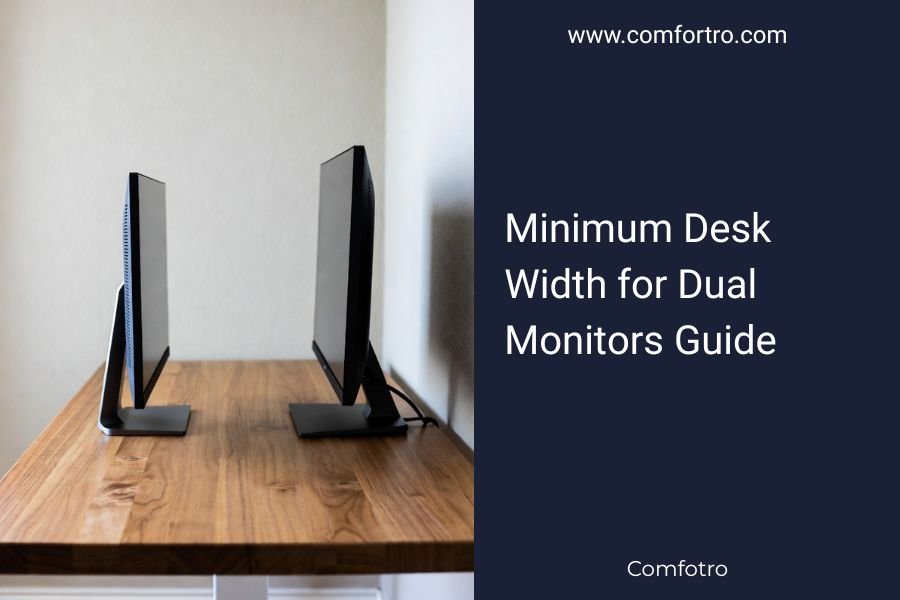
The minimum desk width for dual monitors is 60 inches (152 cm) for optimal comfort and productivity.
This measurement allows proper spacing between monitors, reduces neck strain, and provides adequate workspace for your daily tasks.
Setting up dual monitors feels exciting until you realize your current desk might be too cramped. You need enough space for both screens plus room to work comfortably.
Let me walk you through everything about desk width requirements for dual monitors. I researched ergonomic guidelines and workspace standards to give you clear answers.
Standard Dual Monitor Desk Width Requirements
Most dual monitor setups work best with desks between 55-70 inches wide. The exact width depends on your monitor sizes and how you position them.
Here’s what I found from ergonomic research:
- 24-inch monitors: 55-60 inches minimum desk width
- 27-inch monitors: 60-65 inches minimum desk width
- 32-inch monitors: 65-70 inches minimum desk width
Why These Measurements Matter
Your viewing angle affects eye strain and neck comfort. Sitting too close to large monitors causes fatigue. Sitting too far makes text hard to read.
The American Optometric Association recommends keeping monitors 20-26 inches from your eyes. You need desk width that supports this distance while fitting both screens.
Calculating Your Exact Desk Width Needs
Want to get precise measurements for your setup? Here’s a simple calculation method I discovered:
Basic Width Formula
Add your monitor widths together, then add 12-18 inches for comfortable spacing. This accounts for monitor bezels and workspace around the screens.
For example: Two 24-inch monitors (21 inches actual width each) = 42 inches + 15 inches spacing = 57 inches minimum.
Monitor Positioning Options
How you arrange monitors changes your space requirements:
Side-by-Side Setup
This traditional arrangement needs the most width. Both monitors sit flat on the desk next to each other.
Angled Configuration
Angling monitors slightly inward can save 3-5 inches of desk width while improving viewing angles.
Monitor Arms Impact
Using monitor arms lets you position screens more flexibly. You might need less desk width with adjustable arms.
Monitor Size and Desk Width Breakdown
Different monitor sizes create different space challenges. Let me break down what works for each size category.
| Monitor Size | Actual Width (Each) | Minimum Desk Width | Recommended Width |
|---|---|---|---|
| 21-22 inches | 19 inches | 50 inches | 55 inches |
| 24 inches | 21 inches | 55 inches | 60 inches |
| 27 inches | 24 inches | 60 inches | 65 inches |
| 32 inches | 28 inches | 65 inches | 70 inches |
Ultra-Wide vs Dual Monitor Considerations
Sometimes one ultra-wide monitor makes more sense than two separate screens. Ultra-wide monitors typically need 55-65 inches of desk width.
This option works well if you have width constraints but still want expanded screen real estate.
Ergonomic Guidelines for Monitor Placement
Getting the right desk width is just part of creating a healthy workspace. Proper monitor placement protects your neck, eyes, and shoulders.
Viewing Distance Standards
Research from the Occupational Safety and Health Administration shows optimal viewing distances:
- Small text work: 20-24 inches from screen
- General computer tasks: 24-26 inches from screen
- Large graphics work: 26-30 inches from screen
Monitor Height and Angle
Your monitor tops should sit at or slightly below eye level. This reduces neck strain during long work sessions.
Tilt monitors back 10-20 degrees to match your natural downward gaze angle.
Primary vs Secondary Monitor Setup
Place your main monitor directly in front of you. Position the secondary monitor at a 30-degree angle to minimize head turning.
Common Desk Width Mistakes to Avoid
I found several mistakes people make when choosing desk width for dual monitors. Avoiding these saves money and frustration.
Underestimating Space for Accessories
You need room for keyboards, mice, speakers, and other accessories. Many people calculate monitor space but forget about these essentials.
Ignoring Wall and Room Constraints
A 70-inch desk sounds great until you realize it won’t fit in your room. Measure your space before shopping.
Forgetting About Cable Management
Cables need space too. Plan for power cords, video cables, and USB connections when determining desk width.
Monitor Stand vs Arm Considerations
Monitor stands take up more desk surface than arms. Factor this into your width calculations.
Alternative Solutions for Limited Space
What if you can’t fit a 60-inch desk in your space? Several workarounds can help you achieve dual monitor functionality.
Vertical Monitor Stacking
Stack one monitor above the other instead of side-by-side placement. This reduces width requirements to about 30 inches.
Corner Desk Solutions
Corner desks maximize space efficiency. They often provide more usable width than straight desks in tight spaces.
Wall-Mounted Monitor Options
Mounting monitors on the wall eliminates desk space requirements entirely. This works well in very small spaces.
Adjustable Desk Width Systems
Some desks feature expandable surfaces. These let you adjust width based on your current monitor setup.
Budget-Friendly Desk Width Solutions
You don’t need expensive furniture to get adequate desk width. Creative solutions can save money while meeting your needs.
DIY Desk Extensions
Add side extensions to existing desks using shelf brackets and wood boards. This costs much less than buying new furniture.
Desktop Riser Platforms
Platform risers create additional surface area without requiring wider desks. They work well for smaller monitors.
Multi-Level Desk Organization
Use different height levels to maximize your existing desk space. This approach works with narrow desks.
Measuring Your Current Setup
Before buying anything, measure what you currently have. This prevents costly mistakes and helps you make informed decisions.
Tools You’ll Need
Grab a measuring tape, paper, and pencil. Measure your current desk, monitor sizes, and available room space.
Don’t forget to measure clearance around your desk area. You need space to pull out chairs and walk around comfortably.
Creating a Floor Plan
Sketch your room layout with measurements. This helps visualize how different desk sizes will fit.
Conclusion
Getting the right desk width for dual monitors comes down to measuring carefully and planning ahead. Most setups need 55-70 inches of width, depending on monitor sizes and your preferred arrangement.
Remember that comfort matters more than cramming everything into tight spaces. A slightly larger desk investment pays off in reduced eye strain and better productivity. Take time to measure your monitors, plan your layout, and consider your room constraints before making final decisions.
What if my monitors are different sizes for a dual setup?
Calculate desk width using your larger monitor’s dimensions twice, then subtract 3-5 inches. This ensures both screens fit comfortably even with size differences.
Can I use a 48-inch desk for dual 24-inch monitors?
A 48-inch desk will feel cramped for dual 24-inch monitors. You’ll have minimal workspace around the screens and may experience viewing distance issues that cause eye strain.
How much extra width do monitor arms save compared to stands?
Monitor arms typically save 4-8 inches of desk width by eliminating bulky stand bases. They also allow better positioning flexibility for optimal viewing angles.
Should I choose an L-shaped desk for dual monitors?
L-shaped desks work well for dual monitors because they provide corner space for angled monitor placement. This setup often feels more natural than straight-line arrangements.
What desk width works best for gaming with dual monitors?
Gaming setups typically need 65-70 inches minimum to accommodate larger monitors, gaming peripherals, and adequate viewing distances for fast-paced action.
