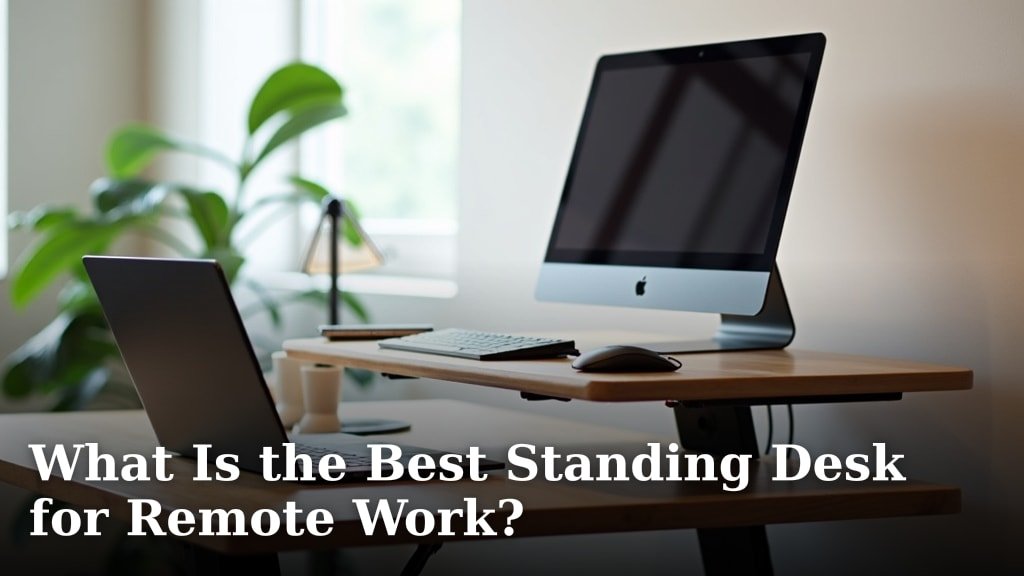
The best standing desk for remote work balances ergonomics, stability, and quiet operation for your home office. While many options exist, we found that a well-built electric desk with memory presets offers the most comfort and convenience for long workdays.
Working from home has its perks, but sitting all day isn’t one of them. A good standing desk can boost your energy and reduce discomfort. You want a desk that fits your space and helps you stay focused, right?
- Electric desks offer smooth, easy adjustments.
- Look for strong, stable construction to avoid wobbles.
- Memory presets save your favorite heights.
- Consider desk size and weight capacity for your gear.
- Quiet motors are a big plus for video calls.
Below, we break down everything you need to know to pick the perfect standing desk for your remote work setup.
Choosing the Best Standing Desk for Your Remote Setup
The right standing desk can transform your remote work experience. It’s not just a piece of furniture; it’s an investment in your health and productivity.
We’ve explored countless options to help you pinpoint what truly matters when making your selection.
Understanding Different Types of Standing Desks
Standing desks aren’t one-size-fits-all. They come in various styles, each with its own benefits and drawbacks. Knowing these differences helps you pick the perfect fit for your home office.
Electric Standing Desks: The Gold Standard
Electric standing desks are often considered the best choice for remote work. Why? Because they offer effortless height adjustments at the touch of a button. You don’t have to strain or interrupt your workflow to switch positions.
Many models include memory presets. This means you can save your perfect sitting and standing heights. It’s like your desk remembers your preferences, making transitions smooth and instant.
When you’re on a video call, a quiet motor is key. We’ve found that most quality electric desks operate with a low hum, ensuring you won’t disrupt your calls (Mayo Clinic).
Manual (Crank) Standing Desks: Budget-Friendly Option
Manual standing desks require you to use a hand crank to raise or lower the surface. They are generally more affordable than electric desks. If budget is your primary concern, this could be a good starting point.
However, the cranking process can be slow and a bit tiresome. It might discourage you from changing positions as often as you should. For remote workers who transition frequently, this can become a hassle.
Desktop Converters: Portable and Practical
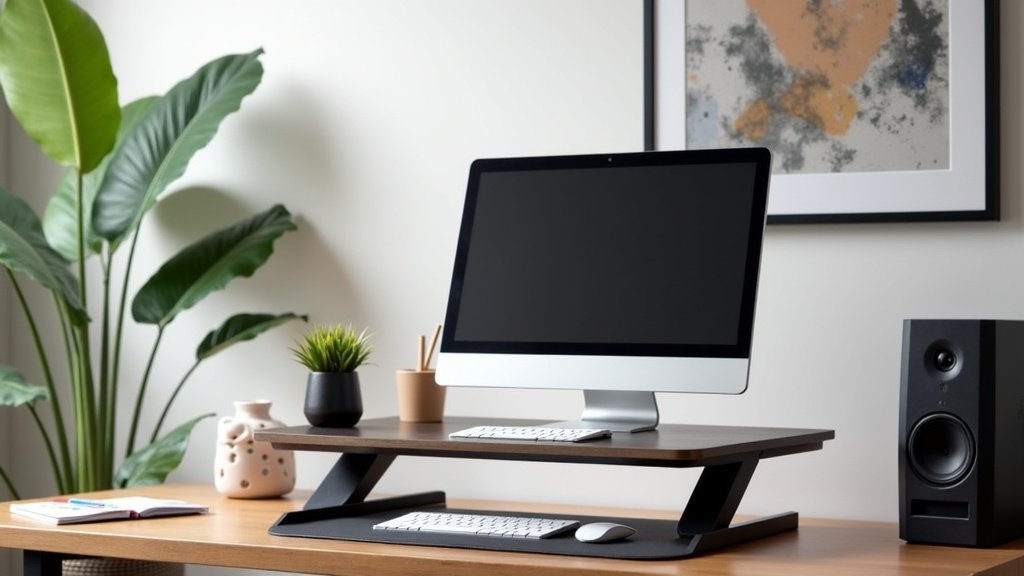
Desktop converters sit on top of your existing desk. They allow you to turn any standard desk into a standing workstation. These are great for smaller spaces or if you’re not ready to commit to a full standing desk.
While convenient, converters often have limited surface area and weight capacity. They might not fit all your monitors and accessories. Some can also feel less stable than a dedicated standing desk.
Key Features to Look for in a Remote Work Standing Desk
When you’re working from home, your desk is your command center. You want it to be reliable, comfortable, and supportive. Let’s break down the essential features.
Stability and Durability: No Wobbly Worries
Imagine your monitors shaking every time you type. Not ideal, right? A stable desk is crucial. Look for desks with a solid frame, often made from steel, and sturdy legs.
The number of motor legs also impacts stability. Dual-motor desks generally provide more stability and a higher weight capacity than single-motor desks. We’ve found that this extra investment often pays off in the long run.
Durability refers to how long the desk will last. A good standing desk is a long-term purchase. Check for quality materials and good reviews about the manufacturer’s reliability.
Height Range and Adjustability: Your Personal Fit
A standing desk is only effective if it fits your body. The ideal height for standing varies greatly depending on your height. Your elbows should be at a 90-degree angle when standing, with your wrists straight (CDC).
Look for a desk with a wide height range. This ensures it can accommodate both your sitting and standing preferences. If you’re particularly tall or short, this feature becomes even more important.
As mentioned, memory presets are a game-changer. They eliminate guesswork and encourage you to switch positions more often. This is a primary benefit of electric models.
Weight Capacity: Holding Your Gear
How much gear do you have? Multiple monitors, a heavy laptop, external speakers, a desk lamp—it all adds up. Check the desk’s weight capacity to ensure it can safely support your entire setup.
An overburdened desk might struggle to adjust smoothly, or worse, become unstable. We recommend choosing a desk with a capacity that comfortably exceeds the weight of your current equipment.
Desk Surface Size and Shape: Your Workspace Real Estate
Your desk surface is your primary workspace. Consider how much room you need for your monitors, keyboard, mouse, and other essentials. Are you a minimalist or do you need space for notes and reference books?
Common sizes range from compact 48-inch widths to spacious 72-inch or L-shaped designs. Measure your available space carefully before deciding. You don’t want a desk that overwhelms your room or cramps your style.
Consider the desktop material too. Laminate is common and durable, while solid wood offers a more premium look and feel.
Enhancing Your Standing Desk Experience with Accessories
A great standing desk is just the beginning. Certain accessories can make your remote work setup even more comfortable and productive.
Ergonomic Mat: Comfort for Your Feet
Standing for long periods can be tough on your feet and back. An anti-fatigue mat provides cushioning and encourages subtle movement. It significantly reduces discomfort, allowing you to stand longer and more comfortably.
Think of it like a shock absorber for your body. Many remote workers say it’s an essential item for their standing desk setup.
Monitor Arms: Free Up Desk Space
Monitor arms attach to your desk and hold your screens above the surface. This frees up valuable desk space, making your workspace feel larger and less cluttered. They also allow for optimal monitor positioning, which is key for good posture.
Adjustable monitor arms let you tilt, swivel, and rotate your screens. This helps reduce neck and eye strain, whether you’re sitting or standing.
Cable Management: Tidy and Safe
Nothing ruins a clean workspace faster than a tangled mess of cables. Good cable management solutions keep your cords organized and out of sight. This makes your workspace look better and reduces tripping hazards.
Look for desks that include built-in cable trays or grommets. You can also buy cable sleeves, ties, and under-desk organizers separately.
Standing Desk Checklist for Remote Workers
Before you commit, run through this quick checklist to ensure you’re getting the best desk for your needs:
- Is it an electric desk with memory presets for easy adjustments?
- Does it have a sturdy, wobble-free frame for stability?
- Is the height range suitable for your unique body measurements?
- Can it comfortably hold all your monitors and equipment?
- Does the desktop size fit your workspace and workflow?
- Are you planning to get an anti-fatigue mat for extra comfort?
Understanding the Health Benefits of a Standing Desk
Why bother with a standing desk in the first place? The health benefits are well-documented and can significantly impact your remote work life.
Spending too much time sitting has been linked to various health concerns (NIH). A standing desk helps you break up long periods of inactivity.
Reducing Sedentary Behavior
The primary benefit is simply standing more. Regularly switching between sitting and standing helps combat sedentary behavior. This can improve circulation and reduce feelings of sluggishness.
Many people find that standing for part of the day boosts their energy levels and mental focus. It’s like a mini-reset button for your body and mind.
Improved Posture and Reduced Back Pain
Poor posture is a common issue for desk workers. A properly adjusted standing desk encourages you to maintain a straighter spine and engage your core muscles. Over time, this can lead to improved posture and a reduction in back and neck pain.
Remember, the goal isn’t to stand all day, but to integrate standing periods throughout your workday. Listen to your body and adjust as needed.
Potential Boost in Productivity and Focus
Many remote workers report feeling more productive and focused when using a standing desk. The subtle movement and change in position can help prevent that afternoon slump.
When you feel more alert and comfortable, it’s easier to concentrate on your tasks. Think of it as a subtle way to keep your brain engaged and prevent boredom from setting in.
Comparing Top Standing Desk Brands and Models
With so many options out there, choosing a brand can feel overwhelming. We’ve compiled a brief overview to help you navigate the market. Remember, the “best” desk is ultimately the one that meets your specific needs.
When comparing, consider their reputation for customer service, warranty, and ease of assembly. These factors can greatly impact your overall satisfaction.
Key Factors in Brand Comparison
We’ve found that some brands stand out for their build quality, motor reliability, and user-friendly features. Others might excel in affordability or unique designs.
Look at what reviewers say about the stability of the desk at its highest point. Does the motor sound like a jet engine or a gentle hum? These details matter for a remote work environment.
| Feature Category | Key Considerations | Why It Matters for Remote Work |
|---|---|---|
| Adjustability | Electric vs. Manual; Memory Presets | Smooth, quiet transitions are key during calls and focused work. |
| Stability | Frame Material (Steel); Dual Motors | Prevents monitor wobble, reduces distraction, protects equipment. |
| Weight Capacity | Lbs Supported | Ensures your multi-monitor setup and gear are safely held. |
| Desktop Size | Width & Depth Options | Enough space for your workflow without cluttering your home office. |
| Noise Level | Motor Decibels (dB) | Crucial for maintaining a quiet environment for calls and concentration. |
| Price Range | Budget vs. Premium | Balances features with your financial comfort level. |
Conclusion
Choosing the best standing desk for your remote work setup comes down to your personal needs and priorities. We found that an electric desk with memory presets offers the best blend of convenience, ergonomics, and stability for most home offices. Prioritize a sturdy build, a suitable height range, and enough surface area for your workflow. Investing in accessories like an anti-fatigue mat and monitor arms will further enhance your comfort and productivity. Take these steps to create a healthier, more focused workspace that truly supports your well-being.
Frequently Asked Questions
How long should I stand at my standing desk each day?
The general recommendation is to alternate between sitting and standing throughout your workday. Aim for a 1:1 or 2:1 sit-to-stand ratio. For example, stand for 30 minutes for every 30-60 minutes you sit. Listen to your body and adjust as needed to prevent fatigue.
Can a standing desk really help with back pain?
Yes, many users report reduced back pain. Regularly changing positions helps engage different muscles and can alleviate pressure points. A properly adjusted standing desk encourages better posture, which is key to preventing and managing back discomfort.
Is it difficult to assemble a standing desk at home?
Most modern standing desks are designed for relatively straightforward home assembly. Many brands provide clear instructions and all necessary tools. Some even offer assembly videos. Expect it to take anywhere from 30 minutes to 2 hours, depending on the model.
What’s the ideal height for my standing desk?
When standing, your elbows should form roughly a 90-degree angle, with your wrists straight, and your keyboard and mouse comfortably within reach. When sitting, your feet should be flat on the floor, and your monitor at eye level. Adjust the desk to these ergonomic positions for both postures.
Should I get a single or dual-motor standing desk?
For remote work, we recommend a dual-motor standing desk if your budget allows. Dual motors offer greater stability, a higher weight capacity, and often smoother, quieter, and faster height adjustments. A single motor might suffice for very light setups, but dual motors provide a better experience.