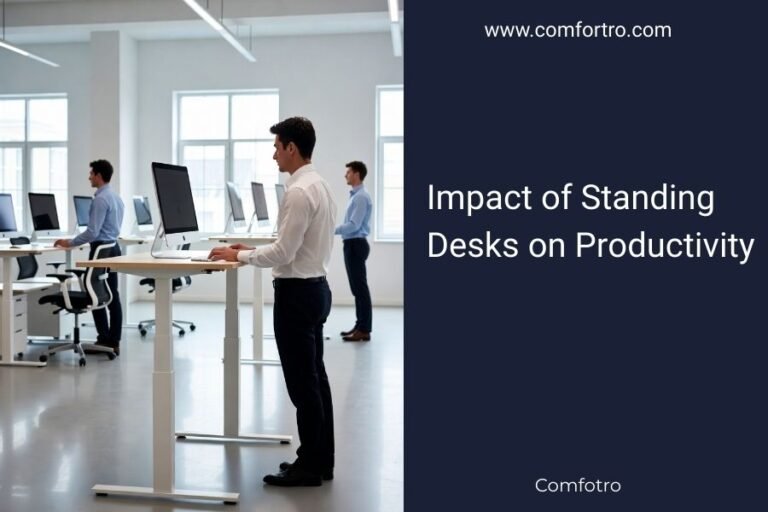
The best computer desk for back and neck pain is typically a height-adjustable standing desk. These desks allow you to change positions frequently, which is key to reducing discomfort. They help you avoid staying in one painful posture too long.
Many experts say that movement is medicine when it comes to back and neck issues. A good desk for pain relief allows you to easily
Optimizing Your Workspace for Back and Neck Pain Relief
The best computer desk for back and neck pain is a height-adjustable standing desk. It allows you to frequently change your position, which is critical for reducing discomfort and avoiding prolonged static postures.
Understanding How Desks Impact Back and Neck Health
Think about your body like a car. If you drive it on a bumpy road for hours without moving, parts will wear out. Your body is similar. Staying in one position too long puts constant stress on your muscles, ligaments, and discs. This can lead to pain.
Your spine is designed for movement. It has many small joints that need to flex and extend. Sitting all day limits this natural movement. It can also strain your neck and shoulders, especially if your monitor isn’t at the right height.
Many people find their pain worsens throughout the workday. This often points to poor ergonomics. Your desk setup can either help or hurt your body. A good desk setup promotes healthy posture and encourages movement.
The Problem with Prolonged Sitting
Sitting for long periods is a common issue today. It often leads to a hunched posture. Your shoulders can round forward, and your head might jut out. This puts extra strain on your neck and upper back.
We often slouch without realizing it. This posture compresses your spinal discs. It can also weaken core muscles over time. Weak core muscles mean less support for your spine, leading to more pain.
Research indicates that excessive sitting contributes to various health problems (Mayo Clinic). It’s not just about back pain. It can affect your overall well-being. So, how can your desk help?
The Benefits of Frequent Movement
Movement is like oil for your joints. It helps nutrients flow to your spinal discs. It keeps your muscles active and engaged. Changing positions reduces the build-up of tension.
When you move, you redistribute pressure. This prevents any single area from being overloaded. Even small movements make a difference. Shifting in your chair or taking short breaks helps.
A desk that lets you switch from sitting to standing encourages this movement. It reminds you to change. This active approach can significantly reduce pain symptoms. It makes your workday feel less rigid.
Why a Height-Adjustable Standing Desk is Your Best Bet
A height-adjustable standing desk offers the most flexibility. It lets you easily switch between sitting and standing. This feature is crucial for managing and preventing back and neck pain.
Imagine being stuck in a single position for eight hours. Your body will naturally complain. A standing desk breaks this pattern. It empowers you to listen to your body and adjust.
We found that users report less fatigue and fewer aches. This isn’t just anecdotal. Many studies support the benefits of incorporating standing into your workday (CDC).
Key Features to Look For
Not all standing desks are created equal. Some features are more important than others. Investing in the right desk can make a huge difference for your comfort and health.
What should you prioritize? Think about stability, adjustability, and overall quality. These factors determine how effective your desk will be in the long run.
Electric vs. Manual Adjustment
Electric standing desks are generally preferred. They adjust with the push of a button. This makes changing positions effortless. You are more likely to use the feature if it’s easy.
Manual desks, like crank or gas-lift models, require more effort. You might find yourself changing positions less often. This defeats the main purpose of a standing desk.
Consider programmed height settings. Many electric desks offer memory presets. You can save your perfect sit and stand heights. This saves time and ensures consistent comfort.
Stability and Weight Capacity
A wobbly desk is distracting and annoying. Look for a desk with a sturdy frame. Steel frames are usually better than aluminum. Good stability means you can type and work without shaking.
Check the weight capacity. Your desk needs to hold your monitors, computer, and other equipment. Overloading your desk can lead to instability or even damage. A higher capacity often means a more robust design.
We found that desks with dual motors often offer better stability and a higher weight capacity. They tend to lift more smoothly too.
Desk Surface Size and Shape
The surface area of your desk matters. Do you have multiple monitors? Do you spread out papers? Make sure the desk is large enough for your needs.
Common desk shapes include rectangular, L-shaped, and curved. L-shaped desks offer maximum surface area for larger setups. A curved front can offer better ergonomic support for your forearms.
Think about your existing space. Measure carefully before you buy. You want a desk that fits comfortably and leaves room to move around.
Complementary Ergonomic Accessories
A great desk is just one piece of the puzzle. You need other tools to complete your ergonomic setup. These accessories work together to support your body.
Imagine buying a fancy car but using old, flat tires. It won’t perform well. Similarly, your desk needs the right supporting accessories to shine.
Ergonomic Chair
Even with a standing desk, you’ll still sit sometimes. A good ergonomic chair is non-negotiable. It should offer excellent lumbar support and adjustable armrests.
Look for a chair that supports the natural curve of your spine. Your feet should be flat on the floor or on a footrest. Armrests should allow your elbows to be at a 90-degree angle.
A high-quality chair complements your standing desk. It provides relief and proper alignment when you choose to sit. Don’t skimp on your chair.
Monitor Arm
Your monitor height is critical for neck health. A monitor arm allows you to adjust your screen vertically and horizontally. This ensures your eyes are level with the top third of your screen.
This simple adjustment can prevent forward head posture. It reduces strain on your neck and shoulders. A monitor arm also frees up valuable desk space.
Many monitor arms can also be adjusted for standing. This means your screen stays at the correct height whether you’re sitting or standing. It’s a small change with a big impact.
Anti-Fatigue Mat
When standing, an anti-fatigue mat is your friend. It provides cushioning and encourages micro-movements. This reduces pressure on your feet, knees, and lower back.
Standing on a hard floor for hours can be tiring. A good mat makes standing much more comfortable. It can help you stand for longer periods without discomfort.
We recommend a mat with varied textures or contours. This encourages subtle shifts in position, further stimulating blood flow. Your feet will thank you.
Keyboard and Mouse
Ergonomic keyboards and mice can prevent wrist and hand pain. They promote a more natural position for your hands and forearms. This reduces strain during prolonged typing.
Look for keyboards with a split or tented design. Ergonomic mice often have a vertical or trackball design. Experiment to find what feels best for you.
Keeping your wrists straight and relaxed is key. These tools help maintain proper alignment. They complete your comfortable ergonomic setup.
Setting Up Your Ergonomic Workspace for Pain Relief
Having the right equipment is only half the battle. You need to set it up correctly. A poorly adjusted ergonomic desk can still cause pain. Let’s make sure you get it right.
Think of it as fitting a custom suit. It needs to be tailored to your specific body. Every adjustment should make you feel more comfortable and supported.
Many people overlook the setup process. Don’t be one of them! Taking the time now will save you pain later.
The Golden Rules of Ergonomic Setup
There are a few basic principles that apply to almost everyone. These rules guide you in creating a healthy workspace. They focus on alignment and comfort.
We found that following these guidelines significantly reduces discomfort. They are easy to remember and implement. Let’s walk through them.
Ergonomic Setup Checklist:
- Your feet should be flat on the floor or a footrest when sitting.
- Your knees should be at about a 90-degree angle.
- Your monitor should be at arm’s length away.
- The top third of your monitor screen should be at eye level.
- Your elbows should be at a 90-degree angle when typing.
- Keep your wrists straight and relaxed, not bent.
Optimizing for Sitting and Standing Postures
You’ll have two main positions: sitting and standing. Each needs its own adjustments. The beauty of a standing desk is how easily you can switch between them.
When you switch, take a moment to reset. Don’t just stand up and keep working. Adjust your monitor, keyboard, and mouse as needed. Your body will thank you for the extra minute.
Sitting Posture Adjustments
Start with your chair. Adjust the seat height so your feet are flat. Your thighs should be parallel to the floor. Use a footrest if your feet don’t reach comfortably.
Adjust the backrest to support the curve of your lower back. Your shoulders should be relaxed. Your arms should hang loosely, with elbows bent at 90 degrees when typing.
Your monitor should be about an arm’s length away. The top of the screen should be at or slightly below eye level. This prevents neck strain from looking up or down too much.
Standing Posture Adjustments
When standing, your desk height is key. Your elbows should still be at a 90-degree angle when typing. This means the desk surface should be at roughly elbow height.
Your monitor should again be at arm’s length. The top of the screen at eye level. If you have multiple monitors, ensure they are all at the correct height and angle.
Remember to engage your core muscles slightly. Avoid locking your knees. Shift your weight occasionally or use an anti-fatigue mat. This helps distribute pressure and prevent stiffness.

Desk Types and Their Suitability for Pain Relief
While a height-adjustable standing desk is best, let’s briefly look at other types. Understanding their pros and cons can help you make an informed decision. Not every desk is right for everyone, but some are definitely better for pain relief.
We’ve focused on the ideal solution. But perhaps you’re on a budget, or you have unique space constraints. It’s good to know what other options exist.
| Desk Type | Pros for Pain Relief | Cons for Pain Relief |
|---|---|---|
| Height-Adjustable Standing Desk | Allows frequent sitting/standing changes; promotes movement; highly customizable ergonomics. | Higher initial cost; requires proper setup and accessories for full benefit. |
| Fixed-Height Desk with Standing Converter | More affordable than full standing desk; adds standing option to existing desk. | Can be less stable; limited space; converter takes up surface area; less seamless transitions. |
| Fixed-Height Desk (Traditional) | Generally inexpensive; wide variety of styles. | Forces prolonged sitting; difficult to achieve optimal ergonomics; encourages static posture; highest risk for pain. |
| L-Shaped Desk | Large surface area; good for multiple monitors or spreading out work. | Can be difficult to find L-shaped standing models; often fixed height; takes up more space. |
Standing Desk Converters: A Budget-Friendly Option
If a full standing desk isn’t in your budget right now, a standing desk converter is an option. These devices sit on top of your existing fixed-height desk. They elevate your monitor and keyboard for standing.
They are much more affordable. They offer a taste of the sit-stand lifestyle. They can be a good stepping stone towards a full standing desk.
However, converters often have limitations. They can be less stable. The surface area might be smaller. Transitions might be less smooth than a dedicated standing desk. But they are certainly better than nothing if you’re stuck with a fixed desk.
Traditional Fixed-Height Desks and Pain
Traditional fixed-height desks are the least ideal for back and neck pain. They lock you into one position. This encourages static postures and reduces movement.
It’s much harder to achieve good ergonomics with
Conclusion
You now understand that a height-adjustable standing desk is truly your best defense against back and neck pain. It’s not just about the desk itself, but the entire ergonomic setup. By prioritizing movement and proper alignment, you can transform your workday. Invest in quality accessories and commit to regular posture changes. Your body will thank you, making work more comfortable and less painful. Take the first step today to reclaim your comfort!