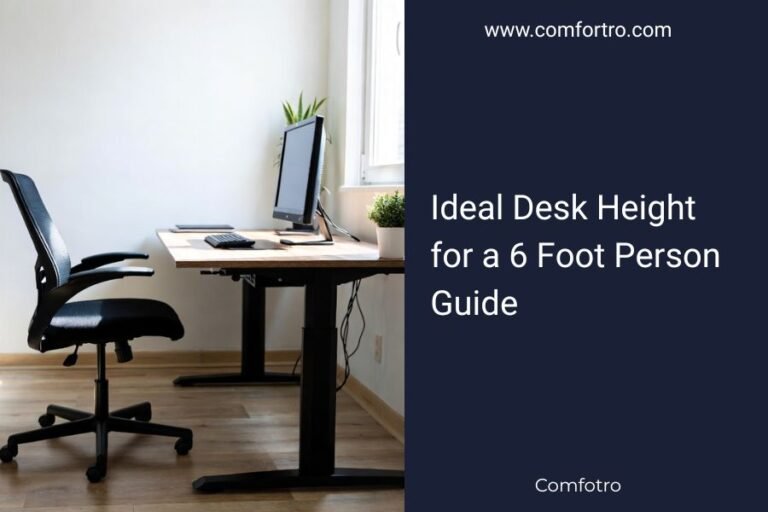
The best writing desk for back and neck pain is a standing desk with adjustable height that lets you easily switch positions. We found that ergonomic flexibility is key to supporting your posture throughout the day. It helps you avoid staying in one fixed position for too long, which often causes discomfort.
You probably spend hours at your desk, right? It can really take a toll on your body. We understand the struggle of finding a desk that actually helps instead of hurts. A good desk should promote better posture and reduce strain on your back and neck. This means looking for features that allow for customized comfort.
- A height-adjustable standing desk is ideal.
- Ergonomic features are essential for comfort.
- Regularly changing positions helps reduce pain.
- Proper desk setup supports a healthy posture.
Let’s walk through how to choose a writing desk that truly supports your health and helps ease that nagging back and neck pain.
Choosing the Right Writing Desk for Pain Relief
The best writing desk for back and neck pain is a height-adjustable standing desk. It allows you to frequently change your working position, which is crucial for reducing discomfort. Staying in one position for too long can stiffen your muscles and worsen pain. We found that flexibility and customization are key.
Why a Standing Desk?
You might wonder, “Do I really need a standing desk?” Our research shows that intermittent standing can significantly reduce back pain. The Centers for Disease Control and Prevention (CDC) suggests that alternating between sitting and standing can lead to fewer discomfort complaints. Think of it like taking mini-breaks for your spine throughout the day.
Sitting for long periods compresses your spinal discs. Standing, even for short bursts, helps decompress them. It also engages your core muscles. This strengthens your back over time. Many people report feeling more energized and focused too.
The Benefits of Alternating Positions
Imagine sitting in a car for a very long road trip. How do you feel when you finally stretch your legs? Your body craves movement. Your desk should allow for this natural need. Frequent position changes improve blood flow and reduce muscle fatigue. This isn’t just about feeling better; it’s about preventing future pain.
- Reduces back pain: Less pressure on spinal discs.
- Boosts circulation: Keeps blood flowing, preventing stiffness.
- Increases energy: Standing can make you feel more alert.
- Strengthens core: Engages muscles that support your spine.
Key Features of an Ergonomic Desk
When you’re dealing with back and neck pain, “ergonomic” isn’t just a buzzword. It means the desk is designed to fit your body and support natural posture. What should you look for? Let’s break down the essential features.
Adjustable Height Mechanism
This is non-negotiable for a standing desk. You need to easily move your desk up and down. There are a few types:
- Manual crank: More affordable, but can be slow.
- Electric motor: Fast, quiet, and often has memory presets. This is our top recommendation for ease of use.
- Gas spring: Smooth, but might require more effort to adjust.
An electric motor with memory presets is a huge plus. You can program your ideal sitting and standing heights. Then, with a single button press, the desk moves to your preferred position. This encourages you to switch more often. We found that convenience drives compliance.
Stability and Build Quality
Nobody wants a wobbly desk. Especially not when you’re typing away or sipping coffee. A stable desk prevents fatigue and distractions. Look for desks with sturdy frames, often made from steel. A good desk won’t shake when you lean on it or type vigorously. Check reviews for comments on stability, particularly at standing height.
The desktop material also matters. A solid, durable surface will last longer. Materials like high-density laminate or solid wood are good choices. We found that heavy-duty construction is worth the investment for long-term comfort and safety.
Appropriate Desktop Size
How much space do you need? Consider your monitor, keyboard, mouse, and any documents. Don’t forget your coffee cup! A cramped desk forces you to hunch. You want enough room to place your equipment at comfortable distances. Your monitor should be about an arm’s length away. Your keyboard and mouse should be close enough that your elbows stay at a 90-degree angle.
Many experts, including those at OSHA (Occupational Safety and Health Administration), suggest allowing ample space for your arms and wrists to rest comfortably while typing. A larger surface area allows for better arrangement of your tools.
Setting Up Your Ergonomic Workspace
Having the best desk is only half the battle. How you arrange your workspace is equally important. A poorly set up ergonomic desk can still lead to pain. Let’s make sure you get it right.
Monitor Placement is Crucial
Your monitor should be directly in front of you, not off to the side. The top of your screen should be at or slightly below eye level. This prevents you from craning your neck up or down. If you use multiple monitors, place your primary one directly in front, and the secondary to the side, angled towards you. Use a monitor arm if needed; they offer great flexibility.
Also, ensure your monitor is an arm’s length away. This helps prevent eye strain. If you find yourself leaning in, your monitor is probably too far. If you’re leaning back, it’s too close. The goal is a neutral, relaxed neck position.
Keyboard and Mouse Ergonomics
Your keyboard and mouse should be close enough so your elbows are at a 90-degree angle, close to your body. Your wrists should be straight, not bent up, down, or to the sides. A wrist rest can help, but don’t rest your wrists while typing; use it for breaks.
Consider an ergonomic keyboard and mouse. These are designed to keep your hands and wrists in a more natural position. A vertical mouse, for example, can reduce strain on your wrist. We found that even small changes here can make a big difference in comfort over a long workday.
Chair Considerations
Yes, we’re talking about desks, but your chair plays a huge role when you’re sitting. When you switch to sitting, your ergonomic chair should fully support you. Look for chairs with good lumbar support, adjustable armrests, and seat depth. Your feet should be flat on the floor, or on a footrest.
The goal is to maintain the natural S-curve of your spine. A good chair works together with your desk to create a seamless ergonomic environment. Think of your chair as the “sitting partner” to your adjustable standing desk.
Beyond the Desk: Habits for Pain Prevention
Even with the perfect setup, your habits matter. Ergonomics is a journey, not a destination. What can you do daily to support your back and neck?
Regular Movement and Breaks
This is perhaps the most important advice. Don’t sit or stand in one position for hours on end. Set a timer. Every 30-60 minutes, change your position. Stand if you were sitting, or sit if you were standing. Walk around for a few minutes. Stretch. Get some water. Small breaks add up to big benefits.
The Mayo Clinic emphasizes the importance of taking short, frequent breaks. It’s about breaking the cycle of static posture. These micro-breaks keep your muscles engaged and your blood flowing. You’ll likely feel more refreshed and focused when you return to your work.
Mindful Posture
Even when you’re perfectly set up, it’s easy to slouch. Periodically check in with your body. Are your shoulders relaxed? Is your head aligned over your shoulders? Is your core gently engaged? Be aware of your posture throughout the day. It takes practice, but it becomes second nature.
If you find yourself slumping, gently correct your posture. Imagine a string pulling your head towards the ceiling. This simple mental cue can help align your spine naturally. A healthy posture is about reducing unnecessary strain on your muscles and joints.
Your Desk Checklist for Back and Neck Pain Relief
Ready to make a choice? Here’s a quick checklist to guide you:
- Is it a height-adjustable standing desk?
- Does it have an electric motor with memory presets?
- Is the desk stable and well-built, especially at standing height?
- Is the desktop size sufficient for your equipment and comfort?
- Can you achieve proper monitor height and distance?
- Does it allow for ergonomic keyboard and mouse positioning?
| Desk Feature | Benefit for Pain Relief | Recommendation |
|---|---|---|
| Height Adjustability | Allows frequent position changes (sitting/standing), reduces static load on spine. | Electric motor with memory presets. |
| Stability | Prevents wobbling, reduces strain from an unstable workspace. | Heavy-duty steel frame, robust desktop. |
| Desktop Size | Enough space for proper monitor, keyboard, mouse placement. Avoids cramped posture. | At least 48″ wide, ideally 60″+ for multiple monitors. |
| Ergonomic Setup | Supports neutral body posture (neck, shoulders, wrists). | Monitor arm, ergonomic keyboard/mouse. |
| Ease of Use | Encourages consistent use of ergonomic features. | Smooth, quiet adjustment mechanism. |

Conclusion
Choosing the best writing desk for back and neck pain truly centers on flexibility and adjustability. A height-adjustable standing desk allows you to shift positions, preventing stiffness and promoting better circulation. Remember, even the best desk needs an ergonomic setup and mindful habits to provide lasting relief. Prioritize comfort and movement. Your body will thank you for investing in a workspace that supports your health.
Take the next step: review your current setup and consider upgrading to a desk that truly moves with you, easing your pain and boosting your productivity.
Frequently Asked Questions
How often should I switch between sitting and standing?
We found that aiming to switch every 30-60 minutes is ideal. This frequent movement helps prevent muscle stiffness and improves blood flow. Even short periods of standing can make a big difference in reducing discomfort.
Can a regular desk be converted into an ergonomic setup?
Yes, to some extent. You can add a monitor riser, an ergonomic keyboard, and a proper office chair. However, a regular desk won’t offer the height adjustability of a standing desk, which is key for pain relief.
Is it better to stand or sit for back pain?
Neither is inherently better for long periods. The best approach is to alternate between sitting and standing throughout the day. This prevents static loading on your spine and keeps your muscles engaged.
What if I can’t afford a new standing desk right now?
Focus on optimizing your current setup first. Ensure your monitor is at eye level and your keyboard/mouse are positioned correctly. Take frequent stretch breaks and consider using a footrest to improve your sitting posture.
How do I know if my monitor is at the correct height?
Your monitor is at the correct height when the top of the screen is at or slightly below your eye level. This helps you maintain a neutral neck position and prevents you from looking up or down excessively.