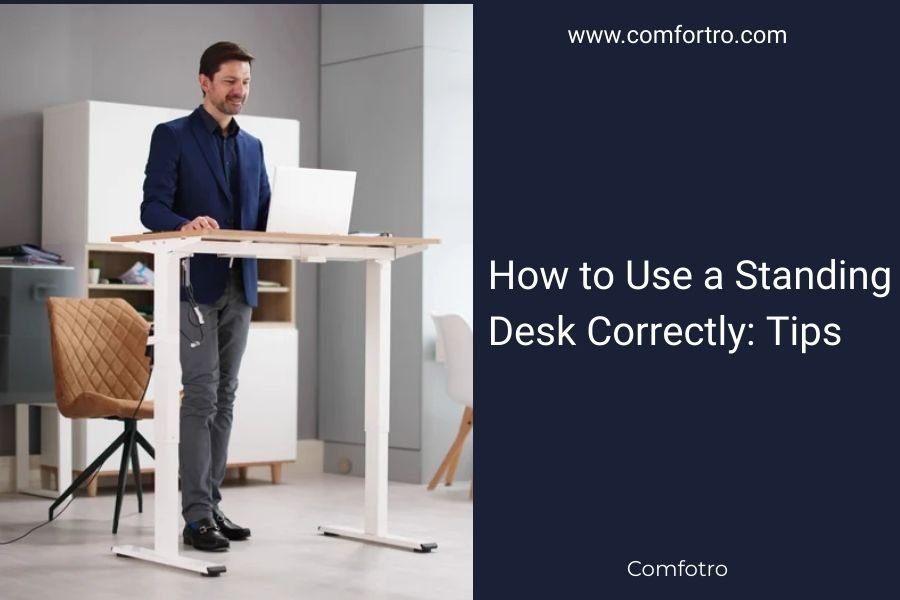
To use a standing desk correctly, maintain proper posture with your screen at eye level, feet flat on the floor, and elbows at 90-degree angles while typing.
Start with 15-30 minute standing intervals and gradually increase duration, alternating between sitting and standing every hour to avoid fatigue.
You’ve joined the standing desk revolution. Smart move! But are you actually using it right?
Many people rush into standing all day and end up with sore feet, achy backs, and regret. I researched proper standing desk techniques and found that most problems come from poor setup and unrealistic expectations.
Set Your Desk Height Properly
Your desk height makes or breaks your standing experience. Get this wrong, and you’ll hate your new setup within a week.
Find Your Elbow Height
Stand naturally with your arms at your sides. Bend your elbows to 90 degrees. Your desk surface should match this height exactly.
Too high? You’ll hunch your shoulders. Too low? You’ll lean forward like you’re reading a map.
Adjust for Your Keyboard
Your keyboard should sit slightly below elbow height. This keeps your wrists neutral while typing.
If your desk doesn’t adjust that precisely, try a keyboard tray. Your wrists will thank you later.
Position Your Monitor Correctly
Screen placement can make standing comfortable or create neck strain that lasts for days.
Eye Level Rule
The top of your screen should align with your eye level. When you look straight ahead, you should see the upper third of your monitor.
This prevents the dreaded “turtle neck” position that comes from looking down at laptops.
Distance Matters Too
Keep your screen 20-26 inches away from your face. About arm’s length works for most people.
Closer screens strain your eyes. Farther ones make you lean forward to read text.
Master Your Standing Posture
Good posture isn’t about standing like a soldier. It’s about finding balance that feels natural.
Feet Position
Place your feet hip-width apart. Keep them flat on the floor or footrest.
Avoid locking your knees. A slight bend keeps blood flowing and reduces stiffness.
Weight Distribution
Shift your weight between both feet regularly. Standing on one foot for too long creates hip imbalances.
Think of it like swaying to music, but much more subtle.
Start Slowly and Build Endurance
Your body needs time to adapt. Jumping into 8-hour standing marathons leads to burnout fast.
Week One Strategy
Start with 15-30 minute standing sessions. Sit when you feel tired.
Your legs and back are learning new movement patterns. Be patient with the process.
Progressive Increase
Add 15 minutes each week until you reach your goal. Most experts recommend a 50/50 sit-stand ratio.
Research from the Mayo Clinic suggests alternating every 30-60 minutes works best for most people.
Use Proper Accessories
The right accessories turn an okay standing desk into a great one.
Anti-Fatigue Mats
These cushioned mats reduce leg fatigue and encourage subtle movement.
Look for mats with varied textures. They keep your feet engaged without being distracting.
Footrests and Rails
A footrest lets you shift positions throughout the day. Alternate resting each foot to change your hip angle.
Some people prefer a foot rail under their desk. It serves the same purpose.
Time Your Transitions
When should you stand versus sit? Your tasks can guide these decisions.
Best Times to Stand
- Reading emails
- Taking phone calls
- Brainstorming sessions
- Quick administrative tasks
Better Sitting Activities
- Detailed writing projects
- Complex data analysis
- Creative design work
- Long video calls
Listen to Your Body Signals
Your body sends clear messages about when to switch positions.
Time to Sit Signals
Lower back ache, foot soreness, or restlessness mean it’s time for a sitting break.
Don’t push through pain. That’s your body asking for variety.
Movement Reminders
Set hourly reminders to change positions. Your phone or computer can help with this.
I found that people who use position reminders stick with standing desks longer than those who don’t.
Common Mistakes to Avoid
These mistakes trip up most standing desk beginners.
| Mistake | Why It Happens | Simple Fix |
|---|---|---|
| Standing too long initially | Enthusiasm and impatience | Set a 30-minute timer |
| Wrong monitor height | Not adjusting for standing | Use monitor arms or risers |
| Wearing wrong shoes | Keeping dress shoes on | Switch to supportive flats |
| Ignoring foot support | Assuming floors are enough | Add an anti-fatigue mat |
Choose the Right Footwear
Your shoes become super important when you’re standing more.
Supportive Options
Low-heeled shoes with arch support work best. Save the high heels for sitting days.
Some people keep a pair of standing shoes at their desk. Not a bad idea if you’re in dress clothes daily.
Make Small Movements
Standing doesn’t mean becoming a statue. Small movements keep you comfortable.
Micro-Movements That Help
- Shifting weight from foot to foot
- Gentle calf raises
- Small steps in place
- Rolling shoulders back occasionally
Track Your Progress
Keeping track helps you build the habit and spot problems early.
Simple Tracking Method
Note your standing time and energy levels each day. Look for patterns in what works best.
Many people find they prefer standing during morning hours and sitting more in the afternoon.
Conclusion
Using a standing desk correctly isn’t rocket science, but it does require patience and attention to setup details. Start with proper height adjustments, begin slowly with short standing periods, and listen to your body’s feedback. The key is finding a sustainable sit-stand rhythm that works with your tasks and energy levels. With the right approach, your standing desk becomes a tool that boosts both your health and productivity for years to come.
How long should I stand at my desk each day?
Most experts recommend starting with 2-4 hours total, broken into 30-60 minute intervals throughout your workday. The exact amount depends on your fitness level and how your body responds.
Can I wear high heels while using a standing desk?
High heels aren’t ideal for extended standing as they change your natural posture and can cause foot pain. If you must wear them, limit standing time and consider keeping comfortable flats at your desk for standing periods.
Should I stand immediately after meals?
Light standing after meals can actually aid digestion, but avoid starting with long standing sessions right after eating. Your body is focusing energy on digestion, so you might feel more fatigued than usual.
What if my legs get sore when I first start standing?
Leg soreness is normal when beginning. Reduce your standing time, ensure you have an anti-fatigue mat, and do gentle stretches. If soreness persists beyond the first few weeks, check your posture and desk setup.
Is it normal to be less productive when I first switch to standing?
Yes, temporary productivity dips are common as your body and brain adjust to the new position. Most people return to normal productivity levels within 1-2 weeks as standing becomes more natural.