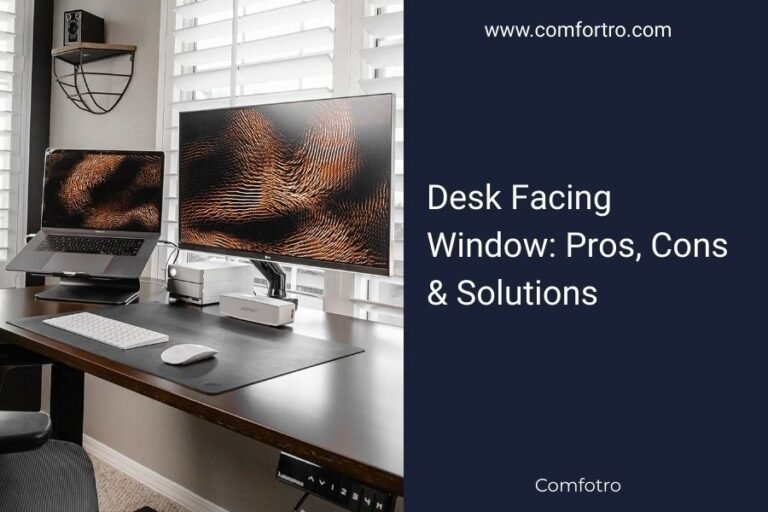
You can hide computer wires on your desk using cable management trays, adhesive clips, or spiral cable wrap to keep them organized and out of sight.
The most effective methods include routing cables through desk grommets, using under-desk cable trays, and bundling wires with velcro ties.
Why Cable Management Matters for Your Workspace
Tangled wires make your desk look messy. They collect dust, create tripping hazards, and make cleaning harder. When you organize your cables properly, you’ll feel more focused and productive.
Clean cable management also protects your equipment. Twisted or pinched cables can damage ports and connectors over time. Plus, organized wires make it easier to unplug devices when needed.
Method 1: Under-Desk Cable Management Trays
Cable management trays mount underneath your desk surface. They hold power strips and route cables out of view. This method works best for permanent desk setups.
How to Install Cable Trays
Most trays attach with screws or clamps. Measure your desk thickness first. Position the tray where you can easily reach your power strip but keep it hidden from view.
Best Tray Placement Tips
Mount trays toward the back of your desk. This keeps cables away from your legs. Leave some slack in cables so you can adjust monitor positions later.
Tray Size Considerations
Choose trays that fit your power strip with extra room. You’ll likely add more devices later. A tray that’s too small becomes useless quickly.
Method 2: Adhesive Cable Clips and Holders
Small adhesive clips stick to your desk edges. They guide individual cables along specific paths. This method costs less and works for renters who can’t drill holes.
Types of Adhesive Clips
Single-cable clips hold one wire each. Multi-cable clips can route several wires together. Some clips rotate to change cable direction.
Surface Preparation
Clean your desk surface with rubbing alcohol first. Let it dry completely. This helps clips stick better and last longer.
Strategic Clip Placement
Place clips every 8-12 inches along cable paths. Start from your devices and work toward the power source. This creates smooth cable runs without sagging.
Removable vs Permanent Options
Some clips use removable adhesive that won’t damage furniture. Others provide stronger hold but may leave residue. Choose based on whether you rent or own your space.
Method 3: Desk Grommets and Cable Holes
Grommets are circular holes that let cables pass through your desktop. They create clean entry and exit points for wires. You’ll need to drill holes for most grommets.
Grommet Installation Process
Mark hole locations with pencil first. Use a hole saw attachment on your drill. Sand rough edges smooth after cutting.
Measuring for Perfect Holes
Most grommets need 2-3 inch holes. Check your grommet specifications before drilling. Measure twice, cut once.
Protecting Your Desktop
Place masking tape around drill areas. This prevents wood splintering or scratching. Use low drill speeds for clean cuts.
Method 4: Spiral Cable Wrap and Bundling
Spiral wrap covers multiple cables in one flexible tube. It creates a single, neat bundle instead of many loose wires. This method works great behind monitors.
Choosing the Right Wrap Size
Measure your cable bundle diameter. Add 25% extra space for easy installation. Wrap that’s too tight becomes difficult to work with.
Installation Technique
Start wrapping from the device end. Twist the spiral around your cable bundle. Leave connection points unwrapped for easy access.
Color Coordination
Black wrap blends with most setups. White matches modern desks. Some wraps come in wood grain or metallic finishes.
Method 5: Cable Management Spine Systems
Spine systems use flexible tracks that bend to follow your desk edges. They hold multiple cables in organized channels. These systems look professional and handle many wires.
Spine System Benefits
You can add or remove cables easily. The spine protects wires from damage. Most systems mount with strong adhesive or screws.
Modular Design Advantages
Buy spine sections as needed. Connect pieces to create custom cable paths. This flexibility helps with complex setups.
Combining Methods for Maximum Effect
Most people use 2-3 methods together. Try under-desk trays with adhesive clips. Or combine grommets with spiral wrap. Multiple approaches handle different cable types better.
| Method | Best For | Cost | Installation |
|---|---|---|---|
| Cable Trays | Power strips, permanent setups | $15-40 | Moderate |
| Adhesive Clips | Individual wires, renters | $5-15 | Easy |
| Desk Grommets | Clean wire entry points | $3-12 each | Hard |
| Spiral Wrap | Cable bundles, flexibility | $8-20 | Easy |
| Spine Systems | Multiple cables, professional look | $20-50 | Moderate |
Planning Your Cable Layout
Sketch your desk setup first. Mark where devices sit and where power outlets are located. This helps you choose the right methods and buy correct quantities.
Common Cable Management Mistakes
Don’t bundle power cables with data cables. This can cause interference. Avoid making cables too tight – you need some slack for movement.
Many people forget about cable length. Measure your runs before buying new cables. Sometimes shorter cables solve organization problems better than management tools.
Conclusion
Hiding computer wires transforms your workspace from chaotic to professional. Start with one method that fits your budget and skill level. You can always add more solutions later as your setup grows. Clean cable management isn’t just about looks – it protects your equipment and makes your workspace more functional. Pick the methods that work best for your specific desk and start organizing those cables today.
What’s the cheapest way to hide desk cables?
Adhesive cable clips cost $5-15 and work well for basic setups. You can also use binder clips attached to your desk edge as a free alternative for routing a few cables.
Can I drill grommets in a rental desk?
Check your lease agreement first. Most rentals prohibit permanent modifications. Stick with removable solutions like adhesive clips or cable spines that don’t damage furniture.
How often should I reorganize my cable management?
Review your setup every 6 months or when adding new equipment. Dust your cable areas monthly to prevent buildup. Good initial organization usually lasts years with minor adjustments.
Do cable management solutions affect Wi-Fi signals?
Metal cable trays can slightly reduce Wi-Fi strength if placed between your router and devices. Plastic solutions don’t interfere with wireless signals. Keep routers away from large metal cable management systems.
What cable length works best for clean organization?
Measure your actual cable run and add 20% extra for routing flexibility. Cables that are too long create bulk and tangles. Too short cables create tension and limit desk adjustments.