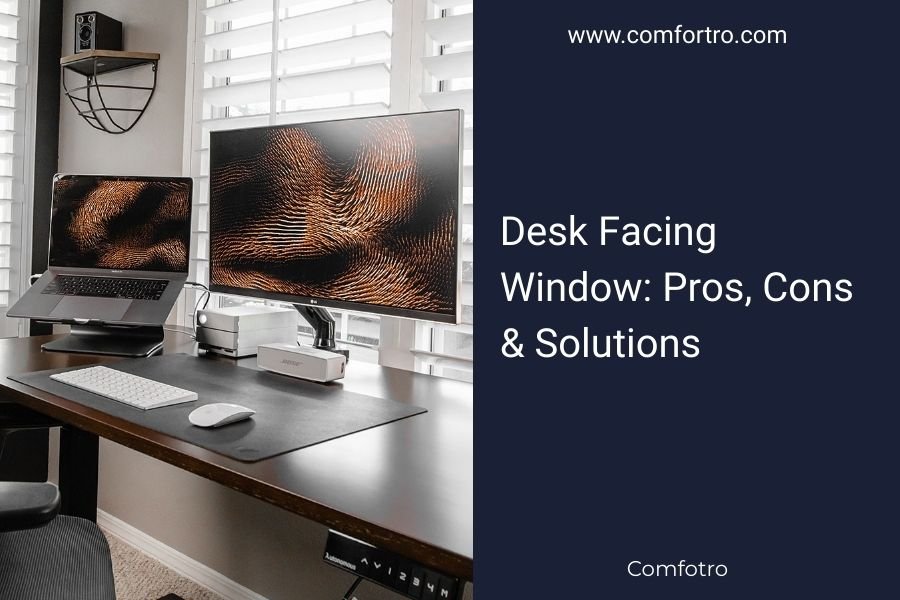
A desk facing window offers natural light and outdoor views, but can cause screen glare and visual distractions that reduce productivity.
The best approach combines strategic positioning, proper lighting setup, and glare reduction techniques to maximize benefits while minimizing drawbacks.
Why People Choose Window-Facing Desks
You want natural light while working. Who doesn’t? That warm sunlight streaming across your keyboard feels so much better than harsh fluorescent bulbs.
Research shows natural light can boost mood and energy levels throughout the day (Harvard Health). Many remote workers position their desks near windows for this exact reason.
The outdoor view gives your eyes a break too. Looking at distant objects helps reduce eye strain from close-up screen work.
Mental Health Benefits
Natural light helps regulate your circadian rhythm. This means better sleep patterns and improved focus during work hours.
Studies connect daylight exposure to reduced seasonal depression symptoms (Mayo Clinic). Even cloudy days provide more beneficial light than indoor alternatives.
Eye Comfort Advantages
Windows offer visual variety your brain craves. Switching between screen work and distant views relaxes your eye muscles.
This practice follows the 20-20-20 rule many eye doctors recommend. Every 20 minutes, look at something 20 feet away for 20 seconds.
The Major Drawbacks You Need to Know
But window desks aren’t perfect. You’ll face some real challenges that can hurt your productivity.
Screen Glare Problems
Bright sunlight creates glare on your monitor. This makes text harder to read and forces you to squint constantly.
Morning and afternoon sun angles cause the worst glare issues. You might find yourself constantly adjusting your screen or closing blinds.
Eye Strain from Contrast
Your eyes work harder switching between bright windows and darker screens. This contrast difference causes fatigue faster than you’d expect.
The problem gets worse on sunny days when the light difference becomes extreme.
Distraction Concerns
Movement outside pulls your attention away from work. Birds, people walking, cars passing – they all break your concentration.
I found research suggesting visual distractions can reduce focus by up to 40% during complex tasks (Journal of Environmental Psychology).
Weather-Related Issues
Storm clouds, rain, or snow can create mood changes that affect your work quality. Gloomy weather might make you feel less motivated.
Temperature fluctuations near windows also impact comfort. You’ll feel colder in winter and warmer in summer.
Smart Solutions That Actually Work
Don’t worry – you can fix most window desk problems with the right approach.
Desk Positioning Strategies
Place your desk perpendicular to the window instead of directly facing it. This gives you natural light without direct glare on your screen.
Position your monitor so windows are to your side, not behind or in front of your display.
The 90-Degree Rule
Angle your desk at 90 degrees to the window wall. This setup provides ambient light while keeping direct sun off your screen.
You can still glance outside easily, but won’t deal with constant glare issues.
Lighting Control Methods
Install adjustable blinds or curtains you can modify throughout the day. Vertical blinds work great because you can redirect light upward.
Sheer curtains diffuse harsh sunlight while maintaining that bright, airy feeling you want.
Screen Protection Options
Anti-glare screen protectors reduce reflections significantly. They’re inexpensive and easy to install on most monitors.
Consider a monitor hood if you deal with severe glare. These attachments block side light while keeping your screen visible.
Window Direction Matters More Than You Think
The direction your window faces changes everything about your desk setup.
North-Facing Windows
These provide steady, gentle light all day without harsh glare. North windows are often the best choice for desk placement.
You get consistent lighting that doesn’t change dramatically as the sun moves.
South-Facing Windows
Expect intense sunlight and more glare challenges. You’ll need stronger light control measures like blackout curtains or adjustable blinds.
The bright light can be energizing, but requires more management throughout the day.
East and West Considerations
East windows give morning sun that can be refreshing for early workers. West windows create afternoon glare that’s often problematic.
Plan your most focused work during times when your specific window orientation causes fewer issues.
Equipment Adjustments for Window Desks
Your monitor settings and desk accessories need tweaking when you work near windows.
Monitor Brightness Settings
Increase screen brightness to compete with natural light. Most people set monitors too dim for window desk setups.
Auto-brightness features help adjust throughout the day as lighting conditions change.
Display Positioning
Tilt your monitor slightly downward to reduce ceiling light reflections. The top of your screen should be at eye level or slightly below.
This angle minimizes both window glare and overhead light interference.
Supplemental Lighting
Add a desk lamp for cloudy days or evening work. Task lighting fills in when natural light isn’t enough.
LED lights with adjustable color temperature match natural light better than traditional bulbs.
| Window Direction | Best For | Challenges | Solutions |
|---|---|---|---|
| North | Consistent work | Less bright | Task lighting |
| South | Energy boost | Intense glare | Strong blinds |
| East | Morning focus | Early glare | Adjustable shades |
| West | Afternoon views | Late-day heat | Thermal curtains |
When to Avoid Window Desks Completely
Some situations make window desk setups impractical no matter what solutions you try.
High-Glare Professions
Graphic designers, video editors, and photographers need color accuracy that window light can compromise.
These professionals often work better with controlled artificial lighting that stays consistent.
Distraction-Sensitive Work
If you do detailed analysis, writing, or programming that requires deep focus, constant outdoor movement might hurt your productivity.
Consider your work style honestly. Some people thrive with visual variety while others need minimal distractions.
Alternative Desk Arrangements
You don’t have to choose between natural light and productivity. Smart room layouts give you both.
L-Shaped Desk Solutions
Position an L-shaped desk so one section faces away from the window for focused work, while the other section lets you enjoy the view during breaks.
This setup gives you flexibility to move based on tasks and lighting conditions.
Multiple Workstations
Create two work areas – one near the window for casual tasks and email, another away from windows for concentration work.
Many remote workers find this dual-setup approach works better than trying to make one location perfect for everything.
Conclusion
Your desk facing window decision depends on your work type, window direction, and willingness to manage lighting challenges. Natural light benefits are real, but so are the productivity costs of glare and distractions. The smartest approach uses strategic positioning, proper equipment, and flexible solutions that adapt to changing conditions throughout your day. With the right setup, you can enjoy outdoor views and natural light without sacrificing work quality.
Can I use a window desk for video calls without glare issues?
Yes, position yourself so the window provides side lighting rather than backlighting. Use sheer curtains to soften harsh light and ensure your face is well-lit without creating silhouette effects on camera.
What’s the best monitor type for window desk setups?
Matte finish monitors with high brightness capabilities work best near windows. Look for displays rated at least 300 nits brightness with anti-reflective coatings that reduce glare from natural light.
How do I prevent afternoon sun from overheating my workspace?
Install thermal curtains or reflective window film to block heat while maintaining light. Position your desk slightly away from the window and use a small fan to circulate air around your workspace.
Should I face my window if I work night shifts?
Night shift workers benefit from window access during break times, but should avoid facing windows directly while working. The contrast between dark outside views and bright screens can cause eye strain and disrupt sleep patterns.
What plants work well near window desk setups?
Choose low-maintenance plants like snake plants or pothos that thrive in various light conditions. Position them to create natural screens that reduce glare while adding visual appeal to your workspace.