
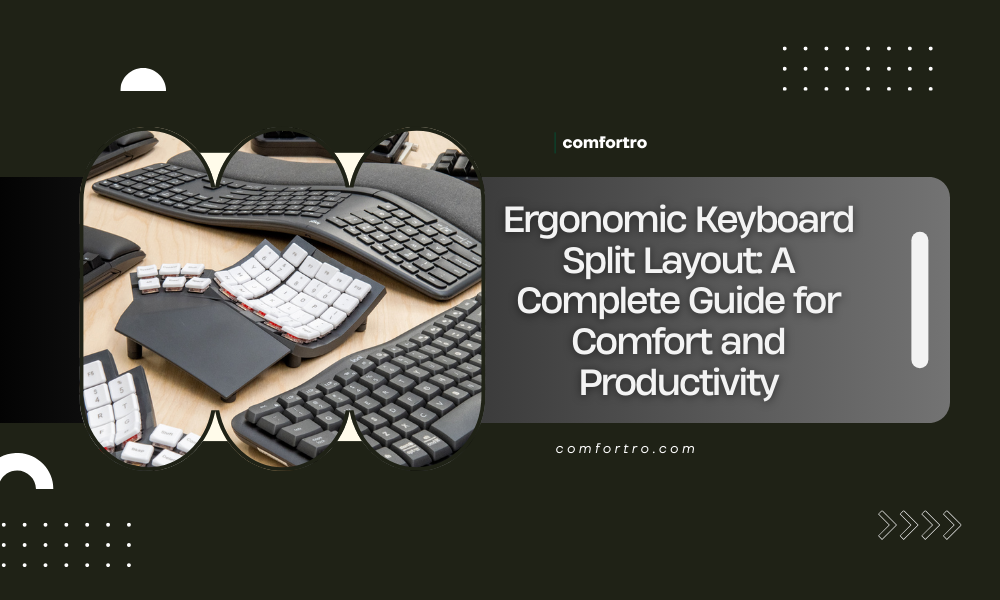
An ergonomic keyboard split layout is designed to reduce strain, improve typing posture, and support long hours of computer use. As more people work from home, type for extended periods, and rely on computers for productivity, keyboard ergonomics has become increasingly important. Traditional flat keyboards often force the hands, wrists, and shoulders into unnatural positions, which can lead to discomfort and repetitive strain injuries over time.
This guide explains what an ergonomic keyboard split layout is, how it works, who it is best for, and how it can improve comfort and productivity. Whether you are setting up a home office, dealing with wrist pain, or simply looking to improve your typing experience, understanding split keyboard layouts can help you make better decisions.
What Is an Ergonomic Keyboard Split Layout
An ergonomic keyboard split layout separates the left and right halves of the keyboard so that each hand can rest in a more natural position. Unlike standard keyboards, which force the hands to angle inward, split keyboards allow users to align their wrists and forearms with their shoulders.
Split layouts come in two main forms. Some keyboards are physically split into two separate halves that can be positioned independently, while others use a fixed split design where the keys are angled but still part of a single unit. Both designs aim to reduce ulnar deviation, which is the sideways bending of the wrists that commonly occurs with traditional keyboards.
Why Traditional Keyboards Can Cause Discomfort
Standard keyboards were not designed with long-term comfort in mind. They often contribute to poor typing posture and unnecessary strain.
Common issues caused by traditional keyboards include:
- Wrist bending and pressure on the carpal tunnel
- Shoulder tension due to narrow hand placement
- Forearm rotation and muscle fatigue
- Increased risk of repetitive strain injuries
Over time, these issues can lead to discomfort, reduced productivity, and conditions such as wrist pain or numbness in the fingers. An ergonomic keyboard split layout addresses many of these problems by promoting a more neutral typing position.
How a Split Keyboard Improves Ergonomics
The primary benefit of a split keyboard layout is improved alignment. By allowing the hands to rest farther apart, the shoulders remain relaxed and the wrists stay straight.
Key ergonomic benefits include:
- Reduced wrist deviation and strain
- Improved shoulder and upper arm alignment
- Less forearm pronation
- More relaxed typing posture
Many split keyboards also include additional ergonomic features such as tenting, which raises the center of the keyboard to reduce forearm rotation, and integrated palm rests that support the hands during pauses in typing.
Types of Ergonomic Keyboard Split Layouts
Not all split keyboards are the same. Understanding the different types can help you choose a layout that fits your needs.
Fixed Split Keyboards
Fixed split keyboards have a permanently angled layout. The keyboard remains a single unit, but the keys are divided into left and right sections. This design is often easier for beginners to adapt to because it requires minimal adjustment to desk setup.
Fully Split Keyboards
Fully split keyboards consist of two separate halves that can be placed independently on the desk. This allows for maximum customization and ergonomic positioning. Users can adjust the distance and angle between halves based on shoulder width and comfort preferences.
Ortholinear and Columnar Layouts
Some split keyboards use ortholinear or columnar layouts, where keys are aligned in straight columns rather than staggered rows. This design reduces finger movement and can improve typing efficiency, though it may require a learning period.
Who Should Use an Ergonomic Keyboard Split Layout
Split keyboards are not only for people with existing pain. They can benefit a wide range of users.
They are especially helpful for:
- Remote workers and office professionals
- Programmers and writers who type for long hours
- Users experiencing wrist, shoulder, or forearm discomfort
- Individuals focused on long-term ergonomic health
Even users without current pain may find that switching to a split keyboard helps prevent future issues and improves overall typing comfort.
Learning Curve and Adjustment Period
Switching to an ergonomic keyboard split layout often requires an adjustment period. At first, typing speed may decrease slightly as your hands adapt to the new layout.
Most users adjust within one to two weeks of consistent use. During this time, it is important to focus on proper posture and allow your muscles to adapt naturally. Many users report improved comfort and reduced strain once the adjustment period is complete.
Key Features to Look for in a Split Keyboard
When choosing an ergonomic keyboard split layout, several features can influence comfort and usability.
Important features to consider include:
- Adjustable tenting angle
- Integrated or optional palm rests
- Key switch type and key travel
- Build quality and durability
- Compatibility with your operating system
Choosing a keyboard that matches your typing style and workspace setup can significantly improve the ergonomic benefits.
Ergonomic Keyboard Split Layout vs Other Ergonomic Keyboards
Split keyboards are one category within ergonomic keyboards. Other designs include curved keyboards and low-profile ergonomic keyboards.
Split layouts generally offer greater flexibility and alignment benefits compared to curved keyboards. While curved keyboards improve wrist angle slightly, they do not allow independent hand positioning. For users seeking maximum ergonomic customization, split keyboards are often the preferred option.
Productivity Benefits of a Split Keyboard
Beyond comfort, an ergonomic keyboard split layout can positively affect productivity. Reduced discomfort allows users to focus longer without fatigue.
Potential productivity benefits include:
- Fewer breaks due to discomfort
- Improved typing endurance
- Reduced mental distraction caused by pain
- More consistent work performance
Comfort plays a key role in maintaining productivity during long work sessions.
How to Set Up a Split Keyboard Correctly
Proper setup is essential to gain the full ergonomic benefits of a split keyboard.
Basic setup guidelines include:
- Position each half at shoulder width
- Keep wrists in a neutral, straight position
- Adjust tenting gradually based on comfort
- Combine with proper chair and desk height
A split keyboard works best as part of a complete ergonomic workstation that includes proper seating, monitor height, and desk setup.
Are Ergonomic Split Keyboards Worth It
For users who type frequently, an ergonomic keyboard split layout can be a worthwhile investment. While these keyboards may cost more than standard options, the long-term comfort and potential health benefits often justify the price.
Preventing discomfort and strain can reduce the risk of injuries and support more sustainable work habits over time.
Final Thoughts
An ergonomic keyboard split layout is a practical solution for improving typing posture, reducing strain, and supporting long-term comfort. By allowing the hands and wrists to remain in a natural position, split keyboards address many of the ergonomic issues associated with traditional keyboard designs.
For home office users, professionals, and anyone who spends significant time typing, understanding and considering a split keyboard layout can be an important step toward a healthier and more productive workspace. When combined with proper workstation setup and good posture habits, an ergonomic keyboard split layout can make a noticeable difference in daily comfort and performance.
