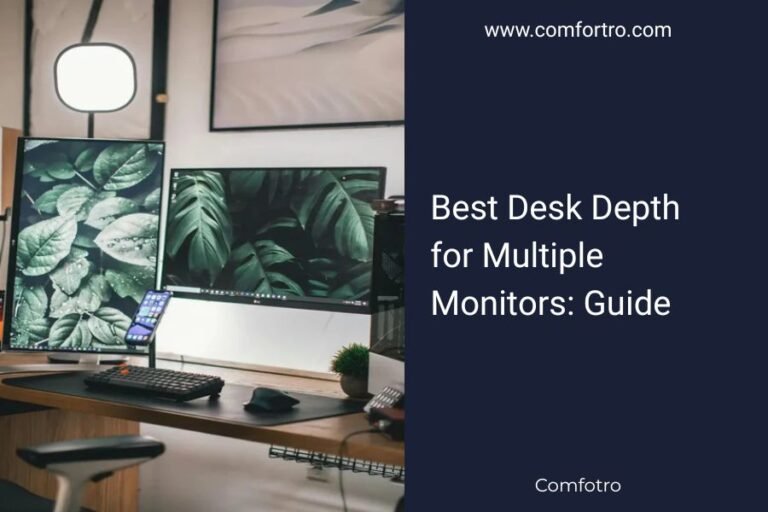
The best LED strip lights for your desk setup are USB-powered strips with adjustable brightness, offering 3000K-6500K color temperature range for optimal productivity and eye comfort.
Top-rated options include bias lighting strips behind monitors, under-desk ambient strips, and RGB strips for customizable workspace lighting that reduces eye strain during long work sessions.
Why Your Desk Needs LED Strip Lights
Poor lighting kills productivity faster than you think. When you’re squinting at your screen or dealing with harsh shadows, your brain works overtime just to process what you’re seeing.
LED strips solve this problem by creating even, adjustable light that matches your work rhythm. Research shows that proper desk lighting can improve focus by up to 23% (American Optometric Association).
The Eye Strain Problem
Your eyes constantly adjust between your bright screen and dark surroundings. This creates fatigue within hours.
LED strips behind your monitor create “bias lighting” that reduces this contrast. Think of it like adding a soft glow that makes everything easier to see.
Mood and Energy Benefits
Cool white light (5000K-6500K) keeps you alert during morning work sessions. Warm light (3000K-4000K) helps you wind down for evening tasks.
Many people report feeling more energized and focused when they can control their workspace lighting temperature throughout the day.
Types of LED Strips for Desk Setups
Bias Lighting Strips
These attach to the back of your monitor. They’re usually 1-2 meters long and create a soft halo effect.
Bias strips work best in neutral white (4000K-5000K). Avoid RGB for this purpose – your brain needs consistent, non-distracting light behind screens.
Best Placement Tips
Position the strip along the top and sides of your monitor’s back edge. Leave the bottom edge clear to prevent light from reflecting off your desk surface.
Under-Desk Ambient Strips
These attach under your desk edge, pointing downward. They light up your legs and floor area without creating glare.
Under-desk strips work great as RGB options since they don’t interfere with screen viewing. You can set them to any color that matches your mood.
Installation Made Simple
Clean your desk edge with alcohol first. Peel and stick the strip, leaving 2-3 inches from corners to avoid cable tangles.
Keyboard and Mouse Area Strips
Short strips (30-50cm) that light up your keyboard and mouse pad. These prevent you from hunting for keys in dim conditions.
Mount these under a shelf or monitor arm, angled down toward your hands. Warm white works best here to avoid harsh shadows.
Key Features to Look For
Power Source Options
USB-powered strips plug directly into your computer or monitor. They turn on and off with your equipment automatically.
Wall adapter strips stay on independently but need outlet space. Choose USB if you want simple automation.
Power Consumption Reality
Most desk LED strips use 5-15 watts total. That’s less than a single incandescent bulb, so energy costs stay minimal.
Color Temperature Range
Look for strips offering 3000K to 6500K range. This covers warm evening light through bright daylight simulation.
Fixed-temperature strips cost less but limit your flexibility. Adjustable strips cost 20-30% more but adapt to your daily routine.
The Sweet Spot for Work
I found that 4500K works well for most desk tasks. It’s neutral enough to avoid eye strain but bright enough to maintain alertness.
Control Methods
Remote controls work fine but get lost easily. App-controlled strips connect via Bluetooth and let you save lighting presets.
Touch controls built into the strip controller offer the quickest adjustments during work sessions.
Top LED Strip Recommendations
| Strip Type | Best For | Typical Length | Key Features |
|---|---|---|---|
| Bias Lighting | Behind monitors | 1-2 meters | Neutral white, USB powered |
| Under-desk | Ambient lighting | 2-5 meters | RGB, remote control |
| Task lighting | Keyboard area | 0.5-1 meter | Warm white, adjustable |
Budget-Friendly Options
Basic USB strips without color changing start around $15-25. These work perfectly for bias lighting if you don’t need fancy features.
Look for strips with at least 60 LEDs per meter. Lower density strips create visible dots instead of smooth light.
What to Skip
Avoid strips without adhesive backing. Double-sided tape alternatives rarely stick well long-term on desk surfaces.
Premium Features Worth Paying For
Color temperature adjustment pays off if you work various hours. RGB capability adds fun but doesn’t improve work productivity.
App control with scheduling lets you automate lighting changes. Your strips can gradually shift from cool morning light to warm evening tones.
Installation and Setup Guide
Planning Your Layout
Measure your monitor width and desk depth first. Most people need 1.5-2 meters for bias lighting plus 2-3 meters for under-desk coverage.
Plan your power source locations. USB ports on monitors work great but check if they provide enough power (usually 5V, 1-2 amps needed).
Common Measurement Mistakes
Don’t forget cable length between strip sections. Add 20-30cm extra for routing cables cleanly behind your setup.
Clean Installation Steps
Clean all surfaces with rubbing alcohol. Wait 5 minutes for complete drying before applying strips.
Start from your power source and work outward. This prevents having the controller box in an awkward spot.
- Remove small sections of backing tape gradually
- Press firmly for 10 seconds per section
- Keep cables away from moving chair parts
- Test everything before final positioning
Avoiding Cable Chaos
Use small adhesive cable clips every 30cm. Route power cables behind desk legs or along edges where they won’t catch on anything.
Testing and Adjustment
Turn on your setup in normal room lighting first. Adjust brightness to about 50% of maximum – you can always increase it later.
Work for 30 minutes with the new lighting before making major changes. Your eyes need time to adjust to the improved setup.
Troubleshooting Common Issues
Strips Not Sticking
Dust or oil residue prevents good adhesion. Clean again with alcohol and let dry completely.
Cold temperatures make adhesive less effective. Let strips reach room temperature before installation.
When Adhesive Fails
Small cable clips or mounting brackets work as backup. Don’t use super glue – it can damage LED components.
Flickering or Dim Light
Check power connections first. Loose USB connections cause most flickering issues.
Long strips might exceed power supply capacity. Split the strip or use a higher-amperage adapter.
Color Temperature Problems
If whites look pink or blue, reset the controller to factory settings. Many units ship with incorrect calibration.
Conclusion
The right LED strip lights transform your desk from a strain-inducing workspace into a comfortable, productive environment. Focus on getting bias lighting behind your monitor first – this single upgrade delivers the biggest eye comfort improvement.
Start with a simple USB-powered strip in the 4000K-5000K range. You can always add under-desk ambient lighting and RGB features later as your setup evolves. Your eyes will thank you within the first day of use.
What’s the ideal brightness level for desk LED strips?
Set your strips to about 10-20% of monitor brightness. Too bright creates new glare problems, while too dim doesn’t provide enough contrast reduction. Most people find 50-75% of maximum strip brightness works well.
Can LED strips damage my monitor or computer?
USB-powered LED strips draw minimal current and won’t harm your devices. Heat output is negligible compared to your monitor’s own heat generation. Avoid placing strips directly over ventilation areas just to be safe.
How long do LED desk strips typically last?
Quality LED strips last 25,000-50,000 hours with normal desk use. That’s roughly 10-20 years of 8-hour workdays. The adhesive backing usually fails before the LEDs stop working.
Do I need different lighting for video calls?
Bias and under-desk strips help video calls by reducing harsh shadows on your face. For dedicated video call lighting, add a small ring light or desk lamp pointing toward you rather than relying only on LED strips.
Can I cut LED strips to fit my exact desk size?
Most LED strips have cutting marks every 3-6 LEDs (usually 5-10cm intervals). Cut only at marked locations using sharp scissors. Cutting elsewhere damages the circuit and stops the remaining strip from working.