Negative tilt for a keyboard tray is one of the most effective but often overlooked ergonomic adjustments for improving typing comfort. Many people focus on buying ergonomic keyboards or wrist supports, but the angle of the keyboard itself plays a major role in wrist alignment, forearm comfort, and long-term typing health.
A negative tilt positions the keyboard so that the front edge is slightly higher than the back edge, angling the keyboard away from the user. This setup can help maintain a neutral wrist position and reduce strain during long typing sessions. In this guide, we explain what negative tilt is, why it matters, who benefits from it, and how to set it up correctly as part of an ergonomic home office.
What Is Negative Tilt for a Keyboard Tray
Negative tilt refers to positioning the keyboard tray so that it slopes downward away from the user. Instead of tilting the keyboard upward toward the wrists, the tray angles the keyboard in the opposite direction.
Most standard desks and keyboard trays either keep the keyboard flat or tilt it upward slightly. While this may feel natural at first, it often causes the wrists to bend upward, a position known as wrist extension. Over time, this posture can increase pressure on the wrist joints and surrounding tendons.
Negative tilt helps counteract this by allowing the hands to rest in a more relaxed, neutral position.
Why Upward Keyboard Tilt Can Cause Problems
An upward-tilted keyboard is one of the most common ergonomic mistakes in office setups. Many keyboards include flip-out feet that raise the back edge, encouraging wrist extension.
Common issues associated with upward tilt include:
- Increased wrist extension and joint pressure
- Strain on tendons and ligaments
- Reduced circulation in the hands
- Higher risk of repetitive strain injuries
Over time, these issues can lead to discomfort, numbness, or pain during and after typing.
How Negative Tilt Improves Ergonomics
The primary ergonomic benefit of negative tilt is improved wrist alignment. By lowering the back edge of the keyboard relative to the front, the wrists remain closer to a straight, neutral position.
Key ergonomic benefits include:
- Reduced wrist extension
- Lower pressure on the carpal tunnel area
- More relaxed forearm muscles
- Improved comfort during extended typing sessions
Negative tilt is especially effective for users who type with their keyboard positioned at or below elbow height, such as when using an adjustable keyboard tray.
Negative Tilt and Neutral Wrist Position
A neutral wrist position means the wrist is not bent upward, downward, or sideways. Maintaining this position reduces strain and supports healthy movement.
Negative tilt naturally encourages neutral wrist alignment by allowing the hands to slope gently downward toward the keys. This is particularly beneficial for touch typists who keep their wrists floating rather than resting heavily on a surface.
Who Benefits Most from Negative Tilt
Negative tilt is not only for users with existing discomfort. It can benefit a wide range of people who spend time typing.
Users who often benefit from negative tilt include:
- Office professionals and remote workers
- Programmers, writers, and researchers
- Users experiencing wrist or forearm discomfort
- Individuals focused on preventive ergonomics
Even users without pain may find negative tilt helpful for reducing fatigue and supporting long-term comfort.
Negative Tilt vs Flat Keyboard Setup
A flat keyboard setup keeps the keyboard level with the desk surface. While this is better than upward tilt, it may still cause mild wrist extension depending on desk and chair height.
Negative tilt provides an additional ergonomic advantage by actively reducing wrist extension. For many users, this small adjustment results in noticeable comfort improvements during long work sessions.
Negative Tilt and Keyboard Trays
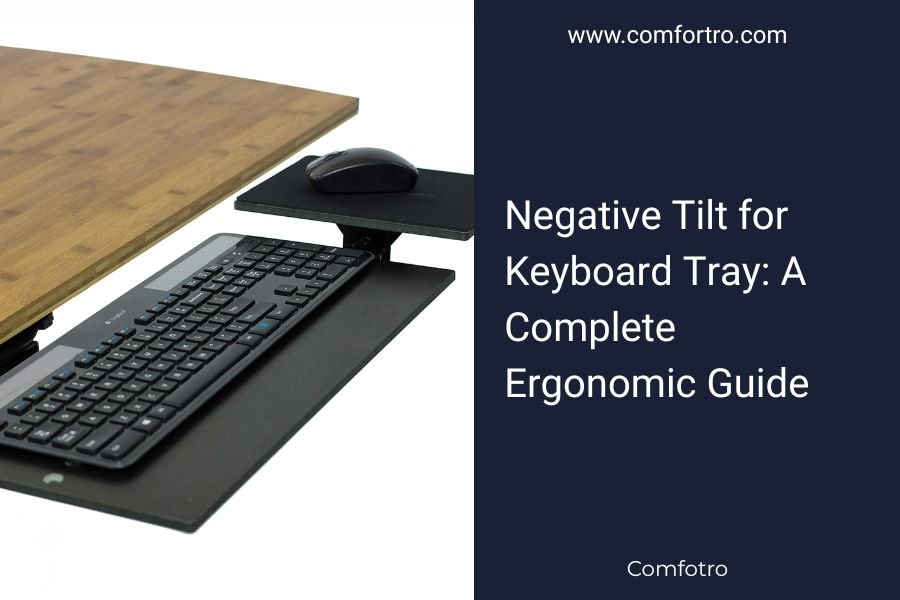
Keyboard trays are one of the easiest ways to achieve negative tilt. Many ergonomic trays are designed with adjustable tilt mechanisms that allow users to angle the keyboard downward.
Benefits of using a keyboard tray with negative tilt include:
- Adjustable height and angle control
- Better alignment with elbow height
- Reduced shoulder and arm tension
- Improved typing posture
When choosing a keyboard tray, look for one that allows smooth angle adjustments and locks securely in place.
How Much Negative Tilt Is Ideal
The ideal negative tilt angle varies depending on individual comfort and setup. Most ergonomic guidelines suggest a slight tilt rather than an extreme angle.
Common negative tilt ranges include:
- 5 to 10 degrees for general comfort
- Slightly higher angles for users with higher desk surfaces
It is best to start with a small tilt and adjust gradually based on how your wrists and forearms feel during typing.
How to Set Up Negative Tilt Correctly
To gain the full benefits of negative tilt, proper setup is essential.
Follow these basic steps:
- Adjust the keyboard tray height so your elbows are at or slightly above keyboard level
- Apply a slight negative tilt, starting with a small angle
- Keep wrists straight and relaxed while typing
- Avoid resting your wrists on hard surfaces during active typing
Combining negative tilt with correct chair height and monitor positioning creates a more balanced ergonomic workstation.
Negative Tilt and Wrist Rests
Wrist rests can be helpful when used correctly, but they should not be used to support the wrists while typing. Instead, they are best used during pauses.
With negative tilt, many users find that wrist rests become less necessary because the wrists naturally stay in a neutral position. If you use a wrist rest, ensure it does not push the wrists upward or interfere with typing posture.
Common Mistakes to Avoid
When using negative tilt, certain mistakes can reduce its effectiveness.
Avoid the following:
- Using extreme tilt angles too quickly
- Placing the keyboard too high relative to elbow level
- Resting wrists heavily while typing
- Ignoring overall workstation ergonomics
Negative tilt works best as part of a complete ergonomic setup rather than a standalone fix.
Negative Tilt and Productivity
Comfort plays a major role in productivity. When wrist discomfort is reduced, users can type longer and with better focus.
Potential productivity benefits include:
- Fewer breaks due to discomfort
- Improved typing endurance
- Reduced distraction from pain or fatigue
- More consistent work output
Small ergonomic adjustments like negative tilt can have a meaningful impact over time.
Is Negative Tilt Worth Using
For most people who type regularly, negative tilt is a simple and low-cost adjustment that can significantly improve comfort. While it may take a short adjustment period, many users report noticeable benefits once they adapt.
Negative tilt is especially worthwhile for users who experience wrist extension discomfort or who use keyboard trays regularly.
Final Thoughts
Negative tilt for a keyboard tray is a powerful ergonomic technique that supports neutral wrist alignment and reduces strain during typing. By angling the keyboard away from the user, negative tilt helps counteract common posture issues caused by flat or upward-tilted keyboards.
When combined with proper chair height, monitor positioning, and overall workstation setup, negative tilt can contribute to a healthier, more comfortable, and more productive home office. Small adjustments like this can make a lasting difference in daily comfort and long-term typing health.