Task lighting provides focused light for specific work activities, while ambient lighting creates general room illumination throughout your office space.
The key difference lies in purpose: task lighting helps you see details clearly during focused work, whereas ambient lighting sets the overall brightness and mood of your workspace.
What Is Task Lighting in Your Office?
Task lighting targets specific work areas where you need to see fine details. Think of it as your spotlight for concentrated activities.
You’ll find task lighting most helpful when reading documents, writing notes, or working on detailed computer tasks. It reduces eye strain by putting light exactly where you need it most.
Common Types of Task Lighting
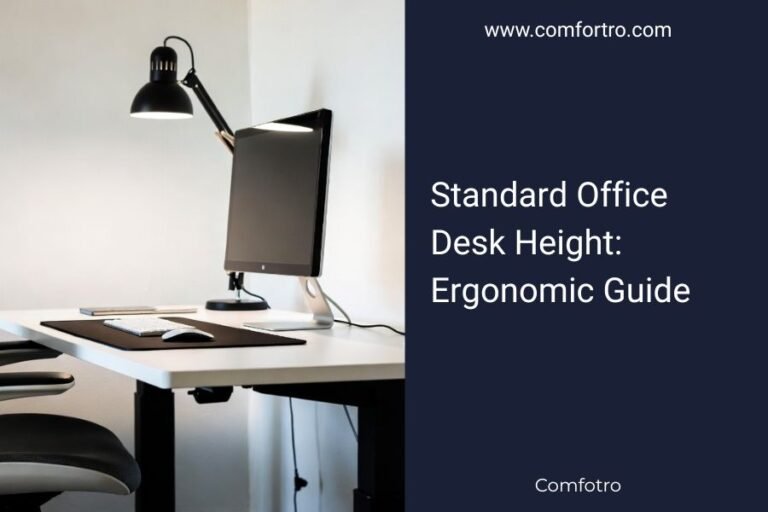
Desk lamps are the most popular choice for office task lighting. They give you control over direction and intensity.
- Adjustable desk lamps with swing arms
- Under-cabinet LED strips for keyboard areas
- Monitor light bars that reduce screen glare
- Floor lamps with adjustable heads
Best Placement for Task Lights
Position your task light to avoid shadows on your work surface. If you’re right-handed, place the light on your left side.
The light should come from above or beside your work area, never from behind your computer screen.
Understanding Ambient Lighting for Offices
Ambient lighting fills your entire office with general illumination. It’s like the foundation that makes everything visible.
This type of lighting creates the baseline brightness level for your room. Without it, task lighting alone would create harsh contrasts and eye fatigue.
Sources of Ambient Office Lighting
Overhead fixtures provide most ambient lighting in office spaces. Ceiling lights spread illumination evenly across the room.
- Recessed ceiling lights
- Fluorescent panel fixtures
- Pendant lights with diffused shades
- Natural light from windows
How Much Ambient Light Do You Need?
Office spaces typically need 20-50 foot-candles of ambient light for comfortable visibility. Research shows this range supports both focus and relaxation (Illuminating Engineering Society).
Too little ambient light creates dark corners and shadows. Too much can cause glare and make you feel tired.
Task Lighting vs Ambient Lighting: Key Differences
| Aspect | Task Lighting | Ambient Lighting |
|---|---|---|
| Purpose | Focused work activities | General room illumination |
| Light Direction | Directional and adjustable | Diffused and widespread |
| Brightness Level | Higher intensity | Moderate, even coverage |
| Control | Individual switches | Central room controls |
When to Use Each Type
Use task lighting when you’re reading, writing, or doing detailed work that requires clear vision. Turn it on only when needed to save energy.
Keep ambient lighting on during work hours to maintain comfortable visibility throughout your office space.
Energy Efficiency Comparison
Task lighting uses less total energy because you only illuminate specific areas. Ambient lighting consumes more power but covers larger spaces.
LED options for both types can reduce energy costs by up to 75% compared to traditional bulbs.
Combining Task and Ambient Lighting Effectively
The best office lighting uses both types together. This approach is called layered lighting, and it gives you flexibility for different activities.
Start with comfortable ambient lighting as your base layer. Then add task lighting where you need extra brightness for specific work.
Creating the Right Balance
Your ambient lighting should be about one-third the intensity of your task lighting. This ratio prevents harsh contrasts that strain your eyes.
If your task light provides 150 foot-candles, keep ambient lighting around 50 foot-candles for comfortable balance.
Avoiding Common Lighting Mistakes
Don’t rely on overhead lighting alone for computer work. It creates shadows and glare on your screen.
Avoid placing task lights directly behind your monitor. This setup causes eye strain and makes reading difficult.
Health Benefits of Proper Office Lighting
Good lighting combinations reduce eye strain, headaches, and fatigue during long work sessions. Research connects proper lighting with better focus and productivity (American Optometric Association).
Task lighting helps prevent squinting and leaning forward, which can cause neck and back pain.
Impact on Sleep and Circadian Rhythm
Bright task lighting late in the day can disrupt your sleep patterns. Dim your task lights in the evening to prepare your body for rest.
Natural ambient light during daytime hours helps maintain healthy sleep cycles.
Reducing Digital Eye Strain
Balanced lighting reduces the contrast between bright screens and dark surroundings. This balance helps prevent computer vision syndrome.
Position ambient lights to minimize reflections on your computer screen.
Choosing the Right Color Temperature
Color temperature affects how energizing or relaxing your lighting feels. Cooler light (4000-6500K) works well for focused tasks.
Warmer light (2700-3000K) creates comfortable ambient lighting that feels welcoming and reduces stress.
Adjustable Color Temperature Options
Smart bulbs let you change color temperature throughout the day. Use cooler light for morning focus and warmer tones in the afternoon.
This flexibility helps match your lighting to your energy levels and work demands.
Cost Considerations for Office Lighting
Task lighting typically costs less upfront because you need fewer fixtures. Good desk lamps range from $30-150 each.
Ambient lighting requires more fixtures but spreads the cost across larger areas. LED ceiling lights start around $25-100 per fixture.
Long-term Energy Savings
Using task lighting only when needed can cut your lighting energy use by 30-50%. This targeted approach saves money over time.
LED options for both lighting types pay for themselves through energy savings within 2-3 years.
Conclusion
Task lighting and ambient lighting serve different but complementary roles in your office. Task lighting gives you focused brightness for detailed work, while ambient lighting provides comfortable general illumination.
The best approach combines both types in a layered system. This setup gives you flexibility, reduces eye strain, and creates a more comfortable work environment. Start with good ambient lighting as your foundation, then add task lighting where you need extra brightness for specific activities.
Can I use only task lighting in my office?
Using only task lighting creates harsh shadows and high contrast that strains your eyes. You need some ambient lighting to balance the brightness levels and provide comfortable general visibility throughout your workspace.
What’s the ideal distance between my desk lamp and work surface?
Position your desk lamp 15-24 inches from your work surface and slightly to one side. This distance provides good coverage without creating glare or harsh shadows on your materials.
How do I reduce glare from overhead ambient lighting on my computer screen?
Position your monitor perpendicular to windows and overhead lights. Use blinds to control natural light, and consider anti-glare screen filters or monitor hoods to reduce reflections from ceiling fixtures.
Should task lighting be brighter than ambient lighting?
Yes, task lighting should be 2-3 times brighter than your ambient lighting. This ratio helps you see details clearly while maintaining comfortable contrast levels that don’t strain your eyes.
Can smart lighting help me balance task and ambient lighting automatically?
Smart lighting systems can adjust both task and ambient lights based on time of day, natural light levels, and your activities. Many systems learn your preferences and create automatic schedules that optimize your lighting throughout the workday.