Easy Temporary Desk Ideas for House Guests
On this page (7 sections)
You can create easy temporary desk spaces for house guests using a dining table with added storage, a folding desk setup, or even a dresser top with proper lighting and chair placement. For a more permanent shared room, see these home office guest room ideas.
The best temporary desk ideas for house guests include portable solutions that don’t require permanent changes to your home while providing functional workspace during their stay.
Quick Setup Solutions That Work Right Away
Your dining table makes the perfect instant workspace. Clear it off and add a small organizer tray for pens and supplies. Place a desk lamp nearby and pull in a comfortable chair. This takes five minutes and costs almost nothing.
Got a kitchen island or breakfast bar? These work great as standing desks or with a tall stool. The height feels natural for many people, and you’re close to coffee and snacks.
Using What You Already Own
Look around your home for flat surfaces at the right height. A dresser top, console table, or even a sturdy ottoman can become a desk. You just need about 24 inches of depth and 36 inches of width for basic computer work.
I found that many people overlook their bedroom furniture. A wide dresser with a mirror can double as a workspace. Just add a small desk lamp and clear some surface space.
Folding and Portable Desk Options
Folding tables offer the most flexibility. You can set them up anywhere and store them flat when guests leave. Look for ones with adjustable height settings.
TV trays work for light laptop use. They’re not perfect for long work sessions, but they solve the immediate need. Plus, they cost under $30 and fold completely flat.
Rolling Carts as Mobile Workstations
A rolling cart gives your guest a desk they can move around. They might want to work by a window in the morning and near an outlet in the afternoon. The wheels make this easy.
Kitchen carts often have the right proportions. Many include a lower shelf for storage and a flat top surface that’s perfect for a laptop.
Storage Solutions for Mobile Desks
Add a small basket or bin to hold supplies. Your guest needs somewhere to put pens, chargers, notebooks, and personal items. This keeps the space organized.
Creating Proper Lighting and Comfort
Good lighting makes any temporary desk feel professional. A simple desk lamp from your bedroom or living room works fine. Position it to avoid screen glare.
Natural light helps too. Can you position the desk near a window? Morning light especially helps people feel alert and productive.
Chair Selection Matters
Your guest will spend hours in whatever chair you provide. A dining chair works for short sessions. For longer work periods, find something with back support.
Got an office chair in storage? Perfect. Even a comfortable living room chair can work if the height matches the desk surface.
Height Matching Tips
The desk surface should sit at about elbow height when your guest is seated. Too high and their shoulders will ache. Too low and they’ll slouch.
You can adjust with cushions or footrests. A small pillow on the chair raises them up. A box under their feet helps if the chair is too tall.
Tech Setup and Power Access
Where are your outlets? The desk needs to be near power for laptops and phone chargers. Extension cords work, but they create trip hazards.
Think about internet access too. Will your WiFi reach the desk location? Test it with your phone before your guest arrives.
Cable Management
Loose cables look messy and create tangles. Use a small box or cable ties to keep cords organized. This makes the space feel more professional.
Room-Specific Setup Ideas
Guest Bedroom Desk Solutions
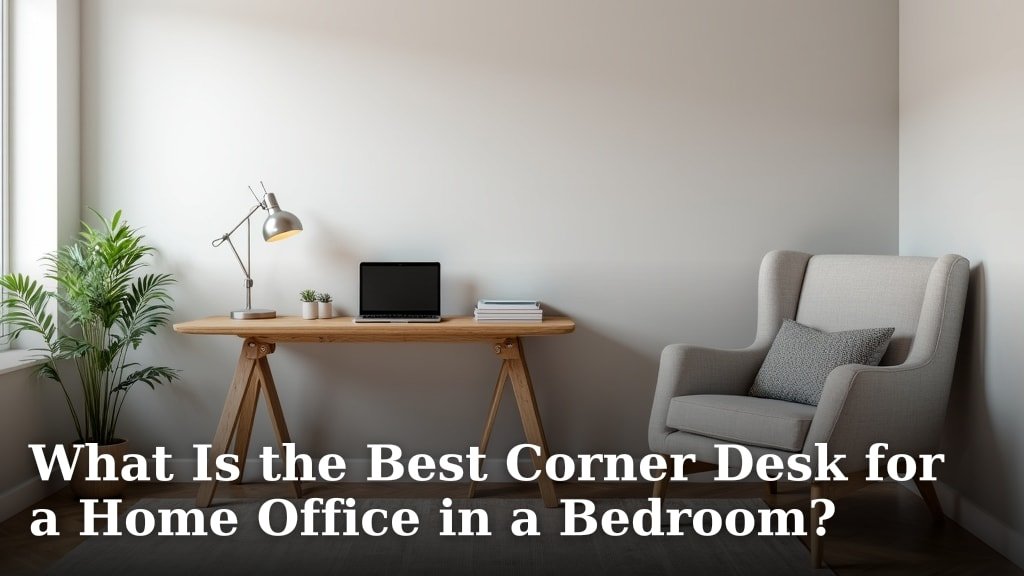
The guest bedroom offers privacy for work calls. Use a corner space if possible. Corner desks take up less room and feel cozy.
Can you move a nightstand? Sometimes repositioning existing furniture creates the perfect workspace without buying anything new.
Maximizing Small Bedrooms
In tight spaces, consider a wall-mounted folding desk. These attach to the wall and fold down when needed. They take zero floor space when not in use.
Living Room Work Areas
Living rooms work well if you can create some separation. Position the desk facing away from the TV to reduce distractions.
Use a room divider or tall plant to create a sense of office space. This helps your guest focus during work hours.
Noise Considerations
Living rooms can get noisy. Think about when family members watch TV or kids play nearby. Can your guest work during quieter hours?
Budget-Friendly Supply Additions
A few small items make any desk more functional. A cup for pens costs a dollar. A small notebook gives them scratch paper. These touches show you care.
Research shows that organized workspaces help people focus better. Simple additions like a desk pad or small organizer tray make a big difference.
| Item | Cost | Purpose |
|---|---|---|
| Desk lamp | $15-30 | Task lighting |
| Small organizer | $5-15 | Supply storage |
| Extension cord | $10-20 | Power access |
| Chair cushion | $10-25 | Comfort adjustment |
Personal Touches That Help
Leave a welcome note explaining the WiFi password and any house rules about the workspace. This makes guests feel welcomed and informed.
A small plant or picture frame makes the space feel less temporary. You want your guest to feel comfortable, not like they’re camping out.
Conclusion
Setting up a temporary desk for house guests doesn’t require expensive furniture or major room changes. Start with surfaces you already have, add proper lighting and seating, then include small organizational touches that make the space functional. Your guests will appreciate having a dedicated work area, and you’ll feel good about providing thoughtful hospitality. The key is thinking about comfort, function, and privacy while using creative solutions that work within your space and budget.
What’s the minimum space needed for a temporary guest desk?
You need at least 24 inches deep and 30 inches wide for basic laptop work. This gives enough room for the computer, a notebook, and some personal items without feeling cramped.
How can I make a temporary desk setup look more professional?
Add a desk lamp, keep cables organized with ties or clips, include a small organizer for supplies, and clear away any clutter from the surrounding area. A simple desk pad also helps define the workspace.
What if my guest needs to take video calls?
Position the desk so there’s a plain wall or tidy background behind the chair. Make sure the lighting comes from in front of them, not behind. Test the WiFi strength in that location and consider noise levels during typical call times.
Should I provide office supplies for my house guest?
Basic supplies like pens, paper, and sticky notes are thoughtful additions that cost very little. Include a small cup or container to hold these items and keep the desk organized.
How do I handle multiple guests who need workspace?
Create separate work areas if possible, even if one is just a kitchen counter setup. If you must share space, establish quiet hours and provide headphones for video calls to minimize disruptions between users.