
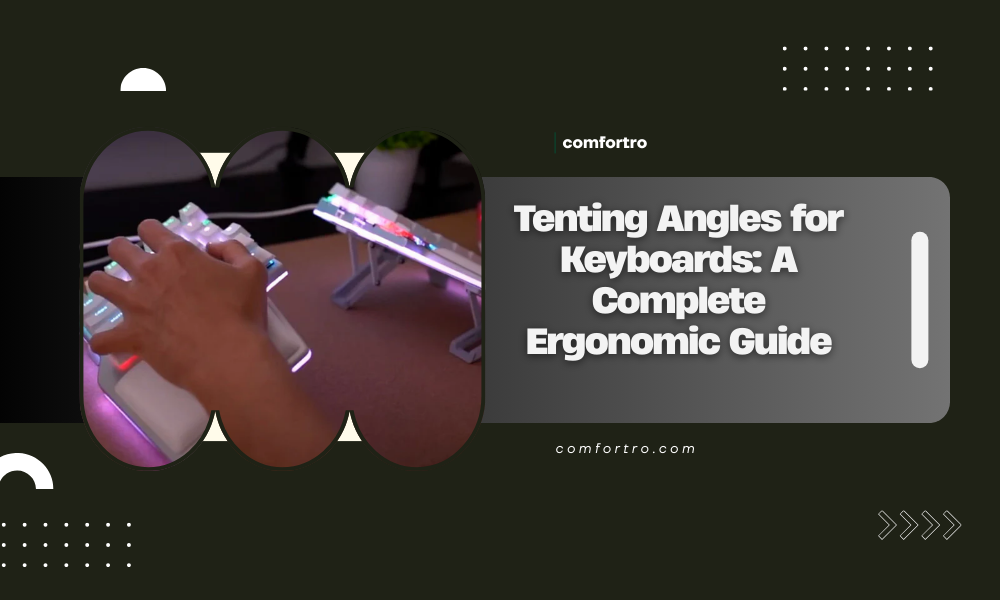
Tenting angles for keyboards play a critical role in ergonomic typing and long-term comfort. While many people focus on keyboard shape or layout, the angle at which a keyboard is positioned can significantly affect wrist alignment, forearm rotation, and overall typing comfort. For users who spend long hours typing, improper keyboard angles can contribute to strain, fatigue, and repetitive stress issues.
This guide explains what tenting angles are, why they matter, how different angles affect the body, and how to choose the right tenting angle for your keyboard and workspace. Understanding tenting angles can help you create a healthier and more comfortable home office setup.
What Are Tenting Angles for Keyboards
Tenting refers to raising the center of a keyboard so that the two sides slope downward toward the desk, forming a tent-like shape. The tenting angle is the degree to which the keyboard is elevated in the middle.
Instead of keeping the keyboard flat, tenting changes the orientation of the hands and forearms. This adjustment helps reduce forearm pronation, which occurs when the palms are forced to face downward on a flat surface for extended periods.
Why Flat Keyboards Can Be Problematic
Most traditional keyboards are completely flat, which requires the forearms to rotate inward unnaturally. This position can increase muscle tension and strain over time.
Common issues associated with flat keyboards include:
- Increased forearm pronation
- Wrist compression and discomfort
- Shoulder and upper arm tension
- Reduced circulation during long typing sessions
Tenting angles help counteract these issues by allowing the hands to rest in a more natural, handshake-like position.
How Tenting Angles Improve Ergonomics
The main ergonomic benefit of tenting angles is improved alignment of the wrists and forearms. By elevating the center of the keyboard, the forearms rotate outward slightly, reducing internal rotation and muscle stress.
Key ergonomic benefits include:
- Reduced forearm pronation
- More neutral wrist positioning
- Lower muscle tension in the arms and shoulders
- Improved typing comfort during extended use
When combined with proper keyboard height and split layouts, tenting can significantly improve overall typing ergonomics.
Common Tenting Angle Ranges
Different keyboards offer different tenting angle options. The ideal angle varies based on individual anatomy, comfort preferences, and typing habits.
Low Tenting Angles (5 to 7 degrees)
Low tenting angles provide a subtle ergonomic improvement and are often suitable for beginners. These angles reduce pronation slightly without drastically changing typing posture. Many users find this range comfortable when transitioning from a flat keyboard.
Moderate Tenting Angles (8 to 12 degrees)
Moderate tenting angles offer more noticeable ergonomic benefits. This range is commonly preferred by users who type for long hours and want improved comfort without extreme adjustment. Many ergonomic keyboards include adjustable tenting within this range.
High Tenting Angles (13 degrees and above)
High tenting angles provide maximum reduction in forearm pronation. These angles are often used by experienced ergonomic keyboard users or those with specific discomfort issues. While effective, higher angles may require a longer adjustment period.
Fixed vs Adjustable Tenting
Keyboards can offer tenting in different ways depending on design.
Fixed tenting keyboards have a built-in angle that cannot be adjusted. These are simple to use but may not suit everyone.
Adjustable tenting keyboards allow users to customize the angle based on comfort and desk setup. This flexibility makes adjustable tenting a preferred option for most ergonomic users.
Tenting Angles and Split Keyboards
Tenting is especially effective when combined with split keyboards. Split designs allow each half of the keyboard to be tented independently, providing greater control over hand and arm positioning.
With split keyboards, users can:
- Adjust tenting angles separately for each hand
- Align keyboard halves with shoulder width
- Fine-tune ergonomics for personal comfort
This level of customization is particularly beneficial for users with shoulder or wrist discomfort.
How to Choose the Right Tenting Angle
Selecting the right tenting angle depends on comfort, typing duration, and existing discomfort.
General guidelines include:
- Start with a low tenting angle
- Gradually increase the angle over several days
- Pay attention to wrist, forearm, and shoulder comfort
- Avoid extreme angles immediately
The goal is to find an angle that feels natural and reduces strain without forcing unnatural positioning.
Proper Setup for Tented Keyboards
Tenting works best as part of a complete ergonomic setup. Improper desk or chair height can reduce its effectiveness.
Key setup considerations include:
- Keeping elbows at approximately 90 degrees
- Positioning the keyboard at or slightly below elbow height
- Maintaining neutral wrist posture
- Using wrist rests only during pauses, not while typing
Combining tenting with proper desk and chair setup maximizes ergonomic benefits.
Tenting Angles and Typing Performance
Some users worry that tenting may reduce typing speed or accuracy. While there may be a short adjustment period, most users adapt quickly.
Over time, reduced discomfort can actually improve typing endurance and consistency. Comfort plays a major role in sustained productivity, especially for long work sessions.
Who Benefits Most from Keyboard Tenting
Tenting angles can benefit a wide range of users, including:
- Remote workers and office professionals
- Programmers, writers, and data entry specialists
- Users experiencing wrist or forearm discomfort
- Individuals focused on preventive ergonomics
Even users without current pain may find tenting helpful for long-term comfort.
Common Mistakes to Avoid
When using tenting angles, certain mistakes can reduce effectiveness.
Avoid the following:
- Setting the tenting angle too high too quickly
- Ignoring overall workstation ergonomics
- Using wrist rests incorrectly
- Maintaining poor posture despite ergonomic tools
Ergonomic tools work best when combined with proper habits and setup.
Are Tenting Angles Worth Using
For users who type frequently, tenting angles can provide meaningful comfort improvements. While not mandatory for everyone, they are especially valuable for users who experience discomfort or want to reduce long-term strain.
Investing time in finding the right tenting angle can lead to better comfort, fewer breaks, and more sustainable work habits.
Final Thoughts
Tenting angles for keyboards are an often overlooked but important aspect of ergonomic typing. By reducing forearm pronation and supporting more natural wrist alignment, tenting can significantly improve comfort during long typing sessions.
Whether you use a split keyboard or a traditional ergonomic keyboard, understanding and applying appropriate tenting angles can help create a healthier and more productive home office. Small adjustments, when done correctly, can make a noticeable difference in long-term comfort and performance.
