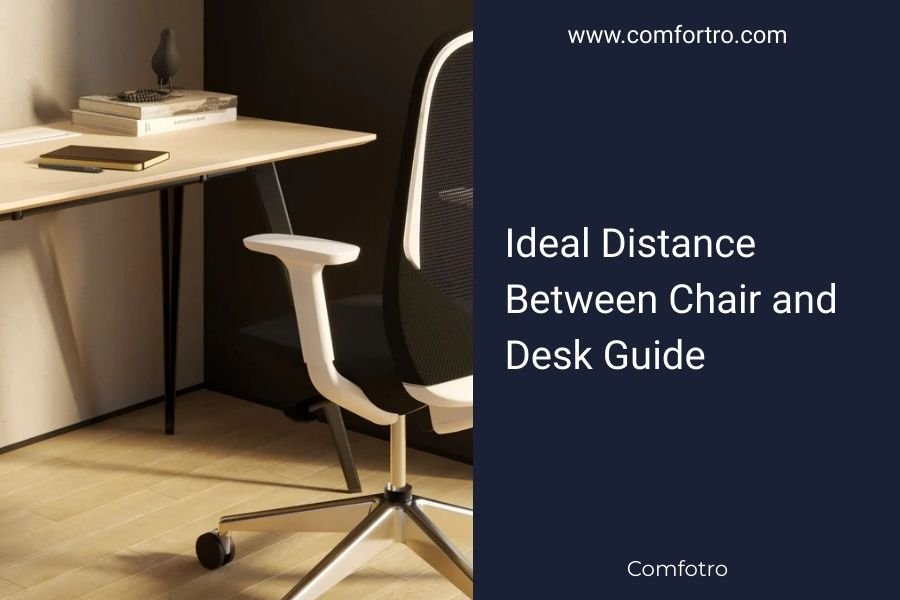
The ideal distance between chair and desk should be 6-8 inches of space between your thighs and the desk surface.
Your knees should sit at a 90-degree angle with your feet flat on the floor when positioned at the proper chair-to-desk distance.
Getting this distance right can save your back from years of pain. It sounds simple, but you’d be surprised how many people sit too close or too far from their workspace.
Why Chair and Desk Distance Matters More Than You Think
Your body tells the story of poor positioning. Slouched shoulders, tight hips, and that nagging lower back ache? They often start with sitting the wrong distance from your desk.
Research from the National Institute for Occupational Safety and Health shows that poor workstation setup contributes to musculoskeletal disorders. The distance between your chair and desk forms the foundation of good posture.
What Happens When You Sit Too Close
Sitting too close creates a cramped workspace. Your shoulders hunch forward. Your arms press against your body in unnatural positions.
You might find yourself leaning back to compensate. This puts pressure on your spine and reduces blood flow to your legs.
The Problems of Sitting Too Far Away
Sitting too far forces you to reach for your keyboard and mouse. This creates shoulder strain and forward head posture.
You end up sliding forward in your chair to reach your work. Your back loses contact with the chair’s support system.
How to Measure the Perfect Chair-to-Desk Distance
Start by sitting in your chair with your back against the backrest. Your thighs should slide under the desk with room to spare.
Hold your hand flat and slide it between your thigh and the desk edge. You should have space for your hand plus a bit more.
The Thigh Test Method
Scoot your chair under the desk until you feel light contact between your thighs and the desk surface. Now back away slowly until you feel comfortable pressure relief.
This usually creates that magic 6-8 inch gap experts recommend.
Using Your Elbow as a Guide
Your elbows should hang naturally at your sides when typing. If you need to extend your arms significantly, you’re sitting too far back.
If your elbows press against your ribs, you’re probably sitting too close to the desk.
Adjusting Your Chair Height for Optimal Distance
Chair height plays a huge role in getting the right distance. Many people focus only on horizontal space and forget about vertical positioning.
The 90-Degree Rule
Your knees should form a 90-degree angle when sitting. Your feet should rest flat on the floor without pressure behind your knees.
If your desk height is fixed, adjust your chair up or down to achieve this angle. Then check your thigh clearance under the desk.
When Your Feet Don’t Touch the Floor
Shorter individuals often need footrests to maintain proper positioning. A footrest lets you keep the right chair height while supporting your feet properly.
Your thighs should still have that 6-8 inch clearance even when using a footrest.
Desk Height Considerations
Standard desk height sits around 28-30 inches from the floor. This works for people between 5’8″ and 6′ tall with average arm length.
Adjustable Desk Solutions
Height-adjustable desks give you more flexibility in finding the perfect chair-to-desk relationship. You can fine-tune both chair height and desk height.
Standing desks also let you alternate between sitting and standing throughout the day.
Fixed Desk Workarounds
Stuck with a fixed-height desk? Keyboard trays can lower your typing surface while maintaining proper thigh clearance.
Monitor stands can raise your screen to eye level even if your keyboard sits lower.
Common Distance Mistakes People Make
I found that most people never measure their workspace setup. They just scoot their chair to whatever feels comfortable in the moment.
The Slouch and Scoot Pattern
You start the day sitting properly. By afternoon, you’ve unconsciously scooted closer to see your screen better or moved back to stretch out.
This constant repositioning means you never develop good muscle memory for proper positioning.
Ignoring Arm Position
People often focus only on leg room and forget about their arms. Your forearms should rest parallel to the floor when typing.
If your chair-to-desk distance forces awkward arm angles, something needs adjusting.
Different Body Types Need Different Approaches
One size definitely doesn’t fit all when it comes to workspace positioning. Your body proportions affect the ideal setup.
Longer Torso Considerations
People with longer torsos might need to sit slightly further from their desk to avoid cramped positioning. The 6-8 inch rule serves as a starting point, not an absolute law.
Shorter Legs and Chair Distance
Shorter individuals often benefit from chairs that allow them to sit closer to their desk while maintaining thigh clearance.
Look for chairs with shorter seat depths if standard office chairs feel too deep.
Tools to Help You Get the Distance Right
You don’t need fancy equipment to measure proper positioning. A simple ruler or measuring tape works fine.
Smartphone Apps for Posture
Several apps use your phone’s camera to analyze your sitting posture. They can spot distance issues you might miss.
Ergonomic Assessment Tools
Online ergonomic calculators ask for your height and desk measurements. They suggest optimal chair heights and distances.
| Body Height | Recommended Desk Height | Optimal Chair Height |
|---|---|---|
| 5’0″ – 5’4″ | 25″ – 27″ | 14″ – 16″ |
| 5’5″ – 5’9″ | 27″ – 29″ | 16″ – 18″ |
| 5’10” – 6’2″ | 29″ – 31″ | 18″ – 20″ |
Making Adjustments Throughout the Day
Your body changes throughout the day. You might feel stiff in the morning and looser by afternoon. Small distance adjustments can help you stay comfortable.
The Two-Inch Rule
Moving your chair two inches closer or further can provide relief when you feel uncomfortable. Just remember to return to your optimal position.
Signs You’ve Got the Distance Wrong
Your body gives clear signals when chair-to-desk distance isn’t right. Listen to these warning signs.
Physical Symptoms to Watch For
- Pressure behind your knees
- Tingling in your legs
- Shoulder tension from reaching
- Lower back pain from poor support
- Neck strain from leaning forward
Conclusion
The right chair-to-desk distance sets the foundation for comfortable, productive work. That 6-8 inch gap between your thighs and desk surface isn’t just a number – it’s your gateway to better posture and fewer aches.
Take five minutes today to measure your current setup. Adjust your chair height so your knees hit that 90-degree angle. Check your thigh clearance. Your back will thank you tomorrow, and your productivity might surprise you too.
How do I know if my chair is too high for my desk?
If your thighs press firmly against the desk surface or you can’t slide your legs under comfortably, your chair is too high. You should have 6-8 inches of clearance between your thighs and the desk.
Can sitting too far from my desk cause neck problems?
Yes, sitting too far forces you to lean forward to reach your keyboard and mouse. This creates forward head posture and puts strain on your neck muscles over time.
What if my legs are too long for standard desk height?
Consider a height-adjustable desk or keyboard tray to lower your typing surface. You can also look for chairs with adjustable seat depth to optimize your positioning.
Should my chair distance change when I switch between tasks?
Minor adjustments are fine for different activities, but maintain that core 6-8 inch thigh clearance. You might move slightly closer for detailed work or further back for reading, but return to optimal position for extended work.
How often should I check my chair-to-desk distance?
Check your positioning weekly, especially if you share your workspace or frequently adjust your chair. Most people gradually drift from their optimal position without realizing it.