
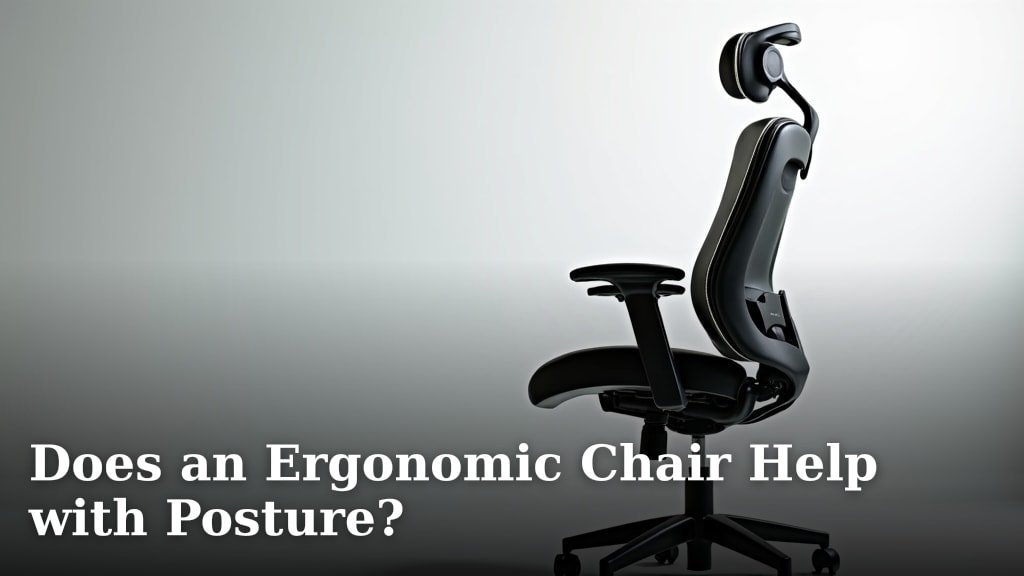
Yes, an ergonomic chair can absolutely help with posture, but it’s not a magic bullet. These chairs are designed to support your body’s natural curves, encouraging a healthier sitting position. They aim to reduce strain by providing proper alignment for your spine, neck, and shoulders.
You might think simply having an ergonomic chair solves all your posture woes. While it’s a powerful tool, it works best when combined with mindful sitting habits and occasional movement. We found that a good ergonomic chair helps you maintain a neutral spinal alignment, which is key to preventing back pain and improving overall comfort during long hours at your desk.
- Ergonomic chairs support natural spinal curves.
- They encourage better sitting posture.
- Chairs alone don’t fix everything; movement is still needed.
- Proper alignment reduces strain and discomfort.
Let’s dive into how ergonomic chairs actually work to improve your posture and what you should look for when choosing one.
How an Ergonomic Chair Supports Your Posture
An ergonomic chair is designed to work with your body, not against it. Think of it as a helpful partner for your spine. It aims to maintain the natural S-curve of your back while you sit. This natural curve is essential for distributing pressure evenly (Mayo Clinic).
When you sit in a non-ergonomic chair, your spine often flattens. This puts extra stress on your lower back and discs. An ergonomic chair helps prevent this flattening. It provides support where your body needs it most.
We often slouch without realizing it. An ergonomic chair makes it easier to sit correctly. It gives you cues and support to keep your spine aligned. This can feel like a gentle reminder to sit tall.
Key Elements of Ergonomic Chair Design
What makes these chairs so special? It’s all about their adjustable features. These features let you customize the chair to your unique body. Your comfort and posture are the top priority.
The right adjustments can make a big difference. They help you find that “just right” position. This position reduces strain and fatigue over hours of sitting.
Lumbar Support
This is perhaps the most important feature. Lumbar support cradles the inward curve of your lower back. It prevents slouching and keeps your spine in its natural alignment. Many ergonomic chairs let you adjust the height and depth of this support.
Without proper lumbar support, your lower back can round forward. This position can lead to lower back pain. A good lumbar support helps you sit upright with ease (NIH).
Adjustable Seat Depth
Your thighs should be fully supported by the seat pan. There should be a small gap between the front of the seat and your knees. This gap, typically 2-4 fingers wide, ensures good circulation.
If the seat is too deep, it can cut off circulation behind your knees. If it’s too shallow, you won’t have enough thigh support. Adjusting the seat depth helps you find that sweet spot.
Adjustable Armrests
Armrests aren’t just for resting your arms. They help support your upper body, taking pressure off your neck and shoulders. Your elbows should be at a 90-degree angle, close to your body.
When your armrests are set correctly, your shoulders can relax. This reduces tension that can lead to neck and shoulder pain. Look for armrests that adjust in height, width, and pivot.
Recline and Tilt Mechanisms
A good ergonomic chair allows you to recline. Reclining can reduce pressure on your spinal discs. It also lets you shift your body weight throughout the day, which is good for circulation.
The tilt mechanism should allow you to find a comfortable angle. Some chairs even have a synchro-tilt feature. This means the seat and back move together. This helps maintain your posture as you recline.
The Link Between Ergonomics and Pain Reduction
Poor posture often leads to pain. If you’ve ever felt a dull ache in your back after a long day, you know what we mean. An ergonomic chair can be a powerful tool in managing and preventing this pain.
By promoting better alignment, these chairs reduce strain on muscles and ligaments. This means less stress on your joints and less likelihood of discomfort. We’ve found that many people report significant pain relief once they switch to an ergonomic setup.
Addressing Common Pain Points
Let’s look at how an ergonomic chair helps with specific areas. It’s not just about your back; your whole body benefits.
- Lower Back Pain: The primary benefit comes from proper lumbar support, which maintains the natural curve of your spine and reduces disc compression.
- Neck and Shoulder Pain: Correct armrest height allows your shoulders to relax, reducing tension in your upper back and neck muscles.
- Sciatica: A well-adjusted seat can help relieve pressure on the sciatic nerve by promoting healthy spinal alignment and distributing weight evenly.
- Fatigue: When your body isn’t fighting to maintain poor posture, you expend less energy. This can lead to less overall fatigue at the end of your workday.
More Than Just the Chair: A Holistic Approach
While an ergonomic chair is a fantastic starting point, it’s part of a larger picture. Think of it as a puzzle piece. You need the other pieces for the full effect.
Even the best chair won’t fix everything if you don’t use it correctly. Mindful sitting and regular movement are just as important. Your body wasn’t designed to stay still for eight hours straight.
| Ergonomic Chair Feature | How It Helps Your Posture | Impact on Comfort/Health |
|---|---|---|
| Adjustable Lumbar Support | Supports the natural S-curve of the lower back. | Reduces lower back pain; prevents slouching. |
| Adjustable Seat Height | Ensures feet are flat on the floor or on a footrest. | Promotes healthy leg circulation; reduces knee strain. |
| Adjustable Armrests (Height/Width) | Keeps shoulders relaxed and elbows at 90 degrees. | Alleviates neck and shoulder tension; supports upper body. |
| Seat Depth Adjustment | Maintains gap between seat edge and knees. | Prevents pressure behind knees; supports thighs fully. |
| Recline/Tilt Function | Allows for varied postures throughout the day. | Reduces spinal disc pressure; promotes circulation. |

Beyond the Chair: Good Posture Habits
An ergonomic chair is a powerful tool, but it’s not a set-it-and-forget-it solution. Your habits play a huge role in maintaining good posture. You need to actively participate in your posture health.
Think of your chair as a gym buddy. It can help you train, but you still need to do the exercises. The same applies to your sitting posture. Be aware of how you’re sitting.
Tips for Optimizing Your Ergonomic Setup
Even with the best chair, small adjustments can make a big difference. Here are some steps you can take.
- Sit all the way back: Make sure your lower back is fully supported by the lumbar support. Don’t perch on the edge of your seat.
- Feet flat on the floor: Your feet should be flat, or firmly on a footrest. Your knees should be at about a 90-degree angle.
- Elbows at 90 degrees: Adjust your armrests so your forearms are parallel to the floor. Your wrists should be straight when typing.
- Monitor at eye level: The top of your screen should be roughly at your eye level. This prevents neck strain from looking up or down too much.
- Take regular breaks: Every 30-60 minutes, stand up, stretch, and move around. Even a quick walk to grab water helps.
- Practice mindful posture: Periodically check in with your body. Are your shoulders hunched? Is your back rounded? Gently correct yourself.
The Importance of Movement
Sitting for long periods, even in an ergonomic chair, is not ideal (CDC). Your body needs movement to stay healthy. Movement helps with circulation, muscle strength, and flexibility.
Consider setting a timer to remind you to stand up. A standing desk can also be a great addition. The goal is to break up long periods of sitting. Your spine will thank you for it.
We often find that people who combine an ergonomic chair with regular movement have the best results. They report less pain and more energy. It’s about creating a dynamic work environment for your body.
Conclusion
An ergonomic chair is a powerful ally in your journey toward better posture and reduced pain. We’ve seen how its adjustable features work together to support your body’s natural alignment. While it’s not a standalone solution, it creates an environment where good posture is easier to maintain. Remember, your chair is a tool; how you use it, combined with regular movement, truly makes the difference. Invest in a good chair, learn its adjustments, and commit to mindful sitting for a healthier, more comfortable workday.
Frequently Asked Questions
How quickly can I expect to feel a difference with an ergonomic chair?
You might feel a difference within a few days, especially if you’ve been experiencing discomfort. However, it can take a few weeks for your body to fully adjust to a new, healthier posture. Consistency in using the chair correctly is key.
Can an ergonomic chair fix existing back problems?
While an ergonomic chair can significantly help manage and alleviate symptoms of existing back problems by promoting better alignment, it’s not a cure. We always recommend consulting with a healthcare professional for specific medical conditions.
Are expensive ergonomic chairs always better than cheaper ones?
Not necessarily. While higher-priced chairs often offer more advanced adjustments and durable materials, many mid-range options provide excellent ergonomic support. Focus on the features that matter most for your body and workspace, rather than just the price tag.
Do I still need to take breaks if I have an ergonomic chair?
Absolutely! Even with the best ergonomic setup, prolonged sitting is not healthy. Your body needs regular movement to maintain circulation, muscle strength, and flexibility. Aim for a short break every 30-60 minutes.
What’s the most important feature to look for in an ergonomic chair?
Based on our research, the most important feature is adjustable lumbar support. This helps maintain the natural curve of your lower back, which is crucial for preventing slouching and reducing strain throughout your spine.
