
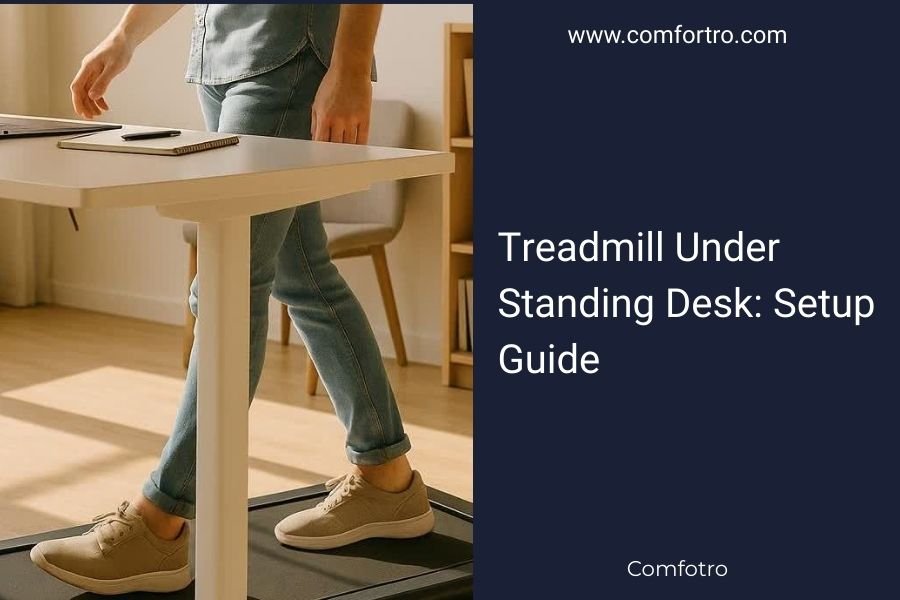
Setting up a treadmill under standing desk requires proper height measurements, safety clearances, and desk stability checks before installation.
You need at least 8-10 inches of clearance between the treadmill belt and desk surface to ensure comfortable walking posture and prevent accidents.
Quick Setup Checklist for Your Treadmill Desk
Ready to transform your workspace? Let me walk you through the essentials first. Your success depends on getting these basics right from day one.
Here’s what you need to verify before anything else:
- Desk height adjustability range (should go up to 42-48 inches)
- Treadmill belt width (minimum 16 inches for comfort)
- Available floor space (at least 6×3 feet)
- Power outlet locations for both devices
- Weight capacity of your standing desk
Measuring Your Space Requirements
Think of this like fitting puzzle pieces together. Every measurement matters when you’re combining two large pieces of equipment.
Floor Space Planning
You need more room than you think. Research from ergonomics experts shows that cramped treadmill desks cause more accidents and less usage.
Plan for these minimum dimensions:
- Length: 72 inches (6 feet) from wall to wall
- Width: 36 inches (3 feet) for safe entry and exit
- Height clearance: 8 feet from floor to ceiling
Desk Height Calculations
Here’s where most people mess up. Your walking height needs are different from your standing height needs.
When walking, you need your elbows at 90 degrees while your hands rest comfortably on the keyboard. This usually means adding 2-3 inches to your normal standing desk height.
Height Formula for Walking
Take your elbow height while standing. Add the treadmill deck thickness (usually 4-6 inches). Then add 2 inches for natural arm swing. That’s your target desk height.
Choosing Compatible Equipment
Not every treadmill works well under every desk. I found that certain combinations create problems you won’t see until week two of use.
Treadmill Features That Matter
Speed range tops the list. You want a treadmill that goes as slow as 0.5 mph. Why? Because 2 mph feels like jogging when you’re trying to type.
Other must-have features include:
- Quiet motor (under 55 decibels)
- No incline settings (they interfere with typing)
- Side rails that don’t extend above the belt
- Compact control panel or remote control
Standing Desk Requirements
Your desk needs rock-solid stability. Any wobble gets worse when you’re walking, making typing nearly impossible.
Look for desks with:
- Four-leg support systems
- Weight capacity over 150 pounds
- Anti-collision features for safety
- Memory height settings
Step-by-Step Installation Process
Time to put it all together. I recommend doing this on a weekend when you have help available.
Phase 1: Treadmill Placement
Position your treadmill first. It’s heavier and harder to adjust later. Place it where you want it permanently, then test walking on it without the desk.
Check that you can comfortably step on and off from both sides. Many people forget about the exit strategy until they’re stuck.
Power and Safety Setup
Plug the treadmill directly into a wall outlet. Avoid extension cords or power strips, which can cause motor issues over time.
Position the emergency stop cord where you can reach it easily while typing. This isn’t paranoia – it’s smart planning.
Phase 2: Desk Positioning
Now comes the tricky part. You need to position the desk so the surface sits directly above the front half of the treadmill belt.
Start with the desk at its lowest setting. Place it over the treadmill, then raise it gradually while checking clearance.
Testing the Height
Step onto the treadmill. Adjust the desk until your forearms are parallel to the floor when your hands rest on the surface.
Your shoulders should feel relaxed, not hunched up or pulled down. This might take several tries to get right.
Safety Configuration
Safety isn’t optional with treadmill desks. Research from workplace safety experts shows that most injuries happen during the first month of use (OSHA).
Emergency Procedures
Practice stopping the treadmill quickly. Know where the emergency stop is without looking down.
Set up these safety protocols:
- Always start at 0.5 mph or slower
- Keep a water bottle within reach
- Wear appropriate shoes with grip
- Never answer the phone while walking
Equipment Safety Checks
Weekly safety checks prevent most problems. Spend five minutes checking these items every Monday:
| Component | What to Check | Red Flags |
|---|---|---|
| Treadmill Belt | Alignment and tension | Slipping or pulling to one side |
| Desk Legs | Stability and wobble | Any movement during typing |
| Power Cords | Wear and positioning | Fraying or pinching |
| Walking Surface | Debris or wear patterns | Uneven spots or buildup |
Optimizing Your Setup
The basic setup gets you walking. These tweaks make it actually pleasant to use long-term.
Ergonomic Fine-Tuning
Your monitor height changes when you’re walking versus standing still. Most people need to raise their screens 1-2 inches for walking comfort.
Position your keyboard and mouse closer to your body. Walking changes your natural reach distance slightly.
Lighting Adjustments
Walking creates small shadows that weren’t there before. Adjust your desk lighting to eliminate glare on your screen.
Consider adding an LED light strip under your desk to improve visibility of your keyboard and papers.
Workflow Modifications
Some tasks work better while walking than others. I found through research that people do best with these activities while walking:
- Reading emails
- Video conference calls (muted)
- Data entry tasks
- Document review
Save detailed design work, coding, or writing for when you’re standing still.
Common Setup Problems and Solutions
Even perfect planning hits snags. Here are the issues I see most often and how to fix them quickly.
Desk Wobble Issues
If your desk shakes while you walk, the problem is usually in the leg positioning or floor levelness.
Try these fixes in order:
- Adjust individual leg feet to level the desk
- Move the desk legs further apart
- Add rubber pads under the desk legs
- Check that treadmill isn’t vibrating the floor
Speed Control Problems
Many people start too fast. If you can’t type comfortably, you’re going too fast, period.
Start at 0.5 mph for your first week. Only increase speed after you can type normally for 30 minutes straight.
Motor Noise Issues
Loud treadmills disrupt everyone around you. If noise is a problem, check these common causes:
- Treadmill feet not level on the floor
- Belt needs lubrication
- Motor mount screws are loose
- Deck is worn and needs replacement
Maintenance Schedule
Regular care keeps everything running smoothly. Skip maintenance and you’ll face expensive repairs or safety issues.
Daily Tasks (2 minutes)
End each day by wiping down the treadmill belt and desk surface. Dust and debris cause premature wear on moving parts.
Check that both devices are turned off properly. Leaving equipment in standby mode wastes energy and shortens lifespan.
Weekly Deep Clean
Every Friday, vacuum around and under your treadmill. Check all cable connections for looseness.
Inspect the walking belt for signs of wear or debris buildup. Clean the desk frame and check that height adjustments still work smoothly.
Monthly Professional Check
Once monthly, have someone else test your setup. They’ll spot problems you’ve gotten used to.
Lubricate the treadmill belt according to manufacturer specifications. Most need attention every 40-50 hours of use.
Conclusion
Setting up a treadmill under standing desk takes careful planning, but the health benefits make it worthwhile. Focus on safety first, then comfort, then optimization. Start slowly with your walking speed and build up gradually over several weeks. Regular maintenance keeps everything working properly and prevents expensive repairs. With the right setup, you’ll wonder how you ever worked sitting down all day.
Can I use any treadmill with any standing desk?
No, you need compatible sizing and features. The treadmill should have a compact design with side rails that don’t extend above the belt. Your standing desk must have sufficient height range and rock-solid stability to prevent wobbling during walking.
How fast should I walk while working?
Start at 0.5 mph and gradually work up to 1-2 mph maximum. Most people find 1.2 mph ideal for typing and computer work. Anything faster makes concentration and fine motor control difficult.
What’s the minimum ceiling height needed?
You need at least 8 feet of ceiling clearance for safety and comfort. This accounts for your height, the treadmill deck thickness, desk surface, and natural head movement while walking.
How do I prevent the desk from shaking while I walk?
Ensure your desk has four-leg support and is properly leveled on the floor. Position the legs as wide as possible for maximum stability. Add rubber pads under the legs if needed, and make sure the treadmill itself isn’t causing floor vibrations.
Should I wear special shoes for treadmill desk walking?
Wear comfortable athletic shoes with good traction and arch support. Avoid dress shoes, sandals, or barefoot walking, as these increase slip risk and cause foot fatigue during long walking sessions.
