
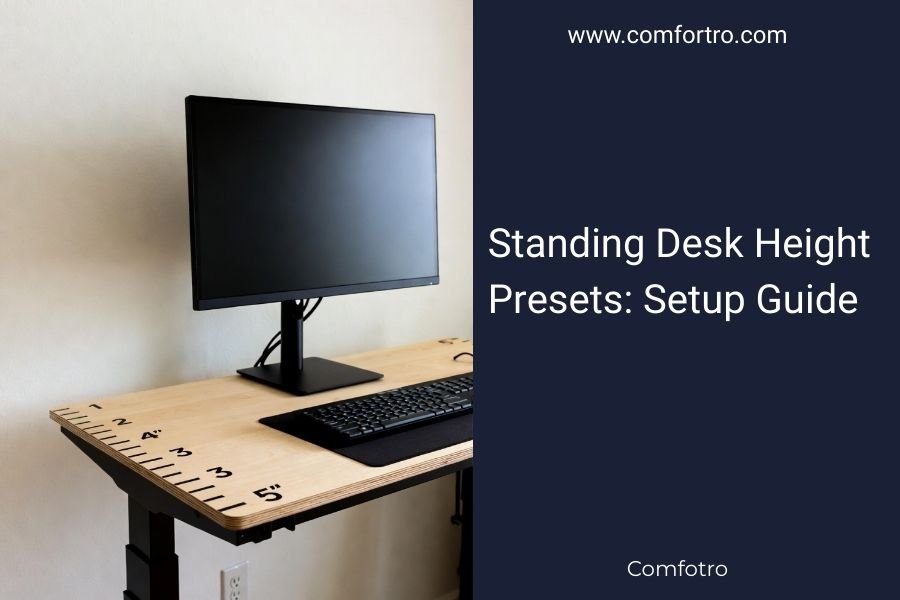
Standing desk height presets save your ideal positions in memory, letting you switch between sitting and standing heights with one button press.
Most programmable standing desks offer 2-4 preset options, typically storing heights between 24-50 inches for different users and tasks.
Quick Setup for Your Standing Desk Presets
Setting up your height presets takes about 5 minutes. You’ll program your sitting height, standing height, and maybe a couple extras for different tasks.
Here’s what you need to know upfront: your sitting height should put your elbows at 90 degrees when typing. Your standing height should do the same thing, just while you’re upright.
Finding Your Perfect Sitting Height
Start by adjusting your desk to the lowest position. Sit in your chair with good posture – feet flat on the floor, back straight.
Slowly raise the desk until your forearms are parallel to the floor when typing. Your wrists should be straight, not bent up or down.
Research from the Occupational Safety and Health Administration shows this 90-degree elbow angle reduces strain on your shoulders and wrists.
Common Sitting Height Ranges
Most people find their sweet spot between these measurements:
- People 5’0″ to 5’4″: 24-26 inches
- People 5’5″ to 5’9″: 26-28 inches
- People 5’10” to 6’2″: 28-30 inches
- People over 6’2″: 30+ inches
Calculating Your Standing Height
Your standing height follows the same elbow rule. Stand up straight with your arms at your sides.
Bend your elbows to 90 degrees like you’re typing. Measure from the floor to your hands. That’s your target desk height.
The difference between sitting and standing heights is usually 10-12 inches for most people. But don’t guess – measure both positions separately.
Standing Height Quick Reference
| Your Height | Typical Standing Desk Height |
|---|---|
| 5’0″ – 5’4″ | 35-37 inches |
| 5’5″ – 5’9″ | 37-39 inches |
| 5’10” – 6’2″ | 39-42 inches |
| 6’3″+ | 42+ inches |
Programming Your Presets Step by Step
Every desk brand works a bit differently, but the basic process stays the same. You’ll adjust to your desired height, then save it to a preset button.
Standard Programming Method
Most desks follow this pattern:
- Use the up/down arrows to reach your target height
- Hold the “M” (memory) button and your chosen preset number (1, 2, 3, or 4)
- Wait for a beep or LED flash to confirm it saved
- Test by pressing the preset button
If Your First Try Doesn’t Work
Some desks need you to hold both buttons for 3-5 seconds. Others want you to press M first, then the number.
Check your manual or look for a small sticker on the control panel. Most manufacturers put the programming steps right there.
What to Save in Each Preset
Think about how you actually work. Do you switch between different tasks? Share the desk with someone else?
Here’s what I found works well for most people:
- Preset 1: Your sitting height
- Preset 2: Your standing height
- Preset 3: Partner’s or coworker’s preferred height
- Preset 4: Special task height (drawing, reading, etc.)
Special Task Heights
You might want your desk slightly higher for writing by hand or reading documents. Maybe lower for detailed computer work.
I came across research suggesting people prefer desks 1-2 inches higher when doing creative tasks versus data entry.
Testing and Fine-Tuning Your Setup
Your first guess won’t be perfect. Plan to adjust your presets after using them for a few days.
Signs Your Height Needs Tweaking
Your body will tell you if something’s off:
- Sore shoulders mean your desk is probably too high
- Wrist pain suggests you’re reaching up or down too much
- Lower back ache when standing points to the wrong height or poor posture
- Neck strain means your monitor height needs work, not just your desk
The Two-Week Rule
Give each height setting at least a week of real use before changing it. Your body needs time to adapt to new positions.
Many experts recommend starting with shorter standing periods – maybe 15-30 minutes at first.
Monitor Position Matters Too
Your screen should sit about arm’s length away. The top of your monitor should be at or slightly below eye level.
When you change from sitting to standing, your monitor might need to move up or down. Consider a separate monitor arm that you can adjust independently.
Laptop Users Need Extra Help
Laptops create a problem. The screen and keyboard move together, but you need them at different heights.
A laptop stand plus external keyboard solves this. Set the laptop screen at eye level, keyboard at elbow level.
Troubleshooting Common Preset Problems
Technology hiccups happen. Here’s how to fix the most common issues.
Presets Won’t Save
First, check if your desk is plugged in properly. Low power can prevent memory functions from working.
Try unplugging the desk for 30 seconds, then plugging it back in. This resets the control system.
Buttons Not Responding
Control panels can get dusty or sticky. Clean around the buttons with a slightly damp cloth.
If that doesn’t help, you might need to reset the entire system. Check your manual for factory reset instructions.
Desk Stops at Wrong Heights
This usually means the preset got corrupted somehow. Delete the old preset and reprogram it fresh.
Most desks let you clear presets by holding the memory button and preset number for 10+ seconds until you hear multiple beeps.
Multiple User Conflicts
If you share a desk, agree on which presets belong to whom. Accidentally overwriting someone else’s settings gets annoying fast.
Some families use preset 1 and 2 for one person, 3 and 4 for another. Others alternate – 1 and 3 for person A, 2 and 4 for person B.
Advanced Tips for Power Users
Once you’ve got the basics down, these tricks can make your setup even better.
Creating Transition Routines
Don’t just switch heights randomly. Build small routines around the changes.
When you press your standing preset, take that transition time to stretch or walk in place. When you switch back to sitting, grab some water.
Timing Your Switches
Research from the American Heart Association suggests alternating between sitting and standing every 30-60 minutes works well for most people.
Set a phone reminder or use apps designed for standing desk users. Some desks even have built-in timers.
Accounting for Shoes and Mats
Your height changes based on what you’re wearing. Dress shoes versus sneakers can mean a 1-2 inch difference.
Standing mats add thickness too. Set your presets while wearing your typical work shoes and standing on your usual mat.
Seasonal Adjustments
You might find yourself preferring slightly different heights as you get more comfortable with standing. That’s normal.
Some people like their desk a bit lower in winter when they’re wearing thicker clothes. Others prefer it higher when they’re more energetic in spring.
Conclusion
Setting up standing desk height presets is straightforward once you know the steps. Start with proper measurements for both sitting and standing positions, program your presets using your desk’s memory function, and fine-tune over a couple weeks of real use.
Remember that the best height is the one that keeps your elbows at 90 degrees and feels comfortable for extended periods. Don’t overthink it – your body will guide you to the right settings with a little experimentation.
How often should I switch between sitting and standing?
Most experts recommend changing positions every 30-60 minutes. Start with shorter standing periods and gradually increase as your body adapts to the new routine.
Can I use the same presets for different types of work?
You might prefer slightly different heights for tasks like writing, typing, or drawing. Many people save one preset for detailed computer work and another for reading or creative tasks.
What if my preset heights feel wrong after a few weeks?
This is completely normal. Your body adapts and your preferences change. Simply reprogram the preset to your new preferred height – there’s no limit on how many times you can adjust them.
Do I need to account for different shoes when setting presets?
Yes, shoe height can make a noticeable difference. Set your presets while wearing the shoes you typically work in, or choose a middle ground if you switch between flats and heels regularly.
Why won’t my standing desk presets save properly?
Check that your desk is receiving full power and try the programming sequence again. If problems persist, unplug the desk for 30 seconds to reset the control system, then attempt to reprogram your presets.
