Music Producer Desk Layout for Better Workflow
On this page (6 sections)
A music producer desk layout needs your audio interface within arm’s reach, monitors at ear level, and MIDI controllers positioned for quick access during sessions.
The best music producer desk setup places your most-used equipment in an ergonomic triangle around your chair, keeping creative flow uninterrupted.
Essential Components of Your Producer Desk
Your music producer desk serves as mission control for your creative process. Getting the layout right can make the difference between smooth sessions and constant interruptions.
From what I researched, the most productive setups follow a simple principle: place frequently used gear closest to your natural hand positions. This reduces strain and keeps you in the creative zone longer.
Primary Equipment Placement
Your audio interface should sit directly in front of you or slightly to your dominant side. You’ll adjust levels, plug in instruments, and monitor inputs constantly throughout sessions.
Studio monitors belong at ear level, forming an equilateral triangle with your head. This creates the sweet spot for accurate mixing decisions.
Computer Monitor Positioning
Place your computer screen at eye level to prevent neck strain during long sessions. Many producers I found online use monitor arms to position screens perfectly above their audio gear.
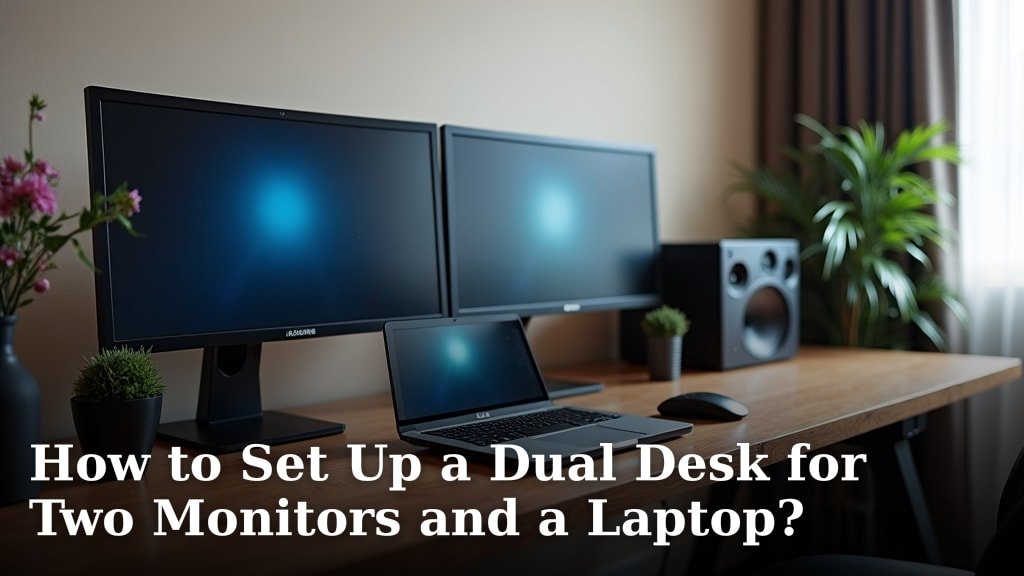
Dual monitors work great for music production. Keep your main DAW on the primary screen and use the secondary for plugins, samples, or reference tracks.
MIDI Controller Integration
Your main MIDI keyboard should sit directly in front of you at a comfortable playing height. Most producer desks have a pull-out tray for this purpose.
Pad controllers like MPCs or Maschine units work best to your dominant side. You want quick access without reaching across other equipment.
Secondary Controllers
Control surfaces for mixing belong between your keyboard and audio interface. This creates a natural flow from playing to recording to mixing.
Keep drum machines and smaller controllers on desktop shelves or stands. This saves valuable desk real estate while maintaining easy access.
Cable Management Strategies
Good cable management prevents tangled messes that kill your creative momentum. I found that successful producers treat cable routing as seriously as equipment selection.
Power Cable Organization
Use power strips mounted under your desk to keep outlets accessible but out of sight. This prevents the mess of extension cords running across your workspace.
Route power cables separately from audio cables to avoid electrical interference in your recordings.
Audio Cable Routing
Keep audio cables as short as possible while allowing equipment movement. Longer cables create more opportunities for signal degradation and tangles.
Use cable trays or conduits along your desk edges to guide cables cleanly to your audio interface and other gear.
USB and Data Connections
USB hubs help manage multiple controller connections without constantly plugging and unplugging devices. Mount them within easy reach but out of your main workspace.
Label your cables at both ends. This simple step saves hours of troubleshooting during sessions when something stops working.
Storage Solutions for Producer Desks
Smart storage keeps your creative tools organized without cluttering your work surface. The goal is having everything you need within reach but not in your way.
Desktop Organization
Desktop shelves create vertical storage for smaller gear like preamps, compressors, and effects units. This keeps them accessible while preserving desk space for active work.
Drawer units under your desk work perfectly for cables, manuals, and backup drives. Choose units on wheels so you can move them when needed.
Instrument Storage
Wall mounts keep guitars and other instruments nearby without taking up floor space. This encourages spontaneous recording when inspiration strikes.
Stands for frequently used instruments should be positioned where you can grab them from your chair. The easier the access, the more likely you’ll use them.
Digital Asset Organization
External hard drives need dedicated spaces on or near your desk. Many producers use drive docks for quick access to different sample libraries.
Keep backup drives in a separate location from your main storage. This protects your work from localized disasters like spills or electrical issues.
Ergonomic Considerations
Long production sessions demand proper ergonomics to prevent fatigue and injury. Research shows that poor desk setup contributes to repetitive strain injuries in musicians (NIH).
Chair and Desk Height
Your chair should allow your feet to rest flat on the floor with thighs parallel to the ground. Adjustable height desks work best since you’ll switch between playing, mixing, and editing positions.
Armrests should support your arms without raising your shoulders. This reduces tension during extended keyboard and mouse work.
Keyboard Ergonomics
MIDI keyboards should sit at a height that keeps your wrists straight while playing. Most people need keyboards slightly lower than their computer keyboard level.
Wrist rests help during long programming sessions but shouldn’t be used while actively playing. They’re for breaks between tasks, not continuous support.
Lighting and Environment
Good lighting reduces eye strain during long sessions. Position desk lamps to illuminate your controls without creating screen glare.
Keep room temperature comfortable since you’ll be sitting in one spot for hours. Poor climate control affects both comfort and equipment performance.
Desk Layout Templates
| Setup Type | Best For | Key Features |
|---|---|---|
| L-Shape Layout | Beat makers | Separate spaces for playing and mixing |
| Straight Line | Singer-songwriters | Everything within arm’s reach |
| U-Shape | Full production | Maximum equipment capacity |
Small Space Solutions
Limited space doesn’t mean limited creativity. Wall-mounted gear and foldable surfaces can transform tiny areas into functional studios.
Vertical storage becomes critical in small spaces. Use every inch of wall space for equipment, instruments, and storage.
Mobile Setups
Rolling carts allow you to move equipment as needed. This works great for producers who need flexibility in their workspace arrangement.
Laptop-based setups offer maximum portability. Focus on compact controllers and interfaces that pack easily but still provide full functionality.
Conclusion
Your music producer desk layout directly impacts your creative output and physical comfort. Start with your most essential gear positioned for easy access, then build outward based on your specific production style. Remember that the best layout is one that disappears into the background, letting you focus entirely on making music. Take time to experiment with different arrangements until you find what works best for your creative process.
What’s the ideal desk width for music production?
Most producers need at least 60 inches of desk width to accommodate their audio interface, monitors, and main MIDI controller comfortably. Wider desks around 72-80 inches provide room for additional controllers and mixing surfaces.
Should I keep my audio interface on the desk or in a rack?
Keep your audio interface on the desk if you frequently adjust input levels or plug in different instruments. Rack mounting works better for interfaces you set once and rarely touch during sessions.
How do I prevent my desk from vibrating with my studio monitors?
Use isolation pads under your monitors to decouple them from the desk surface. For heavy monitors, consider desktop monitor stands or wall mounts to eliminate vibration transfer completely.
What’s the best height for a music production desk?
Standard desk height of 28-30 inches works for most people, but adjustable desks are better since you need different heights for playing instruments versus computer work. Your MIDI keyboard should sit about 2-3 inches lower than your computer keyboard.
How much space should I leave around my equipment for ventilation?
Leave at least 4-6 inches of clearance around equipment with cooling fans, including audio interfaces, computers, and powered monitors. Heat buildup shortens equipment life and can cause performance issues during long sessions.