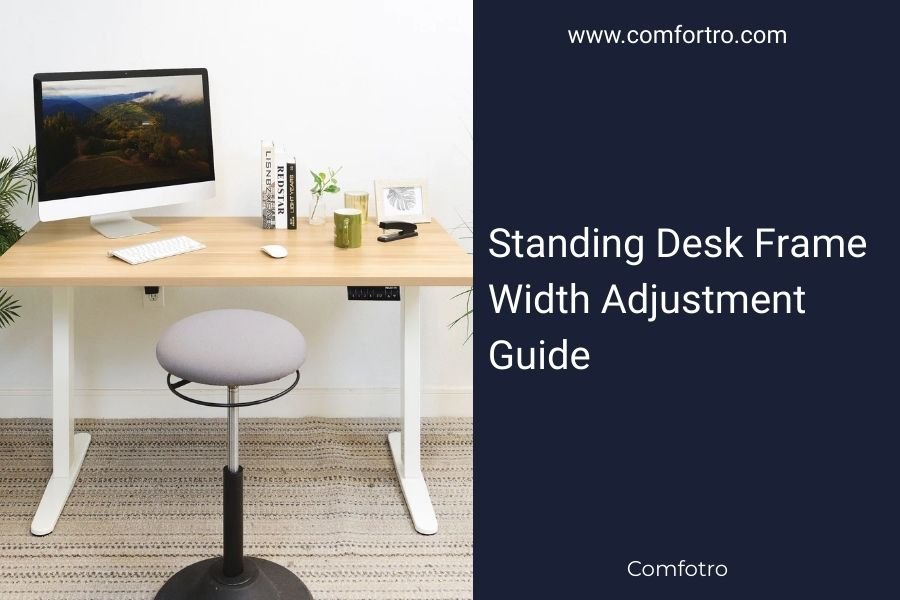
Standing desk frame width adjustment typically ranges from 43-71 inches, allowing you to accommodate desktops from small home offices to executive workspaces.
Most adjustable standing desk frames use a telescoping mechanism with preset holes or continuous adjustment systems that expand and contract smoothly.
Quick Width Adjustment Overview
Your standing desk frame needs to match your desktop width perfectly. Too narrow and your desk wobbles. Too wide and the frame shows awkwardly on the sides.
Most quality frames adjust in real-time without tools. You simply loosen a lever, slide to your desired width, and tighten back down.
Standard Width Ranges by Frame Type
Budget frames usually adjust from 43-63 inches. Mid-range options go 47-71 inches. Premium frames often reach 39-78 inches for maximum flexibility.
I found that most manufacturers design their frames around common desktop sizes. This makes finding the right fit much easier than you might expect.
Measuring Your Desktop Correctly
Measure your desktop from edge to edge, not corner to corner. Write this number down before shopping for frames.
Leave 2-3 inches of wiggle room. If your desktop measures 60 inches, look for frames that adjust to at least 62-63 inches maximum.
Types of Width Adjustment Mechanisms
Pin-and-Hole Systems
These frames have preset holes every few inches. You pull out pins, slide the frame, and reinsert pins at your desired width.
Pin systems feel rock-solid once locked. They’re also the most affordable option. The downside? You can’t fine-tune to exact measurements.
Best for Fixed Setups
If you’re setting up once and leaving it, pin-and-hole works great. The adjustment happens in 2-3 inch increments, which covers most desktop sizes.
Continuous Adjustment Systems
Higher-end frames use smooth sliding mechanisms. You loosen a handle, slide to any width within the range, and tighten down.
This gives you precision down to fractions of an inch. Perfect for custom desktops or unique workspace requirements.
Lever-Lock Mechanisms
The most common continuous system uses cam levers. Flip the lever up, adjust width, flip down to lock. Takes about 30 seconds total.
Twist-Lock Systems
Some frames use threaded knobs instead of levers. You twist counterclockwise to loosen, adjust, then twist clockwise to tighten.
Twist-locks often feel more secure than levers, but they take slightly longer to adjust.
Step-by-Step Adjustment Process
Before You Start
Clear your desktop completely. Even small items can shift during adjustment and scratch your surface.
Have your measurements ready. Know exactly what width you need before touching any adjustment mechanisms.
Making the Adjustment
Start with the frame slightly wider than needed. It’s easier to narrow down than to expand from a tight position.
Loosen both sides equally. If your frame has left and right adjustments, move each side the same amount to keep everything centered.
Check for Wobble
Once adjusted, test the frame stability before putting weight on it. A slight rock means you need to tighten more.
Final Positioning
Your desktop should overhang the frame legs by 2-4 inches on each side. This creates the most stable setup and looks proportional.
Common Width Adjustment Problems
Frame Won’t Slide Smoothly
Dust and debris often build up in the adjustment tracks. Clean them with a damp cloth and light oil if needed.
Don’t force stuck mechanisms. You might bend the adjustment rails, which makes the problem worse.
Uneven Leg Positioning
If one side extends further than the other, your desktop will sit crooked. Always measure from the center point outward.
Most frames have measurement marks or rulers built into the adjustment rails. Use these as your guide.
Loose Connections After Adjustment
Some frames develop play in the joints after multiple adjustments. Check all bolts and tighten as needed.
I found that applying thread locker to adjustment bolts prevents loosening over time.
Choosing the Right Adjustment Range
Small Office Spaces
For desks 48 inches and under, basic adjustment frames work fine. You don’t need premium features for smaller setups.
Multi-User Workspaces
If different people will use the desk, choose frames with the widest possible adjustment range. This future-proofs your investment.
Shared Home Offices
Couples often have different workspace preferences. Wide adjustment ranges let you swap desktop sizes as needs change.
Maintenance Tips for Smooth Operation
Clean adjustment tracks monthly with a dry brush. Built-up dust makes mechanisms stick and wear faster.
Apply light machine oil to sliding surfaces twice per year. Don’t over-oil – excess attracts more dirt.
Storage Position
If storing your frame, set it to mid-width position. This reduces stress on the extension mechanisms.
| Frame Type | Width Range | Adjustment Style | Best For |
|---|---|---|---|
| Budget | 43-63 inches | Pin holes | Single user, fixed setup |
| Mid-range | 47-71 inches | Lever lock | Most home offices |
| Premium | 39-78 inches | Continuous | Multiple users, custom desks |
Conclusion
Getting your standing desk frame width right makes the difference between a stable workspace and a wobbly frustration. Measure twice, adjust once, and don’t rush the setup process.
Most adjustment problems come from skipping the measurement step or forcing stuck mechanisms. Take your time, follow the steps, and you’ll have a rock-solid desk that lasts for years.
Can I adjust the width after assembly?
Yes, most modern standing desk frames allow width adjustment even after full assembly. You’ll need to remove the desktop temporarily for major adjustments, but minor tweaks can often be made with the desktop in place.
What happens if my desktop is too wide for the frame?
If your desktop exceeds the frame’s maximum width, the legs won’t provide adequate support at the edges. This creates instability and potential tipping hazards. Consider a different frame or trimming your desktop to fit properly.
How often should I check frame adjustment tightness?
Check adjustment mechanisms monthly during regular use. Vibration from typing and daily movement can gradually loosen connections. A quick tightness check prevents bigger stability issues later.
Do wider frame settings affect desk stability?
Frames become slightly less stable at maximum width extension due to increased leverage forces. This is normal and acceptable for most users. If you notice excessive wobble at full extension, consider a frame with a higher weight rating.
Can I modify a frame that doesn’t adjust wide enough?
Modifying adjustment mechanisms often voids warranties and can create safety hazards. Instead of modifications, look for frames specifically designed for your desktop width or consider a custom frame solution from the manufacturer.