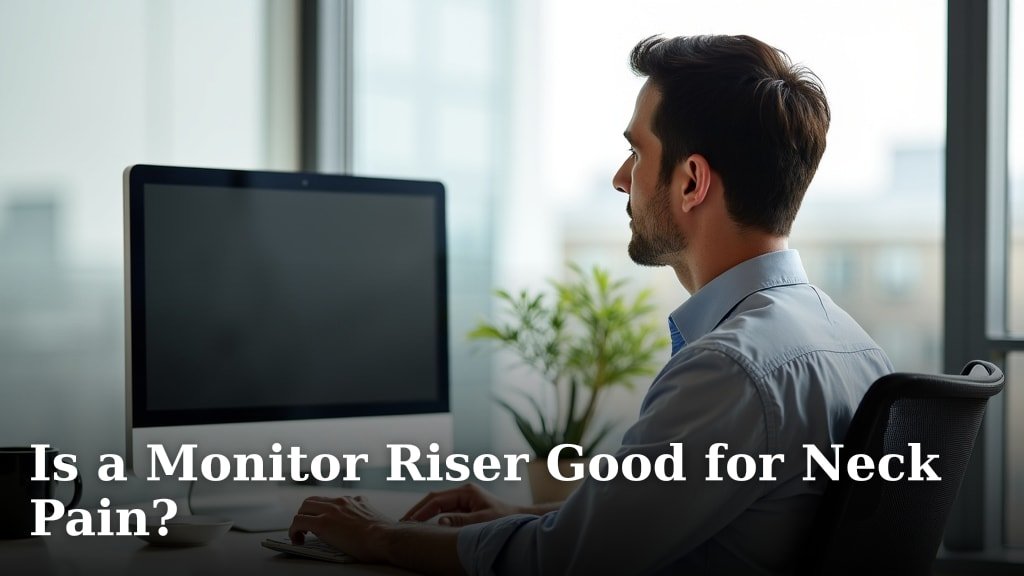
Yes, a monitor riser is good for neck pain because it helps you maintain better posture. By raising your screen, you can prevent straining your neck to look down. This simple adjustment can make a big difference in your daily comfort.
Many people experience neck pain from working at a computer for long hours. We found that poor ergonomics often causes this discomfort. A monitor riser helps bring your eye level up, reducing the need to slouch or crane your neck forward. It’s a small change with a potentially large impact on your well-being.
- Monitor risers can help ease neck pain.
- They improve your posture by raising your screen.
- Proper screen height reduces neck strain.
- Bad ergonomics often lead to discomfort.
- A small change can make a big difference.
Ready to learn more about how a monitor riser can support your neck health? Let’s dive into all the details.
Understanding the Link Between Monitor Placement and Neck Discomfort
You’re probably wondering why your neck feels stiff after a long day at the computer. We found that the way your monitor sits on your desk plays a huge role in your comfort. Think of your head as a bowling ball. It’s quite heavy, right?
When you look down, even slightly, the muscles in your neck work overtime. This constant strain can lead to pain, stiffness, and even headaches. It’s not just about sitting up straight; it’s about where your eyes are directed.
Many experts agree that improper monitor height is a leading cause of tech-related neck pain (Occupational Safety and Health Administration – OSHA). It’s a common issue we see in almost every office setting.
The Science Behind Good Posture and Neck Health
Your spine has a natural S-curve. This curve acts like a spring, absorbing shock and distributing weight. When your head is pulled forward, this natural curve changes. It can become flattened or even reversed.
This forward head posture puts immense pressure on your cervical spine. That’s the part of your spine in your neck. Over time, this can lead to muscle imbalances and disc issues. You might not notice it at first, but it adds up.
Research consistently shows that keeping your head balanced over your shoulders is key. This helps maintain that healthy spinal curve. It also reduces muscle fatigue. A monitor riser helps you achieve this balance naturally.
The Impact of “Text Neck” on Your Well-being
Have you heard of “text neck”? It’s not just from phones. It’s any forward head posture caused by looking down at screens. We found that this posture is a growing problem for many people.
Even a 15-degree tilt forward can double the weight your neck muscles support. Imagine carrying a heavy backpack all day. That’s what your neck muscles are doing. A monitor riser helps combat this by bringing your screen up to you.
How a Monitor Riser Solves the Problem
So, how does a simple stand fix such a common issue? It’s all about eye level. A monitor riser lifts your screen to the correct height. This means you don’t have to look down anymore.
Your eyes should be level with the top third of your screen. This position keeps your head in a neutral, comfortable alignment. No more craning your neck. No more slouching to see.
This small adjustment can make a world of difference. It encourages you to sit back in your chair. It helps your shoulders relax. We found that users often feel an immediate improvement in comfort.
The Ideal Monitor Height: Finding Your Sweet Spot
There’s a general guideline for monitor height, but your body is unique. The goal is to keep your eyes naturally aligned. Here’s a simple test you can do.
Sit comfortably in your chair. Close your eyes. When you open them, your gaze should land on the top third of your screen. If you’re looking down, your monitor is too low. If you’re looking up, it’s too high.
A good monitor riser gives you options. Many are adjustable. This lets you find your personal sweet spot. Because what works for one person might not work for another.
Beyond Neck Pain: Other Benefits of Proper Monitor Height
While neck pain is a big concern, there are other perks too. We found that proper monitor height can improve your overall posture. It helps prevent slouching throughout your back.
You might also notice less eye strain. When your screen is at the right height, your eyes don’t have to work as hard. This can reduce dryness and fatigue. It’s a win-win for your body.
Choosing the Right Monitor Riser for You
Monitor risers come in many shapes and sizes. What should you look for? Consider your desk space, your monitor size, and any extra features you might need. Don’t just grab the first one you see.
Some risers are simple platforms. Others have drawers or shelves for storage. We found that a good riser should be sturdy. It needs to hold your monitor securely. You don’t want it wobbling.
Think about adjustability. Can you change the height? This flexibility is great for different users. Or for when you just want a slight change. Here’s a quick comparison of popular types:
| Riser Type | Key Features | Best For |
|---|---|---|
| Fixed Height Stand | Simple, one-piece design, often inexpensive. | Basic needs, stable height, budget-friendly. |
| Adjustable Stand | Multiple height settings, often with legs or platforms. | Finding ideal height, multiple users, flexibility. |
| Storage Riser | Built-in drawers, shelves, or cubbies. | Organizing desk, small items, tidy workspace. |
| Monitor Arm | Clamps to desk, highly adjustable, frees up space. | Maximized adjustability, modern look, decluttering. |
Key Factors to Consider Before Buying
Before you buy, measure your current setup. How much space do you have? What’s your monitor’s weight? We found that these details help you pick the perfect riser.
- Adjustability: Can it go high enough for you?
- Stability: Is it strong enough for your monitor?
- Material: Wood, metal, or plastic?
- Extra Features: Do you need storage or USB ports?
- Desk Space: Will it fit without overcrowding?
Don’t forget aesthetics. Does it match your office decor? While function is key, you also want something pleasing to the eye. It’s part of your daily environment.

Setting Up Your Ergonomic Workspace
A monitor riser is just one piece of the puzzle. An ergonomic workspace works together. Your chair, keyboard, and mouse all play a part. We believe in a holistic approach to comfort.
Your chair should support your lower back. Your feet should be flat on the floor. Your wrists should be straight when typing. These are all small changes that add up to big comfort.
Many guidelines suggest taking short breaks too (Mayo Clinic). Get up and stretch every 30 minutes. This prevents muscle stiffness. It also helps with blood circulation.
Your Ergonomic Setup Checklist
Ready to optimize your workspace? Here’s a quick checklist to guide you. Use it to fine-tune your setup. You might be surprised by the difference.
- Monitor top third is at eye level.
- Screen is about an arm’s length away.
- Feet are flat on the floor or a footrest.
- Lower back is supported by your chair.
- Wrists are straight when typing and mousing.
- Keyboard and mouse are close to your body.
Don’t be afraid to experiment a little. What feels good to one person might be different for you. Listen to your body. It will tell you what’s working and what’s not.
You deserve to work without pain. A monitor riser is a simple, effective step. It can lead to much greater comfort and productivity. Give your neck the break it deserves!
Conclusion
We’ve walked through how a monitor riser can truly make a difference for your neck pain. You learned that it helps maintain good posture and prevents that forward head tilt. By bringing your screen to eye level, you reduce strain and support your natural spinal curve.
Investing in a monitor riser is a simple yet powerful step. It can improve your comfort and overall well-being at your desk. Don’t let neck pain hold you back any longer. We encourage you to assess your current setup and find the right monitor riser for you today.
Frequently Asked Questions
How quickly can a monitor riser help with neck pain?
Many users report feeling relief almost immediately once their monitor is at the correct ergonomic height. However, consistent use over days and weeks will provide the most significant and lasting benefits.
Can a monitor riser prevent neck pain from developing?
Yes, absolutely. By ensuring proper posture and screen height from the start, a monitor riser can significantly reduce your risk of developing chronic neck pain and other related ergonomic issues.
Are monitor risers only for desktop computers?
While often used with desktop monitors, you can also use risers with laptops. You’ll typically need an external keyboard and mouse to maintain proper ergonomics when using a laptop with a riser.
What’s the ideal distance between my eyes and the monitor?
Generally, your monitor should be about an arm’s length away from your eyes. This distance helps reduce eye strain and ensures you can comfortably view the entire screen without leaning in.
Do expensive monitor risers offer more benefits?
Not necessarily. While some pricier risers offer extra features like adjustability or storage, even a simple, sturdy fixed-height stand can provide the core ergonomic benefits needed to alleviate neck pain. Focus on stability and correct height.