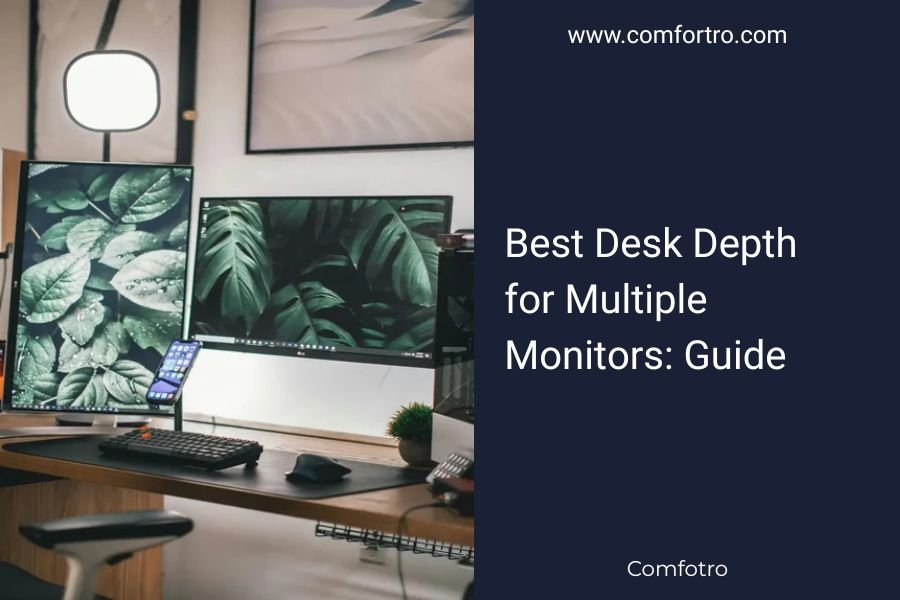
The best desk depth for multiple monitors is 24-30 inches, giving you enough space for two 24-27 inch monitors plus room for keyboards and accessories.
Most people need at least 24 inches of desk depth to maintain proper viewing distance and avoid neck strain when using dual monitors.
Why Desk Depth Matters More Than You Think
You might think any desk works for multiple monitors. I found that’s not true at all. The wrong depth creates eye strain, neck pain, and cramped workspace chaos.
Your monitors need breathing room. So do you. When I researched ergonomic guidelines, experts consistently recommend keeping your screen 20-26 inches from your eyes.
Too shallow? You’ll lean back like you’re dodging a baseball. Too deep? You’ll waste space and struggle to reach things.
The Magic Numbers: Desk Depth by Monitor Setup
Here’s what works for different monitor combinations:
Two 24-Inch Monitors
You need 24-26 inches minimum. This gives you 20 inches of viewing distance plus 4-6 inches for your keyboard.
Most people find 26 inches perfect. It’s not too cramped, not too spacious.
Two 27-Inch Monitors
Go for 28-30 inches. Larger screens need more distance to prevent that “front row at the movies” feeling.
I found online that many users prefer 30 inches for this setup. It gives you flexibility to adjust monitor arms forward or back.
Three Monitor Setup
You’ll want 30-36 inches. Triple monitors create a wider viewing angle, so extra depth helps balance the setup.
Many experts say 32 inches hits the sweet spot for most triple monitor configurations.
Beyond the Monitors: What Else Takes Space
Keyboard and Mouse Territory
Your keyboard needs 6-8 inches from the desk edge. Add another 8-12 inches for mouse movement.
Gaming? You’ll need even more mouse space for those sweeping movements.
Paperwork and Accessories
Do you keep notebooks, coffee cups, or phone stands on your desk? Add 2-4 inches to your depth calculation.
Think about your daily habits. Are you a minimalist or do you like having things within arm’s reach?
Monitor Arm Magic: How They Change Everything
Monitor arms are game changers. They can pull your screens closer to the wall, saving 4-6 inches of desk depth.
With good monitor arms, you might get away with a 22-inch deep desk for dual monitors. Without them, you’re stuck with whatever the monitor stands demand.
Types of Monitor Arms
Single Monitor Arms
Great for adjustability. You can position each screen exactly where you want it.
Dual Monitor Arms
More stable for matched monitors. Usually takes up less desk space than two single arms.
Wall-Mounted Arms
The ultimate space saver. Your desk depth becomes almost irrelevant for monitor placement.
Room Layout: Your Desk Doesn’t Exist in a Vacuum
Wall Distance Behind Your Chair
You need 3-4 feet behind your chair to push back and stand up comfortably.
If you’re tight on room space, a shallower desk might be necessary. But don’t go below 22 inches if you can help it.
Lighting Considerations
Deeper desks let you angle monitors away from windows. This reduces glare and eye strain.
Research often connects proper screen positioning with reduced headaches and better productivity.
Common Desk Depth Mistakes
Going Too Shallow
I found that people often buy 20-inch deep desks thinking they’ll save space. Then they regret it immediately.
Your neck will thank you for those extra 4-6 inches. Trust me on this one.
Ignoring Future Needs
Maybe you have one monitor now. But will you want two next year? Plan ahead and save yourself a desk replacement headache.
Forgetting About Cable Management
Deeper desks give you room for cable trays and management systems. Your setup will look cleaner and function better.
Special Situations That Change the Rules
Curved Monitors
Curved screens can sit slightly closer than flat ones. You might get away with 2-3 inches less depth.
The curve naturally creates better viewing angles at shorter distances.
Ultrawide Monitors
These behave more like dual monitors. Follow the same 28-30 inch depth recommendations.
Standing Desk Users
You’ll lean forward slightly when standing. Consider adding 2-3 inches to your depth calculation.
Budget-Friendly Depth Solutions
Can’t afford a new desk right now? Here are some tricks:
- Wall-mount your monitors to gain effective depth
- Use a keyboard tray to free up surface space
- Try a desk extender or platform to add inches
- Position your desk at an angle in the corner
Testing Your Setup Before You Buy
Measure your current monitors and simulate the setup with books or boxes. Sit at the desk for 30 minutes.
Do your eyes feel comfortable? Can you reach everything? Are you hunching forward or leaning back?
This simple test can save you hundreds of dollars and weeks of regret.
Conclusion
The best desk depth for multiple monitors comes down to your specific setup and habits. Start with 24-30 inches as your baseline, then adjust based on monitor size, arm type, and room constraints.
Remember that a few extra inches of depth can make the difference between a comfortable workspace and daily discomfort. Your future self will appreciate the investment in proper ergonomics and functionality.
What’s the minimum desk depth for dual 24-inch monitors?
The absolute minimum is 22 inches, but 24-26 inches provides much better comfort and viewing distance for most users.
Do I need more depth for gaming with multiple monitors?
Yes, add 2-4 inches to standard recommendations since gaming requires more mouse movement space and you may lean forward during intense gameplay.
Can monitor arms reduce the desk depth I need?
Monitor arms can save 4-6 inches of effective depth by positioning screens closer to the wall and eliminating bulky monitor stands.
How does desk depth affect cable management?
Deeper desks provide more room for cable trays, grommets, and management systems, keeping wires organized and out of your workspace.
Should I get a deeper desk if I plan to add monitors later?
Absolutely. Getting 28-30 inches now gives you flexibility to expand from one monitor to two or three without replacing your entire desk setup.