
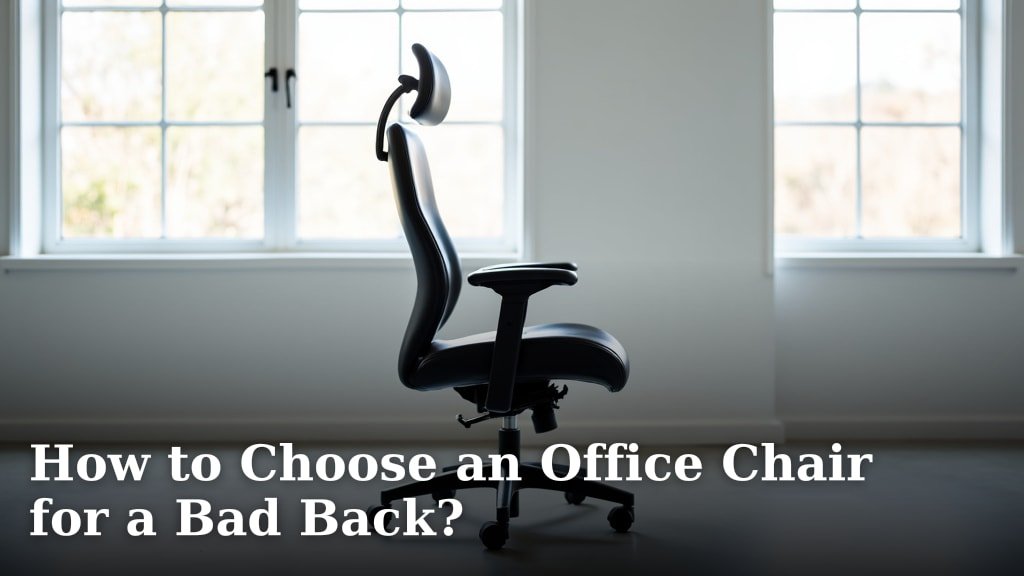
To choose an office chair for a bad back, focus on models with excellent lumbar support, adjustability, and a comfortable, ergonomic design. You need a chair that helps maintain your spine’s natural curve and reduces pressure points.
Finding the right chair can make a huge difference in your daily comfort and overall back health. Many people suffer from back pain, and a poorly designed chair often makes it worse. We found that chairs offering customizable features are often best for long-term relief.
- Look for strong lumbar support.
- Ensure the chair is highly adjustable.
- Prioritize ergonomic design.
- Test different chairs if possible.
- Consider your budget and needs.
Let’s walk through exactly what features to look for and how to pick the perfect office chair to support your back.
Selecting the Right Office Chair for Your Aching Back
Choosing the correct office chair is a critical step toward relieving back pain. It’s about more than just comfort; it’s about supporting your spine’s natural alignment.
You need a chair that works with your body, not against it. Think of it as an investment in your long-term well-being.
Understanding Lumbar Support and Why It Matters
Lumbar support is the curve in the chair’s backrest that supports your lower spine. Your spine has a natural S-curve, and sitting without proper support can flatten it.
This flattening puts extra stress on your discs and can lead to pain. A good chair helps maintain this natural curve, reducing strain.
Adjustable Lumbar Support vs. Fixed Lumbar Support
When it comes to lumbar support, adjustability is key. A fixed lumbar support might work for some, but it’s rarely perfect for everyone.
We found that adjustable options allow you to tailor the support to your unique spinal curve. Can you move it up, down, in, or out? These adjustments make a huge difference.
The Importance of Adjustability Features
An office chair isn’t a one-size-fits-all product, especially when you have back pain. The more adjustable parts a chair has, the better you can customize it for your body.
Think of it like getting a custom-tailored suit. Every part should fit just right.
- Seat Height: Your feet should be flat on the floor, or on a footrest, with your knees at a 90-degree angle. This keeps pressure off your lower back.
- Seat Depth: There should be 2-4 inches between the edge of the seat and the back of your knees. Too deep, and it pushes you forward; too shallow, and you lack thigh support.
- Backrest Recline: Being able to recline slightly can take pressure off your spine. Many experts suggest a slight recline, around 100-110 degrees, for optimal back health (Occupational Safety and Health Administration).
- Armrests: These should support your arms without shrugging your shoulders. Adjustable armrests prevent strain in your neck and upper back.
Ergonomic Design: Beyond Just Adjustments
Ergonomics is about designing products to fit the user. For office chairs, this means creating a chair that promotes good posture and reduces physical stress.
An ergonomically designed chair considers how your body moves and rests. It’s built to support your natural posture, not force you into an unnatural one.
Material and Padding Considerations
The materials used in your chair also play a role in comfort and support. You don’t want something too hard or too soft.
Memory foam can conform to your body, offering good pressure distribution. Breathable mesh can keep you cool, which is a nice bonus during long workdays.
Avoid chairs with overly soft padding that compresses too much. This can lead to improper alignment over time.
Considering Your Body Type and Posture Habits
Your unique body shape and how you naturally sit are big factors. Are you tall, short, slender, or broad? Do you tend to slouch, or sit up straight?
A chair that works for a 6-foot-tall person might not work for someone who is 5 feet tall. Always keep your own body in mind when shopping.
Here’s a quick checklist for evaluating chairs:
- Can your feet rest flat on the floor?
- Does the lumbar support hit the curve of your lower back?
- Is there a gap between your knees and the seat edge?
- Can you comfortably rest your arms without shrugging?
- Does the chair feel stable and supportive, not wobbly?
Testing Chairs: The “Sit Before You Buy” Rule
If possible, always try to sit in a chair before you buy it. What feels good for five minutes might feel terrible after an hour.
Sit in the chair for at least 10-15 minutes. Adjust everything. Mimic your typical work posture. Does it still feel good? We found this step to be incredibly valuable for many buyers.
Budget vs. Quality: Finding the Right Balance
Office chairs for bad backs can range widely in price. While it’s tempting to go for the cheapest option, this is one area where investing a bit more often pays off.
A higher price often means better materials, more adjustability, and a more durable build. Think of it as investing in your health.
| Price Range | Typical Features | Considerations |
|---|---|---|
| Entry-Level ($100-$300) | Basic adjustability, fixed lumbar support, simpler materials. | May offer some relief, but often lacks fine-tuning. Good for shorter sitting periods. |
| Mid-Range ($300-$700) | Good adjustability (height, tilt, armrests), adjustable lumbar, better padding. | A solid choice for many. Offers a good balance of features and cost. |
| Premium ($700+) | Extensive adjustability, high-quality materials, advanced ergonomic features, durable. | Best for long hours, severe back pain, or specific ergonomic needs. A long-term investment. |
When to Consult a Professional
While a good chair can help, it’s not always a magic bullet. If your back pain is severe, persistent, or worsening, please consult a healthcare professional.
A doctor or physical therapist can offer personalized advice. They might even have specific chair recommendations based on your condition.
Think of your chair as one part of a larger strategy for back health. Regular movement, proper posture, and professional advice all play a role.
Conclusion
Choosing the right office chair for your bad back is a significant step toward improving your daily comfort and long-term health. Prioritize chairs with adjustable lumbar support, ample customization options, and an ergonomic design that fits your unique body.
Remember to consider your specific needs, test chairs whenever possible, and view this purchase as an investment. You deserve to work in comfort, free from unnecessary pain. Take your time, evaluate your options carefully, and make a choice that truly supports you.
Frequently Asked Questions
How often should I replace my office chair if I have back pain?
There’s no fixed rule, but generally, a good quality ergonomic chair can last 7-10 years. If you notice sagging, reduced support, or increased pain, it’s likely time for a replacement. Regular use can wear down even the best materials over time.
Can a standing desk help with back pain if my chair isn’t perfect?
Yes, combining a standing desk with a good office chair can be very beneficial. Alternating between sitting and standing throughout your workday reduces prolonged pressure on your spine. It keeps you more active and can alleviate pain caused by static postures.
Are gaming chairs good for a bad back?
While many gaming chairs look supportive, they aren’t always designed with true ergonomic principles for long-term spinal health. Some offer decent lumbar support, but often lack the fine-tuned adjustability needed for serious back pain. Always check the specific features rather than relying on aesthetics.
What’s the ideal sitting posture even with a great ergonomic chair?
Even with the best chair, maintaining good posture is crucial. Sit with your feet flat on the floor, shoulders relaxed, and your ears aligned over your shoulders. Ensure your monitor is at eye level. Take short breaks to stand and stretch every 30-60 minutes.
Is it worth buying a used ergonomic chair for back pain?
Buying used can save money, but be cautious. The previous owner’s use might have worn out padding or mechanisms, reducing its ergonomic benefits. If you do buy used, inspect it thoroughly for wear and tear, and ensure all adjustment mechanisms work correctly before purchasing.
