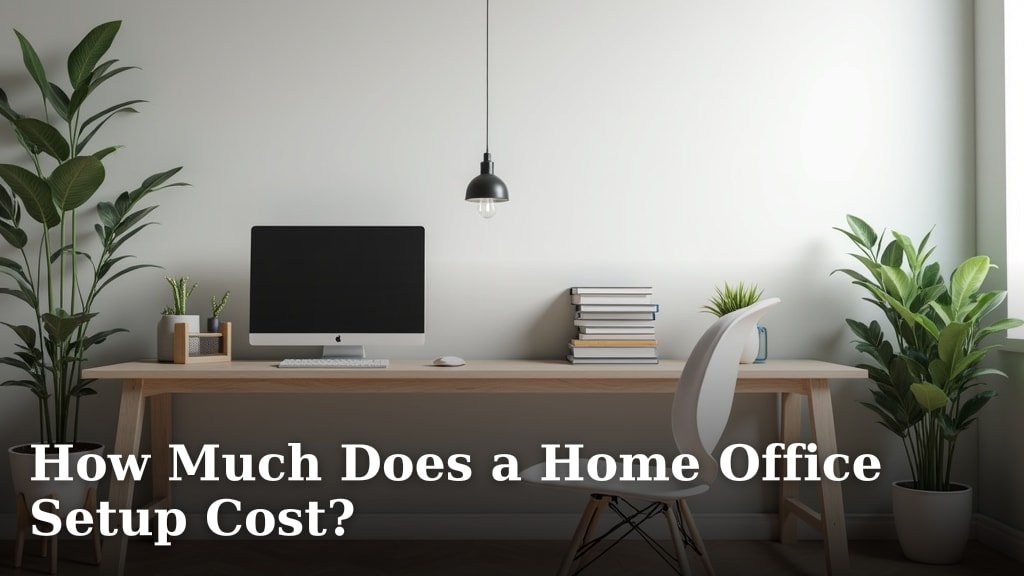
A home office setup can cost anywhere from $300 to $3,000 or more, depending on your needs and choices. Most people spend around $1,000 to $1,500 for a comfortable and functional workspace. This includes essential items like a desk, chair, and computer.
Your budget will greatly influence how much you spend. We found that the biggest cost differences come from your equipment choices and aesthetic preferences. Are you aiming for basic functionality or a fully decked-out professional space?
- Expect to spend $300-$3,000+ for a home office.
- A good average is $1,000-$1,500 for a solid setup.
- Key costs include desks, chairs, and computers.
- Your budget and style choices drive the final price.
Let’s walk through exactly what goes into a home office setup and how much each component typically costs, helping you plan your perfect workspace without breaking the bank.
Calculating the Cost of Your Home Office Setup
Setting up a home office involves several key areas, and the cost can vary widely depending on your choices. We found that most of your budget will go towards your core equipment: your desk, chair, and computer setup.
Thinking about how you’ll use your space will help you prioritize. Are you just checking emails, or are you designing complex graphics?
The Essential Core: Desk, Chair, and Computer
These three items form the backbone of any home office. Investing in quality here often pays off in comfort and productivity. Let’s break down what you can expect to spend.
Desks: From Basic to Ergonomic
A good desk is more than just a flat surface. It’s where you’ll spend hours working. Prices range from very affordable to quite substantial.
- Budget-Friendly Desks ($50 – $200): These are usually simple, static desks. Think basic particle board or metal frames. They get the job done for occasional use or smaller spaces.
- Mid-Range Desks ($200 – $500): Here, you start seeing better materials, more stable construction, and sometimes features like built-in storage or cable management. Many standing desks fall into this category, offering a good balance of cost and functionality.
- Premium Desks ($500 – $1,500+): These often feature solid wood, advanced ergonomic designs, and electric standing mechanisms. You might find programmable height settings or custom finishes. We found that these desks are popular with those who spend long hours at their desk and want maximum comfort.
We recommend looking for a desk that fits your space and provides enough room for your monitor(s) and other essentials. Don’t forget about legroom!
Chairs: Your Comfort Zone
Your office chair is arguably the most critical piece for your physical well-being. A poor chair can lead to back pain and discomfort, affecting your focus and health (Occupational Safety and Health Administration).
- Basic Office Chairs ($50 – $150): These offer minimal adjustments and support. They’re fine for very short periods of use, but not ideal for daily work.
- Mid-Range Ergonomic Chairs ($150 – $400): This category offers much better lumbar support, armrest adjustments, and seat height controls. They are a solid choice for most people working from home full-time. We found that many popular brands offer great options here.
- High-End Ergonomic Chairs ($400 – $1,000+): These are designed for maximum comfort and adjustability. Think advanced materials, extensive customization options, and superior build quality. If you have chronic back issues or spend eight-plus hours at your desk, this investment can be worth every penny.
When trying out chairs, pay attention to lumbar support, armrest adjustability, and seat depth. Your feet should be flat on the floor or on a footrest.
Computer Setup: Your Digital Engine
This is where costs can really jump. Your computer and monitor choices depend heavily on your work requirements.
- Basic Laptop/Desktop ($300 – $700): For email, web browsing, and word processing, a standard laptop or basic desktop PC is sufficient.
- Mid-Range Computer ($700 – $1,500): If you’re doing more demanding tasks like light graphic design, coding, or working with large spreadsheets, you’ll need more processing power and memory. Many people find this range to be the sweet spot.
- High-Performance Workstation ($1,500 – $3,000+): For professional video editing, 3D rendering, or heavy-duty data analysis, a powerful desktop or high-end laptop is essential. These machines come with dedicated graphics cards and faster processors.
Don’t forget the monitor! A good monitor reduces eye strain. A single 24-inch monitor can cost $100-$200, while larger or multiple monitors can easily run $300-$600+. Curved or ultrawide monitors cost even more.
Peripherals and Accessories: Enhancing Your Workflow
Once you have your core setup, you’ll need various accessories to make your office truly functional and comfortable. These items often get overlooked in initial budget planning.
Keyboard and Mouse: Your Daily Interface
You interact with these tools constantly. Don’t underestimate their importance for comfort and efficiency.
- Basic Set ($20 – $50): Standard wired or wireless keyboards and mice. They work, but may lack ergonomic features.
- Ergonomic/Specialized Set ($50 – $150): Options like ergonomic keyboards, vertical mice, or mechanical keyboards can greatly improve comfort and typing speed. Gaming mice also fall into this range, offering precision and customizable buttons.
We found that many people upgrade these after realizing how much discomfort a poor setup can cause. Consider your hand and wrist health.
Headset/Webcam: Communication Essentials
In today’s remote world, clear communication is vital.
- Basic Headset/Webcam ($30 – $70): Sufficient for occasional calls. Often integrated into laptops.
- Quality Headset/Webcam ($70 – $200): Better sound quality, noise cancellation, and higher resolution for video calls. A good headset can reduce background noise for everyone on your calls.
For frequent video conferencing, a dedicated webcam and a comfortable headset are wise investments.
Lighting and Power: Illuminating Your Space
Good lighting prevents eye strain, and reliable power keeps everything running.
- Desk Lamp ($20 – $70): An adjustable desk lamp is crucial for reducing glare and providing adequate task lighting. Look for LED options for energy efficiency.
- Surge Protector/UPS ($20 – $150): Protects your electronics from power surges. A UPS (Uninterruptible Power Supply) provides battery backup during power outages, giving you time to save your work. This is a must-have for valuable equipment, we believe.
Don’t forget extension cords if your outlets aren’t conveniently placed. Safety first!
Storage Solutions: Keeping Tidy
Clutter can be a major distraction. Effective storage helps maintain a productive environment.
- Basic Organizers ($10 – $50): Desk organizers, file holders, and small shelves.
- Filing Cabinet/Bookshelf ($50 – $200): For larger storage needs, like physical files or books.
Think about what you need to keep close at hand versus what can be stored away. A tidy desk often means a tidy mind.
Software and Services: The Digital Toolkit
Beyond the physical hardware, your home office also requires digital tools. These are often subscription-based costs.
- Operating System (Included with PC Purchase): Windows or macOS.
- Productivity Suite ($70 – $100 per year or one-time purchase): Microsoft Office 365, Google Workspace, or free alternatives like LibreOffice.
- Antivirus/Security Software ($30 – $60 per year): Essential for protecting your data. Many options offer excellent protection.
- Specialized Software (Variable): Depending on your profession, you might need industry-specific software like Adobe Creative Suite ($20-$80/month) or CAD programs.
We found that many people underestimate these recurring costs. Budgeting for software is as important as budgeting for hardware.
Connectivity: Internet and More
A reliable internet connection is non-negotiable for remote work.
- Internet Service Provider (ISP) ($50 – $100 per month): This is an ongoing cost. Choose a plan with speeds sufficient for your work and any other household users.
- Router/Modem ($0 – $200): Often provided by your ISP, but buying your own can sometimes improve performance or save rental fees. A good Wi-Fi router is important for consistent speeds, especially if you have many devices.
Consider a backup internet option if your work is critical and outages are common in your area. A mobile hotspot can be a lifesaver.
Budgeting for Your Home Office: A Quick Checklist
To help you stay organized, here’s a short checklist of common items and their typical cost ranges:
- Desk: $50 – $1,500+
- Chair: $50 – $1,000+
- Computer (Laptop/Desktop): $300 – $3,000+
- Monitor(s): $100 – $600+ (per monitor)
- Keyboard & Mouse: $20 – $150
- Webcam & Headset: $30 – $200
- Desk Lamp: $20 – $70
- Surge Protector/UPS: $20 – $150
- Storage (Organizers/Cabinet): $10 – $200
- Software Subscriptions (Annual): $0 – $1,000+ (depending on needs)
- Internet Service (Monthly): $50 – $100+
This list gives you a starting point. Adjust it based on your personal requirements and preferences.
Cost Comparison Table: Basic vs. Mid-Range vs. Premium Home Office
To give you a clearer picture, we’ve put together a table comparing typical costs across different budget levels. Remember, these are estimates, and actual prices may vary.
| Item | Basic Setup (~$300-$700) | Mid-Range Setup (~$1,000-$2,000) | Premium Setup (~$2,500-$5,000+) |
|---|---|---|---|
| Desk | $75 (Basic Static) | $300 (Manual Standing) | $800 (Electric Standing) |
| Chair | $75 (Basic Task) | $250 (Ergonomic Office) | $700 (High-End Ergonomic) |
| Computer | $400 (Entry-level Laptop) | $1,000 (Mid-range Desktop/Laptop) | $2,500 (High-performance Workstation) |
| Monitor(s) | $100 (Single 22-inch) | $250 (Single 27-inch) | $500 (Dual 27-inch / Ultrawide) |
| Keyboard & Mouse | $30 (Basic Wired) | $70 (Wireless Ergonomic) | $120 (Mechanical Keyboard & Precision Mouse) |
| Webcam & Headset | $40 (Built-in Webcam & Basic Headset) | $100 (External Webcam & Quality Headset) | $200 (4K Webcam & Premium Noise-Canceling Headset) |
| Lighting & Power | $30 (Basic Desk Lamp, Surge Protector) | $70 (LED Desk Lamp, Quality Surge Protector) | $150 (Smart Lamp, UPS) |
| Storage & Misc. | $50 (Desk Organizers) | $150 (Small Filing Cabinet, Shelves) | $300 (Large Bookcase, Advanced Organizers) |
| Estimated Subtotal | ~$800 | ~$2,190 | ~$5,370 |
| Monthly Software/Internet (Estimated First Month) | $100 | $150 | $250 |
| Total Initial Investment (Approx.) | ~$900 | ~$2,340
 ConclusionSetting up your home office is a significant investment in your productivity and well-being. We’ve seen that costs vary widely based on your specific needs and preferences. While you can start with a basic setup for a few hundred dollars, a comfortable and efficient workspace often falls in the $1,000 to $1,500 range. Remember, prioritizing a good chair and a reliable computer can prevent discomfort and boost your output. Now that you have a clear understanding of the costs, you can confidently plan and build your ideal home office. Frequently Asked QuestionsCan I deduct home office expenses on my taxes?You might be able to deduct certain home office expenses if you use a portion of your home exclusively and regularly for business. The IRS has specific rules for this deduction. We recommend consulting a tax professional to see if you qualify and to understand what expenses are deductible. Is it cheaper to build a desktop PC or buy a laptop for a home office?Generally, building a desktop PC can offer more power for your money and easier upgrades down the line. Laptops provide portability, but you often pay a premium for that convenience. For a fixed home office setup, we found building a desktop can be a cost-effective way to get high performance. How important is an ergonomic chair for a home office?An ergonomic chair is incredibly important, especially if you spend many hours working at your desk. It helps support your posture, reduces the risk of back pain, and can significantly improve your comfort and focus. Think of it as an investment in your health and productivity. Can I save money by buying used home office equipment?Yes, buying used equipment can be a great way to save money. We found you can often find good deals on desks, chairs, and even monitors on local marketplaces or specialized refurbished sites. Just be sure to inspect items carefully and check for warranties if available. What’s the one item I shouldn’t skimp on for my home office?If you have to choose just one item not to skimp on, we recommend investing in a good quality, ergonomic office chair. Your comfort and long-term health depend on it. A quality chair will make a huge difference in your daily work life. Similar Posts
|