What Furniture Do You Need for a Home Office?
On this page (3 sections)
For a productive home office, you primarily need a comfortable chair, a functional desk, and good lighting. Therapists can also review therapist office furniture for a private workspace. These core items create a solid foundation for your workspace. Beyond these, you might consider storage solutions and ergonomic accessories to boost your efficiency.
Setting up your home office correctly can greatly impact your work quality and well-being. We found that choosing the right furniture helps prevent discomfort and promotes focus. Think about how you use your space and what really makes you feel organized. Do you need a lot of room, or just a little? Making smart choices now saves headaches later.
- A good chair supports your back.
- A desk should fit your height and equipment.
- Proper lighting reduces eye strain.
- Storage keeps your area tidy.
- Ergonomic tools prevent aches.
Let’s find out how to choose each piece of furniture so your home office becomes a true productivity haven.
Essential Furniture for Your Productive Home Office
Creating a home office that genuinely works for you starts with choosing the right pieces. We’ll walk you through the non-negotiables and the nice-to-haves, helping you build a space where you can thrive.
The Cornerstone: Your Office Chair
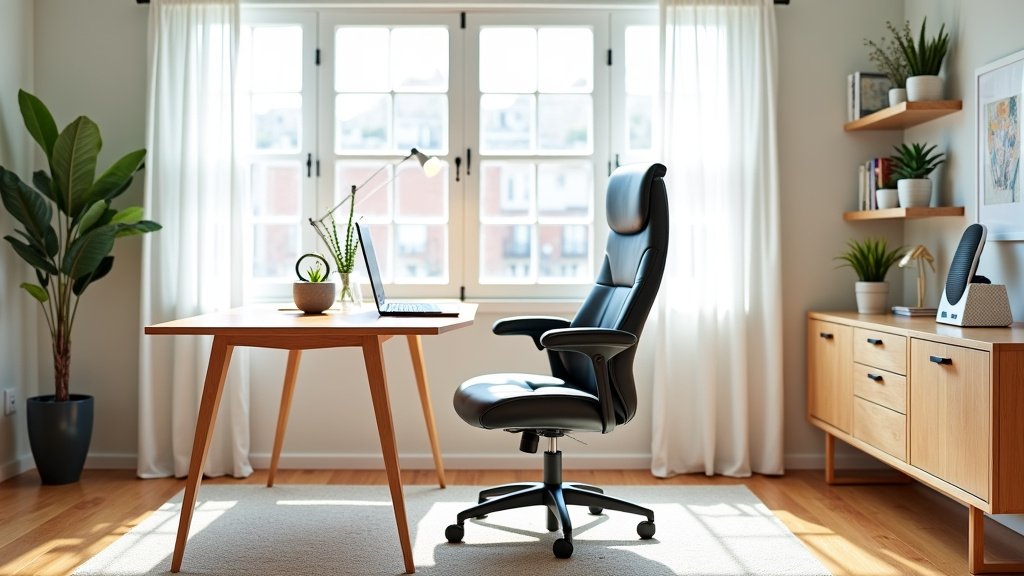
If there’s one piece of furniture where you shouldn’t skimp, it’s your office chair. You’ll spend hours here, so comfort and support are key. A good chair protects your back and neck, preventing aches and pains that can derail your day.
What to Look for in an Ergonomic Chair
An ergonomic chair is designed to support your body’s natural posture. Many sources, like the Occupational Safety and Health Administration (OSHA), highlight these features as critical.
- Adjustable Height: Your feet should be flat on the floor, or on a footrest, with your knees forming a 90-degree angle.
- Lumbar Support: This supports the natural curve of your lower back. Some chairs even let you adjust the depth and height of this support for a custom fit.
- Armrests: They should be adjustable, allowing your arms to rest comfortably at your sides, with your elbows at a 90-degree angle. This reduces shoulder and neck strain.
- Seat Depth: The seat should allow a few inches between the edge of the seat and the back of your knees. This prevents pressure on your legs.
- Recline and Tilt: A chair that allows you to recline and tilt can help you change positions throughout the day, which is important for circulation.
Think of your chair as an investment in your health and productivity. Have you ever tried working in a bad chair? It’s not much fun!
Your Workstation’s Foundation: The Desk
Your desk is more than just a surface; it’s where your creativity and work take shape. Choosing between a vanity table and desk depends on your needs, space, and how you like to work.
Considering Desk Size and Shape
How much room do you have? How much stuff do you need on your desk? These questions guide your size choice.
- Standard Rectangular Desk: A classic choice, often 48-60 inches wide. Good for traditional setups.
- L-Shaped Desk: Offers more surface area, great for multiple monitors or spreading out documents. Also useful in a corner to save space.
- Standing Desk: Allows you to alternate between sitting and standing. Many health organizations, including the CDC, suggest that standing periodically can reduce sedentary time.
We found that a desk should be at least 24-30 inches deep to comfortably fit a monitor and keyboard, allowing good viewing distance.
Desk Features to Look For
Beyond size, consider how the desk functions for you.
- Cable Management: Built-in grommets or trays can keep your workspace tidy and free of tangled wires.
- Storage: Some desks have integrated drawers or shelves. Do you need these, or would separate storage be better?
- Adjustability: For standing desks, look for smooth, quiet height adjustment. Memory presets are a bonus.
Imagine trying to work on a desk too small for your laptop and a cup of coffee. Frustrating, right?
You might be wondering: what are the main desk types?
| Desk Type | Pros | Cons |
|---|---|---|
| Fixed-Height Desk | Stable, often more affordable. | No sit-stand option, less ergonomic flexibility. |
| Manual Standing Desk | More affordable than electric, allows standing. | Can be slower to adjust, requires physical effort. |
| Electric Standing Desk | Easy, quick adjustment; often has memory presets. | Higher cost, requires power outlet. |
| L-Shaped Desk | Ample surface area, good for corners. | Requires more space, can be less flexible to move. |
Shedding Light: Home Office Lighting
Good lighting can dramatically impact your comfort and productivity. Poor lighting leads to eye strain, headaches, and can even affect your mood. We found that layered lighting works best.
Types of Lighting for Your Workspace
- Ambient Lighting: This is your general room light. Overhead fixtures or soft lamps provide overall illumination. It prevents shadows and harsh contrasts.
- Task Lighting: A dedicated desk lamp is crucial. It directs light precisely where you need it, reducing strain when reading or writing. Look for adjustable brightness and color temperature.
- Natural Light: Position your desk near a window if possible. Natural light boosts mood and alertness. Avoid facing the window directly, as this can create glare on your screen.
Are you squinting at your screen? That’s a sign your lighting needs an upgrade! Many optometrists suggest diffuse, even lighting to prevent eye fatigue.
Staying Organized: Storage Solutions
Clutter can be a major distraction. Effective storage keeps your workspace tidy, helping you focus on your tasks rather than searching for misplaced items.
Essential Storage Pieces
- Filing Cabinet: For important documents, whether physical or digital printouts. Lateral files are wider; vertical files are deeper.
- Shelving Unit: Open shelves provide easy access to books, binders, and decorative items. Closed cabinets offer a cleaner look, hiding away less appealing items.
- Drawer Unit: A small set of drawers, often on wheels, can sit under your desk. Perfect for office supplies, notebooks, and personal items.
- Desk Organizers: Small trays, pen holders, and document sorters keep the surface of your desk neat.
Ever feel like your office is slowly swallowing you whole? Good storage saves sanity. It creates a dedicated spot for everything.
Enhancing Your Experience: Ergonomic Accessories
Once you have your core furniture, consider accessories that fine-tune your ergonomic setup. These small additions can make a big difference in comfort and health, according to many public health guides.
- Monitor Stand/Arm: Raises your screen to eye level, preventing neck strain. The top of your monitor should be at or slightly below eye level.
- Keyboard and Mouse: Ergonomic versions can reduce wrist and hand strain. Look for designs that promote a natural wrist position.
- Footrest: If your chair’s height means your feet don’t touch the floor, a footrest provides support and improves circulation.
- Anti-Fatigue Mat (for standing desks): Cushions your feet and legs, making standing for longer periods more comfortable.
These pieces are like the final touches on a masterpiece; they might seem small, but they complete the picture of a truly comfortable office.
Making Your Space Your Own: Personal Touches
An effective home office isn’t just about ergonomics and storage. It’s about creating a space where you feel good and can be productive. Adding personal touches can make your office feel more inviting and less sterile. A coat of paint can also refresh older pieces; see these chalk paint furniture tips.
Bringing Personality to Your Workspace
- Plants: Greenery can improve air quality and mood. Even a small succulent can make a difference.
- Artwork or Photos: Personal photos or a piece of art can inspire you or provide a pleasant visual break.
- Comfort Items: A cozy blanket or decorative pillow can make your chair feel more inviting during a brief break.
- Sound Solutions: Consider a white noise machine or a good pair of headphones if your home environment can be noisy.
Your home office should feel like a place you want to be. Does your space spark joy, or just stress? We found that even small personalizations can boost your positive feelings towards your workspace.
Your Home Office Furniture Checklist
Here’s a quick recap to help you make sure you’ve covered the essentials for a productive and comfortable home office.
- Ergonomic Office Chair: Adjustable and supportive for long hours.
- Functional Desk: Suited to your space and workflow needs.
- Adequate Lighting: A mix of ambient and task lighting.
- Smart Storage Solutions: To keep clutter at bay.
- Monitor Riser/Arm: For eye-level screen positioning.
- Ergonomic Keyboard and Mouse: To prevent wrist strain.
By focusing on these key elements, you’re well on your way to building a home office that supports your work and well-being.
Conclusion
Setting up your home office is an investment in your productivity and well-being. By prioritizing an ergonomic chair, a functional desk, and thoughtful lighting, you’re building a foundation for success. Don’t forget storage and those small personal touches that make the space uniquely yours. We found that a well-outfitted office reduces stress and boosts focus.
Ready to transform your workspace? Start with one key item, like that supportive chair, and build from there. Your future productive self will thank you!
Frequently Asked Questions
How can I make a small space work for a home office?
For small spaces, consider multi-functional furniture like a desk with built-in storage or a wall-mounted desk. Vertical shelving helps maximize limited floor space. Opt for compact chairs without bulky armrests.
Is it really worth investing in an expensive office chair?
Yes, we believe it is. You spend many hours in your office chair, so a good ergonomic chair is an investment in your back health and long-term comfort. Cheaper chairs often lack the necessary adjustments and support, leading to discomfort over time.
What’s the best way to arrange my desk and computer for good ergonomics?
Position your monitor so the top is at or slightly below eye level, about an arm’s length away. Keep your keyboard and mouse close to your body to avoid reaching. Ensure your wrists are straight, not bent up or down.
Can I use a regular dining chair as a temporary office chair?
While a dining chair can work for very short periods, it won’t offer the lumbar support or adjustability needed for extended work sessions. For daily use, even a basic ergonomic office chair is much better for your body.
How do I prevent glare on my computer screen from windows?
If possible, position your desk so windows are to your side, not directly in front or behind you. Use blinds or curtains to control natural light. A monitor hood or anti-glare screen protector can also help reduce reflections.