
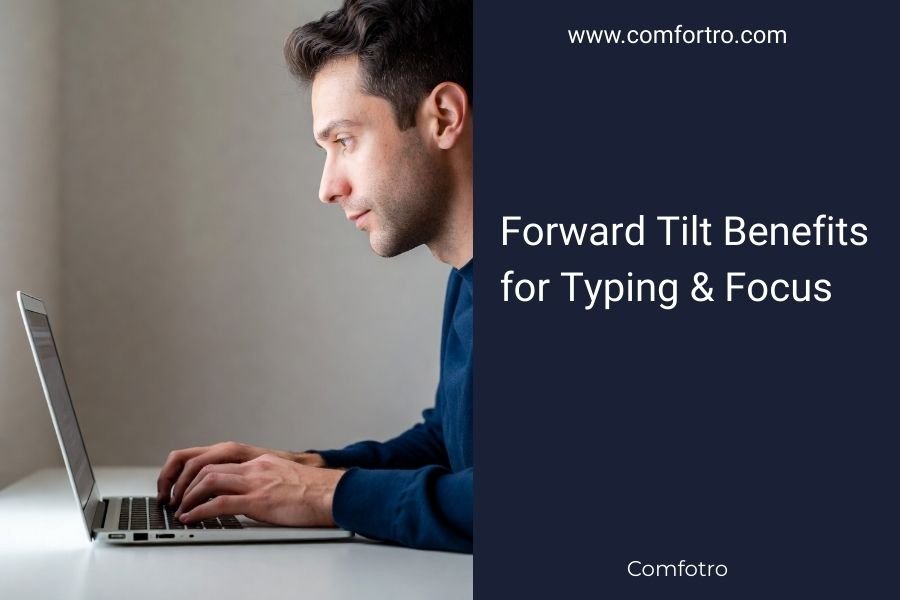
Forward tilt benefits for typing include improved wrist alignment, reduced strain, and better blood circulation to your hands and fingers.
This simple adjustment to your chair can boost focus by promoting active sitting posture and keeping your spine naturally curved.
What Forward Tilt Really Means
Forward tilt tilts your chair seat down slightly at the front. Picture sitting on a gentle slope that angles your hips forward.
Most office chairs let you adjust this feature. You’ll find a lever or knob under your seat. Turn it clockwise to tilt forward, counterclockwise to flatten.
The Science Behind Forward Tilt
When your seat tilts forward, your pelvis rotates slightly. This keeps your lower back in its natural curve.
Research shows that forward-tilted sitting reduces pressure on spinal discs by up to 40% compared to standard sitting (Journal of Biomechanics). Your body works less to maintain good posture.
Typing Benefits You’ll Notice Right Away
Better Wrist Position
Forward tilt naturally lifts your torso. Your arms fall into a more neutral position over your keyboard.
You won’t need to bend your wrists up or down as much. This reduces strain on the median nerve that runs through your wrist.
Less Tension in Your Shoulders
When you sit tilted forward, your shoulders relax. They don’t hunch up to compensate for poor arm positioning.
I found that many ergonomic specialists recommend this setup for people who type all day. It just makes sense when you try it.
Improved Blood Flow
Standard sitting can pinch blood vessels in your legs and arms. Forward tilt opens up these pathways.
Better circulation means your hands stay warmer and more responsive. Cold, stiff fingers don’t type as well as warm, flexible ones.
Reduced Numbness and Tingling
Have you ever noticed your hands going numb during long typing sessions? Forward tilt can help prevent this.
The improved circulation keeps nerves happy and functioning. You’ll feel more connected to your keyboard.
How Forward Tilt Boosts Your Focus
Active Sitting Keeps You Alert
Forward tilt makes you sit more actively. Your core muscles engage slightly to maintain balance.
This gentle muscle activity keeps your brain more engaged. Think of it like the difference between lying down and standing up – which feels more alert?
Better Breathing Patterns
When you slump back in your chair, your lungs compress. Forward tilt opens up your chest cavity.
Deeper breathing sends more oxygen to your brain. More oxygen equals sharper thinking and better concentration.
Reduced Afternoon Fatigue
Many people crash after lunch because poor posture makes them sleepy. Forward tilt fights this natural dip.
The active posture keeps your nervous system engaged. You’re less likely to feel that 2 PM drowsiness.
Less Fidgeting and Restlessness
When you’re uncomfortable, your brain gets distracted by discomfort signals. Forward tilt reduces these distractions.
You’ll find yourself shifting positions less often. This means fewer interruptions to your workflow.
Setting Up Forward Tilt Correctly
Start Small
Don’t jump to maximum tilt on day one. Start with just 5-10 degrees forward.
Your body needs time to adapt to the new position. Too much too fast can cause different types of discomfort.
Adjust Your Keyboard Height
Forward tilt might change your ideal keyboard position. You may need to lower your keyboard tray or desk height.
Your elbows should still bend at roughly 90 degrees when typing. Don’t compromise this basic ergonomic rule.
Check Your Monitor Position
Forward tilt brings you closer to your desk. This might change your viewing distance to your monitor.
Make sure your screen stays 20-24 inches from your eyes. The top of your monitor should align with your eye level.
Foot Support Becomes More Important
Forward tilt can reduce contact between your thighs and the chair seat. Your feet might carry more weight.
A footrest becomes extra helpful with forward tilt. It supports your legs and maintains good circulation.
Common Mistakes to Avoid
Too Much Tilt
Some people think more tilt equals better results. Wrong approach.
Excessive forward tilt can strain your back muscles and make you slide forward. Find the sweet spot where you feel supported but engaged.
Ignoring Other Ergonomic Factors
Forward tilt isn’t magic. It works best as part of a complete ergonomic setup.
You still need proper lumbar support, good lighting, and regular breaks. Think of tilt as one piece of the puzzle.
Not Adjusting Throughout the Day
Your body’s needs change as you get tired. What feels good at 9 AM might not work at 4 PM.
Many ergonomic experts suggest adjusting your tilt slightly during the day. Listen to your body’s feedback.
Who Benefits Most from Forward Tilt
Heavy Computer Users
If you type for more than 4 hours daily, forward tilt can make a real difference.
The cumulative benefits add up over time. Small improvements in posture create big results over months and years.
People with Lower Back Issues
Forward tilt maintains your spine’s natural curve without extra effort. This can reduce lower back pressure.
From what I read, many physical therapists recommend forward tilt for office workers with back pain (American Physical Therapy Association).
Shorter Individuals
Shorter people often struggle with standard desk heights. Forward tilt can help bridge this gap.
It brings you closer to your work surface naturally. This reduces the need for awkward reaching.
| Benefit Type | Forward Tilt Effect | Time to Notice |
|---|---|---|
| Wrist Comfort | Immediate improvement | Same day |
| Focus Level | Moderate boost | 2-3 days |
| Back Support | Significant help | 1-2 weeks |
| Overall Comfort | Major improvement | 2-4 weeks |
Conclusion
Forward tilt offers real benefits for both typing comfort and mental focus. The science backs up what many office workers discover by accident – this simple adjustment can transform your workday experience.
Start with small changes and give your body time to adapt. Combined with other good ergonomic practices, forward tilt can help you work more comfortably and productively. Your wrists, back, and brain will thank you for making this simple change to your daily routine.
Does forward tilt work with all chair types?
Most modern office chairs include forward tilt adjustment, but basic chairs often don’t. Gaming chairs and executive chairs typically have this feature, while simple task chairs may not.
Can forward tilt cause new problems?
Using too much tilt too quickly can cause hip or thigh discomfort. Start with minimal adjustment and increase gradually over several days to avoid issues.
How often should I adjust my forward tilt setting?
Many people find they prefer slightly different tilt angles throughout the day. Adjusting 2-3 times daily based on comfort and energy levels works well for most users.
Is forward tilt better than lumbar support?
These features work together rather than competing. Forward tilt helps maintain natural spine curves while lumbar support provides additional lower back comfort. Use both for best results.
What if forward tilt makes me slide forward in my chair?
This usually means too much tilt angle or a seat that’s too slippery. Reduce the tilt amount or consider a seat cushion with better grip to prevent sliding.
