What Is the Best Glass Desk for Two Monitor Setups?
On this page (7 sections)
The best glass desk for a two-monitor setup is one that offers ample surface area, sturdy construction, and features that minimize glare. You’ll want a desk that can comfortably hold your monitors, keyboards, and other essentials without feeling cramped. Look for models with a generous width and a depth that accommodates your screen sizes and viewing distance. Durability is key, so choose glass that is tempered and strong to prevent scratches and breaks.
Finding the right desk means considering both aesthetics and functionality for your workspace. A glass desk can add a modern, clean look to your room. However, it’s important to balance this style with practical needs like cable management and monitor arm compatibility. We’ve researched various options to help you find a desk that supports your dual-monitor productivity and looks great doing it.
- Choose desks with plenty of surface space.
- Prioritize sturdy, tempered glass.
- Consider monitor arm compatibility.
- Look for features like cable management.
- Aesthetics should match your room.
Let’s walk through the key features and popular choices that make a glass desk perfect for your dual-monitor setup.
Choosing the Right Glass Desk for Your Dual Monitor Setup
So, you’re looking for the ideal glass desk to house your two monitors. It’s a great choice for a sleek, modern workspace! But with so many options, how do you pick the best one? We’ve gathered information to help you find a desk that’s both functional and stylish for your dual-monitor needs.
The key is balancing the aesthetic appeal of glass with the practical demands of a multi-monitor setup. You want enough space, sturdy support, and features that make your workday smoother. Let’s break down what to look for.
Key Features of an Ideal Dual-Monitor Glass Desk
When we talk about the “best” glass desk for two monitors, we’re really talking about a desk that checks all the important boxes. It’s not just about looking good; it needs to perform.
Surface Area: The Foundation of Productivity
This is arguably the most critical factor. Two monitors, plus your keyboard, mouse, and maybe a notepad, require substantial real estate. We found that a desk with a minimum width of 55 inches is often recommended for comfortable dual-monitor use. This allows enough space between screens for ergonomic viewing and keeps your keyboard from feeling too close.
Depth is also important. You don’t want your monitors so close that you’re craning your neck, nor do you want them so far back that you lose desk space. A depth of at least 24 inches is usually sufficient. However, if you have large monitors or prefer a deeper viewing distance, consider desks with 30 inches or more.
Glass Quality and Durability: More Than Just a Pretty Surface
Glass desks can look amazing, but you need to ensure the glass itself is up to the task. We always look for desks made with tempered glass. This type of glass is significantly stronger than standard glass and is designed to shatter into small, relatively harmless pieces if broken, rather than sharp shards.
Scratches can also be a concern. While glass is harder than many woods, it can still be scratched by abrasive materials. Look for desks that mention scratch-resistant coatings or specify the thickness of the glass (often 8mm or thicker for better durability). We found that thicker glass generally feels more substantial and less prone to damage.
Stability and Support: No Wobbly Workspaces Here
A desk that wobbles is not just annoying; it can be distracting and even potentially damage your equipment. The frame of the desk plays a huge role here. Steel frames are common and provide excellent stability. Look for frames that are well-constructed, with solid connections and possibly crossbars for added rigidity.
When we research desks, we pay close attention to customer reviews regarding stability. Are there complaints about wobbling, especially when typing or placing heavier items? A desk that feels solid and grounded is essential, particularly when supporting the weight of multiple monitors and their stands or arms.
Ergonomics and Monitor Mounting: Where Your Monitors Live
How you plan to position your monitors significantly impacts your desk choice. Are you using the stands that come with your monitors, or do you plan to use monitor arms? If you intend to use monitor arms, this is a critical point. Most monitor arms clamp onto the edge of the desk or require a grommet hole.
Some glass desks come with pre-drilled grommet holes, which are a big plus for clean cable management and secure monitor arm mounting. If your chosen desk doesn’t have them, you might need to explore clamp-on options that are specifically designed for glass surfaces, or consider if drilling is even an option for tempered glass (which is generally not recommended for DIY). We found that desks designed with monitor arm compatibility in mind often have reinforced edges or offer specific mounting solutions.
Cable Management: Taming the Serpent’s Nest
Dual-monitor setups often mean more cables. Compare wired and wireless setups when planning how your devices connect. Power cords, HDMI or DisplayPort cables, USB hubs – it can quickly become a mess. A desk with good cable management features can make a world of difference. Look for desks with built-in cable trays, grommet holes, or even channels along the back edge.
These features help keep your cables organized and out of sight, contributing to a cleaner and more professional-looking workspace. It also makes it easier to move or rearrange your setup later. We found that simple solutions like a rear lip or integrated channels can significantly reduce visual clutter.
Popular Glass Desk Styles for Two Monitors
Glass desks come in various designs. Understanding these styles can help you narrow down your search based on your aesthetic and functional preferences.
The Minimalist L-Shape Desk
An L-shaped desk offers a fantastic amount of surface area, making it ideal for a dual-monitor setup. You can dedicate one side to your monitors and the other to writing, a second computer, or just extra workspace. If you plan to use that second computer with the same mouse, see our guide to sharing one mouse between computers. Many L-shaped desks incorporate glass tops, often with a sturdy metal frame. If you’re considering an L-shaped desk, our guide to the best corner desks for a home office can offer more insights.
This style allows you to arrange your monitors in a corner or have them side-by-side across the longer return. We found that L-shaped desks provide excellent flexibility in monitor placement, allowing you to adapt to different workflow needs.
The Spacious Rectangular Desk
A large, straightforward rectangular glass desk is a classic choice. If you have ample wall space, this can provide a clean, expansive surface. You can place your two monitors side-by-side, or angle them slightly. The key here is ensuring the desk is wide enough for your specific monitor sizes and desired spacing.
We noticed that many rectangular glass desks are designed with a focus on clean lines and open space underneath, which can make your office feel larger. Look for options that are at least 60 inches wide for a truly comfortable dual-monitor experience.
The Executive-Style Desk with Glass Inlays
Some desks combine wood or metal with glass, featuring glass panels or inlays. This can offer a more traditional or executive look while still providing a smooth, easy-to-clean surface for your monitors. These desks often have built-in drawers or shelving, which can be great for storage.
When considering these, ensure the glass portion is large enough and positioned ideally for your monitors. The structural integrity of the entire desk is important, especially where the glass meets other materials. We found these can be a great compromise for those who want a touch of glass without an entirely glass surface.
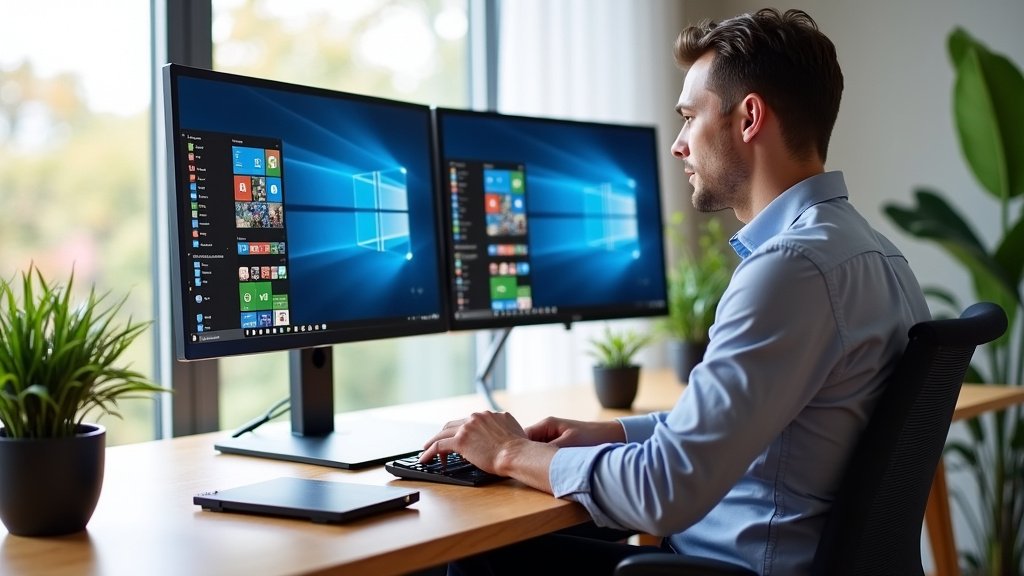
Considering Ergonomics and Your Health
Your workspace should support your well-being. With a dual-monitor setup, paying attention to ergonomics is even more important.
Monitor Height and Eye Level
Ideally, the top of your monitors should be at or slightly below your eye level. This prevents neck strain. If your monitors’ stands don’t allow for enough adjustment, consider monitor risers or ensure your desk has enough clearance to accommodate monitor arms that can position them correctly. Many experts recommend a neutral neck posture to avoid long-term discomfort (Cleveland Clinic).
Viewing Distance and Screen Size
The distance between you and your screens affects eye strain. A general rule of thumb is to sit an arm’s length away from your monitor. This distance can vary based on screen size and resolution. With two monitors, you might have one primary screen slightly closer and the secondary one angled. We found that a desk with adequate depth ensures you can maintain this optimal viewing distance.
Making Your Final Choice: A Quick Checklist
Before you click “add to cart,” run through this quick checklist to ensure the desk you’re eyeing is the right fit for your dual-monitor needs:
- Is the desk at least 55 inches wide?
- Is the glass tempered and durable?
- Does the frame seem sturdy and stable?
- Is there enough depth (at least 24 inches)?
- Are there features for cable management?
- Does it support your preferred monitor mounting method (stands or arms)?
Conclusion
You’ve seen that finding the best glass desk for your dual-monitor setup is all about balancing style with smart functionality. Remember to prioritize ample surface area, sturdy tempered glass, and a stable frame. Features like effective cable management and monitor arm compatibility can make a huge difference in your daily workflow. Don’t forget to consider your own ergonomic needs to ensure a comfortable and productive workspace. Now, take these key points and find that perfect desk that will enhance both your productivity and your room’s aesthetic.
Frequently Asked Questions
Will a glass desk feel sturdy enough for two monitors?
Yes, a well-constructed glass desk with a strong frame, usually steel, will feel very sturdy for dual monitors. We found that models with thicker tempered glass and solid construction offer excellent stability for your setup.
Can I use monitor arms with a glass desk?
Generally, yes. You’ll want to look for desks designed with monitor arm compatibility, which might include reinforced edges or pre-drilled grommet holes. Clamp-on monitor arms specifically made for glass surfaces are also an option.
How do I manage cables on a glass desk?
Many glass desks include built-in cable management solutions like grommet holes, channels along the back edge, or integrated trays. These features help keep your wires tidy and out of sight for a cleaner look.
What is the best size glass desk for dual monitors?
We recommend a minimum width of 55 inches for comfortable dual-monitor use, allowing enough space between screens. A depth of at least 24 inches is also good, but 30 inches or more is better for larger monitors or deeper viewing distances.
Is tempered glass prone to scratches on a desk?
While tempered glass is strong, it can still be scratched by abrasive materials. Look for desks that mention scratch-resistant coatings or have thicker glass (8mm or more) to minimize this risk.