9 Best Desktop Standing Desk Converters (October 2026)
The best desktop standing desk converters include the Vari Pro Plus 36 Standing Desk Converter for a ready-to-use setup, the VIVO Manual Height Adjustable Standing Desk Converter for a compact dual-monitor setup, and the VIVO Standing Desk Converter for a wide manual riser.
On this page (7 sections)
- How we chose desktop standing desk converters
- What differences matter most in a desktop standing desk converter?
- The best desktop standing desk converter picks
- How can you check whether a converter fits your desk?
- Which converter works for a taller user or student?
- How do you use a VariDesk-style converter?
- Which desktop standing desk converter should you choose?
The Vari Pro Plus 36 is the best desktop standing desk converter for most setups, with a two-tier work area, room for 2 monitors and a spring-assisted lift. For electric height changes, consider VERSADESK; for a wider manual riser, compare the 42-inch VIVO.
A tabletop riser can convert an existing seated desk without replacing the whole workstation. If you want to replace the desk, compare FEZIBO standing desks.
The best fit depends on how much surface you need, how you want to raise it and whether your desk can support the added footprint.
If you’re new to this type of riser, start with what a standing desk converter is. This guide compares tabletop converters by their stated layout, lift style and capacity.
Our picks at a glance
-
1
 Best for a ready-to-use setup
Vari Pro Plus 36 Standing Desk Converter
9.7/10 our score
See it on Amazon -
2
 Best for a compact dual-monitor setup
VIVO Manual Height Adjustable Standing Desk Converter
9.6/10 our score
See it on Amazon -
3

- 4
 Check it
TechOrbits Black 32 in Standing Desk Converter
Best for simple height adjustment - 5
 Check it
VERSADESK PowerPro 40 Inch Electric Standing Desk
Best for push-button lifting - 6
 Check it
JOY worker 32" Standing Desk Converter
Best for a detachable keyboard tray - 7
 Check it
FLEXISPOT Standing Desk Converter 36" Desk Riser
Best for a spring lift design - 8
 Check it
FITUEYES Height Adjustable Standing Desk 32” Wide
Best for a gas-spring lift - 9
 Check it
SANODESK 42" Extra Large Standing Desk Converter
Best for an extra-wide setup
How we chose desktop standing desk converters
The best desktop standing desk converter should fit your equipment, desk and preferred way of changing height. We compared the listed dimensions, work surface, keyboard tray, lift mechanism and stated capacity for each pick.
A larger top can give monitors and accessories more room, but width alone does not tell you whether a converter will fit. Measure the desk surface and check the converter’s depth, too.
For a corner workspace, compare L-shaped standing desks.
We also considered whether a model arrives assembled or needs a small setup step. The score weighs specs, features and buyer feedback against what you’re shopping for.
What differences matter most in a desktop standing desk converter?
Width, depth, lift range and adjustment style help narrow a desktop standing desk converter to your actual workspace. Check those details before comparing extra features.
How much surface space do you need?
A 32-inch converter may fit a compact arrangement, while 36- and 42-inch options leave more width for monitors and accessories. Compare the measurements with your equipment, including the monitor stands or feet.
Depth matters as well. A converter that fits from side to side may still crowd the front edge of a shallow desk.
Should you choose manual or electric adjustment?
Manual converters use a handle or lift mechanism, while an electric model uses motorized height adjustment. The VERSADESK PowerPro 40 uses push buttons, and the other picks here use manual lift designs.
Think about how often you plan to move between sitting and standing. Our comparison of manual vs electric standing desk reliability covers the tradeoffs between adjustment types.
Does the keyboard tray move with the top?
On a two-tier riser, the keyboard tray may rise with the work surface, keeping the keyboard and mouse on a lower level. Standing desk exercises can add movement to a sit-stand routine.
Some models have a removable tray, while others require you to attach it during setup.
Check the tray’s width and depth against your keyboard and mouse. If you prefer a single-level surface, make sure the converter’s design suits the way you work.
| Product | Best for | Upper tier | Lift | Setup | Our score |
|---|---|---|---|---|---|
| Vari Pro Plus 36 Standing Desk Converter | a ready-to-use setup | 36 x 12.25 in | Spring-assisted rowing lift | Arrives fully assembled | 9.7 |
| VIVO Manual Height Adjustable Standing Desk Converter | a compact dual-monitor setup | 9.6 | |||
| VIVO Standing Desk Converter | a wide manual riser | 9.5 | |||
| TechOrbits Black 32 in Standing Desk Converter | simple height adjustment | 9.4 | |||
| VERSADESK PowerPro 40 Inch Electric Standing Desk | push-button lifting | Electric, push-button | 9.2 | ||
| JOY worker 32" Standing Desk Converter | a detachable keyboard tray | 9.0 | |||
| FLEXISPOT Standing Desk Converter 36" Desk Riser | a spring lift design | Mechanical spring system | 8.8 | ||
| FITUEYES Height Adjustable Standing Desk 32” Wide | a gas-spring lift | 8.7 | |||
| SANODESK 42" Extra Large Standing Desk Converter | an extra-wide setup | 8.2 |
The best desktop standing desk converter picks
These desktop standing desk converters suit different work surfaces and adjustment preferences. The product details below highlight the fit each one offers.
Vari Pro Plus 36 Standing Desk Converter: Best for a ready-to-use setup
- 36 x 12.25 in upper tier
- Two-tier layout
- Spring-assisted lift
- No assembly required
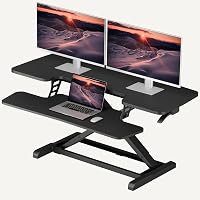
A two-tier desktop riser with room for 2 monitors and a lower keyboard deck. It arrives assembled and uses a spring-assisted rowing lift.
Pros
- No assembly required
- Dual stability bars
- Two-tier workspace
Cons
- Upper tier depth is 12.25 in
- Lift is manual
The Vari Pro Plus 36 suits a desk where you want the riser ready to use without assembly. Its upper tier measures 36 x 12.25 in and is designed for 2 monitors, while the lower deck holds a keyboard and mouse.
Vari uses a rowing lift with spring assistance, dual handles and foam-wrapped steel around the lift mechanism. Dual stability bars and a heavy base are part of its construction.
The two-tier layout keeps the keyboard below the monitor tier, so check that arrangement against your preferred monitor and typing positions. The 12.25-inch upper-tier depth is a key measurement to compare with your monitor stands.
Choose it if you want a two-tier converter that arrives assembled. Look at another option if you prefer an electric lift or need a deeper top surface.
VIVO Manual Height Adjustable Standing Desk Converter: Best for a compact dual-monitor setup
- 31.5 x 15.7 in top
- 33 lb desktop capacity
- 4.5 to 20 in height range
- Keyboard tray included
A 31.5-inch manual riser with a keyboard tray that moves with the top. Its stated 33 lb desktop capacity suits a modest monitor setup.
Pros
- Keyboard tray raises in sync
- Straight-up lift design
- 3-year manufacturer warranty
Cons
- Keyboard tray needs attachment
- Top is narrower than 36 and 42 in options
The VIVO manual converter fits a compact setup that still needs room for dual monitors. Its top measures 31.5 x 15.7 in, and the keyboard tray raises in sync with the top surface.
The height range is 4.5 to 20 in, with a simple touch height-locking mechanism and straight-up lift design. The top supports up to 33 lb, and the manufacturer backs it with a 3-year warranty.
Setup involves placing the riser on the desk and attaching the tray. Make sure your desk has enough space for the converter’s footprint and that your monitor arrangement fits within the top’s width and depth.
Choose it for a smaller manual riser with a moving keyboard tray. If your equipment needs more width, compare the 42-inch VIVO model below.
VIVO Standing Desk Converter: Best for a wide manual riser
- 42 x 15.7 in top
- 33 lb desktop capacity
- 4.5 to 20 in height range
- Keyboard tray included
The 42-inch top offers more room for monitors and accessories than the 32-inch models. Its keyboard tray raises with the top.
Pros
- Wide 42 in surface
- Straight-up lift design
- 3-year warranty
Cons
- Keyboard tray requires assembly
- Manual height adjustment
The 42-inch VIVO is a fit for a wider desktop setup, with a 42 x 15.7 in top and a keyboard tray that rises with it. The desktop supports up to 33 lb, while the tray supports up to 4.4 lb.
Its straight-up lift adjusts from 4.5 to 20 in through a touch height-locking mechanism. Assembly is required, including attaching the keyboard tray.
Measure your desk before choosing the wider model, and check that your monitors and accessories stay within the stated capacity. The larger surface can help when a 32-inch top feels too tight, but it also takes more desk width.
Choose it when you need a wide manual converter with a synchronized keyboard tray. For a more compact footprint, the 31.5-inch VIVO offers a smaller top.
TechOrbits Black 32 in Standing Desk Converter: Best for simple height adjustment
- 32 in wide
- 4.3 to 19.7 in height range
- Pneumatic lift
- 33 lb capacity
A 32-inch riser with a pneumatic lift and a keyboard tray. It comes mostly assembled, with the tray to attach using the included tools.
Pros
- Pneumatic lift
- 32 in work area
- Mostly assembled
Cons
- Keyboard tray needs setup
- Top is smaller than the 36 and 42 in options
The TechOrbits Black 32 in converter suits a workstation where you want a pneumatic lift and a mostly assembled riser. Its height adjusts from 4.3 to 19.7 in, and its 32-inch surface is designed to hold a computer or laptop, dual monitors and accessories.
To raise it, squeeze the handle and use your weight to adjust the workstation. The particle-board riser has an aluminum frame, and the keyboard tray attaches with the included tools.
Check the top’s measurements against your monitor bases and keyboard placement. It supports up to 33 lb, so include the weight of equipment placed on the main surface when planning your setup.
Choose it for a 32-inch pneumatic model with minimal setup. Consider a wider converter if you need room beyond a dual-monitor arrangement.
VERSADESK PowerPro 40 Inch Electric Standing Desk: Best for push-button lifting
- 40 in wide
- Electric height adjustment
- 80 lb capacity
- Built-in USB charging port
An electric 40-inch converter with push-button height adjustment, a split-level layout and an 80 lb stated capacity. Its monitor arm is sold separately.
Pros
- Push-button motorized lift
- 80 lb capacity
- Built-in USB port
Cons
- Monitor arm sold separately
- Electric controls need power
The VERSADESK PowerPro 40 is the electric pick for buyers who prefer push-button height changes. Its 40-inch, two-tier layout is designed for dual or triple monitors plus a laptop, and the stated capacity is 80 lb.
The motorized lift has a built-in safety lock, and the converter includes a USB charging port and three grommet holes for cable routing. VERSADESK says it ships fully assembled with minimal setup.
The monitor arm is sold separately, so factor that into your setup if you want one. Check the available desk space and plan how to route the power and device cables before placing the converter.
Choose it for electric adjustment and a wider multi-monitor workspace. A manual riser may suit you better if you don’t need motorized height changes.
JOY worker 32" Standing Desk Converter: Best for a detachable keyboard tray
- 31.5 x 15.7 in top
- 4.9 to 19.3 in height range
- Removable keyboard tray
- 28.6 lb top capacity
This 32-inch riser has a removable keyboard tray and a two-tier design. Its top tier supports up to 28.6 lb, with 4.4 lb for the tray.
Pros
- Removable keyboard tray
- Two-tier layout
- Mostly assembled
Cons
- Lower top capacity than several alternatives
- Tray attachment is required
The JOY worker converter suits a 32-inch desk setup where you want the option to remove the keyboard tray. Its 31.5 x 15.7 in top has room for up to 2 monitors, and the tray measures 24.4 x 11.8 in.
The height adjusts from 4.9 to 19.3 in by squeezing the handle and lifting. The top supports up to 28.6 lb, and the keyboard tray supports up to 4.4 lb.
It arrives mostly assembled, with a two-step tray installation. Compare the capacity with the combined weight of your monitors and other gear, especially if you use heavier displays.
Choose it if a removable tray is useful for your desk routine. If you need a higher stated top capacity, consider a different model.
FLEXISPOT Standing Desk Converter 36" Desk Riser: Best for a spring lift design
- 36 in width
- Mechanical spring lift
- 33 lb top capacity
- Almost fully assembled
A 36-inch riser with a mechanical spring lift and reinforced steel frame. FLEXISPOT says the design avoids common gas spring issues.
Pros
- 36 in surface for dual monitors
- Mechanical spring lift
- Almost fully assembled
Cons
- Keyboard tray requires attachment
- Height range is not stated here
The FLEXISPOT 36-inch riser combines a mechanical spring lift with a reinforced steel frame. Its 36-inch top is intended for a dual-monitor setup, with a stated capacity of 33 lb on the main surface and 4.4 lb on the keyboard tray.
The converter comes almost fully assembled, with the tray to attach. FLEXISPOT says its spring system is designed to avoid common gas spring issues such as air leakage or performance drop over time.
The height range is not stated in the details here, so check the available adjustment range before buying if your desk or standing posture needs a specific lift. Confirm the top depth and your equipment placement as well.
Choose it if you want a 36-inch surface and a mechanical spring lift. Look at a model with a stated range if that measurement is central to your decision.
FITUEYES Height Adjustable Standing Desk 32” Wide: Best for a gas-spring lift
- 31.5 x 15.7 in top
- 4.3 to 19.8 in height range
- 33 lb capacity
- Dual gas spring force
A 32-inch dual-tier converter with a gas-spring lift and room for a single monitor, dual monitors or a laptop and monitor.
Pros
- Dual gas-spring force
- 33 lb capacity
- Keyboard tray included
Cons
- Manual adjustment
- Assembly details are limited
The FITUEYES 32-inch converter suits buyers who want a two-tier layout with a dual gas-spring lift. Its top measures 31.5 x 15.7 in, and the height adjusts from 4.3 to 19.8 in.
The stated capacity is 33 lb. The top is described for a single monitor, dual monitors or a laptop with a monitor, and a keyboard tray is included.
Compare the footprint with your desk and the height range with your preferred working position. Assembly instructions and setup steps aren’t specified here, so confirm what you’ll need before you plan installation.
Choose it for a 32-inch gas-spring converter with a broad stated height range. If you need clearer setup details, the VIVO options explain their tray attachment steps.
SANODESK 42" Extra Large Standing Desk Converter: Best for an extra-wide setup
- 41.7 x 16.3 in top
- 4.7 to 19.6 in height range
- 33 lb top capacity
- 34.6 in keyboard tray
A 42-inch riser with a wide keyboard tray and mechanical spring lift. The tray attaches with screws and a screwdriver.
Pros
- Wide top and keyboard tray
- Mechanical spring lift
- 33 lb top capacity
Cons
- Requires tray assembly
- Needs more desktop width
The SANODESK 42-inch converter suits a wide workstation with room for dual monitors and a full-size keyboard. Its top measures 41.7 x 16.3 in, with a 34.6 x 12.2 in keyboard tray.
The mechanical spring lift adjusts from 4.7 to 19.6 in. The main tier supports up to 33 lb, and the tray supports up to 4.4 lb.
Setup requires attaching the keyboard tray with the included screws and your own screwdriver. Measure the desk carefully, since the wide top and tray need more surface space than the 32-inch options.
Choose it if you need a 42-inch surface and a wide tray. The 42-inch VIVO is another wide manual option, with its own stated dimensions and capacity.
How can you check whether a converter fits your desk?
Measure the usable desktop width and depth, then compare those measurements with the converter’s footprint. Leave room for anything that needs to stay beside or behind the riser, such as a desk lamp or papers.
Check the weight of the equipment you plan to raise together. Count monitors, laptop, stands and accessories against the converter’s stated capacity, and check the keyboard tray limit separately where one is given.
Your standing position matters, too. Compare the riser’s height range with your current desk height and the height where your elbows sit comfortably while standing.
Which converter works for a taller user or student?
The right converter for a taller user depends on its maximum height and the height of the existing desk. Compare both measurements with your standing elbow height, then review the best standing desk converter for tall people for options selected around that need.
A student should first check desk width, depth and room for books or a laptop beside the riser. Our best standing desk converter for students guide focuses on study setups and smaller desks.
How do you use a VariDesk-style converter?
Place the converter on a stable desk, arrange your monitor and keyboard, then adjust the riser gradually to a comfortable height. Keep hands clear of moving joints and follow the instructions that come with your model.
Vari’s Pro Plus 36 arrives assembled, while other converters may need their keyboard tray attached before use. For model-specific steps, read how to use a VariDesk standing desk.
Which desktop standing desk converter should you choose?
Pick the Vari Pro Plus 36 if you want an assembled two-tier riser with room for 2 monitors. Choose VERSADESK for push-button electric adjustment, VIVO 42-inch for a wide manual work surface, or the compact VIVO when desk space is tighter.
Before you decide, measure the desk, compare the lift range with your standing position and check your equipment against each capacity. A suitable desktop standing desk converter should fit the work surface and the routine you plan to use.
Our top 3 picks at a glance
-
1
Best for a ready-to-use setup
Vari Pro Plus 36 Standing Desk Converter
9.7/10 our score
See it on Amazon -
2
Best for a compact dual-monitor setup
VIVO Manual Height Adjustable Standing Desk Converter
9.6/10 our score
See it on Amazon -
3
Frequently asked questions
What is a desktop standing desk converter?
A desktop standing desk converter is a riser that sits on an existing desk and raises your work surface for standing. Many have a second tier that lifts a keyboard and mouse with the top, while some have separate or removable trays.
Measure the desk and check the converter’s width, depth and lift range before choosing one.
How wide should a standing desk converter be?
Choose a width that fits your monitors, keyboard and any accessories you want on the riser. A 32-inch top can suit a compact setup, while 36- and 42-inch models provide more width for extra equipment.
Also check the depth and the available space on your desk.
Are electric standing desk converters worth considering?
An electric converter can suit you if you prefer push-button height changes. The VERSADESK PowerPro 40 has a motorized lift and an 80 lb stated capacity.
Manual converters avoid motorized adjustment and use a handle, spring or other lift design.
Compare the lift style with how often you expect to change heights.
How do I choose a converter for my height?
Compare the converter’s height range with your standing elbow height and the height of your existing desk. The right fit depends on both measurements, so check the full setup before buying.
Our guide to the best standing desk converter for tall people covers taller users and reach.
Can a standing desk converter fit a student desk?
It can, if the converter fits the desk surface and leaves enough room for books, a laptop and other study items. Measure the desk first, then compare the converter’s footprint and height range.
Our picks for the best standing desk converter for students focus on study setups.