How to Recline an Office Chair
To recline an office chair, find the tilt control or lever, release the recline lock, and lean back gently. Adjust the tension so the chair moves with you, then lock it in a position that suits your task.
On this page (8 sections)
- How do you recline an office chair?
- What do the chair lever and tension knob do?
- How should you adjust recline tension?
- What sitting position works for reclining?
- What should you do if the chair won't recline?
- How do you lock an office chair in a reclined position?
- How do you choose a chair with recline controls?
- How to recline an office chair: what should you remember?
To recline an office chair, release its tilt lock, lean back gently, and adjust the tension until the backrest moves with you. Chair controls vary, so check the manual before changing an unfamiliar lever or knob.
Sit with your feet supported and your back against the backrest. Test the movement slowly, and stop if the chair shifts or the control feels stuck.
If head support matters, compare office chairs with headrests.
How do you recline an office chair?
Find the recline lever, open the backrest, then lean back gradually. Many chairs use a lever beneath the seat to release or lock the tilt mechanism.
- Sit upright and keep both feet on the floor.
- Look under the seat for a lever or control knob.
- Take pressure off the backrest and move the lever as the chair manual directs.
- Lean back slowly to check the recline.
- Adjust the tension knob, if present, until the chair moves comfortably.
- Lock the chair at a supported angle if its controls allow it.
The control may sit beside the height lever or under the front edge of the seat. Don't pull every lever at once; identify each control first to avoid changing the seat height by mistake.
What do the chair lever and tension knob do?
The lever usually controls the tilt lock, while the tension knob changes resistance. Their positions and functions vary by chair model.
A tilt lock can keep the backrest upright or secure it at a reclined position. Some chairs allow rocking when unprotected, while others recline only through set positions.
A tension knob changes how much effort it takes to lean back. Turn it in small increments and test the chair after each change.
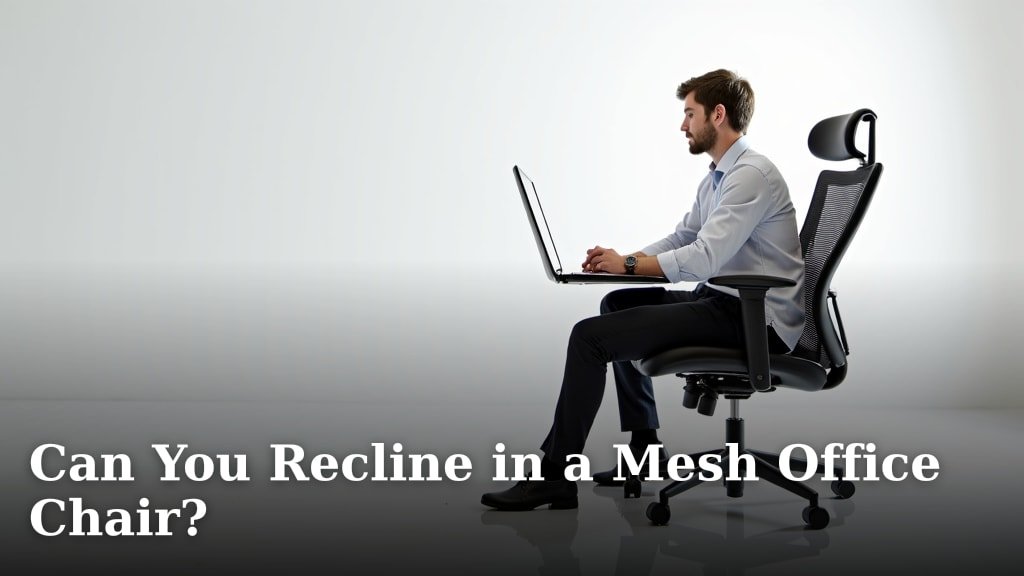
If you have a mesh chair, see whether you can recline in a mesh office chair for more on how those chairs may handle tilt.
How should you adjust recline tension?
Set the tension so you can lean back without pushing hard or falling back too easily. Make small changes while seated and supported.
Turn the knob gradually, then test the backrest with a gentle lean. If it moves too freely, increase resistance; if it takes too much effort, reduce resistance.
The direction can vary, so use the chair manual instead of assuming clockwise always means tighter.
Keep your feet on the floor as you test. Don't use the desk, armrests, or a wall to force the chair backward.
What sitting position works for reclining?
Choose a position that supports your back and lets you keep control of the chair. A slight recline may suit a short break, while a more upright setting can make it easier to reach a keyboard or desk.
If you are considering a gaming chair, read whether Secretlab chairs are worth it.
For more reclining options with leg support, compare office chairs with footrests.
Keep your hips back in the seat and your feet supported. If you recline while working, check that your arms still reach the keyboard without your shoulders lifting.
If you alternate between sitting and standing, compare chairs for standing desks.
For a chair with an adjustable recline, the Furmax Office Executive Chair High Back Adjustable has a rocking function and a tension knob.
If you want a chair with mesh, compare the best reclining mesh office chairs. A chair's recline controls and backrest material are separate choices, so consider both.
What should you do if the chair won't recline?
Check the lock and tension settings before trying to move the backrest again. If the mechanism still won't move, stop and consult the manual.
Make sure the chair isn't locked upright. Take your weight off the backrest while operating the lever, then try a gentle lean.
If your chair has a tension knob, reduce resistance a little and test again.
Don't force a lever or push hard against a fixed backrest. If a control is damaged or the chair shifts unexpectedly, stop using the recline until you can check the instructions or contact the manufacturer.
The SIHOO M18 Ergonomic Office Chair includes a tilt function and back support adjustment.
The Amazon Basics Office Task Chair with Adjustable has an adjustable seat angle and tilt control.
How do you lock an office chair in a reclined position?
Use the tilt lock only if your chair supports locking at a reclined angle. Some models lock upright or at set positions, and others let the backrest rock freely.
Lean to the position you want, then operate the lock control as described in the manual. Ease your weight forward slightly to check that the backrest stays put before settling back.
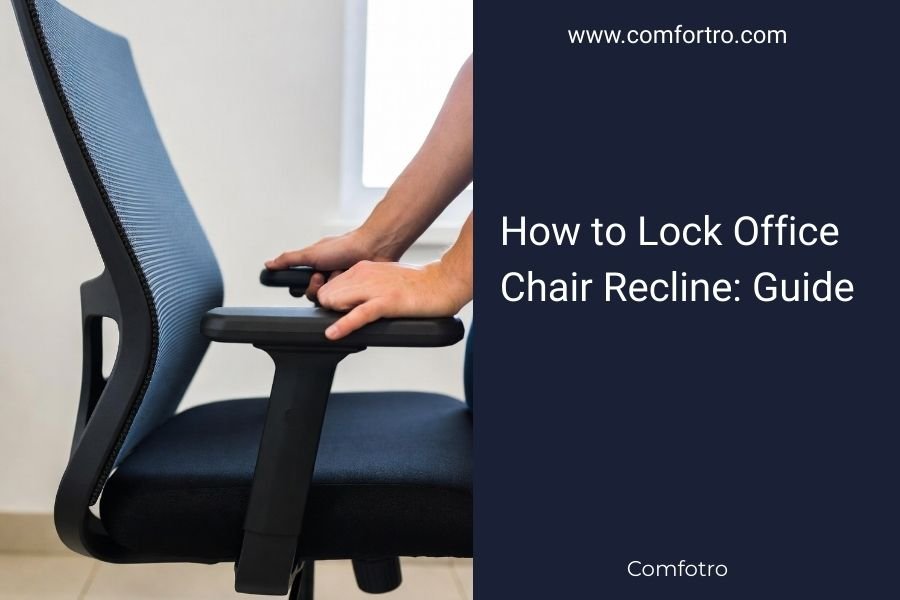
For model-specific steps, follow how to lock an office chair recline. If you're comparing options, our guide to the best reclining office chairs covers chairs designed for this use.
How do you choose a chair with recline controls?
Look for clear tilt controls, an adjustable tension setting, and a recline range that fits your use. For a model comparison, see SIHOO M18 vs M57.
Make sure the chair also fits your body and desk setup.
The SIHOO M18 has an adjustable recliner and adjustable back support. For another adjustable model, read the SIHOO Doro C300 Pro chair review.
Its maker gives a recommended height range of 5 ft 6 in to 6 ft 2 in, which may help you decide whether to check its fit.
If height or seat fit is a concern, read what to look for in an office chair for tall people or office chairs for heavy people. You can also read our SIHOO Doro C300 review when comparing another SIHOO chair.
How to recline an office chair: what should you remember?
Release the tilt lock, adjust resistance gradually, and recline only as far as you can control. Use the manual when a lever's function is unclear or the chair won't move.
Choose an upright setting if you need to reach your desk, and a supported recline if you want to lean back. If you need a chair built around reclining, compare the best reclining office chairs and check the controls that match your preferred sitting position.
Frequently asked questions
How do I open the recline on my office chair?
Sit upright, take your weight off the backrest, and look for a lever or knob beneath the seat. Pull or move the lever as the chair instructions show, then lean back gently to check whether the lock has released.
Controls differ, so consult the manual if the chair stays fixed.
Why won't my office chair recline?
A chair may be locked upright, have high recline tension, or use a tilt control that works only when you shift your weight. Check the lever and tension knob beneath the seat, then review the chair manual.
Don't force a stuck control or lean hard against a locked backrest.
Should I lock an office chair while reclining?
Lock the chair only if its mechanism lets you secure the backrest at a comfortable angle. Some chairs lock upright or at set tilt positions, while others allow free rocking.
Follow the manual and keep your feet supported so you can return upright without pushing against the desk.
What is recline tension on an office chair?
Recline tension controls how much force it takes to lean the chair back. A tension knob under the seat may let you turn resistance up or down.
Make small changes and test them while seated; the right setting lets you move smoothly without the chair tipping back too easily.