How to Match Monitor Size to Desk Width
Match monitor size to desk width by measuring the screen and its stand, then leaving room for your keyboard, mouse and other essentials. A wider monitor can fit a narrow desk, but it may leave too little usable work surface.
On this page (9 sections)
- How do monitor size and desk width fit together?
- How wide is a monitor by screen size?
- How much desk width should you leave around a monitor?
- What desk width works for one monitor?
- How wide should a desk be for two monitors?
- How does desk depth affect monitor placement?
- Can a desk converter help when the desk is too small?
- How should you measure before choosing a monitor?
- What is the right monitor size for your desk width?
Match monitor size to desk width by checking the screen's actual width, its stand footprint and the clear desk space left for your hands and accessories. Screen size is measured diagonally, so two monitors with the same diagonal measurement can have different widths.
Measure the desk's usable surface before shopping. If you’re choosing a new desk too, compare solid wood home office desks.
Leave space for the monitor base, keyboard, mouse and anything else you use during work.
How do monitor size and desk width fit together?
A monitor should fit within the desk's usable width while leaving comfortable space for your other work items. Start with the monitor's outside width and stand dimensions, not only its diagonal screen size.
A 27-inch screen, for example, is not 27 inches wide. The diagonal measurement runs from one screen corner to the opposite corner; the bezel and stand add to the space the monitor occupies.
Measure the clear width between obstacles such as walls, shelves or desk supports. For a corner layout with storage, compare corner desks with shelves.
Then measure the keyboard, mouse area and any speakers or notebooks that need to stay on the desk.
| Desk width | A practical starting point |
|---|---|
| 24–36 in | Compact monitor or laptop setup; check the stand footprint closely |
| 40–48 in | One monitor with room for basic peripherals |
| 50–60 in | One larger screen or a two-screen setup, depending on widths |
| 60 in or more | More room for wider screens, accessories or multiple displays |
These are planning ranges, not fit guarantees. Monitor bezels, stand shapes and desk layouts vary, so compare exact dimensions before you decide.
For a deeper surface that can help with viewing distance and equipment placement, see our Best Desk Depth for Multiple Monitors: Guide.
How wide is a monitor by screen size?
A monitor's width depends on its diagonal size and aspect ratio. Use the manufacturer's listed width whenever possible, since the same diagonal can come in different shapes and bezel sizes.
For a typical 16:9 screen, the display itself is about 23.5 in wide at 27 inches diagonal and about 31.3 in wide at 36 inches diagonal. The overall monitor may be wider once you include the bezel.
| Common screen size | Approximate display width at 16:9 |
|---|---|
| 24 in | 20.9 in |
| 27 in | 23.5 in |
| 32 in | 27.9 in |
| 34 in | 31.4 in |
| 36 in | 31.3 in |
The 34-inch example is typically wider because many screens at that size use an ultrawide format. Check the screen's published width and stand dimensions rather than using this table as a substitute for the specific model's measurements.
Allow extra desk width if you want the screen centered while keeping notebooks, speakers or a lamp nearby. A monitor arm can reduce the area used by a stand, but its clamp still needs a suitable desk edge and clearance.
How much desk width should you leave around a monitor?
Leave enough free width to place your keyboard and mouse comfortably and to reach items you use often. A screen that technically fits can still crowd the desk if its base occupies the only clear area.
As a starting point, measure the monitor and stand, then add the width of the keyboard and the mouse area you need. You may be able to overlap the monitor's footprint with the keyboard's depth, but avoid placing the mouse where it catches on the stand.
Keep the screen centered in front of you if that suits your setup. For a secondary display, angle it inward and make sure the arrangement does not push the main screen too far to one side.
A desk shelf can lift a monitor while keeping some items underneath, but its own width and depth count toward usable space. For built-in storage, see U-shaped desks with a hutch.
Our guide to Best Computer Desks with Monitor Shelves covers that style of setup.
What desk width works for one monitor?
A desk around 40 to 48 inches wide can be a reasonable starting point for one monitor and basic accessories. Choose the wider end if you use a large screen, separate speakers or paper materials.
A compact work surface can still work if the screen stand is narrow and you use a laptop or small keyboard. Measure the depth too, since a stand can take up substantial front-to-back space even when its width is modest.
The Winsome Regalia Secretary Desk has a listed width of 25.12 in and a fold-down writing surface. Its compact width may suit a small laptop or writing station, but measure the usable work surface before planning around a full-size monitor.
For a tight room, compare the full setup dimensions with the room layout in What Size Desk Do I Need for a Small Office?.
How wide should a desk be for two monitors?
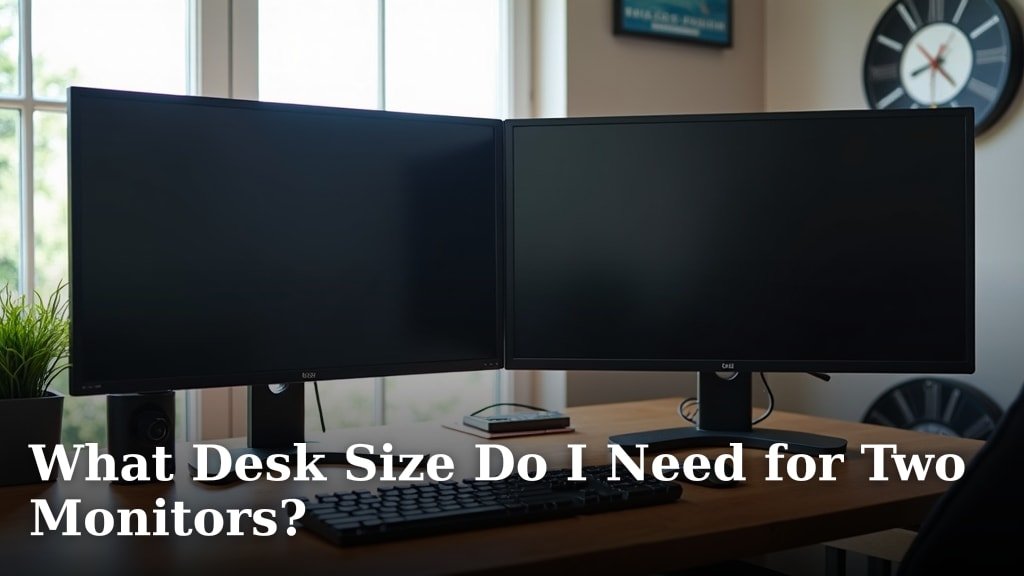
For two monitors, add their outside widths and account for any gap or inward angle between them. A desk at least 50 to 60 inches wide is a useful starting range, but the exact fit depends on the screens, stands and other equipment.
Two 27-inch 16:9 displays have about 47 inches of combined screen width before bezels and stands. Their bases may need more room, so check whether the stands can sit close together or overlap in depth.
A monitor arm can make the display arrangement more flexible, provided the desk supports the clamp. Leave room for your keyboard, mouse and any computer or notebook you keep on the surface.
For a setup-specific estimate, use What Desk Size Do I Need for Two Monitors?. If you need a minimum width target, see Minimum Desk Width for Dual Monitors Guide.
How does desk depth affect monitor placement?
Desk depth determines how far the monitor can sit from you and how much room remains in front for a keyboard and mouse. Measure front to back as carefully as width, especially when the monitor has a large base.
A deep stand can push the screen toward the front edge or leave little room for typing. If the monitor sits on a shelf, check both the shelf depth and the desk depth beneath it.
A laptop cart can offer an adjustable-height surface for a laptop or writing setup, but its top measures 21.5 in wide and 15.75 in deep. It is a separate, compact surface, so compare those dimensions with your screen and peripherals before relying on it as a full monitor desk.
Our Standard Computer Desk Dimensions: Size Guide explains common desk measurements and how to compare them with your room.
Can a desk converter help when the desk is too small?
A desk converter can raise a monitor and keyboard, but it does not create more desk width. Check the converter's footprint and the weight it supports along with the space remaining on the desk.
The VIVO Manual Height Adjustable Standing Desk Converter has a 31.5 by 15.7 in top surface and a keyboard tray. Its top supports up to 33 lb, according to VIVO's product information, so include the combined weight of the items you plan to place on it.
Measure the converter's base too, then confirm it fits your desk without covering controls, drawers or frequently used items. The riser changes the working height, not the available width.
How should you measure before choosing a monitor?
Measure the desk's clear surface and compare it with the monitor's full dimensions. Use a tape measure and mark the planned footprint so you can see how much usable space remains.
- Measure the desk's usable width between walls, supports or other obstacles.
- Measure the depth from the front edge to the back edge.
- Check the monitor's overall width, height and stand depth.
- Mark the stand footprint on the desk with paper or removable tape.
- Add your keyboard, mouse and other regular items to the layout.
- Confirm a monitor arm's clamp can attach at the planned spot, if you use one.
Also check the room behind the desk. A monitor may fit the desktop but still interfere with a wall, shelf or window ledge.
What is the right monitor size for your desk width?
Choose a monitor whose full width and stand leave room for the way you work. Pick a compact screen for a narrow desk, and consider a wider desk or arm mount when a large or dual-screen setup crowds your hands and accessories.
A U-shaped desk for a home office is one wider layout to compare.
Before buying, compare the monitor's published dimensions with your desk's usable area and the full arrangement you want. For standard measurements and more sizing context, use our Standard Computer Desk Dimensions: Size Guide.