How Deep Should a Desk Be with a Mounted Monitor?
A desk with a mounted monitor usually needs 24–30 in of depth. Start with 24 in for a compact setup, then add space if the monitor arm needs rear clearance or you sit farther from the screen.
On this page (8 sections)
- What depth should a desk be with a mounted monitor?
- How much space does a monitor arm need?
- How do you measure viewing distance and keyboard space?
- Which desk depth works with a monitor shelf?
- What if your desk is shallow?
- How does desk depth change for two monitors?
- How can you check desk fit before buying?
- What desk depth should you choose for a mounted monitor?
A desk with a mounted monitor generally needs 24–30 in of depth to make room for the screen, keyboard and a usable viewing distance. The right size depends on how far the monitor arm extends behind the desktop and where the screen lands when you adjust it.
Measure the monitor arm's clamp and the space behind your desk before choosing a desktop. A wall, window sill or cable tray can block the arm even when the desktop itself seems deep enough.
What depth should a desk be with a mounted monitor?
For most single-monitor setups, 24 in is a practical starting point, while 27–30 in gives you more room to move the screen back and place accessories. A shallow 20 in desk may work with a compact arm and screen, but leaves less space for adjustment.
The screen's position matters more than the monitor's stand, since an arm can move the display closer to or farther from you. Set the monitor so you can view it without leaning forward, then leave enough desktop for your keyboard and mouse.
| Desk depth | Typical fit |
|---|---|
| 20–23 in | Compact setup with a short arm and limited accessories |
| 24–26 in | Common single-monitor setup with keyboard and mouse |
| 27–30 in | More adjustment room or desk accessories |
| 30+ in | Larger setups, deeper equipment, or extra work surface |
These are starting ranges, not fixed ergonomic rules. The monitor size, arm shape, desk edge and your preferred seating position all affect how much depth feels usable.
For screen-width guidance, see monitor size vs desk width.
If you're planning a pair of screens, compare desk depth with width together in our Best Desk Depth for Multiple Monitors: Guide.
How much space does a monitor arm need?
A monitor arm needs enough room for its clamp or grommet mount, plus clearance for the arm to move. Check the mount's required desk thickness and opening, then make sure the clamp can reach the edge without hitting a wall or built-in lip.
Some arms extend behind the desk as they pivot. Measure from the desk edge to the nearest wall, window trim or shelf, and account for the arm's full movement instead of measuring only its folded position.
A grommet mount uses a hole through the desktop, so check whether your desk has a suitable hole or can safely accept one. Keep the mount away from a weak edge, cable opening or thin panel.
Route cables after you position the arm. Leave slack for screen movement, and make sure cables do not snag on a wall or pull the display out of place.
How do you measure viewing distance and keyboard space?
Measure from your normal seated position to the screen, then adjust the arm so the display sits at a comfortable distance. Keep the keyboard and mouse within easy reach without pushing the screen so close that you lean back or crane your neck.
A simple way to plan the depth is to mark three zones: the monitor's position, the keyboard and mouse area, and any front edge space you use for writing or resting your hands. The desktop should fit all three without forcing one into the next.
Use a temporary setup before buying a new desk. Place the monitor at the intended distance, then measure how much space remains between the screen and the front edge for your input devices.
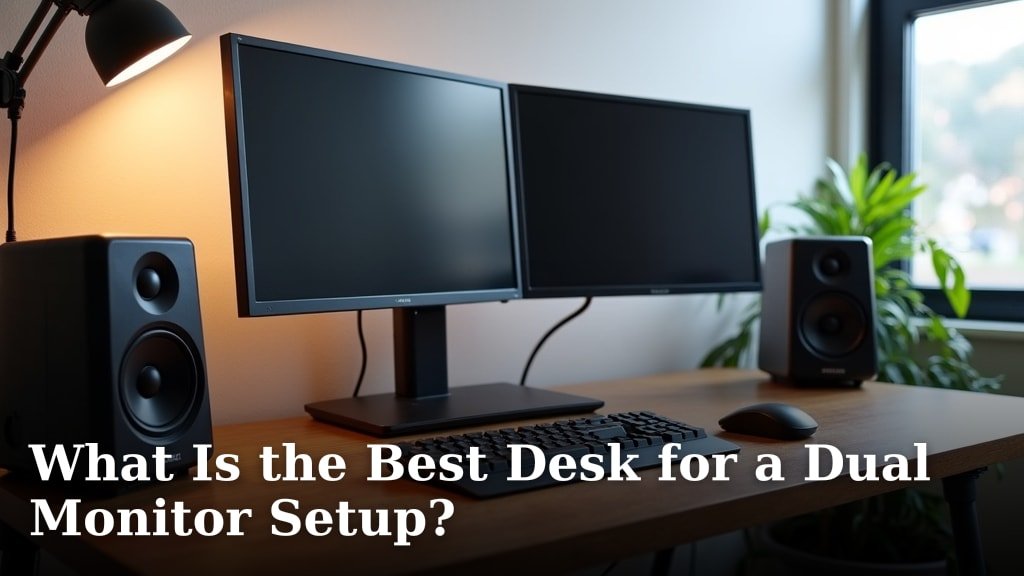
For a two-screen layout, screen placement can change the depth you need. Our guide to What Is the Best Desk for a Dual Monitor Setup? covers layout decisions for paired displays.
Which desk depth works with a monitor shelf?
A monitor shelf raises the screen and can free some surface area, but it does not always reduce the desk depth you need. For built-in storage around the work surface, compare computer desks with shelves.
Your keyboard, mouse and arm movement still need usable space, and a shelf can limit where an arm clamps.
Check the shelf's depth and position against the arm's base. If the shelf sits along the rear edge, a clamp may not fit directly behind it; a grommet mount or different arm position may be needed.
A shelf can also put a fixed screen position closer to you than an adjustable arm would. Confirm that the resulting viewing distance works with your seating position before choosing a desk around the shelf.
For shelf-based designs, see best computer desk with monitor shelf.
Is a deeper desk better for a mounted monitor?
A deeper desk helps when you need more space between the screen and the front edge, or when the arm needs room to move. Extra depth is only useful if you can still reach your keyboard comfortably and the desk fits the room.
If the monitor sits too far away, move it forward on the arm rather than reaching toward it. If the arm cannot bring it close enough, a deep desktop may make the setup harder to use.
What if your desk is shallow?
A shallow desk can still work if the monitor arm positions the screen above the rear edge and you have room for a keyboard and mouse. Measure the arm's clamp first, since a thick lip or narrow edge can make mounting difficult.
If you are choosing a new work surface too, compare solid wood desks for home offices.
A laptop cart can provide a separate surface for a compact setup. Compare more rolling laptop desks if mobility is important.
The Techni Mobili Adjustable Height Rolling Laptop Cart has a 16 in depth and height adjustment from 28.25 to 43 in, so it may suit a laptop or writing station where a full desk is not practical.
A desk converter can add a raised work surface to an existing desk, but its footprint can be substantial. The VIVO Manual Height Adjustable Standing Desk Converter has a 31.5 x 15.7 in top, so check that your current desktop can support its depth and placement.
For a small writing station with enclosed storage, the Winsome Regalia Secretary Desk has an 11.42 in depth and a fold-down table. For more fold-away work surfaces, see folding desks for home offices.
Its narrow footprint makes it a different kind of workspace from a full-depth monitor desk, so check whether your arm and screen can be arranged safely before considering it.
How does desk depth change for two monitors?
Two monitors do not always require a deeper desk, but their placement can change how much space you need. Side-by-side screens may need more width, while angled screens or a large central display can affect viewing distance and arm clearance.
Set the screens in their planned positions and check that both sit at a comfortable distance. Leave room for the keyboard and mouse in front, and make sure the monitor arms can move without striking each other or nearby walls.
See Best Computer Desk For Two Monitors for desk options made around a pair of displays. If you are also comparing horizontal space, use How Wide Should a Desk Be for Two Monitors?.
Gaming setups may use a different mix of screens, keyboard space and equipment. Our Deep vs Shallow Desk for Gaming: Which is Best? explains the trade-offs for that kind of setup.
How can you check desk fit before buying?
Measure the desktop from its front edge to the back edge, then compare that figure with the monitor arm's mount and movement path. Include rear clearance, cable space and your keyboard area in the check.
Use painter's tape to mark the proposed desk depth and screen position on the floor or wall. Sit in your normal chair and test whether you can reach the keyboard while keeping the display at a comfortable distance.
Before deciding, confirm:
- The arm clamp fits the desk edge or the desktop has a usable grommet hole.
- The arm can move without hitting a wall, shelf or window trim.
- The keyboard, mouse and any notebook fit in front of the screen.
- Cables have enough slack to move with the monitor.
- The desk depth fits the room and leaves space for your chair.
What desk depth should you choose for a mounted monitor?
Choose 24–26 in for a typical single-monitor setup, and consider 27–30 in if you need more room for arm movement, accessories or a greater screen distance. For a compact desk, verify the mount and keyboard fit before you commit.
If you are choosing a desk for multiple displays, start with the screen layout and measure both depth and width. The dual-monitor desk guide can help you compare the full setup.