What Is the Best Desk for a Dual Monitor Setup?
On this page (3 sections)
The best desk for a dual monitor setup is one that offers ample surface area and stability. You’ll want enough space to comfortably position your two monitors, keyboard, mouse, and any other accessories. Look for a desk with a Our guide to the best standing desk for two monitors can help you find a suitable option.sturdy build and a generous depth to prevent wobbling and ensure your monitors are at an optimal viewing distance.
Choosing the right desk can drastically improve your productivity and comfort. A dual monitor setup means you need more than just a basic workspace. We’ve researched options that support multiple screens without feeling cramped. Consider desks with built-in cable management to keep your setup looking neat. You might also find adjustable height options beneficial for long work sessions.
- Space is key for dual monitors.
- Look for a sturdy and deep desk.
- Cable management helps maintain order.
- Adjustable height can improve comfort.
- Consider your workflow needs.
Let’s dive into what makes a desk ideal for your dual monitor needs, and I’ll guide you through some excellent choices.
Finding the Right Desk for Your Dual Monitor Setup
You’re ready for the dual monitor upgrade, and that’s fantastic! But before you buy that sleek setup, let’s talk about the foundation: your desk. Choosing the correct desk is more than just picking furniture; it’s about creating an ergonomic and productive workspace. For a comfortable surface for your keyboard and mouse, see our guide to desk mats for dual monitors. We’ve researched what truly makes a desk ideal for supporting two screens.
Understanding Your Space Needs
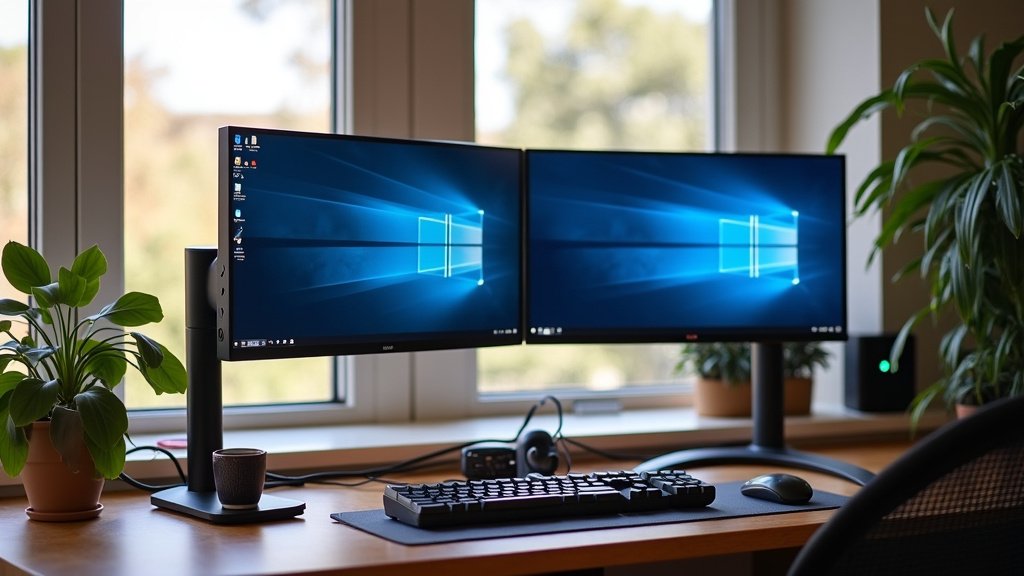
Dual monitors mean more surface area is required. Use this minimum desk width guide to plan for your screens and accessories. Think about how much room each monitor needs. You’ll also want space for your keyboard, mouse, and any other peripherals. Compare keyboard trays for dual monitors if you want a separate typing surface. Don’t forget about the depth. A desk that’s too shallow will put your monitors too close for comfortable viewing. We found that a minimum depth of 24 inches is often recommended. Some users even prefer 30 inches for extra elbow room.
Monitor Size and Placement
The size of your monitors plays a big role. Larger monitors, especially ultrawide ones, demand more horizontal space. You need enough room so the bezels (the edges of the screen) aren’t constantly in your line of sight. Experts suggest leaving enough space between monitors to avoid eye strain. This means your desk needs to accommodate this “comfort zone.”
Ergonomics and Viewing Distance
Your health and comfort matter. Positioning your monitors at the correct viewing distance is key for preventing neck and eye strain. For most people, this distance is about an arm’s length away. A desk with sufficient depth allows you to achieve this easily. It prevents you from having to lean forward constantly. Many ergonomic guidelines suggest maintaining this distance (Harvard Health Publishing).
Key Features to Look For
Beyond just size, several features can make a dual monitor desk a winner. These might seem small, but they add up to a much better experience. Let’s break them down.
Stability and Sturdiness
This is non-negotiable. A wobbly desk is incredibly distracting. When you type or move your mouse, you don’t want your monitors shaking. Look for desks made from solid materials like hardwood or sturdy metal. Thicker tabletops and robust leg construction contribute to overall stability. We found that desks with crossbars or bracing between the legs tend to be more stable.
Weight Capacity
Monitors, especially larger ones, can be surprisingly heavy. Add in a laptop, keyboard, and maybe some speakers, and you’re looking at significant weight. Always check the desk’s weight capacity. You don’t want your desk sagging or, worse, collapsing under the load. A good rule of thumb is to pick a desk that can comfortably support more weight than you think you’ll need.
Cable Management Solutions
Dual monitors mean twice the cables. See this wired vs wireless office setup guide when choosing how to connect your devices. Without a system, your workspace can quickly turn into a tangled mess. Many desks now come with built-in cable management features. This can include grommets (holes with covers), trays underneath the desk, or clips along the legs. Keeping cables organized makes your setup look cleaner and prevents them from snagging.
Adjustable Height Options
Sit-stand desks, also known as standing desks, have gained immense popularity. They allow you to switch between sitting and standing throughout the day. This can be a huge benefit for your health and energy levels. Many people find that alternating postures reduces fatigue and improves focus (National Institutes of Health). If you spend long hours at your desk, this feature is worth considering. A footrest for dual monitors can also support your seated setup.
Types of Desks Suited for Dual Monitors
Not all desks are created equal when it comes to supporting multiple screens. Here are some types that tend to work well.
Spacious Computer Desks
These are often designed with productivity in mind. They typically feature a large, flat surface area and may include built-in shelving or drawers. Look for models that explicitly state they can accommodate multiple monitors. A width of 48 inches or more is a good starting point for dual setups.
Executive Desks
Executive desks are known for their size and often luxurious finishes. They usually offer a very generous amount of surface space. Their depth is also typically greater than standard computer desks. This makes them excellent choices for users who need plenty of room for their equipment and to spread out paperwork.
L-Shaped Desks (Corner Desks)
An L-shaped desk is perfect if you have a corner space to fill or want to create distinct zones on your desk. One side can hold your monitors, while the other can be used for writing or other tasks. This layout maximizes usable space, especially in smaller rooms. You can often position your monitors on the corner to get a great viewing angle.
Standing Desks (Adjustable Height Desks)
As mentioned earlier, these desks allow you to adjust the height. They come in manual (crank) or electric models. Electric standing desks are more convenient, letting you switch positions with the touch of a button. They are an investment, but many users report significant improvements in well-being and productivity.
Desk Materials and Durability
The material of your desk affects its look, feel, and longevity. Here’s a quick rundown.
Wood (Solid Wood, Veneer, MDF)
Solid wood desks are beautiful and durable but can be expensive. Wood veneers offer the look of solid wood at a lower cost, but the surface can be less resistant to scratches. Medium-Density Fiberboard (MDF) is common in budget-friendly desks. While it can be sturdy, it’s more susceptible to moisture damage.
Metal
Metal desks, often with a laminate or wood top, are known for their strength and stability. They are a great choice for ensuring your setup won’t wobble. Many modern and industrial-style desks use metal frames.
Laminate/Melamine
These are common for office desks and offer a good balance of cost and durability. Laminate surfaces are generally scratch-resistant and easy to clean. They come in a wide variety of colors and finishes.
Making Your Final Choice: A Checklist
Ready to pick the perfect desk? Use this quick checklist to guide your decision.
- Do you have enough surface area for two monitors, keyboard, and mouse?
- Is the desk deep enough (at least 24 inches) for proper viewing distance?
- Is the desk made of sturdy materials that won’t wobble?
- Does it have a weight capacity sufficient for your setup?
- Are there any helpful cable management features?
- Would an adjustable height desk benefit your workflow?
Choosing the right desk is an important step in setting up an efficient and comfortable dual monitor workspace. By considering these factors, you’ll be well on your way to a setup you’ll love using every day.
Conclusion
You’re now equipped to choose the perfect desk for your dual monitor setup. Remember, space, stability, and thoughtful features are your guiding stars. A desk that’s too small or wobbly will hinder your workflow. Look for ample depth and sturdy construction. Consider cable management and adjustable height for ultimate comfort. Your workspace is an investment in your productivity. Take the time to find a desk that truly supports your needs, and you’ll enjoy a more comfortable and efficient setup for years to come. Start by measuring your available space and listing your must-have features.
Frequently Asked Questions
How much desk width do I really need for two monitors?
For most standard monitor sizes, a width of at least 48 inches is a good starting point. If your monitors are larger or you prefer more space between them, aim for 60 inches or more. You need enough room for both screens plus your keyboard and mouse.
Is a deep desk really necessary for dual monitors?
Yes, depth is quite important. A desk that’s at least 24 inches deep helps ensure you can position your monitors at an optimal viewing distance. This prevents eye strain and neck discomfort, allowing you to sit back comfortably.
What’s the best way to manage all the cables from two monitors?
Look for desks with built-in cable management solutions like grommets, trays, or clips. If your desk doesn’t have them, you can purchase cable management sleeves or ties separately. Keeping cables tidy makes a huge difference in appearance and functionality. Desk organizers for dual monitors can help keep smaller supplies close at hand.
Should I get a standing desk for my dual monitors?
An adjustable height (standing) desk can be a fantastic choice for dual monitor setups. It allows you to alternate between sitting and standing, which can improve posture and energy levels. Many find this improves focus during long work sessions.
How much weight can my desk hold with dual monitors?
Always check the manufacturer’s specified weight capacity. Dual monitors, especially larger ones, can be heavy. Ensure your desk can comfortably support the combined weight of your monitors, laptop, and any other accessories to prevent sagging or damage.