What Is the Best Desk Organizer for Dual Monitor Setups?
On this page (8 sections)
- Organizing Your Dual Monitor Workspace for Peak Productivity
- Why a Good Organizer Matters for Dual Monitors
- Types of Organizers Perfect for Dual Monitor Setups
- Choosing the Right Material and Style
- Key Features to Prioritize for Dual Monitors
- Example Organization Scenarios for Dual Monitors
- Conclusion
- Frequently Asked Questions
The best desk organizer for dual monitor setups is usually a wide, tiered shelf or riser that can hold both monitors and still leave space underneath for other items. These organizers help you reclaim your desk space and improve ergonomics by raising your screens to a more comfortable viewing height. You want one that’s sturdy and offers ample storage for your keyboard, mouse, and other accessories.
Managing a dual monitor setup can feel like a juggling act for your desk real estate. For drawer storage in a two-screen workspace, see our guide to dual monitor drawer organizers. Finding the right organizer means you can keep your workspace tidy and functional. It’s about creating a cleaner, more productive environment where your monitors are the stars, not the clutter. Many find that a good organizer reduces desk anxiety and improves focus.
- The best dual monitor desk organizers are wide, tiered shelves.
- They raise your monitors for better ergonomics.
- Look for sturdy designs with storage space underneath.
- These organizers help declutter your workspace.
- A tidy desk can boost your productivity and focus.
Let’s dive into the different types of desk organizers that work wonderfully for dual monitor setups and help you find the perfect fit for your needs.
Organizing Your Dual Monitor Workspace for Peak Productivity
So, you’ve got a dual monitor setup. That’s awesome for productivity! But maybe your desk is starting to look like a tangled mess. Finding the best desk organizer for dual monitors is key. You want to keep your screens looking good. You also want to reclaim your valuable desk space. Let’s find a solution that works for you.
Why a Good Organizer Matters for Dual Monitors
Dual monitors are fantastic for multitasking. You can have your main work on one screen. The other can display your research, emails, or music. But this setup can eat up a lot of desk real estate. Without proper organization, things get cluttered quickly. This clutter can be a real drag on your focus and mood.
A well-chosen organizer does more than just tidy up. It can improve your ergonomics. Raising your monitors to eye level is important. This helps prevent neck and shoulder strain. We’ve all been there, hunched over our desks. A good organizer helps you sit up straighter. It makes your workday much more comfortable.
Think of it like this: Your desk is your command center. You need easy access to everything. You don’t want to be hunting for a pen or your phone. An organized desk means your tools are right where you need them. This saves time and reduces frustration. It creates a calmer, more controlled environment.
Boosting Your Efficiency with Smart Storage
The primary goal is to get things off your main desk surface. You want more room to actually work. Many organizers achieve this by using vertical space. They lift your monitors. Then, they provide storage underneath. This is a win-win for space and ergonomics.
Studies show that a tidy workspace can lead to better concentration. When your eyes aren’t darting around at a messy desk, your brain can focus. This means less distraction and more deep work. For anyone working from home, this is a huge advantage. It helps you separate work life from home life mentally.
Types of Organizers Perfect for Dual Monitor Setups
When looking for an organizer, think about width. Dual monitors are wider than a single screen. You need something that can span both. Most standard monitor stands are too narrow. You’ll need to look for wider options.
The Wide Monitor Riser: Your Go-To Solution
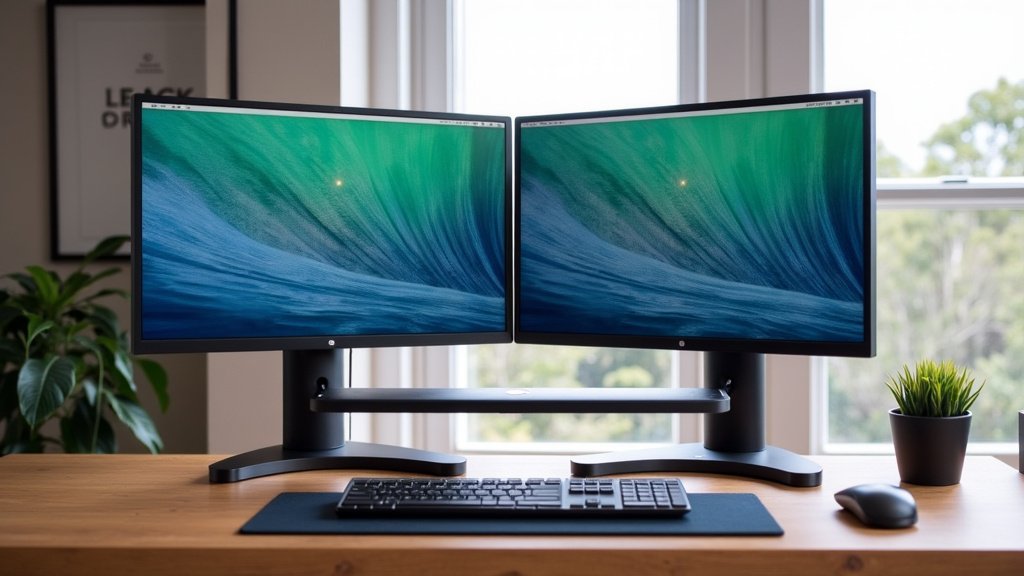
This is often the most effective solution. A wide monitor riser, often called a monitor shelf or stand, is designed to hold one or two monitors. They are usually several feet long. This gives you ample space for both screens. They can even accommodate larger curved monitors.
These risers come in various materials. Wood, metal, and acrylic are common. Wood offers a warm, natural look. Metal can feel more industrial and is very sturdy. Acrylic offers a modern, minimalist feel. Choose one that matches your desk and overall office aesthetic. Make sure it can support the weight of your monitors.
The best part is the space underneath. This is prime real estate for storage. You can slide your keyboard under there. Your mouse, a notebook, or even a small file organizer can fit. It completely clears your main desk surface. For a gaming setup with extra gear, see this gaming desk organizer guide. This creates a much larger usable workspace.
Features to Look For in a Monitor Riser
When choosing a riser, check the dimensions carefully. Measure your monitors and your desk. Ensure the riser is wide enough. Also, consider the depth. You don’t want your monitors hanging off the edge.
Sturdiness is non-negotiable. Your monitors are not light. A flimsy riser is a recipe for disaster. Look for solid construction. Reviews often mention if a riser feels wobbly. A good riser should feel very stable.
Think about extra features. Some risers have built-in drawers. Others have USB ports or cable management solutions. These can be very convenient. They add another layer of organization without taking up more space.
Tiered Shelving Units: Maximizing Vertical Space
If you have a lot of smaller items to store, tiered shelving can be a lifesaver. These are essentially multi-level shelves. They sit on your desk. They allow you to stack items vertically. This is great for keeping pens, notepads, and other desk supplies tidy.
You can use these in conjunction with a monitor riser. Place the riser on your desk to elevate the monitors. Then, place a tiered shelf unit on top of the riser. This creates even more organized storage. It helps keep everything within easy reach.
Look for units with different shelf sizes. This allows you to store various items. Adjustable shelves are also a nice bonus. They give you flexibility. Some units even come with small cubbies or compartments.
Desk Mats with Integrated Organization
While not a full organizer, a large desk mat can make a difference. Many desk mats are designed to cover a significant portion of your desk. They provide a clean, uniform surface. Some come with built-in organizers.
These might include slots for pens. Others have small pockets for cards or sticky notes. Some even have a designated spot for your phone. While this won’t lift your monitors, it keeps the immediate area around your keyboard and mouse neat. It’s a good option if you prefer a minimalist approach.
Choosing the Right Material and Style
The material of your organizer impacts its look and durability. Wood is classic and warm. It can add a cozy feel to your workspace. It’s generally very sturdy, especially solid wood. However, it can be heavier.
Metal organizers are often sleek and modern. They are typically very strong and can handle heavy items. They might feel a bit colder than wood. Metal organizers often have a powder-coated finish. This adds durability and prevents scratches.
Acrylic organizers offer a minimalist and airy look. They make your desk feel less cluttered visually. They are lightweight but can sometimes scratch more easily than wood or metal. They are a great choice if you want your setup to feel very clean and open.
Considering Ergonomics and Health Benefits
We touched on ergonomics, but it’s worth repeating. Your monitor height should align with your eye level. This means the top of your screen should be at or slightly below eye level. This posture reduces strain on your neck and eyes. Many experts recommend this for prolonged computer use (CDC).
A monitor riser is your best bet for achieving this. You want to avoid craning your neck down. This can lead to chronic pain over time. A comfortable setup means you can work longer without discomfort. It can even improve your focus because you’re not constantly shifting to find a comfortable position.
Key Features to Prioritize for Dual Monitors
Let’s break down what’s truly important. You’ve got two monitors, so width is paramount. Ensure the organizer can comfortably hold both without them being too close or hanging off the sides.
Stability is the next big one. You don’t want your expensive monitors wobbling. Look for sturdy materials and a design that distributes weight evenly. Check reviews for comments on wobbliness.
Storage capacity is also vital. How much stuff do you need to stow away? Consider if you need space for a full-sized keyboard. Do you have external hard drives or other peripherals? Make sure the space underneath is sufficient.
Here’s a quick checklist to guide your decision:
- Is it wide enough for both monitors?
- Is it sturdy and stable enough to hold the weight?
- Does it offer enough storage space underneath?
- Does it fit your desk size and aesthetic?
- Will it help you achieve better monitor height for ergonomics?
- Are there any extra features like cable management or USB ports?
Example Organization Scenarios for Dual Monitors
Imagine this: You have a 48-inch wide monitor riser. On top, you place your two 24-inch monitors side-by-side. The riser is 10 inches deep. This leaves plenty of room in front of your monitors for your arms to rest.
Underneath the riser, you slide your full-sized keyboard. Your wireless mouse sits neatly to the side. You might also have a small stack of notebooks. This instantly clears your desk surface. Your workspace looks clean and professional.
Or, consider a setup with a slightly narrower riser (still wide enough for monitors). On top of the riser, you place a small, tiered shelf unit. This unit holds your pens, sticky notes, and a stapler. Your keyboard and mouse go underneath the riser. This gives you both monitor elevation and organized small item storage.
Here’s a comparison of common organizer types for dual monitors:
| Organizer Type | Pros | Cons | Best For |
|---|---|---|---|
| Wide Monitor Riser | Excellent for ergonomics, creates large under-desk storage, declutters surface. | Can be bulky, might not offer small item organization directly. | Most dual monitor setups looking for a clean surface and better viewing height. |
| Tiered Desk Shelves | Great for organizing small items vertically, fits on desk or riser. | Doesn’t elevate monitors on its own, can add visual clutter if overfilled. | Users with many small supplies who need vertical organization. |
| Large Desk Mat with Pockets | Provides a clean surface, keeps immediate area tidy, minimalist. | Does not elevate monitors, limited storage space. | Users prioritizing a clean surface for mouse/keyboard and minimal organization needs. |
Ultimately, the best desk organizer is one that fits your specific needs. It should help you achieve a comfortable, clutter-free workspace. It should make your dual monitor setup work for you, not against you.
Conclusion
You’ve learned that the best desk organizer for dual monitors is often a wide riser or shelf. This type of organizer boosts your ergonomics by raising your screens. It also creates essential space underneath for your keyboard and other accessories. By decluttering your desk surface, you can greatly improve your focus and productivity. Prioritize width, stability, and storage that fits your workflow. Now, take a moment to measure your desk and monitors, and find that perfect organizer to transform your workspace.
Frequently Asked Questions
What if my dual monitors are very large or curved?
For larger or curved dual monitors, focus on the width and depth of the riser. Many wide monitor risers are designed to accommodate even the largest screens. Look for models that specify dimensions large enough to support your monitors without overhang. Metal or solid wood options tend to be the sturdiest for heavier displays.
Can a desk organizer help with cable management for dual monitors?
Some organizers, especially wider monitor risers, come with built-in cable management features like grommets or clips. If yours doesn’t, you can still use the space underneath the riser to bundle and hide cables. Cable ties or sleeves can keep them neat and out of sight, contributing to a cleaner look. Some risers come with built-in cable management features to keep your workspace tidy.
Is it better to have a riser or tiered shelves for dual monitors?
A wide monitor riser is generally the best starting point for dual monitors. It addresses the crucial need for screen height and decluttering the main surface. Tiered shelves are excellent additions for organizing smaller items, and can be placed on top of a riser if you need even more vertical storage.
How much weight can a typical monitor organizer for dual setups hold?
Weight capacity varies greatly by material and design. Wood and metal organizers are typically very sturdy and can hold significant weight, often 50 lbs or more. Always check the product specifications, especially if you have heavy monitors. Reviews can also offer real-world insights into an organizer’s weight-bearing capabilities.
What’s the main ergonomic benefit of using an organizer with dual monitors?
The primary ergonomic benefit is achieving the correct monitor height. Organizers, especially risers, lift your screens to eye level. This helps you maintain a neutral neck posture, reducing strain on your neck, shoulders, and eyes. It promotes a healthier and more comfortable working position for extended periods.