How Wide Should a Desk Be for Two Monitors?
On this page (8 sections)
For two monitors, you generally need a desk that’s at least If you’re considering a standing desk for two monitors, our guide can help.55 inches wide. This ensures you have enough space for both screens and room to work comfortably. A common recommendation is to aim for desks between 55 and 70 inches for a dual-monitor setup.
When choosing a desk for multiple monitors, think about more than just width. You’ll want enough depth for ergonomic placement and room for peripherals like your keyboard and mouse. Consider the size and orientation of your specific monitors, as larger or ultrawide screens will require more real estate. Getting the right desk size helps you avoid feeling cramped and keeps your workspace functional.
- Aim for at least 55 inches wide for two monitors.
- 55-70 inches is a good range for dual-monitor desks.
- Consider monitor size and orientation.
- Don’t forget desk depth for ergonomics.
- A spacious desk boosts productivity and comfort.
Ready to find the perfect fit for your dual-monitor dream setup? Let’s dive into the details and help you pick the ideal desk.
“`htmlFinding the Right Desk Width for Your Dual Monitors
So, you’re ready to level up your workspace with a dual-monitor setup! That’s exciting. But before you click “buy” on that sleek new desk, let’s talk about size. Specifically, how much room do those two screens really need? Getting this right can mean the difference between a comfortable, productive haven and a cramped, frustrating battleground for your mouse. We’ve done some digging to help you figure out the ideal desk width for your dual monitor needs.
You might be tempted to just eyeball it, but a little planning goes a long way. Research and expert advice suggest that a desk width of at least 55 inches is a solid starting point for most dual-monitor setups. This gives you enough horizontal space to position your monitors side-by-side without them feeling like they’re about to topple off the edge. Think of it like parking two cars; you need enough space for both without them bumping into each other.
Understanding Your Monitor Dimensions
The “ideal” desk width isn’t a one-size-fits-all answer. It really depends on the specific size and configuration of your monitors. Are you using two standard 24-inch displays, or are you going big with two 32-inch behemoths? The screen size, measured diagonally, is just one part of the equation.
Calculating Required Screen Width
You need to consider the actual width of each monitor, not just its diagonal screen size. This includes the bezel (the frame around the screen). We found that adding up the physical widths of your monitors is a good first step. For example, two 24-inch monitors might each be around 22 inches wide. That’s about 44 inches of screen width alone!
Aspect Ratio and Orientation Matter
Are your monitors a standard 16:9 aspect ratio, or are you using ultrawide or even vertically oriented screens? Ultrawide monitors can be significantly wider, and placing two of them side-by-side requires a much larger desk. Even if you use two standard monitors, how you position them matters. Most people place them horizontally, but some prefer one slightly behind the other, which can affect the width needed.
Horizontal vs. Stacked Setups
If you’re placing both monitors directly side-by-side, you’ll need more horizontal real estate. This is where that 55-inch minimum becomes really important. If you’re considering stacking one monitor on top of the other (using a monitor arm or stand), you’ll need less width but more vertical space. However, for typical side-by-side use, width is king.
The Impact of Monitor Arms
If you plan to use monitor arms, this can actually be a space saver in terms of desk width. Monitor arms typically clamp to the back of the desk. This means the monitors themselves don’t need to sit directly on the desk surface. You can position them closer together and at a more ergonomic angle, potentially freeing up space. Still, the monitor’s physical width is a factor, and you don’t want them crammed together.
The Importance of Desk Depth
While width gets a lot of attention, desk depth is equally crucial for a comfortable and ergonomic dual-monitor setup. You don’t want your monitors so close that you’re craning your neck, nor do you want your keyboard and mouse pushed too far back.
Ergonomic Placement Guidelines
Experts at the Cleveland Clinic often recommend placing your monitors at arm’s length. For typical setups, this means you need about 24 to 30 inches of depth. This allows you to view your screens without leaning forward. A shallower desk might force you to position your monitors too close, straining your eyes and neck. A deeper desk gives you flexibility.
Room for Peripherals and Comfort
Think about everything else that needs to live on your desk: your compact keyboard options, mouse, mousepad, maybe a microphone, speakers, or even a desk lamp. A desk that’s only wide enough for the monitors might feel incredibly cluttered. You need enough depth to comfortably place your keyboard and mouse in front of the monitors, leaving some breathing room.
Recommended Desk Widths Based on Monitor Size
Let’s break down some common scenarios to give you a clearer picture. These are general guidelines, and your mileage may vary based on specific monitor models and personal preferences.
| Monitor Size (Per Monitor) | Typical Width Needed (Minimum) | Ideal Width Range | Notes |
|---|---|---|---|
| 22-24 inches | 50 inches | 55-60 inches | Standard office or gaming monitors. |
| 27 inches | 55 inches | 60-66 inches | Common for gaming and productivity. Bezel width is key. |
| 30-32 inches | 60 inches | 66-72 inches | Larger screens require more space; consider ultrawides. |
| Ultrawide (e.g., 34-inch) | 65 inches | 70-80+ inches | Two ultrawides need substantial desk real estate. |
As you can see, the larger your monitors, the more desk width you’ll need. We found that people often underestimate the space required for larger displays, especially when accounting for the bezels and the need for some separation between screens.
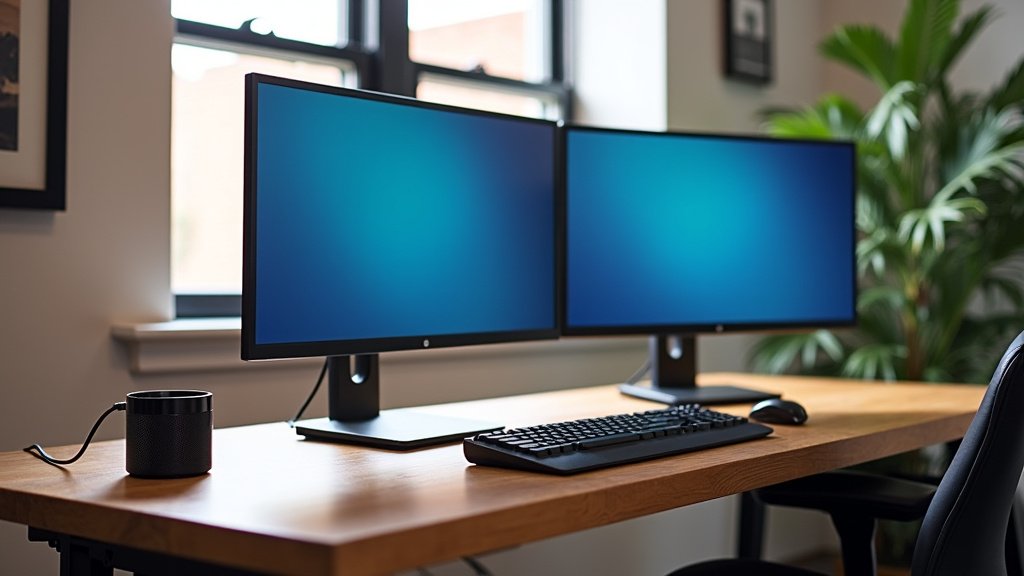
Factors Beyond Just Width and Depth
Your desk choice involves more than just its dimensions. Let’s consider a few other aspects that can influence your decision.
Leg Room and Stability
No one likes feeling cramped, especially when working for extended periods. Ensure the desk you choose offers adequate legroom underneath. You don’t want awkward support legs or drawers getting in the way. Also, consider the desk’s stability. A wobbly desk with two monitors on it is a recipe for disaster.
Material and Build Quality
The material of your desk (wood, metal, laminate) and its overall build quality affect its durability and how well it holds up to the weight of your monitors and other gear. A sturdier desk will provide a more stable platform for your setup.
Aesthetics and Style
Let’s be honest, your desk is a major part of your room’s aesthetic. While function is key, you also want a desk that looks good and fits your personal style. Thankfully, there are many options available today that blend form and function beautifully.
Checklist for Your Dual-Monitor Desk Purchase
Ready to make a decision? Here’s a quick checklist to help you ensure you’re getting the right desk:
- Measure your current monitors: Get their actual width (including bezels).
- Add up monitor widths: This is your absolute minimum screen space.
- Consider keyboard/mouse space: Add at least 12-18 inches for comfort.
- Check desk depth: Aim for 24-30 inches for ergonomics.
- Think about legroom: Ensure it’s comfortable to sit at.
- Read reviews: Look for mentions of stability and durability.
Conclusion
Choosing the right desk width for your dual monitors is about creating a comfortable and productive workspace. We found that a minimum of 55 inches wide is a great starting point, with 55 to 70 inches being ideal for most users. Remember to account for your specific monitor sizes, their orientation, and essential desk depth for ergonomics. Don’t forget legroom and stability, too. By following these tips, you can select a desk that perfectly supports your dual-monitor setup and helps you work more effectively.
Frequently Asked Questions
What if I have very large monitors, like 32-inch screens?
For larger monitors like 32-inch screens, you’ll need more desk width. We recommend at least 60 inches, with an ideal range of 66 to 72 inches. This ensures your large displays aren’t too close together and you have room to work comfortably.
Can I use a desk that’s less than 55 inches wide for two monitors?
While you might be able to fit two smaller monitors on a desk less than 55 inches, it’s not ideal for comfort or ergonomics. You’ll likely feel cramped, and your monitors may be too close for optimal viewing, potentially causing eye strain.
How much desk depth do I really need for two monitors?
You’ll want sufficient depth for proper ergonomic placement. Experts suggest aiming for 24 to 30 inches of depth. This allows you to position your monitors at arm’s length, which is comfortable for your eyes and neck.
Do monitor arms save desk width for dual monitors?
Yes, monitor arms can help! They attach to the back of your desk, freeing up surface space. This allows you to position monitors more flexibly and potentially closer together, but you still need enough width for comfortable spacing and your keyboard and mouse.
What’s the best way to measure my monitors for desk width?
Measure the actual physical width of each monitor, including its bezels. Then, add those widths together. This gives you the minimum screen space required. We also suggest adding at least 12-18 inches for your keyboard, mouse, and general comfort.



