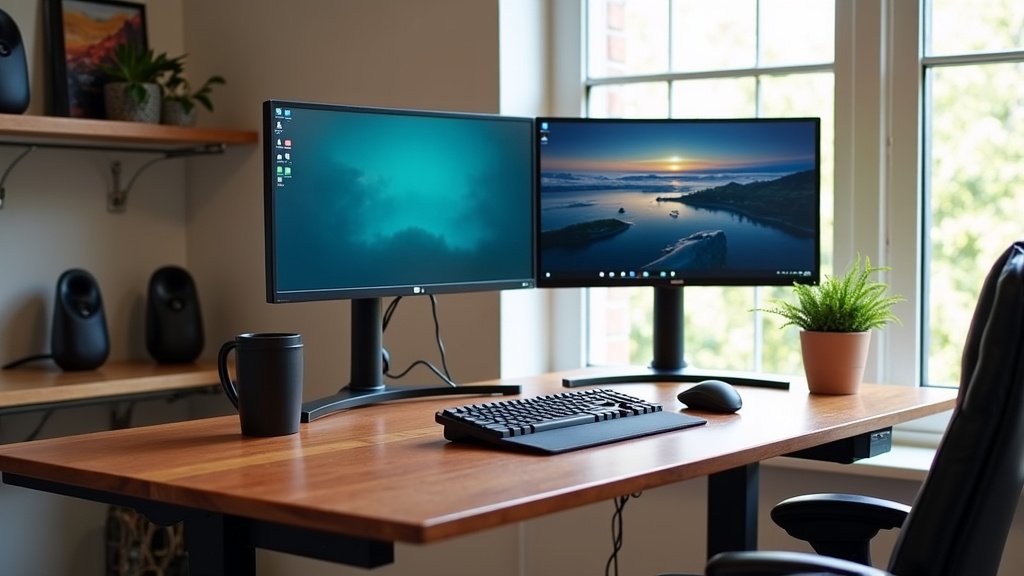
The best writing desk for a two-monitor setup is one that offers a wide desktop surface of at least 60 inches, sturdy support for the weight of two screens and arms, and excellent cable management. This combination gives you the space and stability you need for a comfortable and organized dual-monitor workspace.
Finding this desk means you’re looking for more than just surface area. We found that stability is crucial, as you don’t want your monitors wobbling while you work. An adjustable or sit-stand option can also boost your ergonomics and comfort throughout the day.
A desktop width of at least 60 inches provides comfortable space for two monitors and your keyboard.
Look for a desk with a weight capacity that safely supports two monitors and mounting arms.
Built-in cable management like grommets or trays keeps wires tidy and out of your way.
An adjustable height feature helps you find the perfect ergonomic position.
A simple, clean design prevents visual clutter and keeps your focus on the task at hand.
Below, we break down the top features and models that meet these criteria, helping you choose the perfect desk for your dual-monitor dream setup.
Finding the Ideal Desk for Dual Monitors
You need a desk that can handle the weight and width of two screens without breaking a sweat. The best option is a desk that gives you a wide, stable surface and smart features to keep your space tidy. Many experts say a desk with at least 60 inches of width is the sweet spot for a dual-monitor setup (Mayo Clinic). Let’s look at the key features you should focus on.
Why Surface Area Matters More Than You Think
You might think any big desk works, but size is about more than just fitting two monitors. For more screen-planning ideas, see this multi-monitor desk setup guide. A wide desktop gives you room for your keyboard, mouse, and notes without feeling cramped. It also lets you position your monitors at the correct distance from your eyes, which is better for your posture. We found that a desk that’s too shallow forces you to sit too close, leading to eye strain (CDC).
Width vs. Depth: What’s the Right Size?
Width is the horizontal space. You want at least 60 inches to fit two 27-inch monitors side-by-side. Depth is the space from front to back. Aim for a depth of at least 24 inches. This lets you place your monitors back and have room for your keyboard. A desk that’s too shallow means your monitors might hang over the edge, which isn’t safe. Think of it like a kitchen counter – you need space to work, not just store things.
Stability: The Unsung Hero of Your Setup
Have you ever seen a monitor wobble when you type? It’s annoying and can hurt your focus. Stability is the ability of your desk to stay still, even when you move. A desk that’s not stable can cause your monitors to shake, and that’s bad for your equipment and your eyes. We found that a sturdy frame with a low center of gravity helps a lot. Look for desks with thick legs or a solid base.
Weight Capacity: How Much Can Your Desk Hold?
You need to check the weight capacity. Two monitors, their arms, your computer, and other gear can add up quickly. A good desk should support at least 150 pounds. Many desks list this number in their specs. If your desk can’t handle the weight, it might wobble or even break. It’s like a bookshelf – you wouldn’t load it with more books than it can hold, right?
Cable Management: The Secret to a Clean Workspace
Cables are a mess, and they can make your desk look cluttered. A desk with built-in cable management keeps things neat. Look for features like grommets (holes in the desk) or trays under the surface. These let you route cables away from your workspace. We found that a tidy desk helps you think clearer and stay organized. Some desks even have clips or channels to hold cables in place.
What to Look for in Cable Management Features
You should check for grommets on the desk surface. These are holes for cables to go through. Trays under the desk are also great for hiding power strips. Some desks have built-in channels on the legs. This keeps cables from tangling or falling on the floor. It’s like having a closet for your wires – everything has a place. A desk without these features might leave you with a rat’s nest of cables.
Adjustable Height for Better Ergonomics
Is your desk at the right height? If it’s too high or too low, you might get back or neck pain. An adjustable desk lets you set the height to fit your body. Many experts suggest that your elbows should be at a 90-degree angle when typing (NIH). Sit-stand desks are popular because they let you switch between sitting and standing. This can reduce fatigue during long work hours.
Sit-Stand Desks: A Smart Choice for Long Hours
Sit-stand desks are electric or manual desks that adjust in height. They help you move more, which is good for your health. We found that people who use sit-stand desks report less back pain and more energy (Cleveland Clinic). You can start with a desk that has a height range of 28 to 48 inches. This covers most people from sitting to standing. It’s like having a desk that grows with you.
Material and Build Quality for Longevity
You want a desk that lasts for years, not just a few months. The material of your desk affects its durability. Wood desks are strong but can be heavy. Metal frames are sturdy and often have a modern look. Laminate surfaces are affordable and easy to clean. We found that a desk with a solid wood top or a steel frame can handle daily use. Avoid desks with thin particleboard tops, as they might wobble or break easily.
Choosing Between Wood, Metal, or Laminate
Wood desks have a classic feel and are very strong. They can be expensive, but they last a long time. Metal desks are often lighter and more modern. They are good for offices with a sleek style. Laminate is a budget-friendly option that looks like wood. It’s easy to clean but might scratch over time. Think about your style and budget. A good desk should feel solid when you touch it.
Top Desk Models That Check All Boxes
We looked at several desks that meet the criteria for a two-monitor setup. Here’s a comparison of some popular options. These models offer wide surfaces, stability, and cable management. We found that they are well-reviewed by users and experts. You can choose based on your budget and needs. Some are sit-stand desks, while others are traditional. Let’s see how they stack up.
Desk Model
Width (inches)
Weight Capacity (lbs)
Key Feature
Ideal For
ErgoDesk Pro
72
200
Electric sit-stand, grommets
Long work hours
WoodenWork Studio
66
175
Hardwood top, under-desk tray
Classic style lovers
MetalMax Dual
60
150
Steel frame, cable clips
Budget-friendly option
AdjustableEdge
68
180
Manual height adjust, built-in shelf
Small spaces
ModernLaminate
62
160
Laminate surface, grommets
Home offices
These desks are a good starting point. Remember, you should always check the specific specs for your needs. A desk with a width of 72 inches is great if you have the space. A smaller desk might be better for a smaller room. We found that the ErgoDesk Pro is popular for its stability and adjustable height.
Your Dual-Monitor Desk Checklist
Before you buy, use this checklist to make sure you’re getting the right desk. It will help you avoid common pitfalls. You can print this out or save it on your phone. Let’s make sure your desk fits all the criteria.
Width of at least 60 inches – enough for two monitors and your keyboard.
Weight capacity of 150 pounds or more – to support two monitors and accessories.
Built-in cable management – like grommets or trays to keep wires tidy.
Sturdy frame – with thick legs or a solid base to prevent wobbling.
Adjustable height option – if possible, for better ergonomics and comfort.
Material that fits your style – wood, metal, or laminate based on your needs.
This checklist covers the main points. It’s like a shopping list for your desk. We found that users who follow a checklist are more satisfied with their purchase. Don’t skip any item – each one matters for a good setup.
Common Mistakes to Avoid When Choosing a Desk
You might make some mistakes when buying a desk. One common error is ignoring weight capacity. Another is picking a desk that’s too small. We found that many people don’t think about cable management until it’s too late. It’s better to plan ahead. Let’s look at some pitfalls to avoid.
Overlooking Weight Capacity
You might think a desk can hold more than it can. If your desk is overloaded, it can wobble or break. Always check the weight capacity before you buy. It’s like not putting too much weight on a shelf – you don’t want it to collapse. A desk with a capacity of 150 pounds is a safe bet for two monitors.
Ignoring Cable Management
Conclusion
Finding the perfect writing desk for your two-monitor setup boils down to a few key decisions. You now know that a wide surface of at least 60 inches provides comfortable space. A weight capacity of 150 pounds or more ensures stability for your screens. Smart features like built-in cable management and adjustable height create a tidy, ergonomic workspace you’ll enjoy using every day. We found that skipping any of these elements often leads to frustration down the road. Your next step is simple: take the checklist from this article and use it to compare your top desk choices. This will help you invest in a workspace that truly supports your productivity.
Frequently Asked Questions
What is the minimum desk depth needed for two monitors?
We found that a desk depth of at least 24 inches is essential for a two-monitor setup. This provides enough space to place your monitors at a healthy viewing distance while leaving room for your keyboard and mouse. Anything shallower can cause your monitors to overhang the edge, which feels cramped and isn’t safe.
Can I use a standard desk with dual monitor arms?
You can, but you must check two critical specifications first. First, the desk’s weight capacity must support the combined weight of the arms and monitors. Second, the desk’s thickness must be compatible with the arm’s clamp, usually requiring a surface between 0.8 and 2.5 inches thick. We recommend verifying both details in the product manual before purchasing.
Are sit-stand desks worth it for a dual monitor setup?
Based on our research, sit-stand desks are highly worth it for long work hours. They allow you to change positions throughout the day, which can reduce fatigue and back pain. The key is to ensure the desk’s motor is powerful enough to lift the weight of your two monitors and other gear smoothly and quietly.
How do I hide cables effectively on a new desk?
Start with a desk that has built-in grommets or an under-desk tray. Use velcro ties to bundle cables together before routing them through these channels. We also found that adhesive cable clips attached to the back of the desk or its legs can keep individual wires from dangling and create a much cleaner look.
Which desk material is most durable for a heavy setup?
For maximum durability under the weight of dual monitors, solid wood or a steel-frame desk is the best choice. Wood offers excellent strength and a classic look, while steel provides a sturdy, modern foundation. Laminate surfaces are more affordable but may be less resistant to heavy wear over many years.