What Is the Best Small Desk for Two Monitor Setups?
On this page (3 sections)
The best small desk for two monitor setups is often an L-shaped desk or a compact straight desk with a monitor arm. You need enough surface area for your screens and peripherals without overwhelming your space. We found that a desk with at least 47-55 inches of width works well for most dual monitor configurations.
Choosing the right desk can feel tricky, especially when you need to fit two monitors. You want something functional but also space-saving, right? We understand the challenge of balancing productivity needs with limited room, so we focused on desks that offer smart solutions for a clutter-free workspace.
TL;DR
- L-shaped desks offer maximum space in a compact footprint.
- Straight desks around 50 inches wide can work with monitor arms.
- Look for desks with good cable management options.
- Consider a monitor arm to free up desk surface.
- Measure your space carefully before buying.
Let’s dive into the specifics and help you find the perfect small desk for your dual monitor setup.
Finding the Ideal Small Desk for Your Dual Monitor Setup
You’re looking for a desk that can handle two monitors without swallowing your entire room. We understand that feeling! It’s all about balancing your workspace needs with your living space realities. We found that the “ideal” desk isn’t a one-size-fits-all, but rather a blend of key features tailored to your specific setup and room dimensions.
Understanding Your Monitor Dimensions
Before you even think about desks, take a moment to measure your monitors. This sounds simple, but it’s a critical first step. You need to know their width, height, and depth, especially if they have large stands. Don’t forget to account for any bezels or gaps between them. We found that most common monitor sizes, like 24-inch or 27-inch displays, can add up quickly when placed side-by-side.
Monitor Size and Desk Width
Think about how your monitors will sit. Will they be right next to each other, or will you have a slight gap? For two 24-inch monitors, you’re looking at a combined width of roughly 43-46 inches, plus any space in between. Add a keyboard, mouse, and maybe a cup of coffee, and suddenly a 50-inch desk feels just right. For two 27-inch monitors, you’ll likely need a desk closer to 55-60 inches wide if you want to keep them on their original stands. For a specialized multi-monitor workspace, see our day trader setup guide.
Desk Styles That Work for Dual Monitors
When space is tight, certain desk styles shine. You want a design that maximizes surface area and organization without creating visual clutter. We often recommend L-shaped desks or compact straight desks, as they offer the most bang for your buck in smaller spaces. A writing desk for two monitors can also suit a compact workspace.
The L-Shaped Desk Advantage
An L-shaped corner desk is often a fantastic choice for dual monitor setups in a small area. Why? Because it uses the corner of a room, which is often underutilized. You get two distinct work surfaces without taking up a huge amount of wall space. One side can comfortably hold both monitors, while the other side is free for writing, notetaking, or even a printer. We found this design particularly good for keeping your main monitor view clear while having secondary items close at hand.
Compact Straight Desks and Monitor Arms
If an L-shaped desk doesn’t fit your room’s layout, a straight desk can still work. A standing desk for two monitors is another format to consider. The trick here is often a monitor arm or stand. A straight desk around 47-55 inches wide can accommodate two monitors, but their original stands might take up too much valuable surface. A monitor arm clamps to the back of your desk, lifting your screens and freeing up the entire desktop underneath. This allows you to use that space for your keyboard, mouse, and other essentials, making a smaller desk feel much larger.
Crucial Desk Features to Look For
Beyond the basic shape, certain features can make a world of difference for your dual monitor setup. These are the details that turn a good desk into a great one for productivity.
Depth and Stability
Don’t just think about width; depth matters too. You need enough space between you and your screens for comfortable viewing, especially with two monitors. We recommend a desk depth of at least 20-24 inches. Anything less can feel cramped. Also, ensure the desk is sturdy and stable. If you prefer a glass surface, compare glass desks for two monitors. Two monitors, even on a monitor arm, add significant weight. A wobbly desk is not only distracting but also risky for your expensive equipment.
Cable Management Solutions
With two monitors, a computer, keyboard, mouse, and possibly speakers, you’re going to have cables. Lots of them! A desk with built-in cable management features, like grommet holes, cable trays, or even a simple lip at the back, will be your best friend. We found that good cable management prevents tangled messes and makes your workspace look much cleaner and more organized. A tidy desk often leads to a tidier mind, wouldn’t you agree?
The Role of Monitor Arms
We’ve mentioned monitor arms a few times, and for good reason. They are often the secret weapon for making a small desk work with two monitors. A monitor arm attaches to your desk and suspends your monitors above the surface. This creates a floating display, giving you back all the space where your monitor stands would normally sit.
Monitor arms also offer flexibility in positioning. You can tilt, swivel, and rotate your screens independently, finding the perfect ergonomic setup. Many experts agree that proper monitor height and distance can reduce neck and eye strain (Occupational Safety and Health Administration).
Checklist for Choosing Your Small Dual Monitor Desk
Ready to start shopping? Here’s a quick checklist to guide you:
- Measure Your Space: Know the exact width and depth available in your room.
- Measure Your Monitors: Understand their combined width and individual stand footprints.
- Consider Desk Type: L-shaped for corner efficiency, or straight with a monitor arm.
- Check Desk Dimensions: Aim for 47-55 inches wide and 20-24 inches deep.
- Look for Cable Management: Grommets or trays are a big plus.
- Verify Stability: Ensure it’s sturdy enough for two monitors.
Comparing Desk Types for Two Monitors
To help you visualize, here’s a simple comparison of popular small desk types and their general suitability for dual monitor setups:
| Desk Type | Pros for Dual Monitors | Cons for Small Spaces | Best Use Case |
|---|---|---|---|
| L-Shaped Desk | Maximizes corner space, large surface area, good for separate zones. | Needs a corner, can feel bulky if too large. | Corner of a small room, home office where multi-tasking is key. |
| Straight Desk (Compact) | Simple design, fits against a wall, many styles available. | Limited depth can be an issue, monitor stands take up space. | Small rooms, best with a monitor arm to free up desktop. |
| Standing Desk (Compact) | Ergonomic benefits, promotes movement, often very sturdy. | Can be heavier, sometimes higher cost, often requires monitor arm. | Health-conscious users, anyone needing flexibility for sitting/standing. |
Final Thoughts on Your Desk Hunt
Remember, your desk is the foundation of your workspace. Investing a little time in research now will save you a lot of frustration later. You want a desk that feels comfortable, helps you stay organized, and fits seamlessly into your room. We hope this guide gives you the confidence to pick the best small desk for your dual monitor setup, making your work or play even more enjoyable.
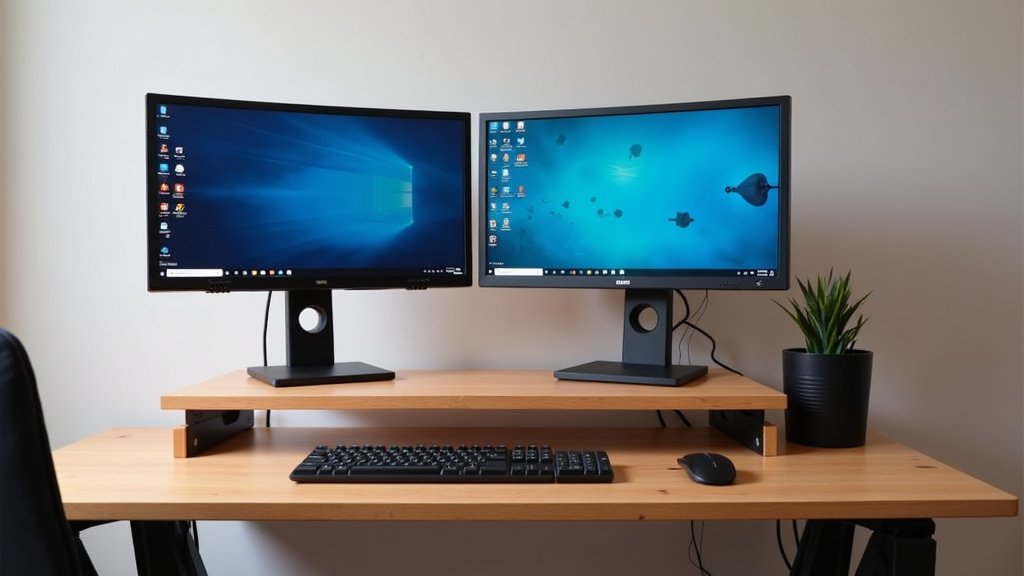
Conclusion
Finding the perfect small desk for two monitors might seem challenging, but it’s entirely achievable. We’ve seen that smart choices like L-shaped desks or compact straight desks paired with monitor arms can transform your workspace. Prioritizing desk depth, stability, and good cable management will make a huge difference in daily comfort and organization. Your goal is a functional, clutter-free setup that supports your productivity. Take these tips, measure carefully, and choose a desk that truly enhances your daily routine.
Frequently Asked Questions
How wide should a desk be for two 27-inch monitors?
For two 27-inch monitors, you’ll generally need a desk that is at least 55-60 inches wide. This provides enough space for both screens side-by-side, plus room for your keyboard, mouse, and some personal space. Using a monitor arm can help consolidate their footprint.
Can I put two monitors on a 40-inch desk?
Placing two monitors on a 40-inch desk is very challenging and generally not recommended. Even with monitor arms, you’ll likely find the setup cramped, leading to poor ergonomics and discomfort. Consider upgrading to a wider desk or opting for a single, larger ultrawide monitor instead.
Are L-shaped desks better for dual monitors in small rooms?
Yes, L-shaped desks are often excellent for dual monitor setups in smaller rooms. They utilize corner space efficiently, which is frequently underused. This design gives you ample surface area for your monitors on one wing while leaving the other side free for other tasks or equipment.
Do I really need a monitor arm for a small desk with two monitors?
While not strictly mandatory, a monitor arm is highly recommended for a small desk with two monitors. It frees up significant desktop space that monitor stands would otherwise occupy. This allows you to use a smaller desk more effectively and improve your ergonomic setup.
What is the ideal desk depth for two monitors?
For comfortable viewing with two monitors, an ideal desk depth is typically between 20-24 inches. This distance allows you to sit far enough away from your screens to prevent eye strain and provides enough room for your keyboard and mouse without feeling cramped.