What Is the Best Standing Desk for Two Monitor Setups?
On this page (3 sections)
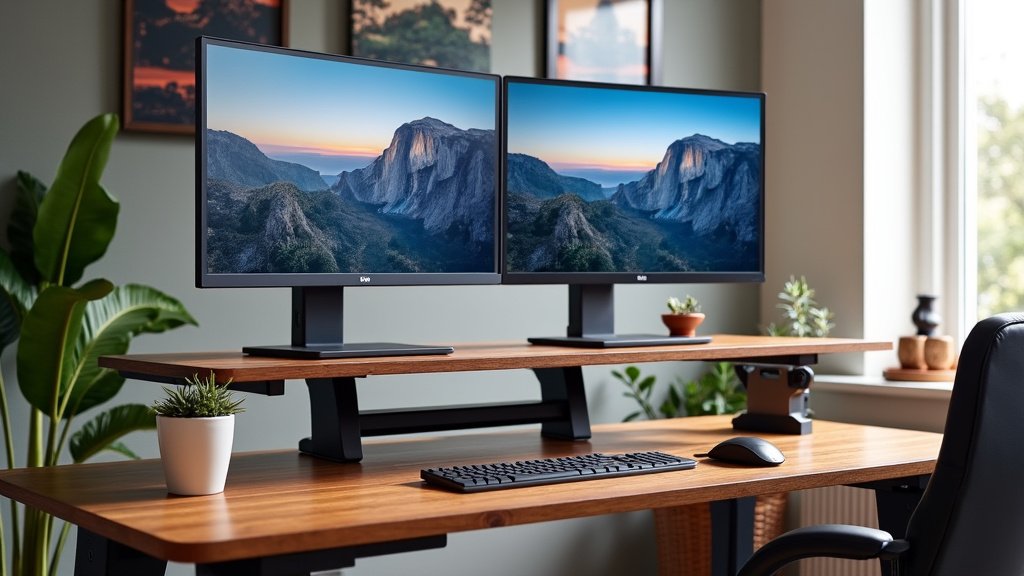
For a two-monitor setup, the best standing desk combines ample surface area, sturdy construction, and smooth height adjustment. See our guide to the electric standing desk for two monitors. We found that desks with at least a 55-inch width and a dual-motor lifting system offer the most stable and comfortable experience for multiple screens.
You need enough room for your monitors, keyboard, mouse for two computers, and any other gear. Plus, a reliable motor system prevents wobbling, which is super annoying when you are working. We looked at many options to see what makes a desk truly great for a dual-screen workstation.
- Look for desks at least 55 inches wide.
- Dual-motor systems offer better stability.
- A stable desk prevents monitor wobble.
- Consider desks with programmable height presets.
- Check the weight capacity for your gear.
Ready to find your perfect desk? Let’s walk through everything you need to know to choose the best standing desk for your two-monitor setup.
Choosing the Right Standing Desk for Dual Monitors
Finding the right standing desk for two monitors means balancing space, stability, and smooth operation. You want a desk that not only fits all your gear but also feels solid when you raise and lower it. We found that certain features truly make a difference for a comfortable and productive setup.
Let’s break down what to look for, so you can make an informed choice. It’s about creating a workspace that supports your health and workflow, right?
Surface Area: Don’t Skimp on Space
When you have two monitors, space becomes a premium. For a smaller footprint, compare small desks for two monitors. You need enough room not just for the screens but also for your keyboard, mouse, documents, and maybe a coffee mug. A cramped desk can feel chaotic and reduce your productivity.
Recommended Desk Widths for Dual Monitors
Our research shows that a desk width of at least 55 inches is ideal for most dual-monitor setups. This gives you comfortable spacing for two 24-inch or 27-inch monitors side-by-side, with room to spare.
- 55-inch width: Good for two 24-inch monitors, some accessories.
- 60-inch width: Excellent for two 27-inch monitors, plenty of space for additional items.
- 72-inch width: Great for larger monitors or if you need a very expansive workspace.
Think about how much “breathing room” you want around your equipment. Compare corner desks for two monitors as another way to arrange your screens. A little extra space can make a big difference in how organized and calm your workspace feels.
Consider Desk Depth Too
While width is often the first thought, don’t forget about desk depth. A depth of at least 24 inches is good, but 30 inches is even better. This allows you to place your monitors at an ergonomic distance from your eyes, reducing strain (American Optometric Association).
If your desk is too shallow, you might feel too close to your screens. This can lead to neck strain as you crane your head back. Nobody wants that!
Stability is Key: Avoid the Wobble
Imagine your monitors jiggling every time you type or lean on your desk. Annoying, right? Desk stability is super important, especially with the added weight and height of two monitors.
Motor System: Single vs. Dual Motors
This is where the magic happens – or doesn’t. We found that desks with dual-motor lifting systems are significantly more stable than those with a single motor. Why? Because each leg has its own motor, ensuring even lifting and better support.
- Single motor: Often less expensive, but can be slower, noisier, and more prone to wobbling, especially at higher settings.
- Dual motor: Faster, quieter, smoother, and much more stable. This is our strong recommendation for dual-monitor setups.
Think of it like lifting a heavy box with one hand versus two. Two hands offer more control and less strain. The same applies to your desk motors.
Frame Construction and Materials
A desk’s frame plays a big part in its stability. If you prefer a glass surface, compare glass desks for two monitors. Look for frames made from heavy-gauge steel. Thicker steel tubing means a sturdier desk. Also, consider the design of the legs. T-shaped legs often provide more stability than C-shaped legs.
A solid, heavy frame helps absorb vibrations and prevents rocking. You want your desk to feel like a rock, not a boat in choppy waters, especially with expensive equipment on top.
Weight Capacity: Can Your Desk Handle It?
Two monitors, a monitor arm, your computer, keyboard, mouse, and other peripherals can add up quickly. You need to make sure your standing desk can safely lift all that weight without struggling or breaking down.
Calculating Your Setup’s Weight
Before you buy, take a moment to estimate the total weight of your gear. Here’s a quick guide:
- Each monitor: 5-15 lbs (check specs)
- Dual monitor arm: 10-20 lbs
- Laptop/Desktop PC: 5-30 lbs
- Keyboard, mouse, accessories: 5-10 lbs
Most dual-monitor setups will easily exceed 50 pounds. We found that a desk with a weight capacity of 150-250 lbs is generally sufficient for most dual-monitor users. It’s always better to have more capacity than you need.
Height Adjustment Range and Speed
The whole point of a standing desk is to move between sitting and standing positions. So, the height adjustment features are quite important.
Achieving the Perfect Ergonomic Heights
Your desk needs to go low enough for comfortable sitting and high enough for comfortable standing. For sitting, your forearms should be parallel to the floor, with your feet flat on the ground. For standing, the same rule applies to your forearms (Occupational Safety and Health Administration). Our guide on finding the best desk height for standing can help you fine-tune your ergonomic setup.
Most quality standing desks offer a height range that accommodates users from about 5’0″ to 6’3″. If you’re particularly tall or short, double-check the specific minimum and maximum heights.
Speed and Noise of Adjustment
A desk that adjusts quickly and quietly is a joy to use. Who wants to wait forever for their desk to move, or listen to a grinding motor? Dual-motor desks are typically faster (around 1.5 inches per second) and much quieter (under 50 dB) than single-motor desks.
Programmable Presets: Your Workflow’s Best Friend
Once you find your perfect sitting and standing heights, you’ll want to save them. This is where programmable height presets come in handy. Most good desks offer 2-4 memory settings.
With presets, you just press a button, and the desk glides smoothly to your stored height. If you plan to stack screens, see our guide to a vertical monitor setup. No more guessing or fiddling with up/down arrows. It makes switching positions effortless and encourages more movement throughout your day.
Cable Management: Keep it Tidy
Two monitors mean more cables. Monitors, power, display cables, peripherals – it can quickly become a tangled mess. Good cable management features are a huge plus.
Look for desks that include cable trays, grommet holes, or at least provide space to attach cable management accessories. A tidy desk not only looks better but also reduces the risk of snagging wires or having them fall off the desk.
Checklist for Your Ideal Standing Desk
Here’s a quick summary of what to keep in mind as you shop for your perfect desk:
- At least 55-inch width for ample monitor space.
- Dual-motor system for superior stability and speed.
- Weight capacity of 150 lbs or more for all your gear.
- Smooth, quiet height adjustment within your ergonomic range.
- Programmable height presets for effortless transitions.
- Good cable management options to keep things neat.
Conclusion
Choosing the best standing desk for your dual monitors comes down to a few key factors. You need ample space, unwavering stability, and effortless adjustability. We found that prioritizing a 55-inch minimum width and a dual-motor system will provide the best foundation for a comfortable and productive workspace.
By considering weight capacity, height range, and programmable presets, you can create an ergonomic setup that truly supports your health. Take these considerations, measure your space, and select a desk that helps you work smarter. Your body and your workflow will thank you!
Frequently Asked Questions
Is a single motor standing desk okay for two monitors?
While possible, we don’t recommend a single motor desk for two monitors. They are often less stable and can struggle with the extra weight, leading to wobbling and slower adjustments. A dual-motor system offers much better performance and longevity.
How much weight capacity do I really need for a two-monitor setup?
We recommend a desk with a weight capacity of at least 150-250 lbs. Two monitors, a monitor arm, and other equipment add up quickly. Having extra capacity ensures your desk operates smoothly and safely without strain.
Will my monitors wobble on a standing desk?
Monitor wobble is a common concern. To minimize it, choose a desk with a robust heavy-gauge steel frame and a dual-motor lifting system. These features significantly enhance stability, especially at standing heights, keeping your monitors steady.
Do I need programmable height presets?
You don’t strictly “need” them, but presets are a huge convenience. They allow you to instantly switch between your perfect sitting and standing heights with a single button press. This encourages more frequent position changes and a more dynamic workday.
What’s the ideal depth for a standing desk with two monitors?
A depth of at least 24 inches is functional, but we found that 30 inches is ideal. This extra depth allows you to place your monitors at an ergonomic distance from your eyes. It helps reduce eye and neck strain by preventing you from sitting too close to your screens.