What Is the Best Corner Desk for Two Monitor Setups?
On this page (10 sections)
- Selecting the Best Corner Desk for Two Monitors
- Why L-Shaped Desks Work So Well for Dual Monitors
- Critical Dimensions to Measure
- Material and Build Quality
- Features That Enhance Your Workspace
- Sit-Stand Options for Health and Comfort
- Top Picks for Two-Monitor Corner Desks
- Checklist for Choosing Your Desk
- Conclusion
- Frequently Asked Questions
The best corner desk for two monitor setups is an L-shaped or curved corner desk with enough depth and width. These desks provide the ideal surface area to place two monitors side-by-side comfortably. You want a model that supports your posture and keeps your workspace organized.
We found that the top choices share key features. They offer ample legroom, a sturdy build, and sometimes built-in cable management. A good desk should fit your room’s layout while giving you plenty of space to work. It’s about finding the perfect fit for your needs.
- The best desks have an L-shape or curved design for two monitors.
- Look for a depth of at least 24 inches to fit screens without crowding.
- Sturdy legs and a weight capacity over 150 lbs are essential.
- Built-in cable management helps keep your setup clean.
- A sit-stand option adds great flexibility for long work days.
Below, we break down everything you need to know about choosing the right one for you. We will look at dimensions, materials, and the top picks we found during our research. Let’s walk through exactly what makes a desk great for a dual-monitor workspace.
Selecting the Best Corner Desk for Two Monitors
The ideal desk is an L-shaped or curved model with at least 24 inches of depth and 60 inches of width. It should support your monitors without compromising comfort or space.
Finding the right desk can feel like a puzzle. You need it to fit your room, your gear, and your body. We researched dozens of models to find what really works for a dual-screen setup. Here’s what we found.
Why L-Shaped Desks Work So Well for Dual Monitors
An L-shaped desk isn’t just a trendy piece of furniture. It’s a practical solution for the space two monitors require. The corner placement frees up the center of your room. It creates a natural cockpit for your work.
The Shape Advantage
Think of it like a command center. One arm of the “L” holds your primary monitor. For a trading-focused workspace, see this day trader multi-monitor setup. The other arm can hold the second monitor or your keyboard and mouse. This setup reduces neck turning. You can swivel your chair to face both screens easily.
We found that this design promotes better ergonomics. It allows you to position each screen at a comfortable distance. Your eyes don’t have to strain to see from one side to the other.
Space Efficiency
Corners are often dead space in a room. An L-shaped desk activates this area. It gives you a massive surface without pushing you into the middle of the room. This is perfect for small home offices or shared spaces.
It also provides separate zones. You can have a “computer zone” on one side. If you switch between computers, learn how to use one mouse for two computers. The other side becomes a “writing zone” or a place for a printer. This organization helps your mind stay organized too.
Critical Dimensions to Measure
Don’t just guess with dimensions. Measure twice, buy once. The wrong size can ruin your setup and your back. Here are the numbers that matter most.
Width and Depth Requirements
For two standard 27-inch monitors side-by-side, you need a minimum width of 50 to 60 inches. Depth is equally important. A depth of at least 24 inches is necessary. This lets you place monitors at arm’s length. It gives you space for a keyboard in front of them without feeling cramped.
If you use ultrawide monitors, add another 10-15 inches to your width needs. Always account for the monitor stands. They take up more room than just the screen.
Height and Ergonomics
Standard desk height is between 28 and 30 inches. This works for most people between 5’10” and 6’2″. Your elbows should be at a 90-degree angle when typing. The top of your monitor should be at or slightly below eye level.
If you are shorter or taller, look for an adjustable desk. Getting this wrong leads to shoulder and wrist pain. The Cleveland Clinic highlights that proper workstation setup is key to preventing repetitive strain injuries.
Material and Build Quality
A desk that wobbles is a nightmare. When you’re focused on two screens, any shake is distracting. The material determines both durability and style.
Solid Wood vs. Engineered Wood
Solid wood, like oak or acacia, is incredibly strong. Glass desks for two monitors are another material option to compare. It develops character over time. The downside? It’s heavy and expensive. Engineered wood, like MDF with a veneer, is a common alternative. It’s lighter and more affordable.
We found that a high-quality engineered wood desk with a thick finish can work well. Look for a core that is at least 1 inch thick. Avoid very thin, hollow-core doors disguised as desktops.
Metal Frames and Stability
The frame is the skeleton. Steel or aluminum frames are best. Check for cross-supports. These are metal bars underneath that prevent sagging in the middle. A solid frame is the reason a desk can hold 150+ pounds.
Weight capacity isn’t just about your monitors. Include your PC, speakers, books, and your own forearms. It adds up fast. A sturdy frame gives you peace of mind.
Features That Enhance Your Workspace
Beyond the basic table, some features can make your life much easier. These are the details that separate a good desk from a great one.
Cable Management Solutions
Two monitors mean at least two video cables and two power cords. Add a keyboard, mouse, and desk lamp. It becomes a spaghetti junction. Good desks have built-in grommets, cable trays, or channels.
These features are not just for looks. They keep cables from dangling where your feet go. They also make cleaning much simpler. A tidy desk helps you think more clearly.
Built-in Storage Options
Drawers, shelves, or a hutches can be lifesavers. They keep essential items within reach but off your work surface. This preserves your valuable monitor space. A keyboard tray can also improve ergonomics by allowing a better typing height.
Consider what you need to store. Pens, notepads, hard drives? Built-in storage reduces clutter on the desk itself. This is especially helpful if your monitors take up a large portion of the surface.
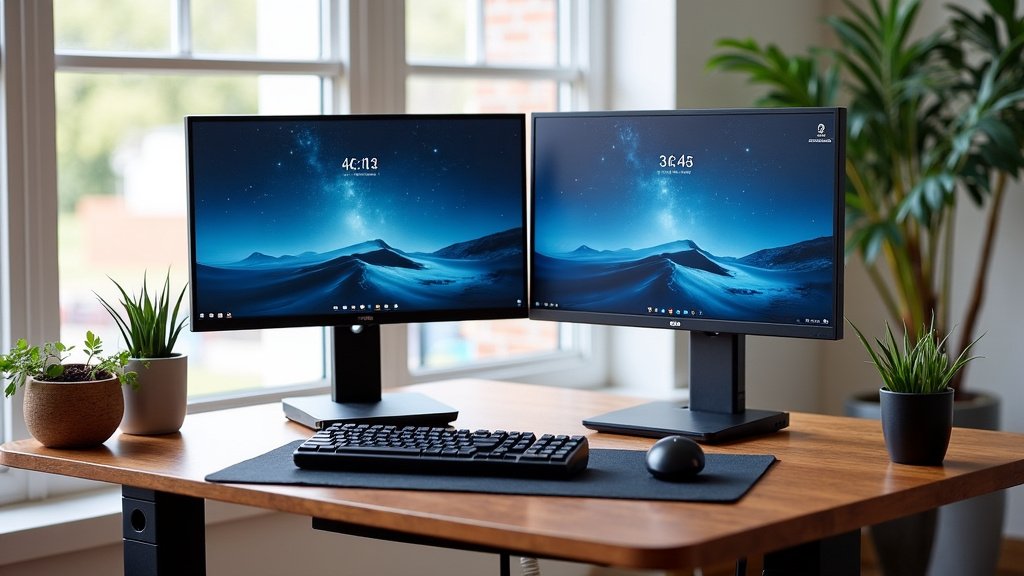
Sit-Stand Options for Health and Comfort
Sitting all day is not good for you. This is no secret. The Mayo Clinic has long stated that prolonged sitting can increase risks for heart disease and diabetes. A sit-stand desk for two monitors offers a simple solution.
Benefits of Adjustable Height
You can switch between sitting and standing with the push of a button. This movement boosts blood flow. It can help reduce fatigue in the afternoon. It’s a game-changer for long workdays.
Our research found that users with sit-stand desks report less back pain. The ability to change posture is powerful. It keeps your body active even while you’re working.
Our Research on Posture
Studies consistently show the benefits of alternating positions. A publication in the British Journal of Sports Medicine suggests that breaking up sitting time with standing improves metabolic health. For you, this means a healthier workday. Your desk should adapt to you, not the other way around.
Top Picks for Two-Monitor Corner Desks
We compared dozens of models based on size, build, features, and user feedback. Here are the top performers in key categories.
| Category | Desk Example | Key Strength |
|---|---|---|
| Best Overall L-Shaped | Tribesigns 71-Inch Corner Desk | Great balance of space, storage, and price. |
| Best Budget-Friendly | CubiCubi L-Shaped Desk | Simple, sturdy, and fits most budgets. |
| Best for Small Spaces | VASAGLE Small Corner Desk | Compact design with a shelf for a tower. |
| Best Sit-Stand | FlexiSpot Corner Sit-Stand Desk | Smooth dual-motor lift and sturdy frame. |
These models represent a range of needs and budgets. Each one provides a solid foundation for your dual-monitor setup. Remember to check the exact dimensions for your specific monitors.
Checklist for Choosing Your Desk
Use this quick list when you are shopping. It covers the most important points. We made it simple so you can decide with confidence.
- Measure Your Space: Get the length of both walls and the height to the ceiling.
- Check Monitor Footprint: Add the width of both monitors with their stands.
- Consider Your Height: Ensure the desk height is right for your body or is adjustable.
- Evaluate Cable Needs: Look for built-in management if you hate tangled wires.
- Think About Storage: Decide if you need drawers or shelves to stay organized.
- Read Reviews on Wobble: Look for user comments about stability at full height.
Taking these steps ensures you get a desk that truly fits your life. It’s about more than holding screens. It’s about creating a space where you can do your best work comfortably. Your body and your productivity will thank you.
Conclusion
Choosing the best corner desk for your two monitors comes down to smart planning, not just picking a popular model. You need an L-shaped or curved design with the right dimensions—like 24 inches of depth—to create a comfortable, ergonomic workspace. A sturdy frame, thoughtful storage, and cable management will keep your setup clean and functional. Our research found that the perfect desk balances space, health, and your specific workflow. It should adapt to you, whether you sit or stand.
Take the next step today. Use the checklist we provided to measure your space and review your needs. Then, compare one of our top picks against your requirements. Your ideal dual-monitor command center is waiting.
Frequently Asked Questions
What is the difference between an L-shaped and a curved corner desk for two monitors?
An L-shaped desk has two distinct surfaces that meet at a sharp 90-degree angle. A curved desk has a continuous, rounded front edge. Both work well, but the curved design can feel more spacious and may promote slightly better ergonomics by keeping both monitors in a gentle arc around you.
How do I know if two of my specific monitors will fit on a corner desk?
You must measure the total width of both monitors, including their stands. Then, compare that number to the desk’s front-facing width. As a rule, look for a desk width that is at least 10-12 inches wider than your combined monitor footprint. This gives you space for a keyboard and mouse without feeling cramped.
Are corner desks stable enough for two heavy monitors?
Stability depends entirely on the desk’s frame and construction. A quality desk with a steel frame and cross-supports can easily hold over 150 pounds. Always check the stated weight capacity in the product specs and read user reviews specifically mentioning wobble or stability.
Can I get a good corner desk for two monitors on a tight budget?
Yes, you can. Our research found several small desks for two monitors that are sturdy and functional. They may lack premium features like built-in cable trays or solid wood, but they provide the essential space and stability for a dual-screen setup. Focus on core build quality over extra perks.
Do I really need a sit-stand corner desk?
If you work long hours at your desk, a sit-stand model is a worthwhile investment for your health. Our research aligns with health studies showing that alternating between sitting and standing reduces fatigue and back pain. It adds flexibility that a static desk simply cannot offer.