5 Best Low Profile Keyboards (November 2026)
The best low profile keyboards include the Keychron K3 Version 2 QMK 75% Wireless for flexible everyday typing, the Razer Ornata V3 Gaming Keyboard for low-profile gaming, and the Logitech MX Keys S Wireless Keyboard Low for quiet full-size office work.
On this page (4 sections)
The best low profile keyboard for most people is the Keychron K3 Version 2, a compact 84-key mechanical keyboard with Bluetooth 5.1, USB-C wired use, Mac and Windows support, and a slim 75% layout.
Choose the Logitech MX Keys S for a full-size office board, the Razer Ornata V3 for Windows gaming, or the LOFREE Flow Lite for switch customization.
Low profile keyboards reduce the front height of the board by using shorter keycaps, lower switches, or both.
That creates a shallower typing design that can feel closer to a laptop keyboard and may leave more room below your hands.
Your fingers travel less before and after each keystroke, which can make repeated typing feel calmer over a long work session.
It does not automatically make every keyboard comfortable, since switch feel, key spacing and wrist angle still shape the whole experience.
The right pick depends on more than height.
Your layout needs, connection type, switch feel, operating system, backlight and desk space all matter.
A compact 75% board suits a small desk and keeps function keys close at hand.
A full-size board suits office work where a number pad, wider navigation cluster and familiar spacing save time.
Connection choice matters just as much as shape.
Bluetooth suits moving between a laptop, tablet and phone, while wired USB suits a fixed desk with no cable clutter concerns.
A 2.4GHz option sits between those two uses, giving wireless freedom with a dedicated receiver kept in the computer.
Switch feel should fit your habits rather than a general idea of best.
Some people want defined mechanical feedback, some want a lighter linear press, and some prefer a quiet laptop style feel for shared rooms.
Operating system support deserves an early check.
Mac and Windows users may need different legends, media keys or function shortcuts, and the wrong arrangement can slow daily work.
Backlighting is a practical detail rather than a decoration for many buyers.
A single colour light can help in a dim room, while RGB may suit a gaming desk where colour zones matter more.
Setup also changes comfort from the first day.
Centre the board in front of your monitor, keep your elbows relaxed, and start with the lowest typing angle that feels natural.
Keep the switches and keycap edges clean, charge wireless models before long sessions, and use wired mode when a battery runs low.
If you need a broader overview first, read our desktop keyboard buying guide.
For a home office built around a tight budget, pair your keyboard research with What Is the Best Budget Office Chair? and How to Set Up a Home Office on a Budget?.
Our picks at a glance
-
1
 Best for flexible everyday typing
Keychron K3 Version 2 QMK 75% Wireless
9.7/10 our score
See it on Amazon -
2

-
3
 Best for quiet full-size office work
Logitech MX Keys S Wireless Keyboard Low
9.5/10 our score
See it on Amazon
- 4
 Check it
LOFREE Flow Lite 84 Keys Low Profile
Best for hot-swap mechanical flexibility - 5
 Check it
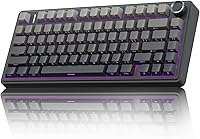
RK ROYAL KLUDGE N80 Low Profile Mechanical
Best for a display and control knob
The best low profile keyboards for different desks
The Keychron K3 is the best all-around match because it balances a compact layout, wireless flexibility and mechanical typing. The other choices are stronger for a specific desk need, such as full-size office work, gaming controls or switch changes.
Our score weighs specs, features and buyer feedback against what you're shopping for. We compared the listed layouts, height-related design details, connection options, operating system support and practical desk uses.
Keychron K3 Version 2 QMK 75% Wireless: Best for flexible everyday typing
- 84-key 75% layout
- Bluetooth 5.1 for up to 3 devices
- USB-C wired mode
- Mac and Windows keycaps
The K3 combines a compact 75% layout with low-profile mechanical switches, 3-device Bluetooth and QMK customization. Its Mac and Windows support makes it a strong shared-workspace choice.
Pros
- Compact 84-key layout
- Up to 3 Bluetooth devices
- Mac and Windows keycaps included
Cons
- Single-color white backlight
- Compact layout omits a number pad
Keychron's K3 Version 2 is the most balanced choice in this group. Its 75% layout has 84 keys, keeping function and media controls while removing the number pad found on larger office keyboards.
Bluetooth 5.1 connects with up to 3 devices, so you can move between a laptop, PC, tablet and phone without reaching for a cable. USB-C wired mode gives you another connection option when the keyboard is staying in one place.
The Mac layout includes Mac multimedia keys, and extra keycaps support both Mac and Windows setups. That makes the K3 useful for a shared desk where computers may change over time.
QMK firmware and the Keychron Launcher support key remapping, macros and shortcuts. The aluminum plate and plastic bottom frame keep the design slim, while the white backlight adds visibility without introducing multicolor lighting.
Keychron describes the low-profile switches as 40% slimmer than conventional switches. A single charge provides up to 34 hours at minimum brightness, and the board has 3 adjustable typing angles.
Choose the K3 if you want a compact low profile mechanical keyboard for mixed devices. Its 84-key layout is less suitable if you regularly enter numbers with a dedicated number pad.
The K3 is also a useful reference point when comparing best low profile keyboard switches or best Keychron low profile keyboard options.
Razer Ornata V3 Gaming Keyboard: Best for low-profile gaming
- Low-profile keys
- Mecha-membrane switches
- 10-zone RGB lighting
- Magnetic soft-touch wrist rest
The Ornata V3 pairs shorter keys with mecha-membrane switches, RGB lighting and dedicated media controls. It fits a Windows gaming desk that has room for a full-width keyboard and wrist rest.
Pros
- RGB lighting
- Dedicated backlit media keys
- Magnetic wrist rest
Cons
- Wired only
- Windows and PC focus
The Razer Ornata V3 is the gaming-focused pick for a Windows PC. Its low-profile keys and shorter switches support a lower hand position, while mecha-membrane switches combine a mechanical-style click with the feel of a conventional keyboard.
This is a wired USB keyboard, so it suits a fixed gaming station rather than a desk that needs frequent device changes. Compatibility centers on PC and Windows 10 or newer.
The Ornata V3 includes 10-zone RGB lighting and backlit dedicated media keys. Those controls let you adjust playback, volume and brightness without leaving the game or work window.
A magnetic soft-touch wrist rest snaps to the keyboard. It adds a separate support surface, but it also increases the total space needed in front of the board.
UV-coated keycaps are designed to resist fading and wear from frequent use. The black ABS plastic body and 17.46 in length give it a broader footprint than the compact mechanical options here.
Pick the Ornata V3 if RGB lighting, media controls and a wrist rest matter more than wireless use. It is less flexible for Mac users or multi-device setups.
For more gaming-specific comparisons, see best low profile keyboard for gaming. If you prefer a black finish in a different layout, review the best low profile black keyboard guide.
Logitech MX Keys S Wireless Keyboard Low: Best for quiet full-size office work
- 78-key full-size layout
- Bluetooth and Logi Bolt receiver
- Backlit keys
- Up to 3 devices
The MX Keys S uses laptop-style low-profile keys in a full-size design. Its backlighting, multi-device pairing and USB-C charging suit long office sessions across several computers.
Pros
- Full-size layout
- Pairs with up to 3 devices
- USB-C rechargeable
Cons
- Larger footprint
- Single-color backlighting
The Logitech MX Keys S is the best fit for quiet, full-size office work. Its low-profile 78-key layout uses spherically dished keys shaped for fingertips, giving it a laptop-like typing style without shrinking the board to a compact layout.
Bluetooth and the included Logi Bolt USB receiver support up to 3 devices. Logitech lists support across Windows, macOS, Linux, ChromeOS, iOS, iPadOS and Android, with basic functions available on systems outside Windows and macOS.
Smart backlighting turns on as your hands approach and adjusts to the environment. The Logi Options+ app adds lighting settings and Smart Actions for repeated tasks.
The keyboard charges through USB-C. Logitech states up to 10 days with backlighting or up to 5 months with the backlight off, so your expected lighting use affects how often you recharge it.
At 18 in long and 6 in wide, the MX Keys S needs more desk room than the 75% boards. That extra footprint gives you a full-size work surface with familiar office spacing.
Choose Logitech if you want a low profile keyboard for office writing, shortcuts and several devices. It is not the best match for buyers who want mechanical switch swaps or a compact travel board.
The MX Keys S is one option in our best Logitech low profile keyboard guide. For a lighter color, compare the best white low profile keyboard options.
LOFREE Flow Lite 84 Keys Low Profile: Best for hot-swap mechanical flexibility
- 84-key 75% layout
- Hot-swappable low-profile switches
- Bluetooth, 2.4GHz and USB-C
- Up to 80 hours with lights off
The Flow Lite adds three connection modes, swappable switches, a volume roller and a built-in kickstand. Its 40gf Specter linear switches target lighter keystrokes in a compact mechanical format.
Pros
- Three connection modes
- Hot-swappable switches
- Volume roller and kickstand
Cons
- Windows and Mac modes use function shortcuts
- Single-color backlighting
The LOFREE Flow Lite is the strongest choice for buyers who want a compact low profile mechanical keyboard with more control over switches and connections. Its 84-key 75% layout keeps a compact shape while offering Bluetooth, 2.4GHz wireless and USB-C wired modes.
The Specter linear switches use a 40gf operating force, which LOFREE positions as a lighter typing feel. The switches are hot-swappable, so this model is more adaptable for people who may want to change the switch feel later.
PBT double-shot keycaps combine a matte texture with translucent sections for the backlight. A gasket design adds a cushioned structure, while the ABS body gives the board a textured surface.
A built-in kickstand changes the angle without requiring a separate accessory. The volume roller adds quick control at the edge of the board, and the Lofree Key Mapper supports key customization for wired and 2.4GHz use.
The built-in 2000mAh battery provides up to 80 hours with all lights off. LOFREE states that charging to 100% takes about 3 hours through USB-C.
Choose the Flow Lite if you want hot-swap flexibility and 3 connection modes in a compact board. Its function shortcuts for Windows and Mac modes may take more setup than a standard full-size office keyboard.
If a pastel finish is your priority, compare it with the best low profile pink keyboard guide. For quiet typing choices, see best silent low profile keyboard.
RK ROYAL KLUDGE N80 Low Profile Mechanical: Best for a display and control knob
- 80-key low-profile layout
- Bluetooth, 2.4GHz and USB-C
- Smart display screen
- Volume and control knob
The N80 combines low-profile switches with a small display, control knob and three connection modes. Its sound-absorbing layers suit buyers who want a firmer mechanical feel with reduced hollow noise.
Pros
- Three connection modes
- Smart display
- Control knob and RGB lighting
Cons
- Windows-focused compatibility
- QWERTZ layout shown in the product data
The RK ROYAL KLUDGE N80 is the most feature-heavy pick for buyers who want a low profile mechanical keyboard with a display and physical controls. Its 80-key layout sits between a compact 75% board and a broader desktop design.
The small display can show custom GIFs, dates, connection modes, Windows or Mac layouts and battery status. The control knob adjusts volume, connection modes, backlight brightness or speed, and RGB modes or colors.
Bluetooth 5.0, 2.4GHz wireless and USB-C wired mode give you 3 connection options. The board is Windows-focused, and its product data identifies the layout as QWERTZ, so check that arrangement carefully before ordering.
RK's low-profile switches use a shorter actuation distance than traditional-height switches. A top-mounted structure gives keystrokes a firmer feel, while dual sound-absorbing foam layers and a silicone bottom pad target hollow noise.
The N80 includes a dust cover, keycap puller, USB cable and 4 replacement switches. Its 13 x 5.31 x 0.75 in size is slim from front to back, but the 2.3 lb weight makes it more of a permanent desk board than a light travel keyboard.
Choose the N80 if the display and knob improve your workflow. Skip it if you need a familiar QWERTY layout, Mac-first support or the smallest possible footprint.
For a wired setup, compare best low profile wired keyboard. If you need a number pad, our best low profile keyboard full size guide focuses on larger layouts.
How to choose the right low profile keyboard
The best low profile keyboard depends first on your layout. Compact 75% boards such as the Keychron K3 and LOFREE Flow Lite save desk space while keeping function keys, but they do not include a dedicated number pad.
A full-size or near-full-size board suits spreadsheets, data entry and office shortcuts. The Logitech MX Keys S gives you a larger working layout, while the Razer Ornata V3 uses a broad gaming format with dedicated media controls.
Should you choose mechanical or laptop-style low profile keys?
Choose low profile mechanical switches if you want more defined switch feedback or the option to customize the typing feel. The Keychron, LOFREE and RK models use mechanical designs, while the Logitech focuses on a fluid laptop-style feel and the Razer uses mecha-membrane switches.
Switch force also changes the feel. LOFREE's Specter linear switches use a stated 40gf operating force, while the other products use different switch designs and do not provide the same force detail in the supplied product information.
Which connection type fits your desk?
Bluetooth is useful when you move between devices or want fewer cables. The Keychron and Logitech each support up to 3 devices, while the LOFREE and RK models add 2.4GHz wireless for a dedicated wireless connection.
Wired USB remains simple for a fixed desktop. The Razer Ornata V3 is wired USB only, while the other four choices combine wired and wireless modes in different ways.
Do you need backlighting?
Backlighting helps when your room is dim, but the type varies. The Razer offers 10-zone RGB, the RK offers RGB, and the Keychron, Logitech and LOFREE use single-color backlighting.
If lighting is the main reason you're shopping, compare best low profile keyboard with backlight. Buyers who prefer louder visual feedback may also want best low profile clicky keyboard.
How should you set up a low profile keyboard?
Start with the board centered in front of your monitor and keep the front edge close enough that your shoulders can stay relaxed. Use the lowest comfortable typing angle first, then adjust the kickstand or feet only if the neutral position feels awkward.
Keep the keyboard flat and clean around the switches. For wireless boards, charge before long work sessions, and use wired mode if a battery is low or a connection becomes unreliable.
Do not assume every low profile board uses the same key arrangement. Check the operating system support, key layout and connection method before ordering, especially if you switch between Mac and Windows devices.
More guides on this topic
- Best Low-Profile 75% Keyboards
Best low profile keyboard: the final choice
The Keychron K3 Version 2 is the best low profile keyboard for most buyers because it combines an 84-key 75% layout, 3-device Bluetooth, USB-C wired use, Mac and Windows support, and low-profile mechanical switches.
That mix covers everyday typing, device switching and mixed operating systems without forcing a move to a larger board.
Pick the Logitech MX Keys S for quiet full-size office work, the Razer Ornata V3 for a wired Windows gaming desk, the LOFREE Flow Lite for hot-swappable switches, and the RK N80 for a display and control knob.
Each option answers a different desk need, so the final choice should start with how you work rather than chasing the longest feature list.
For office writing across several computers, the Logitech layout and multi-device pairing keep familiar full-size spacing within reach.
For gaming on a fixed Windows PC, the Razer brings low-profile keys, RGB lighting, media controls and a magnetic wrist rest into one wired setup.
For mechanical flexibility, the LOFREE board adds Bluetooth, 2.4GHz and USB-C connections, plus swappable switches for changing the typing feel later.
For visual feedback and quick adjustments, the RK N80 pairs its small display with a control knob for volume, lighting and connection settings.
Honest trade-offs remain in every pick.
A compact layout saves desk space but leaves out a dedicated number pad, while a full-size board gives more keys at the cost of a larger footprint.
Wired only can be simple and dependable at a desktop, yet it ties the keyboard to one place and one cable.
Wireless models free the desk, but they need charging, and battery life drops when backlighting stays on for long periods.
Single-colour lighting is easy to live with in a work room, while RGB suits a gaming setup where light matters to the overall look.
Before ordering, check the layout arrangement, operating system support and connection method against your own devices.
Pay close attention if you switch between Mac and Windows, enter numbers often, or plan to move the board between rooms.
Set the board at a low comfortable angle, keep your wrists straight, and give your fingers a few days to adjust to shorter travel.
A short daily check also helps, since cleaning around the keys and charging before a long session prevents small annoyances from building up.
If you want a more focused comparison, start with the best low profile keyboard for gaming or best low profile wireless keyboard guides.
Our top 3 picks at a glance
-
1
Best for flexible everyday typing
Keychron K3 Version 2 QMK 75% Wireless
9.7/10 our score
See it on Amazon -
2
-
3
Best for quiet full-size office work
Logitech MX Keys S Wireless Keyboard Low
9.5/10 our score
See it on Amazon
Frequently asked questions
What is the best low profile keyboard for most people?
The Keychron K3 Version 2 is the strongest general pick here because it combines an 84-key 75% layout, Bluetooth 5.1 for up to 3 devices, USB-C wired use, Mac and Windows support, and low-profile mechanical switches. Choose Logitech instead if you need a full-size office layout.
Are low profile keyboards better for typing?
Low profile keyboards use shorter keycaps, switches or both, so your fingers travel less before and after each keystroke. That can suit laptop-style typing and a lower front edge.
The best choice still depends on switch feel, layout, wrist position and whether you prefer mechanical or non-mechanical feedback.
What is the difference between a low profile and standard mechanical keyboard?
A low profile mechanical keyboard has shorter switches, keycaps or both, which reduces front height and key travel. Standard mechanical designs usually provide taller keys and a deeper feel.
Compare the mechanical keyboard vs low profile guide if switch height is your main decision.
Are low profile keyboards good for gaming?
Yes. Shorter actuation paths can feel quick during play, while wired or 2.4GHz connections can suit fast input.
The Razer Ornata V3 focuses on Windows gaming with low-profile keys, mecha-membrane switches, RGB lighting and a wrist rest.
See the best low profile keyboard for gaming picks.
Which low profile keyboard is best for wireless use?
The Keychron K3, Logitech MX Keys S and LOFREE Flow Lite all support wireless use, but they target different buyers. Keychron supports up to 3 Bluetooth devices, Logitech adds Bluetooth and a Logi Bolt receiver, and LOFREE adds Bluetooth plus 2.4GHz.
Compare the best low profile wireless keyboard guide.