Can a Portable Document Scanner Connect by Bluetooth?
Some portable document scanners can connect by Bluetooth, but many use Wi-Fi, USB, or a memory card instead. Check the scanner's connection options and your device's operating system before you buy.
On this page (9 sections)
- How does a Bluetooth portable document scanner work?
- What connection choices do portable scanners use?
- What should you check before buying?
- Are camera-style scanners a Bluetooth option?
- What products can support a document workflow?
- How do you set up a wireless scanning workflow?
- How can you improve the wireless connection?
- Is a portable scanner right for a portable office?
- What is the simple buying rule?
A Bluetooth portable document scanner may connect directly to a phone, tablet, or computer, but Bluetooth is not the standard connection on every portable model. Many scanners use Wi-Fi, USB, or a memory card, so check the exact connection method before you plan a wireless document workflow.
Bluetooth is useful for short-range transfers and mobile work. It may reduce the need for a cable, but the scanner still needs compatible software, an app, or a file-transfer method that works with your device.
How does a Bluetooth portable document scanner work?
A Bluetooth portable document scanner pairs with another device over a short-range wireless connection. After pairing, the scanner may send scanned files to an app or computer program, depending on the model.
Bluetooth does not automatically mean the scanner can scan directly into every phone or laptop. The scanner, app, and operating system must support the same workflow.
The Bluetooth SIG overview of Bluetooth technology explains that Bluetooth is designed for short-range wireless communication. That makes it practical for a scanner used close to your phone or computer, but less useful when you need network-wide access.
What connection choices do portable scanners use?
Portable document scanners commonly use USB, Wi-Fi, Bluetooth, removable storage, or a combination of these options. USB is often the simplest choice for a single computer, while Wi-Fi can suit a phone, tablet, or several devices on a home network.
Some scanners save files to internal or removable storage first. This can work without a live wireless connection, but moving the files later may require a card reader, cable, or compatible mobile device.
If you want a broader overview of scanner types, compare our guide to the best portable document scanners. It can help you separate feed scanners, handheld scanners, and camera-style models before focusing on Bluetooth.
Is Bluetooth better than USB for a scanner?
Bluetooth is more convenient for short-range wireless work, while USB is usually simpler and more predictable at one desk. USB also avoids pairing steps and can be easier when you scan to a computer that already has the required software.
Choose Bluetooth when you want fewer cables and your scanner's app supports your phone or tablet. Choose USB when you want a direct computer connection and do not need to move the scanner between devices.
Bluetooth can also depend on battery power for the scanner or phone. A wired connection may be preferable during a long scanning session.
What should you check before buying?
Check the scanner's stated connection technology first. Look for the words Bluetooth, Wi-Fi, USB, mobile app, wireless scanning, or memory card support, then confirm which devices and operating systems are supported.
Also check how the files move after scanning. A scanner may pair with a phone but still require a specific app, while another may save documents to removable storage instead.
The best wireless portable document scanners are worth comparing if you want cable-free scanning but are not committed to Bluetooth. Wi-Fi may provide a better fit when you want to scan from more than one device.
Consider these questions:
- Do you scan to a phone, tablet, laptop, or desktop?
- Do you need searchable PDF files, image files, or both?
- Will you scan one page at a time or several pages in a session?
- Do you need a battery-powered scanner for travel?
- Can you install the scanner's app on your device?
- Will you work outside your home network?
These questions matter because the best connection is the one that matches the complete workflow, not just the wireless label.
Are camera-style scanners a Bluetooth option?
Camera-style scanners use a camera to capture pages from above rather than pulling each page through a feed. Their software may send images through USB, Wi-Fi, or another wireless method, but Bluetooth support varies by model.
A camera scanner can suit books, receipts, or fragile pages that should not pass through rollers. For a stationary option for photos and documents, see flatbed scanners for photos and documents.
It may need a stable surface and enough room above the document.
Read our guide to portable document camera scanners if you scan bound pages, forms, or items that do not feed easily. Focus on the connection and file workflow as well as the camera arrangement.
What products can support a document workflow?
A scanner handles capture, but a home office may also need printing and secure document disposal. These products solve nearby tasks without changing the connection limits of the scanner.
The Brother model is an all-in-one black-and-white laser machine with print, copy, scan, and fax functions. It uses Wi-Fi, includes automatic duplex printing, supports laptops, PCs, and smartphones, and has a manual feed slot for papers such as card stock and envelopes.
Its stated dimensions are 15.7 in deep, 16.1 in wide, and 12.5 in high, with a weight of 26 lb. It is a desktop machine rather than a pocket scanner, so measure your work area before choosing it for a shared office.
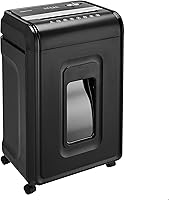
The Fellowes Powershred 99Ci 18-Sheet 100% Jam-Proof Heavy is a corded electric crosscut shredder for home or office use. If paper gets stuck, follow our paper shredder jam guide.
It handles up to 18 sheets per pass and can shred staples, credit cards, paper clips, CDs/DVDs, and junk mail.
It runs for up to 30 minutes before cooling and produces 397 cross-cut particles from a sheet. The machine measures 17.31 in deep, 11.44 in wide, and 25.19 in high, so it needs more floor space than a portable scanner.
The shredder's SafeSense feature is designed to stop shredding when hands touch the paper opening. Keep the opening clear, follow normal electrical safety practices, and empty the bin when its LED indicator shows that it is full.
How do you set up a wireless scanning workflow?
Pair the scanner close to the receiving device, install the required app, and scan a test page before handling important documents. Keep the scanner and phone or computer within the connection range recommended for that model.
Use a clear file naming system from the start. For example, you might use a date, document type, and short description so tax forms, receipts, and signed papers are easier to find later.
If Bluetooth pairing fails, check whether another device is already connected. Then confirm that Bluetooth is enabled, the scanner has enough power, the app has permission to access files, and the scanner is set to the correct wireless mode.
If the scanner uses Wi-Fi, check whether it needs your home network or creates its own direct connection. A direct connection may work away from home, while a network connection may be easier for several devices.
How can you improve the wireless connection?
Keep the scanner and receiving device nearby with as few obstacles as possible. Metal surfaces, crowded wireless areas, and distance can affect connection stability.
For Bluetooth-specific placement ideas, see Bluetooth dongle range and signal tips. Those suggestions may help with a computer setup, but they cannot replace a scanner's missing Bluetooth support.
Avoid assuming that a Bluetooth dongle will add scanning capability to a USB-only scanner. A dongle may provide Bluetooth to a computer, but the scanner still needs compatible Bluetooth hardware and software.
Is a portable scanner right for a portable office?
A portable scanner suits a mobile office when you scan receipts, forms, or short documents away from a full desk. A compact scanner paired with a phone or laptop can reduce the equipment you carry.
A Portable Home Office Kit: Work From Anywhere can help you think through the rest of the setup, including how you will power, store, and transfer files while traveling.
Choose a handheld model when you need small size and occasional page capture. Our guide to portable handheld document scanners covers that form factor and its trade-offs.
What is the simple buying rule?
Choose Bluetooth only when the scanner, app, and receiving device all support the same wireless workflow. If you want easier computer setup, USB may be enough, while Wi-Fi can be better for several devices or mobile scanning.
Pick a Bluetooth portable document scanner for short-range phone or tablet work after confirming the app and operating system. Pick a Wi-Fi model for broader wireless use, or a USB model when your documents stay at one desk.
Frequently asked questions
Can a portable document scanner connect to Bluetooth?
Some portable document scanners support Bluetooth, but many rely on Wi-Fi, USB, or a memory card. Check the scanner's stated connection technology, app support, and operating-system compatibility before buying.
A Bluetooth receiver or dongle cannot automatically add scanning support if the scanner's hardware and software do not support it.
Is Bluetooth better than Wi-Fi for scanning documents?
Bluetooth can be convenient for short-range scans to a phone or tablet, while Wi-Fi may offer broader device support and easier network sharing. The better choice depends on your workflow.
Check whether the scanner saves files through an app, sends them directly to your device, or uses a computer connection.
Can I scan from a portable scanner to my phone?
You can scan to a phone when the scanner supports a compatible mobile app, Wi-Fi connection, Bluetooth workflow, or direct wireless feature. Confirm support for your phone's operating system before buying.
If the scanner saves to a memory card, you may need a separate way to move files to the phone.
Do portable document scanners need Wi-Fi?
No, portable document scanners do not always need Wi-Fi. Some use USB, Bluetooth, or removable storage instead.
Wi-Fi is useful when you want to scan to more than one device or use a mobile app, but a wired scanner can be simpler when you work at one desk.