Does a Monitor Riser Help with Neck Pain?
On this page (6 sections)
Yes, a monitor riser can absolutely help with neck pain. By raising your screen to eye level, it corrects your posture and reduces strain on your neck and shoulders. This simple adjustment can make a big difference in your comfort.
Many people experience neck pain from hunching over their computers. A monitor riser helps you sit up straighter, which is key for preventing that ache. It’s a smart ergonomic solution that many find incredibly effective.
- Monitor risers lift screens to eye level.
- This improves posture and reduces neck strain.
- It’s a simple way to prevent computer-related aches.
- Many users report significant relief.
- It’s a worthwhile ergonomic investment.
Let’s walk through how a monitor riser can save your neck and make your workday much more comfortable.
You’re here because you’re likely experiencing that familiar ache in your neck after a long day at your computer. It’s a common problem, and you’re probably wondering if something as simple as a monitor riser can actually make a difference. The good news is, yes, it can! Let’s dive into how this simple office accessory can be a real game-changer for your comfort.
Understanding Monitor Risers and Neck Pain
A monitor riser’s main job is to lift your computer screen. It positions your monitor higher on your desk. This seemingly small adjustment can have a big impact on your body mechanics. Many people slouch when their monitor is too low. This causes your neck to crane forward. Over time, this posture leads to muscle strain and pain.
How Poor Monitor Height Contributes to Neck Discomfort
Think about it: when your monitor is too low, your head naturally tilts forward. Your neck muscles then have to work overtime to support your head. This is especially true if you spend hours looking down. It’s like holding a bowling ball for an extended period. Your muscles get tired and sore. This posture can also affect your shoulders and upper back.
Many studies on workplace ergonomics highlight the importance of monitor placement. Guidelines from organizations like the Occupational Safety and Health Administration (OSHA) stress that your screen should be at or slightly below eye level. When your monitor is too low, you’re essentially fighting against good posture all day. This constant strain can lead to chronic neck pain, headaches, and even reduced productivity.
The Science Behind Correct Posture and Neck Strain
When your monitor is at the right height, your head naturally rests in a neutral position. Your spine stays aligned. Your neck muscles can relax. This reduces the stress on your cervical spine. A neutral posture also allows for better blood flow. It ensures your muscles and nerves aren’t compressed.
Experts in physical therapy often point out that poor posture is a leading cause of musculoskeletal pain. The neck is particularly vulnerable because it supports a significant amount of weight (your head is about as heavy as a bowling ball). By correcting your monitor height, you’re taking direct pressure off these sensitive areas. This helps prevent common issues like text neck, also known as tech neck.
How a Monitor Riser Solves the Problem
A monitor riser is a straightforward solution. It’s a stand that sits under your monitor, giving it extra height. You can adjust the height of some risers. Others are fixed. The goal is always to get your screen to a comfortable viewing position. This means the top of your screen should be at or just below your eye level.
Achieving Eye-Level Viewing
When your monitor is at eye level, you don’t have to bend your neck down. You can look straight ahead. This keeps your head balanced over your shoulders. It’s a natural alignment that your body prefers. Imagine reading a book held at chest level versus one held at eye level. Which one feels more natural and causes less strain on your neck?
The distance from your eyes to the screen also matters. Generally, your monitor should be about an arm’s length away. A riser helps you achieve this ideal distance while also getting the height right. This dual benefit contributes to a more comfortable and healthy workspace. Many people find that this simple change is enough to noticeable relief almost immediately.
Benefits Beyond Just Neck Pain Relief
While reducing neck pain is a primary goal, monitor risers offer other advantages. They can improve your overall posture. They might also reduce eye strain because you’re not looking down as much. Some risers even offer extra storage space. You can put your keyboard or other desk items underneath. This helps keep your workspace tidy.
A clutter-free desk can lead to a clearer mind. When your workspace is organized, you can focus better on your tasks. This can boost your productivity. Plus, a more organized setup often feels less stressful. It’s a small change that can have a ripple effect on your entire workday. We often overlook how our physical environment affects our mental state.
Types of Monitor Risers and Features to Consider
There are many types of monitor risers available. You can find simple wooden or plastic stands. There are also metal ones with adjustable heights. Some have built-in drawers or cable management features. Consider what will work best for your setup. Think about the weight of your monitor too.
Materials and Design Options
Monitor risers come in various materials like wood, acrylic, metal, and plastic. Wood risers often offer a warm, natural aesthetic. Acrylic risers can look sleek and modern. Metal risers are typically very durable. Some risers have a minimalist design, while others are more decorative. The best choice depends on your personal style and desk setup.
Many risers are designed to be both functional and stylish. They can add a touch of personality to your workspace. When choosing, ensure the riser is sturdy enough to support your monitor’s weight. Check the dimensions to make sure it fits your monitor and desk space appropriately. A wobbly riser won’t help your neck pain!
Adjustability and Extra Features
Some monitor risers are adjustable, allowing you to fine-tune the height. This is great if you share a desk or have specific ergonomic needs. Other features might include built-in USB hubs, charging ports, or even ventilation for laptops. Cable management systems are also a popular addition. They help keep your cords organized and out of sight.
Consider if you need a simple lift or if you want added functionality. A riser with storage space underneath can be a lifesaver for small desks. It allows you to tuck away your keyboard when not in use. This creates a cleaner, more spacious work area. Think about how you use your desk and what would make your life easier.
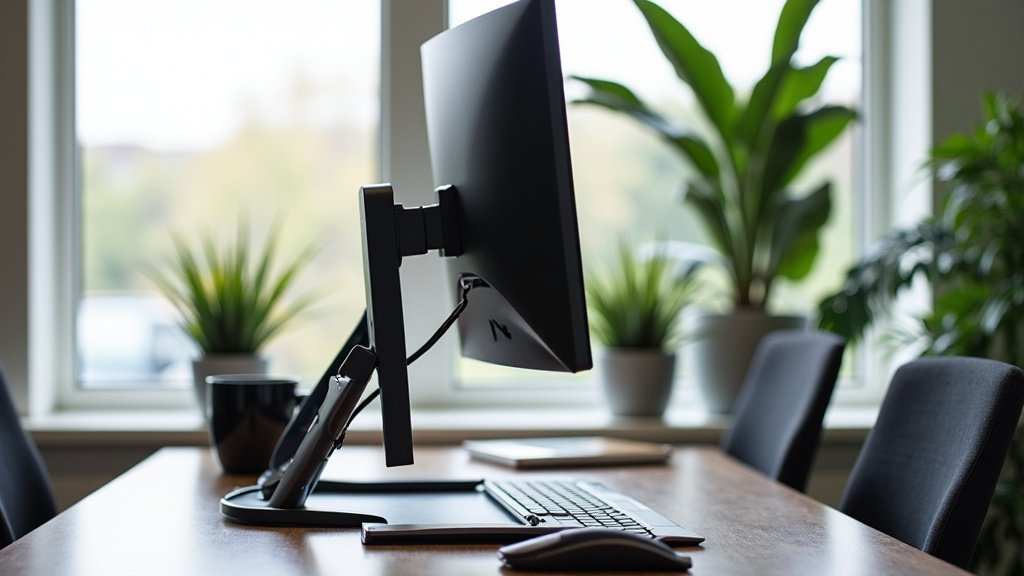
Implementing a Monitor Riser for Best Results
Getting the most benefit from a monitor riser involves a few simple steps. It’s not just about putting it under your monitor. You need to make sure it’s set up correctly for your specific needs. Adjusting your seating position is also important.
Setting Up Your Monitor Riser Correctly
Place the riser on your desk. Then, position your monitor on top of it. Ensure the monitor is stable and centered. Now, sit back in your chair. Adjust your chair height so your feet are flat on the floor. Your knees should be at about a 90-degree angle. Your forearms should be parallel to the floor when you rest your hands on your keyboard.
The key is to get the top of your monitor screen at or just below eye level. You shouldn’t have to tilt your head up or down to see the center of the screen. If you wear bifocals, you might need the monitor slightly lower. Experiment a bit to find what feels most comfortable and natural for you. This small adjustment can prevent a lot of future discomfort.
Your Checklist for an Ergonomic Setup
Here’s a quick checklist to help you achieve a more comfortable workspace:
- Monitor Height: Top of screen at or slightly below eye level.
- Monitor Distance: About an arm’s length away.
- Chair Support: Feet flat on the floor, back supported.
- Arm Position: Forearms parallel to the floor when typing.
- Desk Height: Allows for proper arm and wrist posture.
- Regular Breaks: Get up and move around every 30-60 minutes.
Remember, ergonomics is about making your workspace fit you, not the other way around. Taking a few minutes to set things up properly can pay off immensely in terms of your comfort and health. It’s about creating a sustainable way to work without pain.
Conclusion
You’ve seen how a monitor riser can be a simple yet powerful tool against neck pain. By bringing your screen to eye level, you correct your posture and ease strain on your neck and shoulders. This small change helps your body maintain a natural alignment throughout your workday. It’s a smart ergonomic adjustment that many find brings noticeable relief. Don’t let neck pain dictate your comfort. Your next step is to find a riser that fits your desk and monitor, and set it up correctly for an instantly more comfortable work experience.
Frequently Asked Questions
How high should my monitor be with a riser?
The top of your monitor screen should be at or just below your eye level when you’re sitting upright. This ensures you’re looking straight ahead without needing to crane your neck up or down. It’s about finding a neutral, comfortable viewing position.
Can a monitor riser help with headaches too?
Yes, it can. Neck strain from poor posture is a common cause of tension headaches. By correcting your posture and reducing strain on your neck muscles, a monitor riser can often help alleviate these types of headaches.
What if I use a laptop without an external monitor?
You can still use a monitor riser for your laptop! Simply place the laptop on the riser to elevate its screen to eye level. You might also want to consider an external keyboard and mouse for better typing ergonomics.
Are monitor risers difficult to set up?
Not at all! Setting up a monitor riser is very straightforward. You simply place the riser on your desk and then put your monitor on top of it. Then, adjust your chair and desk setup to complement the new monitor height.
Can a monitor riser improve my overall productivity?
Many people find that improved comfort leads to better focus. When you’re not distracted by neck pain, you can concentrate more effectively on your tasks. Plus, some risers offer organization benefits, which can lead to a tidier, more efficient workspace.



