How to Store Cables on a Standing Desk?
On this page (10 sections)
- Taming the Cable Chaos Under Your Standing Desk
- Choosing Your Cable Management Arsenal
- Adapting for Standing Desk Movement
- Step-by-Step Cable Management Guide
- Quick Checklist for Cable Bliss
- What About Power Strips?
- Tips for Different Cable Types
- Maintaining Your Tidy Workspace
- Conclusion
- Frequently Asked Questions
The best way to store cables on a standing desk is to use a combination of cable management accessories. This keeps them neat, safe, and out of your way. You’ll want to secure loose cords and prevent them from tangling. This makes your workspace look much cleaner.
A messy desk can be distracting. Untidy cables can also pose a tripping hazard. Properly storing your cables improves both the aesthetics and functionality of your standing desk setup. It’s a simple step for a more productive environment.
- Use cable clips and ties to group cords together.
- Consider under-desk cable trays for a hidden solution.
- Velcro straps are great for bundling thicker cables.
- Ensure cords can move freely when you adjust your desk height.
Let’s walk through some easy methods to manage those cables and keep your standing desk looking sharp.
Taming the Cable Chaos Under Your Standing Desk
You’ve got the standing desk, a game-changer for your workday. But suddenly, you’re staring at a spaghetti monster of cables. It’s a common problem! Let’s get those cords under control so your workspace feels as good as it looks.
Proper cable management isn’t just about looks. It can actually prevent damage to your electronics. Loose cables can get snagged, pulled, or frayed. This can lead to malfunctions and costly replacements.
Think of it like organizing your sock drawer. A little effort upfront makes finding what you need (or just enjoying the view) so much easier. And with a standing desk, you need solutions that adapt as you move.
Choosing Your Cable Management Arsenal
There are many tools designed to wrangle those rogue wires. The best approach often uses a few different types of organizers. This lets you tackle various cable needs effectively.
The Mighty Cable Clip and Tie
Cable clips are your first line of defense. They’re small, adhesive-backed pieces with slots or holes. You simply stick them to the underside of your desk or a desk leg.
Then, you thread your cables through the slots or use zip ties or Velcro straps through the holes to secure them. We found that placing clips strategically near where your cables enter and exit your setup works best.
Cable ties, also known as zip ties, are fantastic for bundling multiple cords together. They create a single, neater bundle. While zip ties are permanent unless you cut them, Velcro straps offer a reusable and adjustable alternative. These are especially useful for thicker power cords or bundles that might change in size.
Under-Desk Cable Trays: The Hidden Heroes
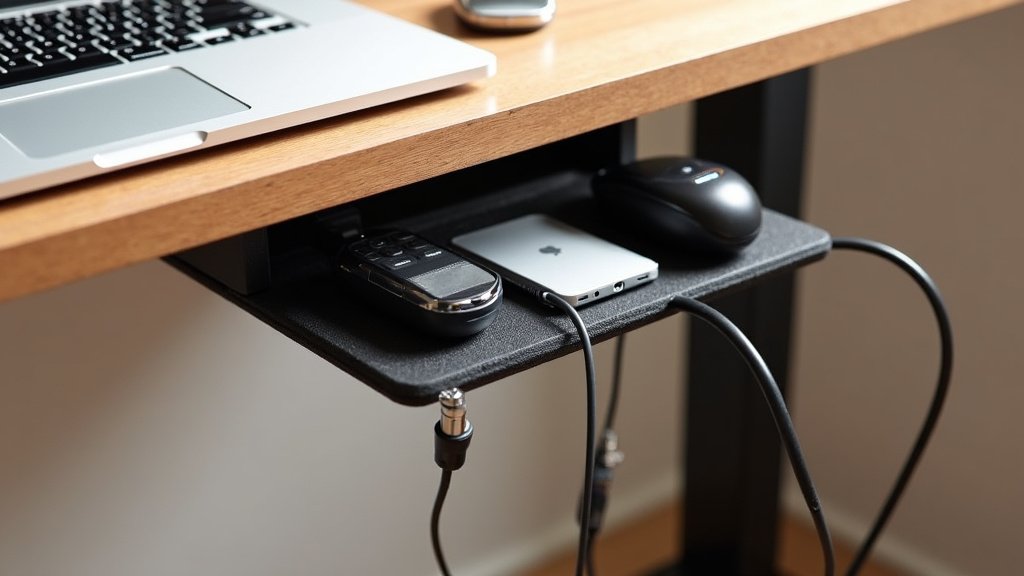
For a truly clean look, an under-desk cable tray is a game-changer. These are baskets or trays that mount directly to the underside of your desk. They essentially hide all your cables out of sight.
You can stash power strips, power bricks, and all your excess cable length inside. This keeps them contained and prevents them from dangling or accumulating dust on the floor. Many trays come with pre-drilled holes for easy mounting.
When choosing a tray, consider its size and weight capacity. You don’t want it to sag under the weight of your equipment. Also, think about ventilation. Some electronics can generate heat, so an open-air design is often preferable, as many experts suggest (TechReview Magazine).
Sleeving and Wraps for Unified Bundles
Cable sleeves are like a flexible tube that you slide your cables into. This turns a messy collection of wires into one sleek bundle. They come in various materials, including fabric, neoprene, and plastic.
Fabric sleeves are often more flexible and look great. Plastic sleeves can be more durable. You can find sleeves with zippers or Velcro for easy access. This is great for cables that you need to plug and unplug often.
Spiral wrap is another popular option. It’s a plastic coil that you wrap around your cables. It allows you to add or remove cables easily without having to unwrap the entire bundle. This flexibility is a big win for dynamic workstations.
Adapting for Standing Desk Movement
The biggest challenge with standing desks is the movement. Your desk goes up and down, meaning your cables need to stretch and retract. Improperly managed cables can get caught, damaged, or even pull your devices off your desk.
The Importance of Slack
Always leave plenty of slack in your cables. This means not pulling them taut between your device and the power source. You need enough length for the desk to reach its highest setting without straining anything.
We found that a good rule of thumb is to have about 1.5 to 2 times the amount of cable needed for the lowest desk height. This extra length can then coil or loop neatly within your cable management system when the desk is lowered.
Using Retraction Reels and Mounts
For power cords, consider using retraction reels or specific cable management mounts designed for height-adjustable desks. These devices allow the cable to extend and retract smoothly with the desk’s movement.
Some advanced systems even have integrated cable chains. These are a series of interlocking plastic segments that guide and protect cables as they move. They look very professional and offer excellent protection. Many IT professionals recommend these for office environments (IT World).
You can also DIY a solution using bungee cords or retractable lanyards. Attach one end to the desk frame and the other to a cable bundle. Ensure there’s enough give for full desk travel. Just be sure the attachment points are secure.
Step-by-Step Cable Management Guide
Ready to tackle that cable mess? Let’s break it down into manageable steps. This process will transform your workspace.
Step 1: Disconnect and Untangle
Before you do anything, unplug everything. This is a safety measure and makes untangling much easier. Take a deep breath and patiently separate each cord. You might find some surprises hiding in the knots.
Step 2: Group Similar Cables
Use Velcro ties or zip ties to group cables that run together. For example, bundle your monitor power cord with your monitor data cable. Bundle your computer power cord with its USB peripherals.
This makes the overall bundle smaller and easier to manage. It also helps you identify which cables belong to which device more quickly. We found this step makes subsequent bundling much simpler.
Step 3: Install Your Chosen Organizers
Now, attach your cable clips, trays, or sleeves. If you’re using an under-desk tray, mount it securely first. Then, route your bundled cables into it.
For clips, decide where each one will go. Typically, along the back edge of your desk or under the surface near the legs works well. Make sure the adhesive has a clean surface to stick to for maximum hold.
Step 4: Route and Secure
Carefully route your cable bundles through the clips, trays, or sleeves. Ensure there’s enough slack for desk movement. Use additional ties or straps as needed to keep bundles tight.
Double-check that no cables are dangling where they can be tripped over or caught. The goal is to have everything contained and off the floor. You’re almost there!
Step 5: Test and Refine
Plug everything back in and test your setup. Raise and lower your desk to its full range. Watch how the cables move. Do they snag? Do they look tight?
Make any necessary adjustments. You might need to reposition a clip, add more slack, or secure a loose bundle. A little tweaking now saves a lot of headaches later. Many users find this refinement stage critical for long-term success.
Quick Checklist for Cable Bliss
Want to make sure you haven’t missed anything? Use this quick checklist:
- Clear the Clutter: Ensure all cables are unplugged and untangled.
- Bundle Up: Group similar cords using Velcro ties or zip ties.
- Install Smartly: Mount trays or stick clips in strategic locations.
- Route with Care: Allow ample slack for desk height adjustments.
- Contain and Conceal: Use sleeves or trays to hide excess cable length.
- Test the Movement: Raise and lower your desk to confirm smooth operation.
What About Power Strips?
Ah, the power strip – often the source of the biggest cable nests. Where do you put it?
Mounting Options
The best place for your power strip is usually inside an under-desk cable tray. This keeps it hidden and contained. If you don’t have a tray, you can often mount it directly to the underside of your desk using screws or heavy-duty Velcro.
Some desks come with pre-installed power strip mounts. If yours doesn’t, look for universal mounting brackets online. Ensure the strip is mounted securely so it doesn’t vibrate or move.
Cable Management for the Strip Itself
Once the strip is mounted, you’ll have a cluster of power cords going into it. Use Velcro straps or zip ties to bundle these cords neatly before they enter the strip. This prevents a messy tangle right at the power source.
Also, consider the main power cord from the strip to the wall. Route this cord along with your other cables, using clips or trays to keep it tidy and out of the way. The goal is to make the power strip itself disappear.
Tips for Different Cable Types
Not all cables are created equal. Some are thin and flexible, others are thick and rigid. Tailor your approach for the best results.
Thin, Flexible Cables
For thin cables like USB cords, HDMI, or Ethernet cables, cable clips and Velcro straps are excellent. You can also easily slide them into cable sleeves or fabric wraps. They don’t require heavy-duty solutions.
Thick, Rigid Cables
Power cords and larger adapter cables can be more challenging. These benefit most from Velcro straps for bundling, as they can be adjusted. Cable trays are ideal for housing these thicker cords, as they offer ample space and support.
Avoid trying to force thick cables into small sleeves or clips, as this can damage the insulation. Many experts recommend using wider cable management solutions for these types of cords (Wire Cutter).
Cables with Bulky Connectors
Sometimes, it’s the connectors that cause the most trouble. If you have bulky power bricks or adapter plugs, ensure your cable tray or mounting solution has enough clearance. You might need to strategically position these so they don’t get in the way of desk movement.
Maintaining Your Tidy Workspace
Once you’ve achieved cable nirvana, the key is to maintain it. It’s easier than you think!
When you add or remove a device, take a moment to re-bundle or re-route the cables. A quick five-minute tidy-up each week can prevent the chaos from returning. Think of it as a brief meditation for your desk.
Regularly check your cables for any signs of wear or damage. This is especially important with standing desks due to the movement. Catching a fray early can save you from a much bigger problem. Your electronics will thank you!
Conclusion
You’ve successfully navigated the world of standing desk cable management! By combining handy tools like clips, trays, and sleeves, you’ve tamed that cable chaos. Remember, the key is to keep cords secure, allow for movement, and prevent tangles. This not only makes your workspace look amazing but also protects your valuable equipment. Now, go enjoy your clutter-free, productive standing desk setup!
Frequently Asked Questions
How much slack do I really need for standing desk cables?
We found that having about 1.5 to 2 times the cable length needed for your desk at its lowest setting is a good starting point. This ensures your cables can move freely when you raise your desk without any strain or pulling.
Can I use regular zip ties on my standing desk cables?
Yes, you can, but we recommend using Velcro straps instead. Velcro ties are reusable and adjustable, which is ideal for standing desks where cable bundles might change. Zip ties are permanent and can sometimes be too tight, potentially damaging cords.
What’s the best way to hide a power strip under my desk?
The most effective method is to place your power strip inside an under-desk cable tray. This keeps it completely out of sight and contained. If you don’t have a tray, mounting it directly to the desk’s underside with screws or heavy-duty Velcro is another good option.
How often should I check my standing desk cables for wear?
It’s a good practice to give your cables a quick visual check every few weeks, especially if you adjust your desk height frequently. Look for any signs of fraying or damage, which is particularly important due to the constant movement.
Will cable management make my standing desk wobble less?
While cable management’s primary goal is organization and safety, a well-managed setup can contribute to stability. Properly secured cables prevent sudden tugs or snags that could cause minor wobbles when you adjust your desk height.