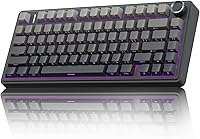
How to Give a Corsair Keyboard Negative Tilt
To give a Corsair keyboard negative tilt, make its front edge lower than its rear edge. Lower the front with an adjustable tray, or raise the rear with a stable support, then check that the keyboard stays put.
On this page (6 sections)
To give a Corsair keyboard negative tilt, make the front edge lower than the rear edge. Lower the keyboard's front on an adjustable tray or raise the back with a stable support, then check that the keyboard doesn't slide.
The setup is about the surface angle, not a Corsair software setting. Many keyboard feet raise the rear, which makes a positive tilt, so check your model's manual before relying on them.
What does negative tilt mean for a Corsair keyboard?
Negative tilt means the keyboard slopes down from back to front. The side nearest you sits lower than the far edge.
This is different from positive tilt, where the rear is raised. A keyboard can also sit flat, with no front-to-back slope.
Try a small change first. If you have to bend your wrists upward to reach the keys or your shoulders tense, return the keyboard to a flatter position and adjust your chair or desk height.
For a broader overview of keyboard choices and setup, start with the desktop keyboard guide. It covers the keyboard side of a workspace, while this guide focuses on positioning.
How can you give a Corsair keyboard negative tilt?
Lower the front edge or raise the rear edge while keeping the keyboard secure. If your desk cannot support the tray, consider a chair-mounted keyboard tray.
Choose the method that fits your desk and allows you to type without reaching or bending your wrists.
Can an adjustable keyboard tray lower the front?
An adjustable tray can help if it lets you set the keyboard's height and angle. Before mounting one, check that your desk has enough clearance and that the tray can tilt in the direction you want.
The Kensington Keyboard Tray Under Desk adjusts to set a keyboarding height and has an extra-wide tray that can also hold a wrist rest, mouse, and mouse pad. Measure the space under your desk and across the mounting area before choosing it.
The tray's height adjustment alone doesn't confirm that it tilts forward. Check the available angle and mounting instructions before buying if negative tilt is essential.
If you want to compare tray styles, see the best clamp-on keyboard trays. For options specifically selected around a downward angle, browse the best ergonomic keyboard tray for negative tilt.
Can a clamp-on tray make the angle negative?
A clamp-on tray can make negative tilt possible if its surface can be adjusted to slope down toward you. Secure clamping also depends on the shape and thickness of your desktop.
The VIVO Black Clamp-on 27 x has an 11 in-deep tray and C-clamps for desks up to 1.25 in thick. Its instructions call for a level underside, a clear mounting area, and a square edge; it isn't compatible with beveled edges.
The listed comfortable typing angles don't specify a negative-tilt adjustment, so confirm the tray's range and direction before relying on it for this setup. Make sure the clamps can attach securely and won't meet a crossbar or support.
Can a desk converter change the keyboard angle?
A desk converter changes the working height, but that doesn't necessarily create negative tilt. Check whether its keyboard tray angle adjusts separately from the top.
The VIVO Manual Height Adjustable Standing Desk Converter has a keyboard tray that rises with the top surface. Its height range is 4.5 to 20 in, and the keyboard tray holds up to 4.4 lb.
This converter may help if your keyboard is too high or low at your desk, but its details don't specify a negative-tilt setting. Check the tray's angle before choosing it for that purpose.
Can you raise the back of the keyboard safely?
You can raise the rear with a firm support if it stays stable and doesn't block the keyboard's feet. Use a support that spans enough of the keyboard to prevent rocking.
Avoid loose objects that can shift while you type. Don't stack small items under the rear corners, since the keyboard may wobble or slide.
A tray that supports a downward angle is usually easier to adjust and repeat. If you use a separate support, test stability with light typing before settling into a longer work session.
How steep should the negative tilt be?
Start close to flat, then make a small adjustment you can comfortably maintain. There isn't one angle that suits every desk, keyboard, and typing position.
A large slope can make the keyboard harder to reach or cause it to move. Change one thing at a time, such as tray angle or chair height, so you can tell what improved comfort.
For a point of comparison, read whether a 7-degree keyboard tilt is good for typing. That guide can help you think about angle size, while your own stable and relaxed posture should guide the final setting.
How can you check that the setup is stable and comfortable?
Check that the keyboard stays in place and your wrists remain relaxed during ordinary typing. Keep your shoulders loose, elbows near your sides, and wrists in a comfortable position.
Test the setup briefly before using it for a long session. If the keyboard shifts, rocks, or forces your wrists into an awkward bend, reduce the angle or choose a more secure surface.
A corner desk can limit where a tray fits or how far it can slide. Compare keyboard trays for corner desks if your available mounting area is narrow or angled.
Which setup should you choose for a Corsair keyboard?
For a Corsair keyboard, choose an adjustable tray if you need a repeatable angle change, or a stable support if you only need a small adjustment. Confirm the keyboard can't slide, and check your model's feet and tray adjustment range before buying.
A negative slope can be made by lowering the front or raising the rear, but the parts you use must support that position securely. For more setup details, read Negative Tilt for Keyboard Tray: A Complete Ergonomic Guide.
If you adjust your chair as well, our Office Chair Tilt Tension Explained: Guide explains a separate chair setting that affects reclining resistance. Keep the keyboard angle and chair tension adjustments distinct, and change each only when it helps your working position.
Frequently asked questions
How do I set a Corsair keyboard to negative tilt?
Place it so the front edge is lower than the rear edge. Lower the front with an adjustable tray or desk surface, or raise the rear with a firm, stable support.
Keep the keyboard from sliding and check that your wrists stay comfortable while you type.
Can I use a Corsair keyboard's feet for negative tilt?
Most keyboard feet lift the rear edge, which creates a positive tilt rather than a negative one. Check your Corsair model's manual to confirm what its feet do; if they only raise the back, use an adjustable surface or a stable rear support to change the angle.
Is negative tilt better for typing?
Negative tilt changes the keyboard's angle, but comfort depends on your posture, desk height, and typing habits. Try a small adjustment and stop if it makes your wrists or shoulders feel strained.
A neutral, relaxed position is a useful starting point.
Can a keyboard tray create negative tilt?
Yes, if the tray adjusts to place the keyboard's front edge lower than its rear edge. Confirm that the tray can tilt in the direction you need, and check its mounting clearance, desk fit, and stability before installing it.