What Is the Best Monitor Arm for Dual Monitor Setups?
On this page (7 sections)
Finding the best monitor arm for dual monitor setups depends on your specific needs and desk space. Generally, a heavy-duty, dual-arm mount that supports the weight and size of your screens offers the most stability and adjustability. Look for arms with a wide range of motion, like those offering tilt, swivel, and rotation, to get the perfect viewing angle.
A good dual monitor arm can transform your workspace. It frees up desk surface area, which is often a win for everyone. Plus, proper monitor positioning can help improve your posture and reduce neck strain. Many options are available, from simple clamp mounts to more robust desk inserts, each with its own benefits for organization and ergonomics.
- Dual monitor arms free up desk space.
- They help improve your posture and comfort.
- Consider screen size, weight, and desired adjustability.
- Mount type (clamp vs. grommet) matters for your desk.
Let’s dive into what makes a dual monitor arm great and which ones stand out for various setups.
Choosing the Right Dual Monitor Mount for Your Desk
So, you’re looking to go dual-screen and want to know what makes a monitor arm truly shine. The best dual monitor arm is one that perfectly fits your screens, your desk, and your workflow. It’s not just about holding two screens; it’s about making your workspace work for you.
Think of it like finding the right pair of shoes. You wouldn’t wear dress shoes for a marathon, right? Similarly, the right monitor arm will offer stability, adjustability, and enough strength for your specific setup. Let’s break down what to look for.
Key Features of a Top-Tier Dual Monitor Arm
When you’re setting up two monitors, you need more than just a basic stand. You need a solution that offers flexibility and keeps everything looking clean. We’ve found that the best arms share several important characteristics.
Weight Capacity and Screen Size Compatibility
This is the most critical factor. Your monitor arm needs to handle the weight of each individual monitor. Check the product specifications carefully. Most arms list a maximum weight per arm. If your monitors are on the heavier side, you’ll need a more robust mount.
Also, consider the size of your screens. Most arms are designed for standard VESA mount patterns (75mm x 75mm and 100mm x 100mm). They will also specify the maximum screen size they can support, usually in inches. Don’t try to force a large monitor onto an arm rated for smaller ones; it’s a recipe for disaster.
Adjustability for Optimal Ergonomics
Once your monitors are mounted, you’ll want to position them just right. This is where adjustability comes in. Look for arms that offer a wide range of motion.
Tilt and Swivel
Tilt lets you angle your screens up or down. This is super helpful to reduce glare and find a comfortable viewing angle. Swivel allows you to turn your monitors left or right, which is great for sharing your screen or just repositioning it without moving the whole arm.
Rotation (Portrait vs. Landscape)
Some arms allow you to rotate your monitors from a standard horizontal (landscape) view to a vertical (portrait) view. This can be useful for tasks like coding, reading long documents, or browsing specific websites. Having this option adds another layer of flexibility to your setup.
Height Adjustment
The ability to adjust the height of your monitors is crucial for ergonomics. You want the top of your screens to be roughly at or slightly below eye level. Research suggests that proper monitor height can significantly reduce neck strain (Cleveland Clinic). An arm that moves smoothly up and down makes this easy to achieve.
Mounting Options: Clamp vs. Grommet
How the arm attaches to your desk can impact stability and aesthetics. The two main types are desk clamps and grommet mounts.
Desk Clamps
These are the most common. A clamp attaches to the edge of your desk. They’re easy to install and remove, making them a good choice if you might move your desk setup later. Just ensure your desk has a sturdy edge and is thick enough for the clamp to grip securely. The same desk edge may also need to support a podcaster mic arm setup.
Grommet Mounts
A grommet mount requires a hole in your desk. The arm’s base passes through this hole, and it’s secured underneath. This offers a very clean look and excellent stability, especially for heavier setups. If your desk doesn’t have a hole, you might need to drill one, which is a commitment.
Some dual monitor arms might offer both options, giving you more flexibility. Always check the desk thickness requirements for clamps and the hole size needed for grommet mounts.
Types of Dual Monitor Arms
Dual monitor arms come in a few main designs. Each has its own advantages depending on what you need.
Side-by-Side Arms
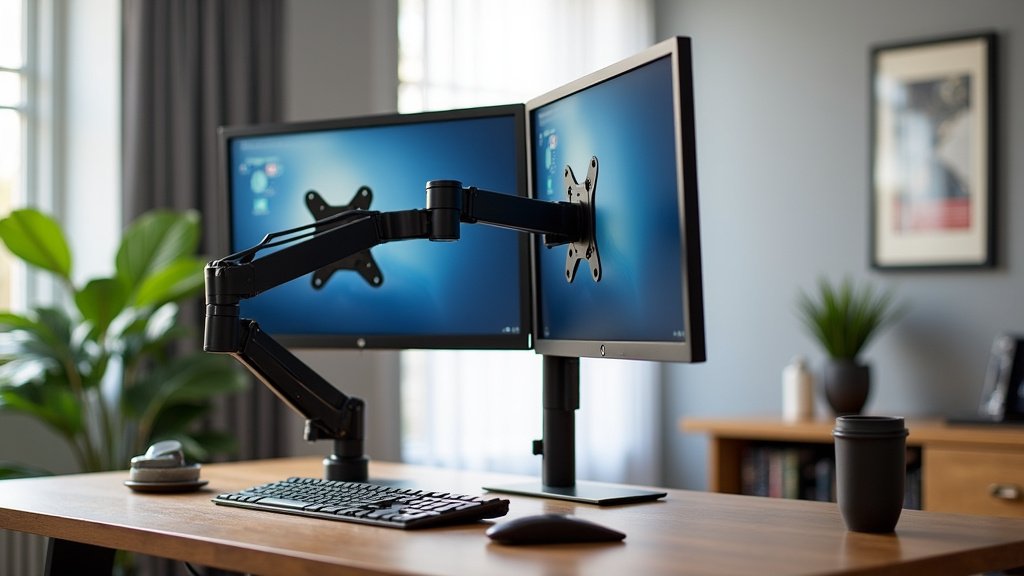
These are perhaps the most straightforward. Each monitor has its own arm, or a single arm splits into two. They typically mount to a single point on your desk. This setup is great for keeping your monitors aligned and close together.
Stacked or Column Mounts
With these, one monitor sits directly above the other. This is a fantastic space-saving solution, especially for smaller desks. It’s also popular for certain gaming or coding setups where you might want a primary screen at eye level and a secondary screen for secondary information.
Single Pole vs. Dual Pole Systems
Some arms attach to a single, sturdy pole mounted on your desk. Others might have a more spread-out base or use two separate poles. A single, thick pole is often very stable, but a dual-pole system can offer a wider range of independent movement for each screen.
What to Look for in a Dual Monitor Arm: A Quick Checklist
Ready to pick the best arm for your needs? Keep these points in mind:
- Weight Capacity: Does it hold both your monitors easily?
- Screen Size: Is it compatible with your monitor dimensions?
- Adjustability: Can you tilt, swivel, and adjust height easily?
- Mounting Type: Does the clamp or grommet fit your desk?
- Build Quality: Does it feel sturdy and well-made?
- Cable Management: Are there clips or channels to tidy wires?
Comparing Popular Dual Monitor Arm Features
To give you a clearer picture, let’s compare some common features you’ll find. This isn’t an exhaustive list of brands, but it highlights what to expect.
| Feature | Description | Benefit |
|---|---|---|
| Full Articulation | Arms with multiple joints allow for extensive movement. | Find the perfect viewing angle from almost anywhere. |
| Gas Spring vs. Mechanical Spring | Gas springs offer smoother, easier height adjustments. Mechanical springs can be good but might require more effort. | Effortless repositioning without tools. |
| Desk Clamp Width | The maximum desk thickness the clamp can accommodate. | Ensures a secure fit for thicker or thinner desk edges. |
| VESA Compatibility | Standardized mounting hole patterns (75x75mm & 100x100mm). | Guarantees your monitor will attach to the arm. |
| Cable Management System | Integrated clips or channels to route and hide wires. | Keeps your workspace tidy and professional-looking. |
When researching, you’ll see terms like “full articulation” or “gas spring.” Full articulation means the arm has many pivot points, giving you a lot of freedom to move your monitors. Gas springs are often preferred because they make raising and lowering your screens feel almost effortless, much like adjusting a high-end office chair.
Many experts suggest that a well-adjusted dual monitor setup can improve productivity and comfort (NCBI). For seated comfort, also compare footrests for dual monitor setups. This is where the adjustability features really shine. You can position each screen independently, which is great if your monitors are different sizes or if you use them for different tasks.
Conclusion
You’ve learned that the best dual monitor arm balances strength, adjustability, and your specific desk needs. Remember to prioritize weight capacity and screen size compatibility first. Then, consider how much tilt, swivel, and height adjustment you need for comfortable viewing. Whether you choose a clamp or grommet mount, a quality dual monitor arm can truly transform your workspace for better ergonomics and organization. Now, go ahead and measure your desk and monitors, and start looking for that perfect arm to complete your setup!
Frequently Asked Questions
How much weight can a typical dual monitor arm support?
Most dual monitor arms are designed to support between 15 to 30 pounds per arm. Always check the manufacturer’s specifications for the exact weight limit for each monitor. Exceeding this limit can lead to instability or damage to the arm.
Do I need a special desk for a dual monitor arm?
Not necessarily. Most arms use a clamp that attaches to the edge of your desk, requiring only a sturdy desk edge of a certain thickness. Grommet mounts do require a pre-drilled hole in your desk for a cleaner look and strong stability.
Is a gas spring or mechanical spring arm better for dual monitors?
Gas spring arms offer smoother and more effortless height adjustments, which is ideal for frequently repositioning your monitors. Mechanical spring arms can be very sturdy but might require more manual effort to adjust.
Can I use a dual monitor arm for monitors of different sizes?
Yes, many dual monitor arms allow for independent adjustment of each arm. This means you can position monitors of different sizes so their top edges are at a similar height or their screens are at the same viewing angle.
What is VESA compatibility and why is it important for monitor arms?
VESA compatibility refers to the standardized mounting hole pattern on the back of your monitor. Most dual monitor arms support VESA patterns like 75x75mm and 100x100mm, ensuring your monitor can securely attach to the arm.



