Why Is My Standing Desk Wobbly?
On this page (3 sections)
Your standing desk is likely wobbly because of loose connections, an uneven floor, or simply its design limitations. Many desks aren’t built for rock-solid stability at full extension.
It’s frustrating when your workspace shakes, isn’t it? We understand you want a stable desk for productivity and focus. A wobbly standing desk isn’t just annoying; it can make typing or even writing feel like a chore.
- Loose bolts cause wobbles.
- Uneven floors are a common culprit.
- Some desk designs are less stable.
- Improper assembly affects firmness.
- Overloading your desk adds to instability.
Let’s walk through why your standing desk might be wobbly and, more importantly, what you can do about it. You deserve a steady workspace!
Understanding Why Your Standing Desk Might Be Shaky
You’ve invested in a standing desk to improve your health and focus, right? So it’s especially annoying when it feels like a rickety card table. Let’s get to the bottom of why your desk is shaking. We’ll explore the main reasons, from simple fixes to design quirks. Knowing the cause is the first step to a stable workspace.
The Usual Suspects: Common Causes of Wobble
When your desk isn’t steady, it’s often due to a few common issues. Think of it like a loose screw in a chair; a small problem can create a big annoyance. We’ve found that most wobbles can be traced back to one of these familiar causes.
Loose Connections and Hardware
This is probably the most frequent culprit. Over time, or even right after assembly, bolts and screws can loosen. Your desk moves up and down, things shift, and vibrations occur. This small movement can lead to a noticeable wobble. It’s like a car needing a tire rotation; things just get a little out of sync.
Regular maintenance is key here. Did you assemble the desk yourself? Maybe a bolt wasn’t tightened enough. Or perhaps it was tightened perfectly, but daily use has caused some play. It happens to the best of desks!
Uneven Floor Surfaces
Is your floor perfectly level? Probably not. Few floors are. Even a slight dip or rise can make a desk feel unstable. Imagine trying to balance a plate on a tilted table; it’s just not going to sit right. This is especially true for desks with only two feet or larger, heavier setups. A little tilt can cause a big headache. Sometimes, you don’t even realize the floor is uneven until you put something perfectly straight on it.
Desk Design Limitations
Not all standing desks are created equal. Some designs are simply more stable than others. Think about a tripod versus a single pole. The tripod is inherently more stable because of its base. Similarly, some desks prioritize a slim profile or a lower price point over maximum stability. This isn’t a flaw, just a design choice. But it might explain why your desk isn’t as rock-solid as you hoped.
We’ve noticed that desks with multiple lifting columns and crossbars tend to be sturdier. Single-column designs, while sleek, often sacrifice some stability, especially at their maximum height.
Assembly and Setup Issues
How you put your desk together and where you place it can significantly affect its stability. It’s not just about having all the pieces; it’s about how those pieces fit and work together. Improper assembly can easily mimic a design flaw.
Improper Assembly Techniques
Did you follow the instructions to the letter? It’s easy to rush through assembly. Sometimes, people skip steps or don’t fully tighten every bolt. This can leave crucial connections weak. A desk is only as strong as its weakest joint. If components aren’t seated correctly, the whole structure can become compromised. Think of building a LEGO set; if one brick isn’t pushed down all the way, the next layer won’t sit right.
We often find that users didn’t fully engage all fasteners. Or perhaps they used the wrong size screws in a hurry. These small mistakes compound into a larger stability problem.
Overloading Your Desk
What do you have on your desk? Two monitors? A heavy printer? Books? A lot of stuff adds weight. While most standing desks have a weight capacity, pushing that limit, or even getting close, can introduce wobble. More weight means more stress on the lifting columns and frame. This stress can make any slight imperfection in the design or assembly much more noticeable. It’s like putting too many books on a shelf; it might hold, but it’s going to sag a bit.
Heavy monitors or monitor arms, in particular, can shift the center of gravity, making the desk feel less stable. Consider how your items are distributed. Is all the weight on one side?
Desk Placement and Surroundings
Where your desk sits matters. Is it pushed against a wall, or is it free-standing in the middle of a room? Desks against walls often feel more stable because the wall acts as a brace. Also, consider the floor material. A desk on thick carpet might feel less stable than one on a hard, even surface. The carpet can allow for slight movements or sinking, creating an uneven base.
Even things like a window fan blowing against the desk, or an office chair bumping into it regularly, can introduce small vibrations that get amplified into a wobble. Small external forces can affect stability (National Institute of Standards and Technology).
Understanding Different Desk Structures and Stability
The core structure of your standing desk plays a huge role in its stability. Different designs offer different levels of firmness. Knowing what kind of desk you have can help you understand its limitations and potential solutions.
Single-Motor vs. Dual-Motor Desks
This isn’t just about speed; it’s about structure. Dual-motor desks generally have a more robust frame, with two lifting columns that work in tandem. This creates a stronger, more balanced lifting mechanism. Single-motor desks, while often more affordable, might have a simpler frame. A single motor often drives a single column or uses a rod to connect to a second, passive column, which can introduce more points of potential wobble.
We find that dual-motor desks often have a higher weight capacity and better lateral stability. This means they are less likely to sway side-to-side.
Leg Design and Crossbars
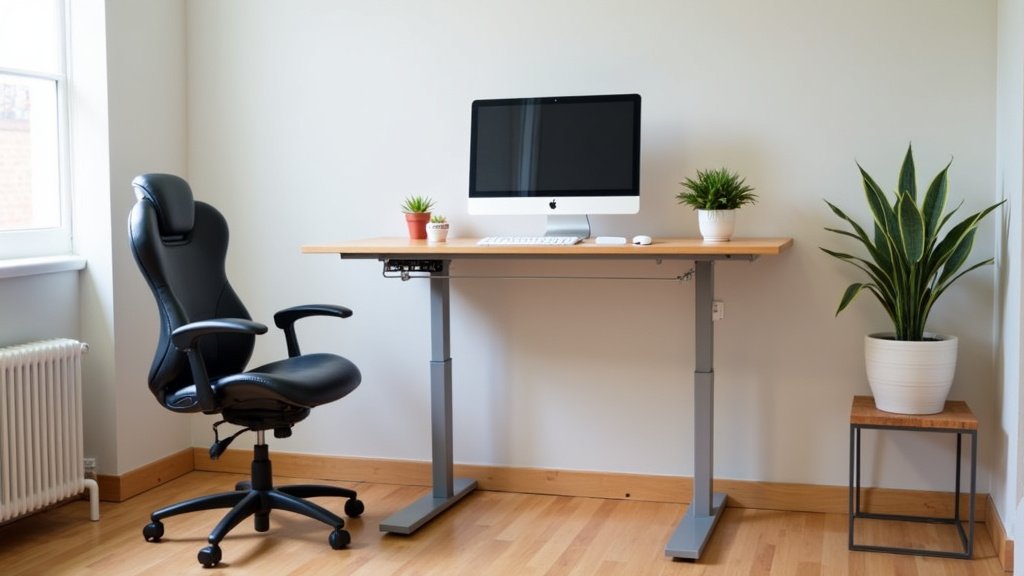
Look at the legs of your desk. Do they have a two-stage or three-stage design? Three-stage legs often offer more overlap between the leg segments, which can lead to increased stability. Also, does your desk have a crossbar between the legs? Many experts say a crossbar is a significant factor in preventing wobble, especially front-to-back movement (ErgoDirect).
Desks without crossbars might look cleaner, but they often rely more heavily on the frame’s integrity and the tightness of the connections to maintain stability. If you have a crossbar-free desk, you might experience more movement.
Feet and Leveling Glides
The very bottom of your desk, where it meets the floor, is important. Most standing desks come with leveling glides or adjustable feet. These are crucial for addressing uneven floors. If these glides aren’t properly adjusted, your desk will rock. Think of a restaurant table with a wobbly leg; you slip a napkin under it to stabilize it. Your desk’s glides do the same job.
Make sure all four (or more) feet are making solid contact with the floor. If one is floating, even slightly, that’s a prime source of instability.
A Quick Checklist for Desk Stability
Before you get too worried, run through this quick checklist. You might find the solution faster than you think!
- Are all bolts and screws securely tightened? Grab an Allen key and check every single one.
- Are the leveling glides properly adjusted to eliminate any rock?
- Is your desk overloaded with too much equipment? Try removing some items.
- Is the desk placed on a firm, even surface? Can you move it to a different spot?
- Are the monitor arms tightened and not introducing extra movement?
Sometimes, a simple check-up is all your desk needs to feel solid again. It’s like a quick tune-up for your car; small adjustments can make a big difference.
| Wobble Type | Common Causes | Potential Solutions |
|---|---|---|
| Side-to-Side Wobble | Loose frame connections, narrow base, single column design. | Tighten all horizontal bolts, add crossbar (if possible), consider floor mat. |
| Front-to-Back Sway | Loose leg segments, lack of crossbar, heavy monitors on far side. | Tighten vertical bolts, adjust monitor placement, ensure correct assembly of legs. |
| Overall Rocking | Uneven floor, unadjusted leveling glides, bent leg/foot. | Adjust glides/feet, move desk to level spot, check for bent components. |
| Wobble at Height | Design limitation, heavy load, loose inner leg segments. | Reduce load, ensure all bolts are very tight, check for frame flex. |
Conclusion
A wobbly standing desk can definitely disrupt your focus, but as we’ve discussed, most issues have straightforward solutions. For more repair steps, see our guide to fixing a wobbly desk. Start by checking all connections and adjusting your leveling glides. Evaluate your setup for any overloading or uneven weight distribution.
Understand that your desk’s design plays a role in its inherent stability. You can significantly improve your workspace by making small, targeted adjustments. Don’t let a shaky desk hinder your productivity any longer; take action today to enjoy a steady, comfortable standing experience.
Frequently Asked Questions
How can I quickly tell if my floor is uneven?
You can use a simple level app on your smartphone or place a small ball on the floor where your desk sits. If the ball rolls, your floor isn’t perfectly flat. This quick check can help you identify if floor unevenness is contributing to the wobble.
Does a desk mat help with stability?
Sometimes, yes. A thick, anti-fatigue mat can provide a more consistent and slightly cushioned surface for your desk feet. This might help absorb minor vibrations and reduce slippage on certain floor types, leading to a feeling of greater stability.
Can adding a keyboard tray make my desk more stable?
It depends on the tray. A poorly mounted or flimsy keyboard tray can actually introduce more wobble due to leverage. However, a sturdy, well-installed tray that moves with the desk, or one that clamps securely, might free up desk surface space and help balance the load, potentially improving stability.
Is it normal for a standing desk to wobble a little at its highest setting?
Yes, a slight wobble at the maximum height is quite common, especially with single-motor or less expensive designs. The taller the desk extends, the more pronounced any minor imperfections or play in the frame can become. It’s often a design limitation rather than a defect.
Should I lubricate my standing desk legs if it’s wobbly?
Lubrication is generally not the fix for a wobbly desk; it’s more for smooth operation of the lifting mechanism. If you experience grinding or sticking, lubrication might help. For wobble, focus on tightening bolts, adjusting glides, and checking for structural issues before considering lubricants.