8 Best Low Profile Mechanical Keyboards (November 2026)
The best low profile mechanical keyboards include the Keychron K3 Version 2 QMK 75% Wireless for compact Mac and Windows desks, the Keychron K5 Version 2 Wireless Bluetooth Low for full-size low profile typing, and the LOFREE Flow Lite 84 Keys Low Profile for hot-swappable 3-mode use.
On this page (11 sections)
- The best low profile mechanical keyboards by use
- 1. Keychron K3 Version 2: best compact Mac and Windows desk keyboard
- 2. Keychron K5 Version 2: best full-size low profile typing
- 3. LOFREE Flow Lite: best hot-swappable low profile keyboard
- 4. ProtoArc K310 Pro: best quiet full-size office keyboard
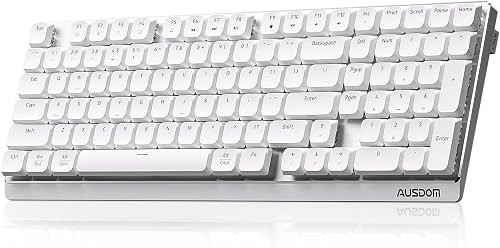
- 5. AUSDOM Airkey 98: best silent hot-swappable office keyboard
- 6. Cherry MX 10.0N: best wired RGB low profile keyboard
- 7. RK ROYAL KLUDGE N80: best compact keyboard with a display
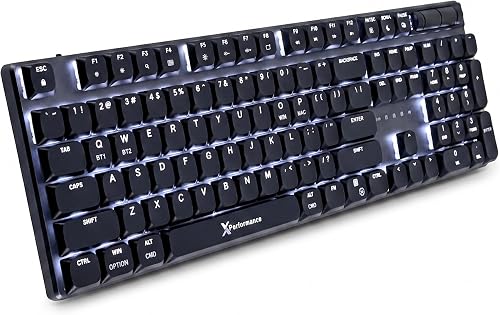
- 8. X9 Slim: best full-size laptop-like wireless feel
- How to choose between low profile keyboards mechanical users prefer
- Which low profile mechanical keyboard should you choose?
The best low profile mechanical keyboard for most workspaces is the Keychron K3 Version 2, with a compact 75% layout, brown switches, Bluetooth for 3 devices, and Mac and Windows support. That mix suits people who work at a small desk and move between a laptop and another device during the day.
Choose the Keychron K5 when you need a number pad, the LOFREE Flow Lite for hot-swappable switches, or the ProtoArc K310 Pro for quiet full-size typing. Those alternatives show how layout and switch feel can change the same slim keyboard idea.
Low profile mechanical keyboards sit between laptop keyboards and taller mechanical boards. They keep mechanical switch feedback while reducing the height and travel that some people find tiring during long typing sessions.
For more options focused on typing comfort, compare ergonomic mechanical keyboards. That guide can help if wrist angle matters as much as switch type.
This guide compares 8 low profile mechanical keyboards by switch feel, layout, connection modes, sound, and daily desk use. It also notes where a model is wired only, where the backlight is a single color, and where system support is narrower.
If you need broader advice on choosing a desktop keyboard, start with the complete keyboard and mouse guide. Use that broader guide first if you are still deciding between a slim mechanical board and a standard full-size keyboard.
Our picks at a glance
-
1
 Best for compact Mac and Windows desks
Keychron K3 Version 2 QMK 75% Wireless
9.7/10 our score
See it on Amazon -
2
 Best for full-size low profile typing
Keychron K5 Version 2 Wireless Bluetooth Low
9.6/10 our score
See it on Amazon -
3
 Best for hot-swappable 3-mode use
LOFREE Flow Lite 84 Keys Low Profile
9.4/10 our score
See it on Amazon
- 4
 Check it
ProtoArc K310 Pro Backlit Bluetooth Mechanical Keyboard
Best for quiet full-size office typing - 5
 Check it
AUSDOM Wireless Mechanical Silent Office Keyboard
Best for silent hot-swappable office work - 6
 Check it
Cherry MX 10.0N RGB Mechanical Keyboard MX
Best for wired RGB speed typing - 7
 Check it
RK ROYAL KLUDGE N80 Low Profile Mechanical
Best for a compact screen and knob - 8
 Check it
X9 Slim Mechanical Keyboard Wireless
Best for a full-size laptop-like feel
The best low profile mechanical keyboards by use
The best choice depends on your layout and switch preference. If a split layout is a priority, compare split mechanical keyboards.
A split board changes hand placement in a way that a slim profile alone does not.
Compact 75% boards save desk space, while full-size models keep the number pad for spreadsheets and data entry. That number pad is the main practical divide in this group, because it affects footprint, reach, and daily workflow.
We compared the stated layouts, switch types, connection modes, operating system support, lighting, and customization features. Our score weighs specs, features, and buyer feedback against what shoppers expect from a low profile mechanical keyboard.
Switch feel is the next divide to settle. Linear switches give a smooth press, tactile switches add a bump, and silent designs aim to lower sound for shared rooms.
Connection mode matters once you know the layout you want. Bluetooth suits device switching, 2.4GHz suits some desk setups, and wired mode removes battery and pairing from daily use.
Lighting is a smaller but real choice. Some models use white backlighting, while others add RGB effects, and that choice can affect how visible the keys are in a dim room.
Use the product write-ups below to match those trade-offs to your desk. A compact board is not better for everyone, and a full-size board is not a waste of space if you use the number pad often.
| Product | Best for | Layout | Connectivity | Compatible systems | Our score |
|---|---|---|---|---|---|
| Keychron K3 Version 2 QMK 75% Wireless | compact Mac and Windows desks | 75%, 84 keys | Bluetooth 5.1 and USB-C wired | MacOS and Windows | 9.7 |
| Keychron K5 Version 2 Wireless Bluetooth Low | full-size low profile typing | 100%, full size | Bluetooth 5.2 and USB-C | 9.6 | |
| LOFREE Flow Lite 84 Keys Low Profile | hot-swappable 3-mode use | 75%, 84 keys | 2.4GHz, Bluetooth, and USB-C | 9.4 | |
| ProtoArc K310 Pro Backlit Bluetooth Mechanical Keyboard | quiet full-size office typing | Full size, 108 keys | Bluetooth and USB-A | 9.1 | |
| AUSDOM Wireless Mechanical Silent Office Keyboard | silent hot-swappable office work | Bluetooth 5.0, 2.4GHz, and USB-C | 8.9 | ||
| Cherry MX 10.0N RGB Mechanical Keyboard MX | wired RGB speed typing | 108 keys | Wired USB | 8.7 | |
| RK ROYAL KLUDGE N80 Low Profile Mechanical | a compact screen and knob | 75%, 80 keys | Bluetooth 5.0, 2.4GHz, and USB-C | 8.4 | |
| X9 Slim Mechanical Keyboard Wireless | a full-size laptop-like feel | Full size, 107 keys | Bluetooth, 2.4GHz, and USB-C | 8.2 |
1. Keychron K3 Version 2: best compact Mac and Windows desk keyboard
The Keychron K3 Version 2 is the best low profile mechanical keyboard for a compact desk because its 84-key 75% layout keeps function and multimedia keys without taking up full-size keyboard space.
Keychron K3 Version 2 QMK 75% Wireless: Best for compact Mac and Windows desks
- 84-key 75% layout
- Bluetooth 5.1 for 3 devices
- QMK and Keychron Launcher
- Brown switches
- White backlight
The K3 keeps function and multimedia keys in a compact 75% layout. It suits buyers who want brown-switch feedback, Mac and Windows keycaps, and wireless use across 3 devices.
Pros
- Compact 75% layout
- QMK customization
- Mac and Windows support
Cons
- White backlight is single color
- Compact layout omits the number pad
Its brown switches provide tactile feedback, which can help you keep track of each press without choosing a clicky design. The K3 also has a white backlight and a floating keycap design.
Bluetooth 5.1 connects with up to 3 devices, including a laptop, PC, smartphone, or tablet. USB-C wired mode gives you a second connection option when you want a cable.
Mac and Windows keycaps are included, and the keyboard has a Mac layout with Windows compatibility. QMK firmware and the Keychron Launcher web app allow remapping, macros, layers, and shortcuts.
That customization is useful if your shortcuts differ between work and personal tasks. You can aim to keep common actions in the same place, then adjust the layout for the system you use most.
The reinforced aluminum body and plastic bottom frame help explain the slim, light build. At 500 g and 12.05 in long, it is easier to move between a desk and a bag than a full-size board.
Choose the K3 when your desk is tight or you switch between several devices. Its compact layout does not include a number pad, so spreadsheet-heavy work may be easier on the K5 or another full-size option.
2. Keychron K5 Version 2: best full-size low profile typing
The Keychron K5 Version 2 is the best low profile mechanical keyboard here for full-size work because it keeps a 100% layout while adding wireless connections, QMK tools, and tactile banana switches.
Keychron K5 Version 2 Wireless Bluetooth Low: Best for full-size low profile typing
- 100% layout
- Bluetooth 5.2 for 3 devices
- QMK firmware
- Banana tactile switches
- 2000 mAh battery
The K5 preserves a full-size layout while using low-profile banana tactile switches. Its QMK tools, acoustic foam layers, and Bluetooth 5.2 make it a strong choice for long desktop sessions.
Pros
- Full-size number pad
- QMK and Launcher tools
- Tactile banana switches
Cons
- Larger footprint than compact picks
- White backlight is single color
The banana tactile switches give the K5 a more noticeable typing response than a smooth linear switch. Its low-profile body keeps the keyboard closer to a laptop-style height while preserving a full number pad.
Bluetooth 5.2 supports up to 3 devices, and USB-C wired mode offers a 1000 Hz polling rate. The K5 works with Linux, MacOS, and Windows, which makes it useful for a mixed-device workspace.
IXPE, EPDM, and latex acoustic foam layers are designed to reduce ping and refine the sound. That layered padding is aimed at a quieter, softer feel during all-day typing.
The 2000 mAh rechargeable battery supports up to 105 hours at low brightness, with up to 160 hours stated in lab tests. Real use will depend on backlight level, so wired mode remains useful for long fixed-desk sessions.
Pick the K5 when you need number-pad access every day. Its 16.69 in length requires more desk room than the compact 75% keyboards, but that space buys a familiar full layout.
3. LOFREE Flow Lite: best hot-swappable low profile keyboard
The LOFREE Flow Lite is the best low profile mechanical keyboard for buyers who want a compact hot-swappable board with 2.4GHz, Bluetooth, and USB-C connections.
LOFREE Flow Lite 84 Keys Low Profile: Best for hot-swappable 3-mode use
- 84-key 75% layout
- Specter 40gf linear switches
- Hot-swappable design
- 2.4GHz, Bluetooth, and USB-C
- 2000 mAh battery
The Flow Lite combines a compact layout with hot-swappable Specter linear switches and 3 connection modes. Its lower front height and PBT keycaps suit buyers who want a softer, lighter typing feel.
Pros
- Hot-swappable switches
- Three connection modes
- Volume roller and kickstand
Cons
- Windows compatibility is the stated system support
- Off-white ABS body
Its Specter 40gf linear switches are designed for a lighter, smooth press. The 84-key 75% layout keeps the board compact, while the lower front height aims for a more natural wrist position.
The Flow Lite uses PBT double-shot keycaps and an ABS body. PBT is chosen here for a matte, textured feel, while the letter legends use a design that allows backlight to show through.
Its gasket design adds a cushioned feel, and the built-in roller controls volume without requiring a separate accessory. A built-in kickstand also gives you a typing angle without a separate stand to store.
The 2000 mAh battery provides up to 80 hours with the lights off, according to the product information. Charge it through USB-C, then choose Bluetooth, 2.4GHz wireless, or wired mode for your setup.
Choose this model if you want to change compatible switches without soldering. The stated operating system support centers on Windows, so check your device needs before choosing it for a mixed Mac setup.
4. ProtoArc K310 Pro: best quiet full-size office keyboard
The ProtoArc K310 Pro is the best low profile mechanical keyboard for quiet full-size office typing because it pairs 108 keys with low-profile linear red switches and a quiet typing design.
ProtoArc K310 Pro Backlit Bluetooth Mechanical Keyboard: Best for quiet full-size office typing
- 108-key full-size layout
- Low-profile linear red switches
- Bluetooth and USB receiver
- 10 backlight effects
- Aluminum top case
The K310 Pro gives you a number pad, quiet linear red switches, and connections for up to 3 devices. Its aluminum top case and adjustable tilt legs fit a full desktop office setup.
Pros
- Quiet linear typing
- Full-size number pad
- Multi-device support
Cons
- Large 17.64 in length
- Macro use requires 2.4G USB connection
The linear red switches are made for smooth keystrokes with low actuation force. That feel suits users who prefer an even press instead of the bump from brown or banana tactile switches.
You can connect up to 3 devices through Bluetooth or the USB receiver. The keyboard supports Windows, Mac, iOS, Android, and iPadOS, so it fits a broad device mix.
The aluminum top case gives the full-size board a solid frame, while 2-level tilt legs let you change the typing angle. Ten backlight effects add visibility and customization.
Macro recording is available, but the product information limits that use to the 2.4G USB connection. That limit matters if you plan to use custom key functions mainly over Bluetooth.
The K310 Pro has a USB-C rechargeable battery and up to 150 days of standby time after 6 to 8 hours of charging. Choose it when quiet full-size typing matters more than a compact footprint, and keep the 17.64 in length in mind for desk space.
5. AUSDOM Airkey 98: best silent hot-swappable office keyboard
The AUSDOM Wireless Mechanical Silent Office Keyboard is the best low profile mechanical keyboard for a quiet office that still needs a number pad and switch flexibility.
It pairs silent linear switches with hot-swappable design, so you can keep the full layout while changing compatible switches if your preferred feel changes.
Its tri-mode connections and up to 5 device support also make it a practical pick for people who move between a desktop, laptop, and portable devices.
AUSDOM Wireless Mechanical Silent Office Keyboard: Best for silent hot-swappable office work
- Low-profile silent linear switches
- Number pad
- Bluetooth, 2.4GHz, and USB-C
- Hot-swappable switches
- 20 white lighting effects
AUSDOM targets quiet office typing with pre-lubed silent linear switches, soundproof silicone, and a full layout with number pad. Hot-swappable switches let you change compatible switches without soldering.
Pros
- Silent linear switches
- Hot-swappable design
- Up to 5 connected devices
Cons
- Longer full-size footprint
- Lighting is white rather than RGB
Its silent linear switches are pre-lubed and paired with soundproof silicone. The low-profile keys and 4-degree or 8-degree kickstand positions give you two stated typing angles.
AUSDOM supports Bluetooth 5.0, 2.4GHz wireless, and USB-C wired mode. It can connect to up to 5 devices, with switching through the FN key combination.
The keyboard includes a switch puller and 3 backup switches. Because it is hot-swappable, compatible switch changes do not require soldering, even while the keyboard is powered on.
The built-in battery provides up to 100 hours without the backlight. That figure drops when you use the 20 white lighting effects, so users who keep lighting on may need to charge more often.
Choose it for shared offices, late work sessions, or anyone who wants a full layout with a quieter linear feel. Its full-size footprint is the main trade-off against compact 75% boards.
6. Cherry MX 10.0N: best wired RGB low profile keyboard
The Cherry MX 10.0N is the best low profile mechanical keyboard for wired RGB use because it combines a 108-key layout, aluminum housing, RGB lighting, and low-profile Speed switches.
Cherry MX 10.0N RGB Mechanical Keyboard MX: Best for wired RGB speed typing
- 108-key layout
- Cherry MX Low Profile Speed switches
- RGB backlighting
- Aluminum housing
- Integrated support bar
The Cherry MX 10.0N is a wired full-size keyboard with low-profile Speed switches, RGB lighting, and an aluminum housing. It fits buyers who value a thin, stable desk keyboard over wireless flexibility.
Pros
- RGB backlighting
- Aluminum housing
- Full-size layout
Cons
- Wired only
- Designed for PC and Windows
The Cherry MX Low Profile Speed switches are linear, quiet, and responsive. Their switch point occurs after 1 mm of pre-travel, which gives the keyboard a fast, short-press feel.
This is a wired keyboard for PC and Windows, so it is less flexible than the wireless picks. In return, you do not need to manage Bluetooth pairing or battery charging.
The aluminum housing measures 0.87 in high, and the integrated aluminum support bar folds out for a different typing position. That slim profile suits a fixed desk where the keyboard stays in one place.
RGB backlighting adds color and effects for a desk that also serves as a gaming setup. Onboard memory is stated to maintain your color settings, which helps if you use the same lighting across sessions.
Choose the Cherry when a thin, full-size wired board and RGB lighting matter most. Skip it if you need a wireless keyboard for a laptop, tablet, or phone.
7. RK ROYAL KLUDGE N80: best compact keyboard with a display
The RK ROYAL KLUDGE N80 is the best low profile mechanical keyboard for buyers who want a compact board with a display, control knob, and tri-mode connectivity.
RK ROYAL KLUDGE N80 Low Profile Mechanical: Best for a compact screen and knob
- 80-key 75% layout
- Smart display screen
- Bluetooth, 2.4GHz, and USB-C
- RGB backlighting
- Sound-absorbing layers
The RK N80 adds a small display and control knob to a compact 75% layout. Its tri-mode connections, brown low-profile switches, and sound-absorbing layers suit mixed office and gaming desks.
Pros
- Smart display and knob
- Tri-mode connectivity
- RGB lighting
Cons
- Windows is the stated system support
- Heavier at 2.3 lb
Its 80-key 75% layout leaves out the number pad but keeps a compact footprint. The RK low profile brown switches add tactile feedback, while the top-mounted structure is designed to give a firmer keystroke.
The small display can show custom GIFs, dates, connection modes, layouts, and battery status. The knob controls volume, connection modes, backlight brightness and speed, and RGB modes.
Bluetooth 5.0, 2.4GHz wireless, and USB-C wired mode cover the main connection choices. Dual sound-absorbing foam layers and a silicone bottom pad are designed to reduce hollow sounds.
The heavy duty base is meant to reduce wobble during typing. That stability can matter when you want a compact board to feel planted rather than light and easy to shift.
Choose the N80 when desk controls and visual status information are more useful to you than a plain keyboard. Its Windows-focused support and 2.3 lb weight may matter in a portable setup.
8. X9 Slim: best full-size laptop-like wireless feel
The X9 Slim is the best low profile mechanical keyboard for buyers who want a full-size wireless board with smooth red switches, a number pad, and a laptop-like feel.
X9 Slim Mechanical Keyboard Wireless: Best for a full-size laptop-like feel
- 107-key full-size layout
- Low-profile red switches
- Bluetooth, 2.4GHz, and USB-C
- Aluminum top case
- White backlight
The X9 uses low-profile red switches for a smooth, quiet, laptop-like feel while keeping a number pad and shortcut keys. Its aluminum top case suits a full-size wireless work keyboard.
Pros
- Full-size number pad
- Triple-mode connectivity
- Three backlight levels
Cons
- White backlight is single color
- The stated compatibility is Windows PC and Mac
The 107-key layout includes a number pad, 15 shortcut keys, a Copilot key, and a volume knob. That makes it useful for spreadsheets, data entry, and media controls without reaching for a mouse.
Its low-profile red switches are linear and designed for quiet keystrokes. Bluetooth, 2.4GHz wireless, and USB-C wired modes let you use the keyboard with a Windows PC or Mac.
The aluminum top case is designed to reduce flex and wobble. White backlighting has 3 brightness levels, so you can keep the keys visible in a dim room without using RGB effects.
The rechargeable 2000 mAh battery supports days of wireless typing according to the product information. That removes disposable batteries from the setup, but you will still need to charge it before long trips.
Choose the X9 when you want full-size productivity keys in a slim wireless design. It is a better fit for a fixed or semi-fixed desk than for a tight bag if space is limited.
How to choose between low profile keyboards mechanical users prefer
The right low profile mechanical keyboard depends first on switch feel, then on layout and connection needs. A compact board saves space, while a full-size board keeps the number pad.
Which switch feel suits your typing?
Choose linear switches if you want a smooth press from top to bottom. The LOFREE Flow Lite uses Specter linear switches, while the ProtoArc, AUSDOM, Cherry, and X9 use linear red or silent linear designs.
Choose tactile switches if you want a bump during the press. The Keychron K3 uses brown switches, the Keychron K5 uses banana tactile switches, and the RK N80 uses low-profile brown switches.
For more detail, read our Mechanical Keyboard Switches Explained: Guide. If you are comparing mechanical and non-mechanical boards, see Mechanical vs Membrane Keyboard for Typing.
Should you choose a compact or full-size layout?
Choose a 75% or similar compact layout if you need more mouse room or a smaller desk footprint. The Keychron K3, LOFREE Flow Lite, and RK N80 keep the main function area while leaving out the number pad.
Choose a full-size layout if you enter numbers often. The Keychron K5, ProtoArc K310 Pro, AUSDOM, Cherry MX 10.0N, and X9 Slim all keep number-pad access.
Our guide to the best low profile keyboard compares more slim keyboard styles if you are not sure a mechanical model is right for you.
Which connection mode is most useful?
Bluetooth works well when you switch between laptops, tablets, phones, or multiple computers. The Keychron K3 and K5 support up to 3 devices, while AUSDOM supports up to 5.
2.4GHz wireless can offer a direct connection through a receiver. Wired USB-C or USB modes avoid wireless pairing and keep the keyboard connected to a cable.
For gaming, compare the dedicated best low-profile wireless keyboard guide and our best low-profile keyboard for gaming roundup.
How should you set up and care for a slim mechanical keyboard?
Place the keyboard so your wrists stay as neutral as possible, then adjust the kickstand only enough to make the angle comfortable. A higher angle is not always better, especially if the front edge already sits close to the desk.
Keep crumbs and dust away from the switches. Disconnect wired keyboards before cleaning, turn off wireless models, and use a soft, dry brush or cloth rather than spraying liquid into the keys.
Charge rechargeable models before long travel or important work sessions. If Bluetooth becomes unreliable, move the keyboard and device closer, check the battery, and use wired or 2.4GHz mode when available.
Which low profile mechanical keyboard should you choose?
The Keychron K3 Version 2 is the best overall choice for a compact desk, especially when you use Mac and Windows devices and prefer tactile brown switches. Choose the Keychron K5 Version 2 if you need a full-size layout with QMK customization.
Pick the LOFREE Flow Lite for hot-swappable switches and 3 connection modes. Its lighter Specter linear switch and lower front height make it a strong pick for a softer typing feel.
Choose the ProtoArc K310 Pro or AUSDOM for quieter full-size office typing. Both keep a number pad, but they suit slightly different priorities around sound, tilt, and device switching.
Pick the Cherry MX 10.0N for wired RGB use. It is the clearest choice here if you want a thin aluminum board and do not need wireless connections.
Choose the RK N80 for a display and knob. That mix suits people who like visible status and direct control over volume, backlight, and connection mode.
Pick the X9 Slim for a full-size laptop-like feel. Its red switches, number pad, and shortcut keys fit productivity work without giving up a slim profile.
If your main decision is still layout, start there. Compact 75% boards save space, while full-size boards keep number-pad access for daily data entry.
If your main decision is switch feel, match that next. Linear, tactile, and silent linear designs will change long typing sessions more than a small change in height.
For setup, keep the keyboard close enough that your wrist can stay neutral. Use the kickstand or tilt legs only as much as needed, and clean dust from the switches with a soft brush.
Charge rechargeable models before important work or travel. If wireless input becomes unreliable, move closer to the device, check the battery, and switch to wired or 2.4GHz mode where available.
Our top 3 picks at a glance
-
1
Best for compact Mac and Windows desks
Keychron K3 Version 2 QMK 75% Wireless
9.7/10 our score
See it on Amazon -
2
Best for full-size low profile typing
Keychron K5 Version 2 Wireless Bluetooth Low
9.6/10 our score
See it on Amazon -
3
Best for hot-swappable 3-mode use
LOFREE Flow Lite 84 Keys Low Profile
9.4/10 our score
See it on Amazon
Frequently asked questions
What is the best low profile mechanical keyboard for most people?
The Keychron K3 Version 2 is the best low profile mechanical keyboard for most compact workspaces because it combines an 84-key 75% layout, brown switches, Bluetooth 5.1 for 3 devices, USB-C wired mode, and Mac and Windows support.
Choose a full-size model if you need a number pad.
Are low profile mechanical keyboards good for typing?
Yes. Low profile mechanical keyboards use shorter key structures, so they can feel closer to a laptop keyboard while keeping mechanical switch feedback.
Linear switches feel smooth, tactile switches add a bump, and silent switches reduce sound.
Your preferred feel matters more than the keyboard's height alone.
What is the difference between low profile keyboards mechanical and standard keyboards?
Low profile keyboards mechanical use shorter switches and keycaps than standard mechanical keyboards. That usually means a lower front edge, shorter travel, and a typing feel closer to a laptop.
Read our guide to mechanical keyboard vs low profile for a closer comparison.
Are low profile mechanical keyboards good for gaming?
Low profile mechanical keyboards can suit gaming when you prefer shorter key travel and a compact desk layout. Wired or 2.4GHz modes may be useful when response consistency matters.
For game-focused layouts and features, compare our guide to the best low profile keyboard for gaming.
What switch feel should you choose?
Choose linear switches for smooth keystrokes, tactile switches for a noticeable bump, and silent linear switches when shared-room noise matters. Brown and banana switches in this group add tactile feedback, while red and Specter switches provide a smoother press.
Our Mechanical Keyboard Switches Explained: Guide covers the main differences.


