Standing Desk Height Chart: Ergonomic Settings
On this page (11 sections)
- Quick Standing Desk Height Reference
- How to Find Your Perfect Standing Desk Height
- Common Standing Desk Height Mistakes
- Adjusting for Different Body Types
- Standing Desk Accessories That Help
- Transitioning to Your New Height
- Measuring Tools You Need
- Fine-Tuning Your Setup
- Special Considerations
- Health Benefits of Proper Height
- Conclusion
The correct standing desk height should position your elbows at a 90-degree angle when typing, with your monitor’s top edge at or slightly below eye level.
Most people need their standing desk height chart adjusted between 28-47 inches depending on their height, with taller individuals requiring higher settings for proper ergonomic alignment.
Quick Standing Desk Height Reference
Getting your standing desk height right isn’t rocket science. You just need to match your desk to your body measurements.
Here’s what I found works best for most people:
| Your Height | Desk Height | Monitor Distance |
|---|---|---|
| 5’0″ – 5’2″ | 35″ – 37″ | 20″ – 24″ |
| 5’3″ – 5’5″ | 37″ – 39″ | 20″ – 24″ |
| 5’6″ – 5’8″ | 39″ – 41″ | 20″ – 26″ |
| 5’9″ – 5’11” | 41″ – 43″ | 24″ – 26″ |
| 6’0″ – 6’2″ | 43″ – 45″ | 24″ – 28″ |
| 6’3″ and above | 45″ – 47″ | 26″ – 30″ |
How to Find Your Perfect Standing Desk Height
You don’t need fancy equipment to get this right. Just follow these simple steps.
Step 1: Check Your Elbow Position
Stand up straight with your arms at your sides. Bend your elbows to 90 degrees. Your hands should hover comfortably over your keyboard.
If you’re reaching up or down, adjust your desk height. This position prevents shoulder strain and keeps your wrists happy.
Step 2: Set Your Monitor Height
Your monitor’s top should sit at eye level or slightly below. When you look straight ahead, your eyes should hit the top third of your screen.
Too high? You’ll crane your neck backward. Too low? You’ll hunch forward like you’re reading a book.
Step 3: Test Your Wrist Alignment
Your wrists should stay straight while typing. They shouldn’t bend up or down.
Think of your hands as extensions of your forearms. A straight line from elbow to fingertips is what you’re after.
Common Standing Desk Height Mistakes
Setting the Desk Too High
Many people think standing means reaching up. Wrong move.
When your desk is too high, your shoulders creep up toward your ears. You’ll feel tension in your neck and upper back within minutes.
Ignoring Monitor Position
Your desk height might be perfect, but if your monitor sits too low, you’ll still have problems.
I’ve seen people with great desk setups who still get neck pain because they’re looking down at their screens all day.
Forgetting About Keyboard Trays
Some desks come with keyboard trays. These can help fine-tune your setup if your desk height isn’t quite right.
A keyboard tray lets you lower your typing surface while keeping your monitor at the correct height.
Adjusting for Different Body Types
Long Torso vs. Long Legs
Two people can be the same height but need different desk settings. It comes down to proportions.
If you have a longer torso, you might need a slightly higher desk. Longer legs? You might prefer a lower setting.
Arm Length Matters Too
Longer arms often mean you can work comfortably at a slightly lower desk height.
Shorter arms might require a higher setting to maintain that 90-degree elbow angle.
Standing Desk Accessories That Help
Anti-Fatigue Mats
These cushioned mats reduce pressure on your feet and legs. They won’t change your desk height, but they make standing more comfortable.
Monitor Arms
A good monitor arm lets you adjust screen height independently of your desk. This gives you more flexibility in finding the perfect setup.
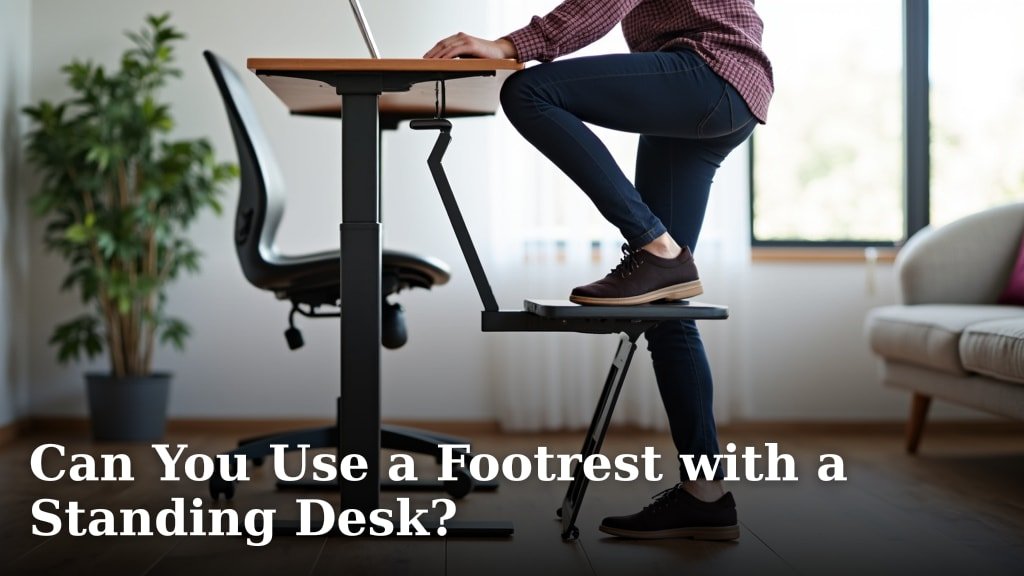
Footrests and Rails
A small footrest or rail lets you shift positions throughout the day. You can rest one foot, then switch to the other.
Transitioning to Your New Height
Start Slow
Don’t jump into 8 hours of standing on day one. Your body needs time to adapt.
Start with 15-30 minutes at a time. Gradually increase as you get stronger.
Listen to Your Body
Some muscle fatigue is normal when you start standing more. Sharp pain isn’t.
If something hurts, check your setup again. You might need small adjustments.
Measuring Tools You Need
Basic Measuring Tape
A simple measuring tape helps you measure desk height. Measure from the floor to your elbow when standing.
Smartphone Apps
Some apps can help you check your posture using your phone’s camera. They’re not perfect, but they give you a starting point.
Fine-Tuning Your Setup
Make Small Changes
Don’t make big adjustments all at once. Move your desk up or down by an inch and see how it feels.
Small changes often make big differences in comfort.
Check Throughout the Day
Your ideal height might change as you get tired. Pay attention to how you feel at different times.
Some people prefer slightly different heights for different tasks.
Special Considerations
Wearing Different Shoes
Flat shoes vs. heels can change your ideal desk height by several inches.
If you switch shoe types regularly, you might want a desk with easy height adjustment.
Shared Workspaces
If multiple people use the same desk, quick adjustment is key. Look for desks with memory settings or easy controls.
Health Benefits of Proper Height
Reduced Back Pain
Research from the CDC shows that proper ergonomics can reduce back pain in office workers.
The right desk height keeps your spine in a neutral position, reducing strain on your lower back.
Better Circulation
Standing improves blood flow compared to sitting. But only if you’re standing in a comfortable, natural position.
Less Neck Strain
When your monitor and desk heights work together, your neck stays in a neutral position. This prevents the forward head posture that causes neck pain.
Conclusion
Finding the right standing desk height is simpler than most people think. Start with the basic measurements for your height, then make small adjustments based on comfort. Remember that your elbows should be at 90 degrees, your monitor at eye level, and your wrists straight. Take time to transition gradually, and don’t be afraid to fine-tune your setup as you learn what works best for your body. The few minutes you spend getting this right will pay off in better comfort and health for years to come.
What if my standing desk doesn’t go low enough for my height?
You can use a platform or anti-fatigue mat to raise your standing position, or consider a keyboard tray to lower your typing surface while keeping the monitor at the right height.
Should my standing desk height be different for different tasks?
Yes, you might prefer a slightly higher position for writing by hand and a lower position for intensive typing. Many people adjust their desk height by 1-2 inches depending on their current task.
How long should I stand at my desk before sitting down?
Start with 15-30 minute intervals and gradually increase. Most experts recommend alternating between sitting and standing every 30-60 minutes rather than standing all day.
Can wearing high heels affect my standing desk height needs?
Absolutely. Heels can change your ideal desk height by 2-4 inches. If you regularly switch between flats and heels, consider a desk with easy height adjustment or memory settings.
What should I do if my arms get tired even with correct desk height?
Arm fatigue often means you’re holding tension in your shoulders. Check that your shoulders are relaxed and not hunched up. You might also benefit from an adjustable keyboard tray or wrist rest.