What Is the Best Monitor Arm for Gaming Setups?
On this page (7 sections)
The best monitor arm for your gaming setup depends on your specific needs, but generally, you’ll want one that is sturdy, offers plenty of adjustability, and can handle the weight of your monitor. Arms like the Ergotron LX or the WALI Gas Spring are frequently recommended for their durability and smooth movement, making them great choices for gamers.
Choosing the right monitor arm can seriously upgrade your gaming experience. It’s not just about saving desk space. A good arm can help you find the perfect viewing angle, reduce neck strain, and create a cleaner, more organized battle station. We’ve researched what makes a monitor arm a winner for gamers, focusing on stability and ease of use.
- Monitor arms free up desk space and improve ergonomics.
- Look for sturdy construction to support your monitor’s weight.
- Adjustability is key for finding the ideal viewing position.
- Gas spring arms offer smoother height adjustments than gas lift.
- Check compatibility with your monitor’s VESA mount.
Let’s dive into what makes a monitor arm truly shine for gamers and how to pick the perfect one for your rig.
Choosing the Right Monitor Arm for Your Gaming Battles
So, you’re ready to level up your gaming battlestation. You’ve got the rig, the peripherals, and now you’re thinking about a monitor arm. That’s smart! It’s more than just a cool accessory. A good monitor arm can truly change how you play and how your setup feels. We’ve done the digging to help you find one that won’t let you down mid-raid. For product picks, see our monitor arms for gaming guide.
What to Look For in a Gaming Monitor Arm
When you’re on the hunt for the perfect monitor arm, several key features will make or break your experience. Think of it like picking your character’s loadout. You need the right tools for the job!
Stability Is King: No Wobbles Allowed!
The most important thing? Stability. A wobbly monitor is a gamer’s worst nightmare. Imagine a tense boss fight, and your screen starts shaking. Not ideal, right? We looked for arms that use robust materials and strong mounting mechanisms. A well-built arm will keep your monitor locked in place, no matter how intense the action gets.
Adjustability for the Perfect View
Next up is adjustability. You need to position your monitor exactly where you want it. This means you should be able to tilt, swivel, and rotate your screen with ease. Finding that sweet spot can improve your posture and reduce eye strain. Let’s face it, who wants to crane their neck for hours?
Height and Depth Control
Consider how you’ll adjust the height and depth. Gas spring arms are incredibly popular for this. They allow for smooth, one-handed adjustments. You can easily move your monitor up or down. This is super handy if you share your setup or just want to change your position throughout the day. Many gas spring arms can also extend outwards, giving you flexibility in desk placement.
Rotation Options
Does your arm allow for portrait mode? Some games or productivity tasks benefit from a vertical screen. While not essential for all gamers, it’s a nice feature to have if you like to switch things up. Most arms will offer 360-degree rotation, which is perfect for sharing your screen or just finding that awkward angle you didn’t know you needed.
Weight Capacity and Monitor Size
This is non-negotiable. Your monitor arm needs to support the weight of your monitor. Check the arm’s specifications carefully. Most arms list a minimum and maximum weight they can handle. Also, consider your monitor’s size. While many arms work with various sizes, some are better suited for ultrawide or larger displays.
Understanding VESA Mounts
Almost all modern monitors and arms use the VESA mounting system. This is a standardized set of screw holes on the back of your monitor. You’ll need to check your monitor’s VESA pattern (e.g., 75x75mm, 100x100mm). Most monitor arms are compatible with common VESA sizes, but it’s always best to double-check before you buy.
Types of Monitor Arms for Gamers
Not all monitor arms are created equal. Different types offer different benefits, and understanding these can help you make the best choice for your gaming nook.
The Popular Gas Spring Arm
These are perhaps the most common and well-loved for gaming setups. A gas spring mechanism inside the arm allows for effortless height adjustments. You can move your monitor up, down, forward, or back with a gentle touch. It’s like having a magic wand for your screen!
They feel incredibly smooth. Many experts praise them for their ease of use. This makes them great for quickly repositioning your display during long gaming sessions. You can pull it closer for intense focus or push it back to relax.
The Sturdy Mechanical Arm
Mechanical arms use tension springs instead of gas. They are generally very sturdy but might require more effort to adjust. You might need to use a tool to tighten or loosen them. For gamers who set their monitor and rarely move it, this could be a perfectly fine option.
They can be a bit more budget-friendly. If you have a fixed position in mind and prioritize a rock-solid hold, a mechanical arm is worth considering. Just know that fine-tuning might take a little extra fuss.
The Clamp vs. Grommet Mount Debate
How will the arm attach to your desk? This is an important detail. Most arms come with two mounting options: clamp and grommet.
Clamp Mount: This uses a C-clamp that grips the edge of your desk. It’s easy to install and remove. It’s also great if you don’t want to drill holes in your desk. Just ensure your desk edge is thick enough for the clamp to get a good grip.
Grommet Mount: This requires drilling a hole through your desk. The arm then goes through this hole, offering a very secure and clean look. If you’re comfortable with a drill and want a permanent, sleek setup, this is a fantastic choice. Many arms include hardware for both methods.
Top Features That Gamers Appreciate
Beyond the basics, what else makes a monitor arm truly “gamer-approved”? We found a few things that really stand out.
Cable Management Solutions
Tangled cables can ruin even the most epic setup. Look for arms with built-in cable management channels or clips. These help route your wires neatly along the arm. It keeps your desk looking clean and prevents cords from getting snagged. A tidy desk is a happy gamer!
Single vs. Dual Monitor Arms
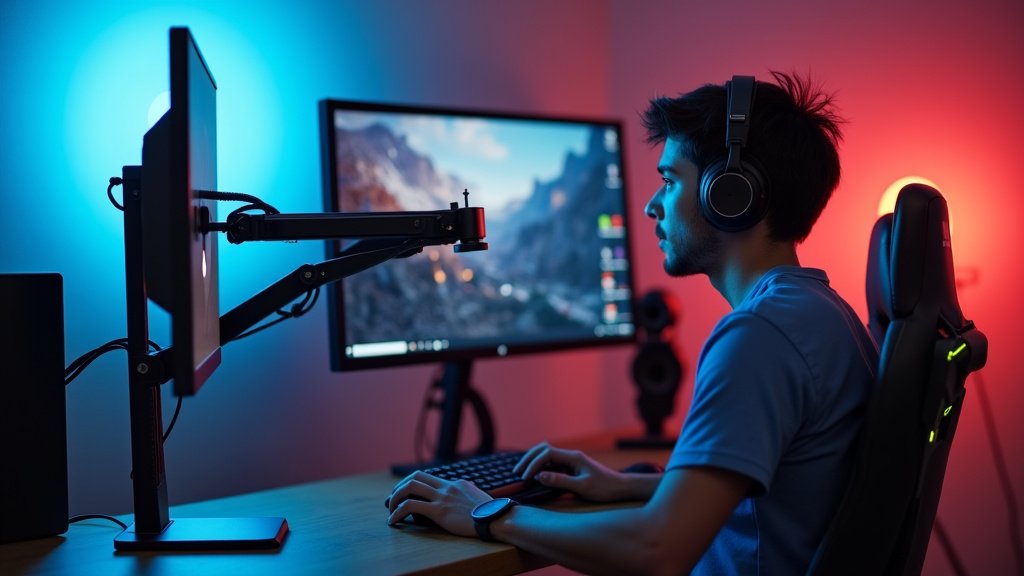
Do you run a single monitor, or are you a dual-display warrior? Monitor arms come in both configurations. Single arms are straightforward. Dual arms allow you to mount two monitors side-by-side or stacked.
Dual arms are excellent for multitasking or having Discord, streaming software, or other apps visible without switching screens. Just ensure the dual arm you choose can handle the combined weight and size of your two monitors. We found many robust dual-arm options that are quite stable.
Desk Space Freedom
This is a big one. A monitor arm lifts your display off the desk. This frees up a huge amount of real estate. You gain space for your keyboard, mouse, headset, or even just more room to move your mouse. It makes your desk feel bigger and more organized. It’s like gaining extra inventory slots!
Making Your Final Decision: A Quick Checklist
Picking the right arm can feel like a big task, but by focusing on these key points, you’ll be well on your way to a better gaming experience. Here’s a quick rundown to keep in mind:
- Does it support your monitor’s weight? Always check the specs.
- Is it stable? Read reviews about wobble.
- How easy is adjustment? Gas spring arms are usually smoothest.
- Does it fit your desk? Check clamp or grommet needs.
- Does it have cable management? Keep things tidy.
- Is it the right type for your setup? Single, dual, or ultrawide?
Conclusion
You’re now equipped to find the perfect monitor arm for your gaming setup. Remember, stability and adjustability are your top priorities. A sturdy arm with smooth gas spring movement will ensure your monitor stays put and is always in the ideal position. Don’t forget to check weight capacity and VESA compatibility before you buy. By focusing on these key features, you’ll create a cleaner, more comfortable, and ultimately more immersive gaming experience. Ready to clear your desk and improve your battle station? Start comparing arms based on what you’ve learned today!
Frequently Asked Questions
Will a monitor arm work with my curved ultrawide monitor?
Many monitor arms are designed to support ultrawide monitors, including curved ones. You’ll need to check the arm’s maximum weight capacity and its VESA mount compatibility to ensure it can handle your specific ultrawide display.
How do I know if my monitor is compatible with a monitor arm?
Compatibility is mainly determined by your monitor’s VESA mounting pattern (the screw hole arrangement on the back) and its weight. Most monitor arms list the VESA sizes they support and a weight range. Always check these specs against your monitor’s manual or specifications.
Is a gas spring arm really better for gaming than a mechanical arm?
Gas spring arms offer smoother, one-handed adjustments, which is great for quickly repositioning your monitor during gaming sessions or if you frequently change your sitting position. Mechanical arms are often sturdier but may require tools for adjustment and are better if you set your monitor and rarely move it.
Can I install a monitor arm if I don’t want to drill into my desk?
Yes, most monitor arms come with a clamp mount option. This C-clamp attaches to the edge of your desk without needing any permanent modifications. Just ensure your desk has a sturdy edge that can support the clamp securely.
What if I have two monitors? Do I need a different kind of arm?
For dual monitor setups, you’ll want to look for a dual monitor arm designed to hold two screens. These arms have two independent or connected mounting brackets. Ensure the dual arm’s total weight capacity is sufficient for both of your monitors combined.



