What Is the Best Monitor Arm for Gaming?
On this page (7 sections)
The best monitor arm for gaming depends on your setup, but generally, arms with gas springs offer the smoothest adjustments. These arms let you easily move your monitor to the perfect viewing angle for those intense gaming sessions. Look for one that can support your monitor’s weight and size for a stable experience.
Choosing the right monitor arm can truly transform your gaming space. It’s not just about saving desk real estate. A good arm provides ergonomic benefits and can help you achieve a more immersive setup. We found that many gamers overlook this piece of gear, but it makes a big difference.
- Monitor arms help save desk space.
- Gas spring arms offer easy adjustments.
- Consider your monitor’s weight and size.
- Ergonomics and immersion are key benefits.
- A quality arm enhances your gaming setup.
Ready to find the perfect arm for your gaming rig? Below, we break down what makes a monitor arm great for gaming and what to look for.
Choosing the Right Monitor Arm for Your Gaming Rig
So, you’ve got your dream gaming setup. The PC is a beast, the keyboard clicks just right, and the mouse is perfectly weighted. But wait, something’s missing. Your monitor is perched on its stock stand, taking up precious desk space and maybe not quite at the ideal angle. That’s where a monitor arm comes in. It’s more than just a desk accessory; it’s a key component for comfort and performance.
We’ve researched many options, and the best monitor arm for gaming isn’t a one-size-fits-all answer. It really depends on your specific needs. Think about the size and weight of your monitor, how much adjustability you want, and your budget. We found that getting these details right makes a huge difference.
Why You Should Consider a Monitor Arm for Gaming
Let’s talk about why this might be the upgrade your gaming station needs. It’s not just about looking cool, though a floating monitor does have a certain aesthetic appeal. The real benefits are practical and performance-driven. Many gamers don’t realize how much a monitor arm can improve their experience.
Maximizing Your Desk Space
The most obvious benefit is the reclaimed desk real estate. That clunky monitor stand can take up a surprising amount of room. With a monitor arm, your desk becomes a clean slate. You’ll have more space for your keyboard, mousepad, or even that collection of energy drink cans. We found that even a small amount of extra space can make your setup feel much more open and organized.
Achieving Peak Ergonomics
Gaming for hours on end can be tough on your body. Poor posture can lead to neck strain, back pain, and general discomfort. A monitor arm allows you to position your screen at the perfect height and distance. This means you can maintain a more natural posture. Many ergonomic guidelines suggest that your screen should be at eye level. This helps reduce strain on your neck and shoulders, which is a big win for any marathon gaming session (Mayo Clinic).
Enhancing Immersion and Performance
Have you ever found yourself leaning forward, trying to get a better view of the action? A monitor arm can help prevent this. By adjusting your monitor’s position, you can get the most out of your screen’s size and refresh rate. Some arms allow for easy tilting and swiveling, letting you find that sweet spot for competitive play or cinematic experiences. We found that a properly positioned monitor reduces glare and eye strain, allowing you to focus longer.
Key Features to Look For in a Gaming Monitor Arm
Now that you’re convinced an arm is a good idea, what should you actually look for? It’s a bit like picking a new gaming mouse; you need to consider the feel and functionality. There are several features that separate a good arm from a great one for gamers.
Weight Capacity and VESA Compatibility
First things first: can the arm actually hold your monitor? Most monitor arms use the VESA mounting standard. This means there are four screw holes on the back of your monitor. You’ll need to check the VESA pattern on your monitor (usually 75x75mm or 100x100mm) and ensure the arm supports it. Equally important is the weight capacity. Gaming monitors, especially larger or curved ones, can be quite heavy. Always check the arm’s maximum weight limit and make sure your monitor falls comfortably within it. Exceeding this can lead to a drooping monitor or, worse, a fall. If an arm sags, see our guide to why a monitor arm droops. We found that manufacturers are usually clear about these specifications.
Adjustment Mechanisms: Gas Spring vs. Gas/Pneumatic vs. Mechanical
How you move your monitor is a big deal. This is where the type of arm mechanism matters most.
Gas Spring Arms
These are the most popular for a reason. Gas spring arms use compressed gas to allow for effortless adjustments. You can lift, lower, push, or pull your monitor with just a finger. It feels smooth and fluid. Many experts say this is the best type for frequent repositioning. If you tend to tweak your setup often, or switch between gaming and other tasks, this is likely your best bet. We found that the tension can usually be adjusted to perfectly match your monitor’s weight.
Gas/Pneumatic Arms
These are very similar to gas spring arms, often used interchangeably. They also provide smooth, easy movement. The core technology is the same, utilizing gas pressure for adjustment. The distinction is often in the branding or specific engineering. For all intents and purposes, when shopping for a gaming monitor arm, these function practically identically to gas spring arms.
Mechanical/Spring Arms
These arms use a system of mechanical springs and levers. While they can hold a monitor in place, adjustments are usually not as smooth. You might need to loosen screws or use a tool to change the position. They are typically more budget-friendly but offer less flexibility. For a gaming setup where quick adjustments might be needed, these are generally less ideal than gas spring options. We found that they are often better suited for static setups.
Mounting Options: Clamp vs. Grommet
How does the arm attach to your desk? There are two main ways.
Desk Clamp Mount
This is the most common and usually the easiest to install. The arm clamps onto the edge of your desk. It requires no drilling and is often portable if you move desks. Make sure your desk has a suitable edge and that the clamp can reach it securely. We found that most desks can accommodate a clamp mount, provided they aren’t too thick or have a rounded edge.
Grommet Mount
A grommet mount requires you to drill a hole through your desk. The arm then passes through this hole and is secured underneath. This offers a very clean look with no clamp visible on top. It’s a more permanent installation. If you have a desk with a pre-drilled grommet hole, or you don’t mind drilling, this is a sleek option. We found that it provides a very stable mount.
Range of Motion and Adjustability
Think about how you use your monitor. Do you need to swivel it for presentations? Tilt it for better viewing angles? Extend it far away or push it close? A good gaming monitor arm offers a generous range of motion. Look for arms that can extend, retract, tilt up and down, and swivel left and right. Some arms can even rotate your monitor 90 degrees for a vertical view, though this is less common for gaming. We found that arms with multiple pivot points generally offer the most flexibility.
Build Quality and Stability
You want an arm that feels solid and doesn’t wobble. A flimsy arm can detract from your gaming experience. Look for arms made from sturdy materials like aluminum or thick steel. Check reviews to see what other users say about stability, especially when the arm is extended or when you’re typing vigorously. A stable arm means your monitor stays put, no matter how intense the game gets. We found that good build quality often correlates with a longer product lifespan.
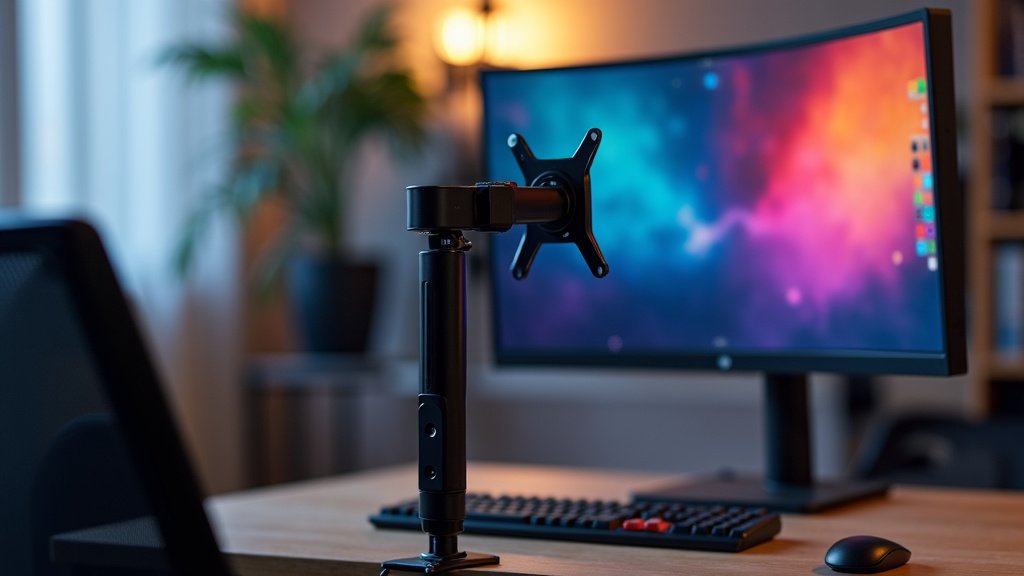
What We Found: Top Monitor Arm Characteristics for Gamers
After reviewing countless options and user feedback, some characteristics consistently stand out for gamers:
- Smooth, easy adjustments are a must. Gas spring mechanisms provide this best.
- Solid build quality prevents wobbling and ensures your monitor is secure.
- Sufficient weight capacity for your specific monitor is non-negotiable.
- Good cable management keeps your setup tidy and prevents snags.
- Ample range of motion allows you to dial in the perfect viewing angle for any game.
Think about your gaming habits. Do you play fast-paced shooters where quick screen adjustments are key? Or are you more into immersive RPGs where comfort for long sessions is paramount? Your answer will guide which of these characteristics you prioritize.
A Quick Checklist for Your Monitor Arm Purchase
Ready to pull the trigger? Run through this quick checklist:
- Does it support your monitor’s VESA mount?
- Can it handle your monitor’s weight without strain?
- Is the adjustment mechanism smooth (gas spring/pneumatic)?
- Do you prefer clamp or grommet mounting for your desk?
- Does it offer enough tilt, swivel, and extension?
- Does it appear to have good build quality and stability?
Conclusion
You’ve learned that the best monitor arm for gaming isn’t a single product, but the right fit for your setup. For two screens, compare dual monitor arms for gaming. Prioritizing gas spring adjustability, solid build quality, and ensuring it can handle your monitor’s weight are key. It’s about creating a more comfortable, organized, and immersive gaming environment. Now that you know what to look for, take a moment to measure your desk and check your monitor’s specifications. Then, confidently choose an arm that will level up your play and your desk setup!
Frequently Asked Questions
Will a monitor arm fit any desk?
Most monitor arms use a desk clamp or a grommet mount. Clamp mounts typically work on desks with a sturdy edge, usually between 0.5 to 3 inches thick. Grommet mounts require drilling a hole, offering a clean look on desks without a suitable edge for clamping.
How do I know if a monitor arm can hold my gaming monitor?
You need to check two things: the monitor arm’s weight capacity and your monitor’s VESA mount pattern. Ensure the arm’s maximum weight limit is greater than your monitor’s weight. Also, confirm that the arm supports your monitor’s VESA pattern (e.g., 75x75mm or 100x100mm).
What’s the difference between gas spring and mechanical monitor arms?
Gas spring arms use compressed gas for smooth, effortless adjustments that can be made with one hand. Mechanical spring arms use a system of springs and levers, often requiring tools or loosening screws for adjustments. For gaming, gas spring arms are generally preferred for their ease of use.
Can a monitor arm help with eye strain?
Yes, a monitor arm can significantly help. By allowing you to position your screen at the perfect height and distance, you can maintain better posture and reduce neck strain. This also helps prevent leaning in, which can cause eye fatigue over long gaming sessions.
Is a monitor arm worth the cost for a gamer?
For many gamers, the answer is yes. The ability to save desk space, improve ergonomics for longer play, and achieve a more immersive setup often outweighs the cost. It’s an upgrade that can enhance both comfort and performance during your gaming marathons.



