Why Is My Desk Lamp Flickering?
On this page (3 sections)
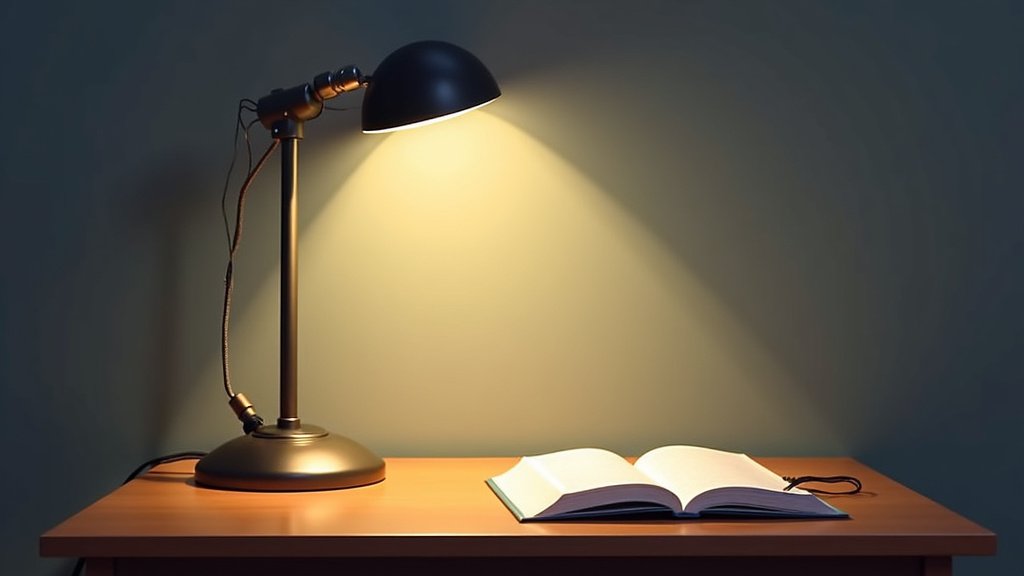
Your desk lamp is likely flickering because of a loose bulb, a faulty connection, or a problem with the power source. These are the most common culprits when your light starts to strobe unexpectedly. Don’t worry, it’s usually a quick fix!
A flickering lamp can be quite annoying and even a bit distracting. We found that it often points to issues like a worn-out dimmer switch or even a minor electrical surge. Understanding why it’s happening is the first step to restoring steady light.
- Loose bulb or bad connection.
- Issues with the power source.
- Dimmer switch problems.
- Lamp wiring issues.
Let’s walk through the most common reasons your desk lamp might be flickering and how you can get it working properly again.
You’re settling in for a cozy evening, or maybe powering through some work, and suddenly your desk lamp starts to flicker. It’s more than just annoying; it can be a real distraction. If your lamp is acting like a disco ball when you just want steady light, it’s usually a sign that something needs a little attention. Let’s figure out what’s going on.
Troubleshooting Your Flickering Desk Lamp
When your desk lamp starts to flicker, the first thing you’ll want to do is stay calm. Most causes are easy to fix yourself. We’ve found that the issues typically boil down to a few common culprits. These range from simple physical connections to more technical electrical problems. Let’s start with the easiest things first.
Check the Light Bulb Itself
This might sound obvious, but a loose bulb is a very common reason for flickering. Even a slight vibration can cause it to lose contact. Think of it like a phone losing signal; it can drop in and out. A bulb that isn’t screwed in tightly won’t make a consistent connection with the socket. This leads to those annoying flickers.
Is the Bulb Screwed In Properly?
Make sure your lamp is unplugged before you touch the bulb. This is for your safety. Gently try to screw the bulb in a bit tighter. It shouldn’t be so tight that you risk breaking it, but it should feel snug. If it was loose, tightening it might be all you need to do. You can then plug it back in and see if the flickering stops.
Is the Bulb Old or Damaged?
Light bulbs don’t last forever. As they age, their internal components can start to fail. This often shows up as flickering before the bulb burns out completely. If your bulb is old, or if you notice any cracks or black marks on it, it’s probably time for a replacement. Sometimes, a bulb is just defective from the factory. Trying a brand new bulb is a great way to rule out this possibility.
Compatibility Issues with LED Bulbs
If you’ve recently switched to an LED bulb, you might run into flickering issues. Learn more about blue light from desk lamps and eye comfort. Not all lamps are designed to work perfectly with LEDs. Older lamps, in particular, might have wiring or dimmer components that aren’t compatible. This can cause the LED to strobe. We’ve found that checking the lamp’s manual or the bulb packaging for compatibility is a good step.
Inspect the Lamp’s Wiring and Connections
Beyond the bulb, the internal wiring of the lamp is another place to look. Connections can loosen over time due to wear and tear, or even just from moving the lamp around. A loose wire means an inconsistent flow of electricity, which directly causes flickering. This is a bit more involved, but still manageable.
The Power Cord and Plug
First, examine the power cord running from the lamp to the wall outlet. Look for any visible signs of damage. Are there any nicks, cuts, or frayed areas? Does the plug itself look damaged or bent? If you see any damage, it’s a strong indicator that the cord needs replacing. It’s also a safety hazard. A damaged cord can lead to more serious electrical problems.
Internal Wiring Check (Use Caution!)
If you’re comfortable, you can check the internal connections. You’ll likely need to remove a base plate or cover on the lamp. Again, always unplug the lamp first. Look for any wires that seem loose, disconnected, or burnt. Gently push any connectors back into place. If you see any wires that are frayed or corroded, it might be time to consult an electrician. This is especially true if you’re not experienced with electrical repairs.
Examine the Light Switch or Dimmer
Many desk lamps come with built-in switches or dimmers. These components can wear out over time, just like any other part of the lamp. A faulty switch or a dying dimmer is a frequent culprit behind inconsistent light.
Standard On/Off Switches
If your lamp has a simple on/off switch, it can still be the source of the problem. Sometimes the internal contacts within the switch can become dirty or worn. This can interrupt the flow of electricity, causing flickering. If you’ve tried everything else and your lamp still flickers, the switch itself might be failing and need replacement.
Dimmer Switch Issues
Dimmers offer more control over light intensity, but they also add another layer of potential problems. Dimmer switches, especially older rotary or slider types, can become faulty. Dust and debris can get inside, or the internal components can simply wear out. This can lead to inconsistent power delivery. If your dimmer isn’t working smoothly, or if the light flickers only at certain brightness levels, the dimmer is a prime suspect. Many modern LED bulbs also require specific types of dimmers for smooth operation. If you’re using an LED with a dimmer, ensure they are compatible. Some dimmers, known as “leading-edge” dimmers, don’t work well with LEDs and can cause flickering or buzzing. “Trailing-edge” dimmers are often a better choice for LEDs.
Consider Your Power Source
Sometimes, the issue isn’t with the lamp itself but with where it’s plugged in. The electricity coming into your home or office can sometimes be inconsistent. This can manifest as flickering lights, especially for sensitive electronics.
The Wall Outlet
Try plugging your lamp into a different wall outlet. This helps you determine if the problem is with the specific outlet you’re using. An outlet that is loose, damaged, or on a circuit that is overloaded can cause intermittent power. If the flickering stops when you use a different outlet, you know the original outlet might be the issue. You might want to have a qualified electrician check it out.
Extension Cords and Power Strips
Are you using an extension cord or a power strip? These can also be points of failure. An old or damaged extension cord can reduce the flow of electricity. Power strips can also wear out, especially if they are overloaded with too many devices. Try plugging the lamp directly into the wall outlet to see if that resolves the flickering. If it does, the extension cord or power strip is likely the problem. It’s best to replace any damaged or old cords and strips.
Electrical Surges and Fluctuations
Sometimes, brief surges or drops in electrical power can occur in your home’s wiring. These are usually too quick to notice with most appliances but can affect lights, causing them to flicker or momentarily dim. If you notice this happening with multiple devices, it might indicate a larger issue with your home’s electrical system. In such cases, consulting a qualified electrician is highly recommended (U.S. Department of Energy).
A Quick Checklist to Fix Your Flickering Lamp
To help you get started, here’s a handy checklist of the most common fixes:
- Unplug the lamp before doing any checks. Safety first!
- Tighten the light bulb securely in its socket.
- Try a new, known-good light bulb to rule out a faulty bulb.
- Inspect the power cord and plug for any signs of damage.
- Test the lamp in a different outlet or without an extension cord/power strip.
- Check dimmer settings and ensure compatibility if using LED bulbs.
By systematically going through these steps, you should be able to identify why your desk lamp is flickering and get it back to providing steady, reliable light. Most of the time, it’s a simple fix that you can handle yourself!
Conclusion
You’ve now walked through the most common reasons your desk lamp might be flickering. We’ve covered everything from a simple loose bulb to potential issues with your lamp’s wiring or even your home’s power source. Remember, most flickering lamps can be fixed with a few simple checks. Don’t let a strobing light disrupt your focus or relaxation any longer. Your next step is to grab your lamp, unplug it safely, and start with that bulb. If that doesn’t do the trick, systematically work through the other troubleshooting steps we’ve outlined. You’ll likely have steady light back in no time!
Frequently Asked Questions
How do I know if I should call an electrician for my flickering lamp?
You should call an electrician if you see any signs of damage to the lamp’s internal wiring, such as frayed or burnt wires, or if you suspect an issue with your home’s main electrical panel. Also, if you’ve tried all the simple fixes and the flickering persists, it’s time for a professional to take a look.
Can a flickering lamp be a fire hazard?
While a flickering lamp is usually just an annoyance, damaged wiring or faulty components can potentially pose a fire risk. It’s always best to address flickering lights promptly. If you notice any burning smells or excessive heat from the lamp, unplug it immediately and consult an electrician.
My LED desk lamp flickers at different brightness levels. What’s wrong?
This often indicates an incompatibility issue between your LED bulb and the dimmer switch or the lamp’s internal circuitry. Older lamps might not be designed for modern LED technology. Ensure your LED bulb is compatible with your dimmer, or consider trying a non-dimmable LED bulb if your lamp doesn’t have a dimmer feature.
I just replaced my light bulb, and now my lamp is flickering. Why?
This could mean the new bulb is faulty, or it might be incompatible with your lamp, especially if it’s an LED bulb in an older fixture. Double-check that the bulb is screwed in correctly and try a different brand or type of bulb. If the problem persists, the issue might be with the lamp itself.
What’s the difference between a lamp flickering and a light bulb burning out?
A flickering light bulb is trying to signal that it’s nearing the end of its lifespan or experiencing an electrical issue. You’ll typically see it strobe or dim intermittently before it goes out. When a bulb simply burns out, it will just stop working suddenly, usually with a pop or a brief flash. Flickering points to an electrical connection problem, while a bulb burning out means the bulb’s internal components have failed.