Can You Mount Two Monitors on One Monitor Arm?
On this page (3 sections)
Yes, you absolutely can mount two monitors on one monitor arm, but it depends on the arm itself. Many monitor arms are specifically designed to hold multiple screens. You just need to pick the right kind for your setup.
You might be surprised how many options there are. Dual monitor arms, for instance, are built for this exact purpose. They help you reclaim desk space and position your screens just right. It’s all about finding a compatible arm that meets your needs.
- Dual monitor arms are common.
- Check weight capacity limits.
- Ensure VESA compatibility for your monitors.
- Consider desk mounting options.
- Enjoy a clutter-free workspace.
Let’s dive into the details so you can confidently choose the best monitor arm for your dual-screen setup.
Selecting the Right Arm for Dual Monitors
Mounting two monitors on a single arm is definitely possible. Your success hinges on choosing the correct type of monitor arm. It’s not just about space, but also about the arm’s strength and design. For product picks, see our monitor arms for two monitors guide.
We’ve found that most people are surprised by the variety of dual monitor arms available. These arms are engineered to hold two screens side-by-side or stacked, depending on your preference. They’re built for efficiency and ergonomic comfort. For those considering a complete setup, our article on the best standing desk for two monitors offers excellent recommendations.
Understanding Different Dual Monitor Arm Types
When you’re looking for an arm to hold two monitors, you’ll encounter a few main types. Each has its own benefits, so consider your desk setup and how you work. We want to help you make the best choice for your unique needs.
Post-Mounted Dual Arms
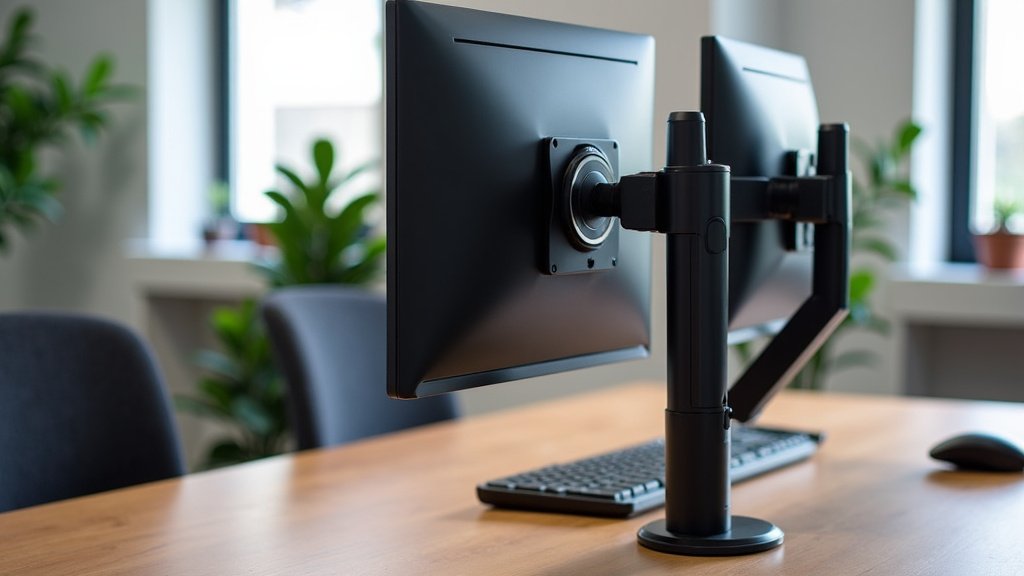
Post-mounted arms typically feature a central pole or post. Both monitor arms attach to this post. You can often adjust the height of each monitor independently along the pole.
This design is great for vertical stacking if your monitors are smaller. It also allows for good depth adjustment. We found these arms are quite popular for general office use.
Crossbar Dual Arms
Crossbar arms have a horizontal bar from which two monitor mounts extend. Your monitors will sit side-by-side on this bar. This creates a very clean, aligned look.
These arms are fantastic if you want your monitors perfectly level. They’re ideal for a consistent sightline across both screens. However, they can be less flexible for individual monitor adjustment compared to post-mounted arms.
Independent Dual Arms (Articulating Arms)
Some dual monitor arms have two completely separate articulating arms. Each arm attaches to a central base, but then moves independently. This offers the most flexibility in positioning each screen.
You can tilt, swivel, and rotate each monitor exactly how you like. This is perfect if you often change your screen orientation. Many experts say these provide the best ergonomic customization (Ergonomics.com).
Key Factors When Choosing Your Dual Monitor Arm
Before you buy, there are several important things to consider. Skipping these steps could lead to frustration or even damage. We’ve compiled the crucial points to guide your decision.
Weight Capacity is Paramount
Every monitor arm has a maximum weight it can support. This is arguably the most critical specification. You need to know the weight of each of your monitors.
Add the weights of both monitors together. Make sure this combined weight is well within the arm’s stated capacity. Don’t push the limits; always leave a little buffer for safety. An arm struggling with weight can sag or even break.
VESA Compatibility Matters
The VESA standard is a mounting interface for monitors. Most monitors have four screw holes on the back. These holes match specific VESA patterns, like 75x75mm or 100x100mm.
Your monitor arm must be compatible with your monitor’s VESA pattern. Most good arms support both common sizes. Always check your monitor’s manual or look at the back of the screen. Without VESA compatibility, you can’t attach your monitors.
Monitor Size and Curvature
While weight is primary, monitor size also plays a role. An arm might support the weight of two 27-inch monitors, but struggle with two 34-inch ultrawide monitors. The sheer width can cause issues.
If you have larger monitors, especially ultrawides or curved screens, look for arms designed for them. These arms often have longer reach and stronger joints to handle the leverage. We’ve found that ignoring size can lead to monitors bumping into each other or not sitting correctly.
Desk Mounting Options
How will the arm attach to your desk? This is a practical consideration. You have a few main options, and each has pros and cons for your workspace.
- C-Clamp Mount: This is the most common type. It clamps to the edge of your desk. It’s easy to install and remove. Ensure your desk edge is strong enough and has enough overhang.
- Grommet Mount: This option uses a hole (grommet) in your desk. The arm feeds through the hole and secures underneath. It offers a very clean look. Many desks come with grommet holes, or you can drill one if comfortable. Understanding the standard grommet hole size can help you determine if your desk is ready for this mounting option.
- Freestanding Base: Less common for dual arms, but some exist. These sit directly on your desk. They require a stable, heavy base, taking up more desk real estate. They offer flexibility if you can’t clamp or drill.
Consider the thickness of your desk and any existing holes. We recommend checking these details before committing to a purchase.
Benefits of Using a Dual Monitor Arm
So, why go through the effort of mounting two monitors on one arm? The benefits are quite clear once you experience them. It can truly transform your workspace and your productivity.
Reclaim Your Desk Space
This is often the primary motivator. Monitors on their factory stands take up a surprising amount of room. A dual monitor arm lifts your screens off the desk. This creates valuable space underneath for notebooks, docking stations, or just a tidier look.
Imagine having more room to spread out your documents or simply enjoy a less cluttered environment. It feels good, doesn’t it?
Improved Ergonomics
Proper monitor height and distance are crucial for comfort and health. An arm allows you to precisely adjust your monitors. You can get them to the ideal height, where the top of the screen is at or slightly below eye level (OSHA guidelines often recommend this).
Reducing neck and eye strain can make a huge difference in your workday. We found that many users report less fatigue after switching to an ergonomic setup.
Enhanced Productivity
Two monitors are already a productivity booster. Being able to position them perfectly only amplifies that. You can easily switch between tasks, compare documents, or keep an eye on multiple applications.
Optimally placed screens mean less head movement and a more natural viewing experience. Many studies suggest dual monitors can increase productivity significantly (University of Utah).
A Quick Checklist for Your Dual Monitor Arm Purchase
To help you keep track, here’s a simple checklist. Go through these points as you research different monitor arms. This ensures you cover all the important aspects.
- Confirm the total weight of both your monitors.
- Check the VESA pattern (75x75mm or 100x100mm) for each monitor.
- Measure the size of your monitors, especially if they are large or curved.
- Decide on your preferred desk mounting method (clamp, grommet, freestanding).
- Consider the range of motion and adjustability you need for each screen.
- Look for features like cable management to keep your desk tidy.
Final Thoughts on Your Setup
Finding the perfect dual monitor arm might seem like a small detail, but it can profoundly impact your daily work or gaming experience. By focusing on weight, VESA, size, and mounting, you’ll be well on your way to a more efficient and comfortable setup.
Remember, a good monitor arm is an investment in your comfort and productivity. Don’t hesitate to spend a little extra for quality and durability. You’ll thank yourself later when your workspace is exactly how you want it.
Conclusion
Mounting two monitors on a single arm is a smart upgrade for your workspace. You’ve learned it’s very possible, provided you pick the right arm. Focus on total monitor weight, VESA compatibility, and your preferred mounting style. Doing your homework now prevents frustration later.
A quality dual monitor arm will free up desk space, improve your posture, and boost your productivity. It’s an investment in a more comfortable and efficient setup. So, take these tips, check your monitor specs, and get ready to transform your dual-screen experience.
Frequently Asked Questions
What is VESA compatibility?
VESA is a standard for monitor mounting. It refers to the pattern of screw holes on the back of your monitor. Most arms support common patterns like 75x75mm or 100x100mm.
Can a single monitor arm hold two monitors?
No, a single monitor arm is designed for just one screen. To mount two monitors, you need a dedicated dual monitor arm or a specialized multi-monitor arm system.
How do I know if my desk can support a monitor arm?
Check your desk’s thickness and material. Most clamp-on arms work with desks between 0.4 and 3 inches thick. A solid wood or metal desk is usually fine, but particle board might need reinforcement.
Will a dual monitor arm damage my desk?
A C-clamp style arm can leave minor indentations on softer desk surfaces if not properly padded. Grommet mounts require drilling a hole. Always use protective pads and ensure the mount is secure but not overtightened.
Can I use different sized monitors on one dual arm?
Yes, you can often use different sized monitors. However, for the best aesthetic and ergonomic setup, try to use monitors that are similar in height and weight. Independent articulating arms offer the most flexibility for mixed sizes.



